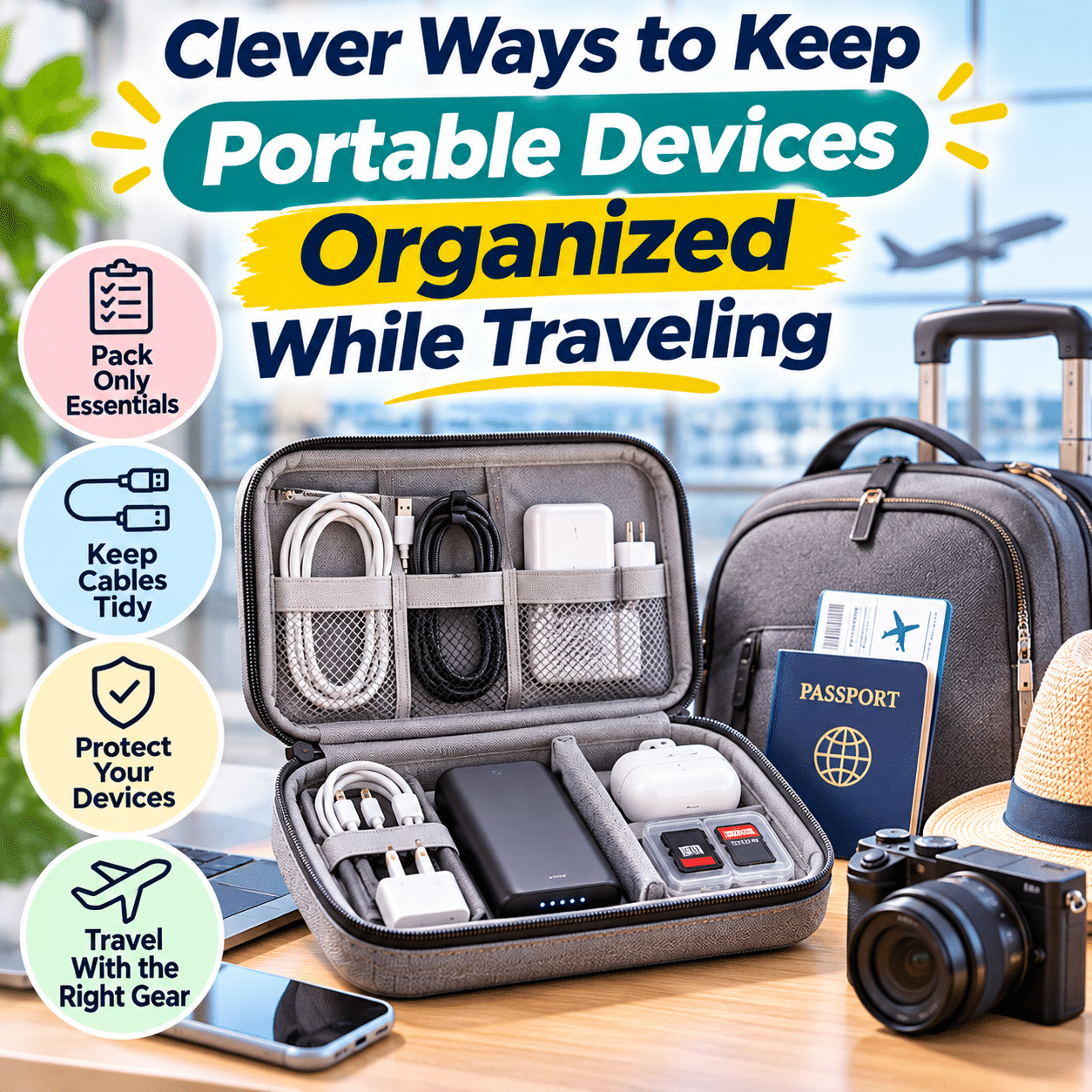
Traveling with electronic devices has become a normal part of modern life. Whether you are heading out for a weekend getaway, taking a business trip, visiting family, or exploring a new destination, portable technology can make the journey more convenient, productive, and enjoyable.
Smartphones help with navigation and communication. Tablets provide entertainment during long journeys. Laptops support remote work, while wireless headphones, cameras, power banks, and charging accessories make it easier to stay connected wherever you go.
However, traveling with multiple devices also introduces a common challenge: keeping everything organized, protected, and easy to access.
Charging cables can become tangled inside bags, small adapters may disappear into luggage pockets, and fragile electronics can be damaged when packed alongside heavy objects. Searching for the correct charger at an airport or hotel can quickly become frustrating, especially when devices have different power requirements.
Poor organization can also create practical problems. Important devices may be difficult to reach during security checks, batteries may be packed incorrectly, and essential accessories can be forgotten when moving between accommodations.
Fortunately, organizing portable electronics does not require an expensive collection of travel gadgets. A thoughtful packing system, a few suitable organizers, and consistent habits can make traveling with technology considerably easier.
The most effective approach is to organize devices according to how frequently they are used, how much protection they require, and when they will be needed during the journey.
This guide explores practical ways to pack portable electronics, manage charging accessories, protect devices from damage, simplify airport and hotel routines, and maintain an organized technology setup throughout different types of travel.
1. Start by Identifying the Devices You Actually Need
One of the easiest ways to reduce travel clutter is to avoid packing unnecessary electronics.
Modern households often own several devices with overlapping functions. While each may be useful at home, bringing every device on a trip can create unnecessary weight and complexity.
Make a Device Inventory Before Packing
Begin by listing the electronic devices you are considering bringing.
Common examples include:
- Smartphone
- Laptop
- Tablet
- Wireless headphones
- Smartwatch
- Digital camera
- E-reader
- Portable gaming device
- Power bank
- Portable speaker
- External storage drive
Next, consider the purpose of each item.
Separate Essential Devices From Optional Ones
Ask yourself:
- Will I use this device every day?
- Does it serve a purpose another device cannot handle?
- Is it necessary for work, navigation, or communication?
- Will I have enough time to use it?
- Does it require additional chargers or accessories?
- Is the added weight worthwhile?
For example, a smartphone may already provide navigation, photography, messaging, and entertainment.
A separate tablet or camera may still be useful, but it should have a clear role.
Consider the Type of Trip
Different journeys require different equipment.
| Travel type | Commonly useful devices | Organization priority |
|---|---|---|
| Weekend getaway | Smartphone, earbuds, power bank | Compact and lightweight packing |
| Business trip | Laptop, smartphone, headset | Quick access and reliable charging |
| Family vacation | Phones, tablet, camera | Shared accessories and clear labeling |
| Outdoor adventure | Phone, camera, power bank | Weather protection and durability |
| Long international trip | Phone, laptop or tablet, charging accessories | Compatibility and dependable storage |
| Day trip | Smartphone, earbuds, small power bank | Minimal everyday carry |
These are examples rather than fixed packing requirements.
The goal is to bring devices that genuinely support the trip.
2. Create a Dedicated Travel Technology Kit
A dedicated technology kit provides one predictable location for portable electronic accessories.
Instead of scattering chargers, cables, adapters, and small devices throughout luggage, keep related items together.
What Should Go Into a Travel Tech Kit?
Depending on your needs, a kit may contain:
- Charging cables
- USB wall adapters
- Compatible travel plug adapters
- Wireless earbuds
- Small USB accessories
- Memory cards
- Cable straps
- Specialized charging connectors
- A compact cleaning cloth
Power banks may be stored in the same accessible carry-on area, provided airline rules and safe packing requirements are followed.
Choose a Practical Organizer
A suitable organizer should offer:
- Enough compartments for your accessories
- Protection against unnecessary pressure
- Easy access to frequently used items
- Secure closures
- A size appropriate for your luggage
The organizer does not need to be large.
A compact pouch may be sufficient for travelers carrying only a phone and a few accessories.
Avoid Overpacking the Organizer
An organizer becomes less useful when every compartment is tightly filled.
Overpacking can bend connectors, place pressure on devices, and make accessories difficult to retrieve.
Leave enough space to remove items comfortably.
Keep the Kit Consistent
If you travel regularly, maintaining a dedicated set of compatible accessories can reduce repeated packing decisions.
After each trip, return items to their assigned compartments.
This creates a simple system that becomes easier to use over time.
3. Organize Charging Cables So They Never Become Tangled
Charging cables are among the most common sources of clutter inside travel bags.
They are flexible, easy to misplace, and often difficult to distinguish.
Coil Cables Gently
Avoid folding cables into sharp angles or wrapping them tightly around adapters.
Instead, create loose loops that respect the cable’s construction.
Use Reusable Cable Straps
Hook-and-loop straps can keep cables neatly coiled.
They are especially useful because they can be adjusted for different cable lengths.
Separate Cables by Function
Consider grouping cables into categories such as:
Daily charging: Cables for phones, tablets, and other frequently used devices.
Computer accessories: Laptop charging and data connections.
Specialized devices: Camera, smartwatch, or proprietary charging cables.
Use Simple Labels
When several cables look similar, small labels can help identify them.
Examples include:
- Phone
- Laptop
- Camera
- Watch
- Backup
Labels are particularly helpful when traveling with family members who use different devices.
Choose Appropriate Cable Lengths
A shorter cable may be convenient for charging from a nearby power bank.
A longer cable may be useful when hotel outlets are positioned far from a desk or bedside table.
Avoid packing multiple lengths without a clear purpose.
4. Consolidate Chargers When Devices Are Compatible
Carrying a separate wall adapter for every device can add unnecessary bulk.
In some situations, one compatible charger can serve several devices.
Understand Charging Compatibility
Charging equipment must support the electrical requirements and charging protocols of the connected device.
Connector shape alone does not guarantee compatibility.
For example, USB-C devices may require different power levels or charging features.
Consider a Suitable Multi-Port Charger
A compatible multi-port charger may power several devices from one wall outlet.
Before using one, verify:
- Supported charging protocols
- Maximum total output
- Power available from individual ports
- Power distribution during simultaneous charging
- Device compatibility
- Cable ratings
Keep Specialized Chargers When Necessary
Some devices require dedicated charging accessories.
Examples may include:
- Certain smartwatches
- Camera battery chargers
- Older laptops
- Specialized portable electronics
Do not discard or leave behind essential proprietary chargers without confirming a compatible alternative.
Avoid Carrying Excessive Backups
A spare charging cable can be useful.
However, carrying several unnecessary adapters may create more clutter than convenience.
Choose backups based on the importance of the device and the availability of replacements during the trip.
5. Protect Fragile Devices With Appropriate Compartments
Portable electronics can be damaged by impacts, pressure, moisture, or improper handling.
Organizing them carefully is an important part of travel preparation.
Use Padded Compartments for Larger Devices
Laptops and tablets benefit from suitable protective sleeves or padded luggage compartments.
Choose protection that fits the device securely.
Avoid Packing Electronics Against Heavy Objects
Hard objects such as shoes, bottles, or bulky accessories may press against screens and connectors.
Separate fragile electronics from items that could cause damage.
Protect Screens From Pressure
Do not place heavy objects directly against laptop or tablet screens.
Avoid overstuffing bags to the point that devices become compressed.
Use Cases for Small Electronics
Protective cases can be useful for:
- Wireless earbuds
- Portable drives
- Cameras
- Gaming accessories
- Specialized adapters
Keep Connectors Protected
Loose connectors can be scratched, bent, or crushed.
Store them in compartments that prevent unnecessary movement and pressure.
6. Arrange Devices According to How Often You Use Them
A practical travel bag should make essential devices easy to reach.
Not every item needs the same level of accessibility.
Frequently Used Devices
These may include:
- Smartphone
- Earbuds
- Power bank
- Charging cable
- Travel documents stored on a device
Keep them in secure, accessible locations.
Occasionally Used Devices
Examples include:
- Tablet
- Camera
- E-reader
- Portable gaming device
These can remain in protected compartments until needed.
Rarely Used Accessories
Backup cables, specialized adapters, and spare connectors can be stored deeper inside the organizer.
Create a Consistent Packing Order
For example:
Outer accessible pocket: Small frequently used accessories, where secure.
Main protected compartment: Laptop or tablet.
Tech organizer: Chargers, cables, and adapters.
Separate protective case: Camera or other fragile equipment.
The exact arrangement depends on your bag and travel conditions.
7. Prepare for Airport Security Checks
Air travel may require electronic devices to be removed from luggage during security screening.
Procedures vary by airport, country, and screening equipment.
Keep Larger Electronics Accessible
Laptops and tablets should be positioned so they can be removed without unpacking the entire bag when required.
Follow Local Security Instructions
Some airports allow electronics to remain inside bags during certain screening procedures.
Others require separate inspection.
Follow the instructions provided by airport security personnel.
Avoid Tangled Charging Accessories
An organized tech pouch makes it easier to identify and retrieve items during inspections.
Keep Important Devices Secure
Do not leave electronics unattended during security procedures.
After screening, confirm that all devices and accessories have been returned to your bag.
Allow Time for Repacking
A simple compartment system can make it easier to repack without rushing.
This reduces the chance of leaving a charger, cable, or small device behind.
8. Understand Airline Rules for Power Banks and Batteries
Power banks and spare lithium batteries require particular attention during air travel.
These products are subject to aviation safety requirements because damaged or malfunctioning batteries can present fire risks.
Carry Power Banks According to Airline Rules
Power banks and spare lithium batteries are generally required to travel in carry-on baggage rather than checked baggage.
However, exact requirements vary by airline, battery capacity, and jurisdiction.
Always check current rules before departure.
Understand Battery Capacity
Airlines commonly refer to battery energy in watt-hours.
When voltage and ampere-hour capacity are known, the relationship is:
Watt-hours (Wh) = Volts (V) × Ampere-hours (Ah)
For example, a battery rated at 3.7 volts and 10 ampere-hours has a nominal energy of 37 watt-hours.
If capacity is listed in milliampere-hours, divide by 1,000 to convert to ampere-hours.
This calculation is illustrative. Use the manufacturer’s actual battery specifications and airline requirements.
Protect Battery Terminals
Spare batteries should be protected against short circuits using appropriate packaging or terminal protection.
Avoid Damaged Batteries
Do not travel with swollen, leaking, punctured, or otherwise damaged battery packs.
Follow applicable safety and disposal guidance.
Check Rules Before Every Trip
Airline policies and aviation requirements can change.
Do not assume that rules from a previous flight remain applicable.
9. Organize Electronics for International Travel
International trips may introduce different electrical outlets, voltage systems, and charging arrangements.
Check Plug Types at Your Destination
Different countries use different electrical plug configurations.
A suitable travel plug adapter may be necessary.
Understand Plug Adapters and Voltage Converters
A plug adapter changes the physical plug connection.
It does not necessarily convert voltage.
Check the input ratings of chargers and devices before connecting them to a foreign electrical supply.
Look for Supported Input Ranges
Some modern chargers support a broad range of AC input voltages.
However, compatibility must be verified from the actual product specifications.
Keep Travel Adapters Together
Store travel plug adapters in a designated compartment.
This prevents them from becoming mixed with ordinary charging accessories.
Avoid Unsafe Outlet Arrangements
Do not overload outlets or connect multiple adapters in unsafe configurations.
Use appropriately rated equipment and follow local electrical requirements.
10. Create a Simple Charging Station in Hotels
Hotel rooms often have limited or inconveniently positioned outlets.
A temporary charging station can help keep devices organized.
Choose a Suitable Surface
Look for a stable, dry, well-ventilated location near an appropriate outlet.
A desk or bedside table may be convenient.
Keep Charging Accessories Together
Use the same tech organizer as a temporary storage area.
This reduces the chance of leaving small accessories scattered around the room.
Avoid Charging Under Bedding
Do not place operating chargers, power banks, or electronic devices beneath pillows, blankets, or mattresses.
Check Outlet Accessibility
Avoid stretching cables across walking paths.
Do not force plugs into poorly positioned outlets.
Keep Chargers Visible
Leaving chargers in a consistent location makes them easier to remember when checking out.
Perform a Final Device Check
Before leaving the accommodation, inspect:
- Wall outlets
- Bedside tables
- Desk surfaces
- Drawers
- Charging areas
- Storage compartments
A quick check can prevent forgotten accessories.
11. Keep Devices Organized During Road Trips
Road trips create different challenges from air travel.
Devices may be used for navigation, entertainment, photography, and communication throughout the journey.
Keep Essential Devices Accessible
Navigation devices and phones should be positioned safely.
Drivers must not handle devices in ways that interfere with driving.
Use Secure Device Mounts
Choose mounts appropriate for the vehicle and device.
Do not obstruct visibility, controls, or safety equipment.
Manage Charging Cables
Loose cables should not interfere with pedals, gear selectors, seat mechanisms, or other vehicle controls.
Use Compatible Vehicle Chargers
Check electrical ratings and device compatibility.
Avoid overloading vehicle power outlets.
Protect Electronics From Heat
Vehicles can become extremely hot when parked.
Do not leave sensitive electronics or batteries exposed to excessive temperatures.
Create Passenger Charging Areas
For longer journeys, passengers may benefit from a designated place for charging cables and portable devices.
Keep accessories organized without creating obstacles or distractions.
12. Organize Devices for Business Travel
Business travelers often need reliable access to technology throughout the day.
A practical setup can reduce unnecessary delays and frustration.
Prioritize Essential Work Equipment
Common items include:
- Laptop
- Smartphone
- Headset
- Charging accessories
- Compatible adapters
- Portable storage when required
Keep Work Devices in Protected Compartments
Use suitable sleeves and padded sections.
Avoid placing liquids near work electronics.
Separate Work and Personal Accessories
If practical, use different compartments or labeled pouches.
This makes important equipment easier to identify.
Prepare for Meetings
Before leaving your accommodation, confirm that essential devices are charged and necessary accessories are packed.
Protect Sensitive Information
Use appropriate device security measures, such as:
- Strong authentication
- Device encryption where supported
- Automatic screen locking
- Secure network connections
- Approved organizational security tools
Avoid leaving work devices unattended in public spaces.
Maintain Backups
Important work files should be backed up according to applicable organizational policies.
Physical organization does not replace digital data protection.
13. Keep Family Travel Electronics Under Control
Traveling with several people can increase the number of devices and accessories.
A shared organization system can reduce confusion.
Assign Device Ownership
Use labels or recognizable cases to distinguish similar devices.
Organize Shared Chargers
Where compatible, a shared charging arrangement may reduce the number of adapters needed.
Separate Personal Accessories
Each traveler can have a small pouch for personal earbuds, cables, and other accessories.
Establish a Charging Routine
Choose a consistent charging location in accommodations.
This helps prevent devices from being left in different rooms.
Supervise Children’s Electronics
Charging equipment and batteries should be handled appropriately for the child’s age and abilities.
Keep unsuitable accessories out of reach.
Perform a Group Device Check
Before leaving a hotel, vehicle, or other location, confirm that essential electronics are accounted for.
14. Protect Electronics During Outdoor Adventures
Outdoor travel may expose devices to dust, rain, temperature changes, and physical impacts.
Use Appropriate Protective Cases
Choose protection based on expected conditions.
For example, a hiking trip may require different equipment from a city vacation.
Understand Water-Resistance Ratings
Not every electronic device is waterproof.
Water-resistance ratings apply under specified test conditions and may not cover every real-world situation.
Follow manufacturer guidance.
Protect Devices From Dust
Keep connectors and openings protected when possible.
Avoid placing electronics directly on sandy or dusty surfaces.
Manage Temperature Exposure
Cold and hot environments can affect battery performance.
Operate and store devices within their specified temperature ranges.
Keep Backup Power Accessible
A compatible power bank may be useful for navigation and communication.
However, it should be protected from damage and carried according to applicable transport requirements.
Avoid Unnecessary Device Exposure
Keep electronics inside protective compartments when not in use.
15. Reduce Technology Clutter With Digital Preparation
Physical organization becomes easier when devices are prepared before departure.
Download Essential Information
Depending on the trip, useful offline resources may include:
- Maps
- Travel reservations
- Transportation details
- Accommodation information
- Important contact information
- Entertainment for offline use
Organize Travel Documents
Store digital documents in clearly named folders or approved travel applications.
Protect sensitive information appropriately.
Update Devices Before Traveling
Install important updates while connected to a trusted network, allowing time to resolve any problems.
Avoid beginning major updates immediately before departure when possible.
Review Available Storage
Ensure devices have enough space for photos, videos, and necessary files.
Back Up Important Data
Back up essential information before traveling.
Device loss or damage can occur even with careful packing.
Prepare Secure Access
Check passwords, authentication methods, and account recovery options before leaving.
Avoid storing sensitive credentials in unsecured notes.
16. Use a Consistent System for Small Accessories
Small accessories are especially easy to lose.
Examples include:
- Memory cards
- USB flash drives
- SIM tools
- Card readers
- Small adapters
- Stylus tips
- Earbud accessories
Assign Dedicated Compartments
Use small pockets or containers that prevent items from moving freely.
Avoid Loose Storage
Small accessories placed directly into large bag compartments can become difficult to locate.
Label Specialized Items
Simple labels can help identify adapters or memory cards.
Protect Delicate Contacts
Memory cards and USB connectors should be protected from dirt, moisture, and physical damage.
Check Compartments Before Moving
Whenever you change accommodations or transportation, confirm that small accessories remain in their assigned locations.
17. Choose Travel Organizers Based on Practical Needs
Not every traveler needs the same organizer.
The ideal design depends on the number and type of devices carried.
Compact Pouches
Best for travelers carrying a few cables and adapters.
Advantages:
- Lightweight
- Easy to pack
- Minimal storage space
Limitations:
- Limited protection for larger accessories
- Fewer compartments
Divided Tech Organizers
Useful for travelers with several cables, chargers, and small devices.
Advantages:
- Clear separation
- Easier identification
- Better organization
Limitations:
- May occupy more space
- Can become bulky when overfilled
Protective Hard Cases
Useful for certain fragile accessories.
Advantages:
- Greater resistance to external pressure
- Structured storage
- Protection for delicate components
Limitations:
- Additional weight
- Less flexibility in tight luggage
Laptop Backpacks With Dedicated Compartments
Useful for travelers carrying computers and related equipment.
Advantages:
- Integrated device protection
- Convenient access
- Multiple storage areas
Limitations:
- Protection varies by design
- Poor packing can still create pressure
Organizer Comparison
| Organizer type | Best for | Main benefit | Main consideration |
|---|---|---|---|
| Small pouch | Minimal travel setup | Compact storage | Limited separation |
| Divided tech organizer | Multiple accessories | Easy organization | Can become bulky |
| Protective hard case | Fragile devices | Structural protection | Added weight |
| Laptop sleeve | Laptop or tablet | Device-specific protection | Limited accessory storage |
| Tech backpack | Work and extended travel | Integrated compartments | Size and weight |
Choose the simplest solution that protects and organizes your actual equipment.
18. Avoid Common Travel Technology Packing Mistakes
Mistake 1: Bringing Every Electronic Device
Why it happens: Travelers worry that an item may become useful.
Better approach: Pack devices with clear purposes.
Mistake 2: Mixing All Cables Together
Why it happens: Loose cables are quickly placed into one bag compartment.
Better approach: Coil and separate cables by function.
Mistake 3: Packing Fragile Devices Without Protection
Why it happens: Travelers assume luggage padding is sufficient.
Better approach: Use appropriately fitted sleeves or protective cases.
Mistake 4: Forgetting Specialized Chargers
Why it happens: Some devices require unique accessories.
Better approach: Match each device with its required charging equipment before packing.
Mistake 5: Using Incompatible Travel Adapters
Why it happens: Physical plug compatibility is mistaken for electrical compatibility.
Better approach: Check voltage and power specifications.
Mistake 6: Packing Power Banks Incorrectly
Why it happens: Travelers may be unfamiliar with aviation battery rules.
Better approach: Review current airline requirements before departure.
Mistake 7: Leaving Chargers Scattered Around Hotels
Why it happens: Devices are charged wherever outlets are available.
Better approach: Establish one consistent charging area when practical.
Mistake 8: Overpacking Tech Organizers
Why it happens: Every compartment is filled without considering pressure.
Better approach: Leave enough space to protect connectors and fragile devices.
Mistake 9: Ignoring Device Security
Why it happens: Physical packing receives more attention than digital preparation.
Better approach: Update security settings, back up important data, and protect sensitive information.
Mistake 10: Failing to Check Devices Before Departure
Why it happens: Travelers rush when leaving accommodations.
Better approach: Perform a brief electronics inventory before moving.
19. Troubleshooting Common Travel Device Organization Problems
Problem: Charging Cables Become Tangled Inside the Bag
Possible cause: Loose storage without individual separation.
Solution: Coil cables gently and secure them with reusable straps.
Problem: A Charger Is Missing When Needed
Possible cause: Accessories are moved between several bag compartments.
Solution: Assign a permanent location within the tech organizer.
Problem: Devices Are Difficult to Reach During Airport Screening
Possible cause: Larger electronics are packed beneath unrelated items.
Solution: Use accessible, protected compartments and follow airport screening instructions.
Problem: A Device Cannot Charge at the Destination
Possible cause: Missing adapter, incompatible electrical supply, damaged cable, or unsupported charging equipment.
Solution: Verify charger input specifications, plug compatibility, and device requirements.
Problem: A Power Bank Stops Working During Travel
Possible cause: Battery depletion, temperature exposure, physical damage, or internal failure.
Solution: Follow manufacturer troubleshooting guidance. Stop using damaged or abnormally hot equipment.
Problem: Electronics Become Scratched in Luggage
Possible cause: Contact with hard objects or inadequate protection.
Solution: Use fitted sleeves, cases, and separate compartments.
Problem: Small Accessories Frequently Disappear
Possible cause: Items are stored loosely.
Solution: Use dedicated compartments and check them before leaving each location.
Problem: Devices Are Forgotten in Hotel Rooms
Possible cause: Charging accessories are spread across several surfaces.
Solution: Establish a consistent charging zone and perform a final room inspection.
Problem: The Travel Tech Kit Becomes Too Heavy
Possible cause: Redundant devices, excessive chargers, or oversized organizers.
Solution: Review actual usage and remove unnecessary equipment.
Problem: Devices Run Out of Power During Long Journeys
Possible cause: Insufficient charging opportunities or poor power planning.
Solution: Charge devices before departure, use compatible backup power where permitted, and prioritize essential device usage.
20. Build a Simple Travel Technology Routine
Consistent habits are often more effective than complicated packing systems.
Before the Trip
- Identify essential devices.
- Check charging compatibility.
- Inspect cables and adapters.
- Charge necessary batteries.
- Review travel power requirements.
- Back up important information.
- Pack accessories in designated compartments.
During Transportation
- Keep frequently used devices accessible.
- Protect electronics from impacts.
- Follow battery transportation rules.
- Avoid exposing devices to excessive heat.
- Return accessories after use.
At the Accommodation
- Establish a suitable charging area.
- Keep the tech organizer nearby.
- Avoid scattering cables across the room.
- Maintain ventilation around charging equipment.
- Keep important devices secure.
Before Changing Locations
- Check outlets.
- Inspect desks and bedside tables.
- Confirm that devices are packed.
- Return chargers to the organizer.
- Verify that small accessories are present.
After Returning Home
- Unpack the tech kit.
- Inspect accessories for damage.
- Clean equipment appropriately.
- Recharge or store batteries according to manufacturer guidance.
- Replace missing or unsafe items.
- Prepare the kit for future travel.
21. Frequently Asked Questions
1. What is the easiest way to organize electronics while traveling?
Use a dedicated tech organizer, separate devices by frequency of use, and assign consistent storage locations for chargers, cables, and small accessories.
2. Do I need a special travel tech organizer?
Not necessarily. A suitable pouch or divided compartment can work well if it protects your accessories and keeps them accessible.
3. How can I stop charging cables from tangling?
Coil cables loosely and secure them individually with reusable straps.
4. Should I carry a separate charger for every device?
Only when necessary. Compatible devices may share suitable charging equipment, but specialized chargers should be retained when required.
5. Is a multi-port charger useful for travel?
It can reduce the number of wall adapters needed when it supports the electrical requirements of your devices.
6. How should I pack a laptop for travel?
Use a properly fitted protective sleeve or padded compartment and avoid placing heavy objects against the device.
7. Where should I keep my phone charger during a flight?
Store it in an accessible, secure location within your carry-on baggage, following airline instructions.
8. Can power banks go in checked luggage?
Power banks are generally prohibited from checked baggage under aviation safety rules. Check current airline and regulatory requirements for your specific journey.
9. How do I know whether my power bank is allowed on a plane?
Check its watt-hour rating and compare it with current airline and aviation authority restrictions.
10. Do I need a voltage converter for international travel?
It depends on your equipment and destination. Many chargers support multiple input voltages, but compatibility must be verified.
11. Is a travel plug adapter the same as a voltage converter?
No. A plug adapter changes the physical plug configuration, while a voltage converter changes electrical voltage when designed to do so.
12. How can I protect electronics from rain while traveling?
Use suitable protective cases or bags and follow device-specific water-resistance limitations.
13. Should I keep all electronics in one bag?
Not necessarily. Organization should consider security, protection, accessibility, and applicable transportation rules.
14. How do I prevent losing small adapters?
Store them in dedicated compartments and check those compartments before changing locations.
15. Can I charge multiple devices from one hotel outlet?
Only with suitable equipment used within its electrical ratings and according to manufacturer instructions.
16. What should I do if hotel outlets are inconveniently located?
Use appropriately rated, compatible equipment and arrange devices safely. Avoid creating tripping hazards or unsafe extension-cord setups.
17. How can I keep devices organized during a road trip?
Use secure storage compartments, suitable device mounts, and organized charging cables that do not interfere with vehicle controls.
18. Should I bring a tablet and a laptop?
Bring both when they serve distinct purposes. Otherwise, consider whether one device can meet your needs.
19. How can families organize shared charging accessories?
Use labeled compartments, assign device ownership, and establish a shared charging location.
20. What is the best way to protect wireless earbuds during travel?
Store them in their charging case and keep the case in a secure compartment.
21. How do I protect external storage drives?
Use protective cases, avoid impacts and excessive heat, and maintain backups of important files.
22. Should I download maps before traveling?
Offline maps can be useful when mobile data or Wi-Fi is unreliable. Download them before departure when appropriate.
23. How can I reduce the weight of my travel tech kit?
Remove redundant devices, consolidate compatible charging accessories, and choose organizers sized for your actual needs.
24. What should I do if a charger becomes unusually hot?
Stop using it, disconnect safely, and follow manufacturer guidance. Do not continue operating damaged or questionable equipment.
25. How do I keep devices safe in hotel rooms?
Use appropriate device security, keep valuable electronics in secure locations, and avoid leaving them unattended in public areas.
26. Can I use the same tech organizer for work and vacations?
Yes, if it accommodates the necessary equipment. You may need to adjust the contents for different trips.
27. How often should I check my travel accessories?
Inspect them before each trip and after returning, especially cables, chargers, batteries, and frequently handled connectors.
28. What should I do with damaged travel electronics?
Stop using unsafe equipment and arrange appropriate repair, replacement, or responsible recycling.
29. How can I avoid leaving chargers behind?
Use one designated charging area and perform a final check of outlets, desks, and bedside tables before departure.
30. What is the most important habit for organized technology travel?
Return every device and accessory to its assigned location after use. Consistency makes the system easier to maintain throughout the journey.
22. Practical Travel Technology Organization Checklist
Use this checklist before, during, and after your journey.
Device Selection
- Identify essential devices.
- Remove unnecessary electronics.
- Check whether devices have overlapping functions.
- Match chargers with required equipment.
- Consider the length and purpose of the trip.
Charging Accessories
- Pack compatible charging cables.
- Verify charger specifications.
- Include specialized chargers when needed.
- Organize cables with reusable straps.
- Pack appropriate travel plug adapters.
- Check destination electrical requirements.
- Avoid unnecessary duplicate accessories.
Device Protection
- Use suitable laptop and tablet sleeves.
- Protect fragile accessories.
- Keep electronics away from liquids.
- Avoid excessive pressure.
- Protect connectors.
- Check environmental conditions.
Airport and Transportation
- Review current battery transportation rules.
- Pack power banks appropriately.
- Keep larger electronics accessible for screening.
- Follow airport security instructions.
- Secure devices during transportation.
- Avoid leaving electronics unattended.
Hotel and Accommodation
- Establish a charging area.
- Keep chargers together.
- Maintain ventilation.
- Avoid unsafe cable routing.
- Keep devices secure.
- Check outlets before leaving.
Digital Preparation
- Back up important files.
- Download essential travel information.
- Update devices before departure.
- Review storage space.
- Enable appropriate security features.
- Prepare secure access to important accounts.
Small Accessories
- Store memory cards securely.
- Organize USB adapters.
- Label specialized connectors.
- Protect delicate contacts.
- Check small compartments regularly.
After the Trip
- Confirm all devices returned home.
- Inspect cables and chargers.
- Clean accessories appropriately.
- Store batteries according to manufacturer guidance.
- Replace damaged equipment.
- Return items to designated compartments.
- Prepare the kit for future travel.
Final Thoughts
Keeping portable devices organized while traveling is not about carrying more accessories or creating an elaborate packing system. It is about making thoughtful decisions that keep essential technology protected, accessible, and easy to manage throughout the journey.
The most effective approach begins before departure. Choosing only the devices you genuinely need, verifying charging compatibility, and assigning a clear storage location to each accessory can prevent many common travel frustrations.
A compact technology organizer can make a significant difference, especially when combined with simple habits such as coiling cables properly, separating fragile electronics, and returning accessories to their designated compartments after use.
Different journeys also require different priorities. Business travel may demand quick access to laptops and work accessories, while outdoor adventures may require additional protection from weather and impacts. Family vacations benefit from shared charging routines and clear identification of devices.
Safety remains essential. Power banks and lithium batteries must be transported according to applicable rules, charging equipment must be compatible with local electrical systems, and electronics should be protected from excessive heat, moisture, and physical damage.
Digital preparation is equally valuable. Backing up important files, downloading essential travel information, and maintaining secure device settings can reduce the consequences of unexpected connectivity problems or device loss.
The best travel technology system is one that feels natural to use. It should make packing easier, reduce unnecessary searching, protect valuable equipment, and remain flexible enough for different destinations and travel styles.
With a little preparation and a few consistent organizational habits, portable technology can support your travels without becoming another source of clutter—allowing you to spend less time managing devices and more time enjoying the journey.