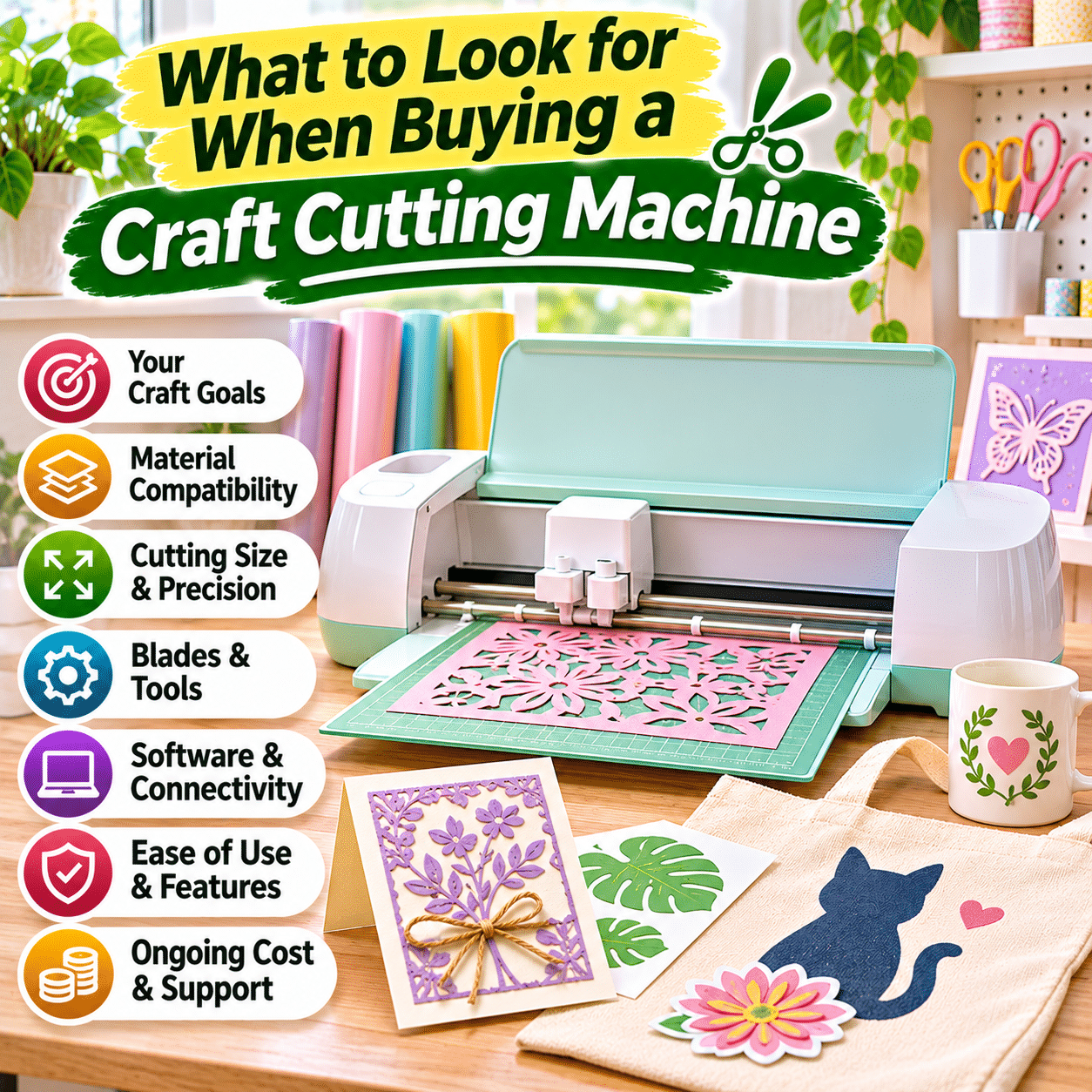
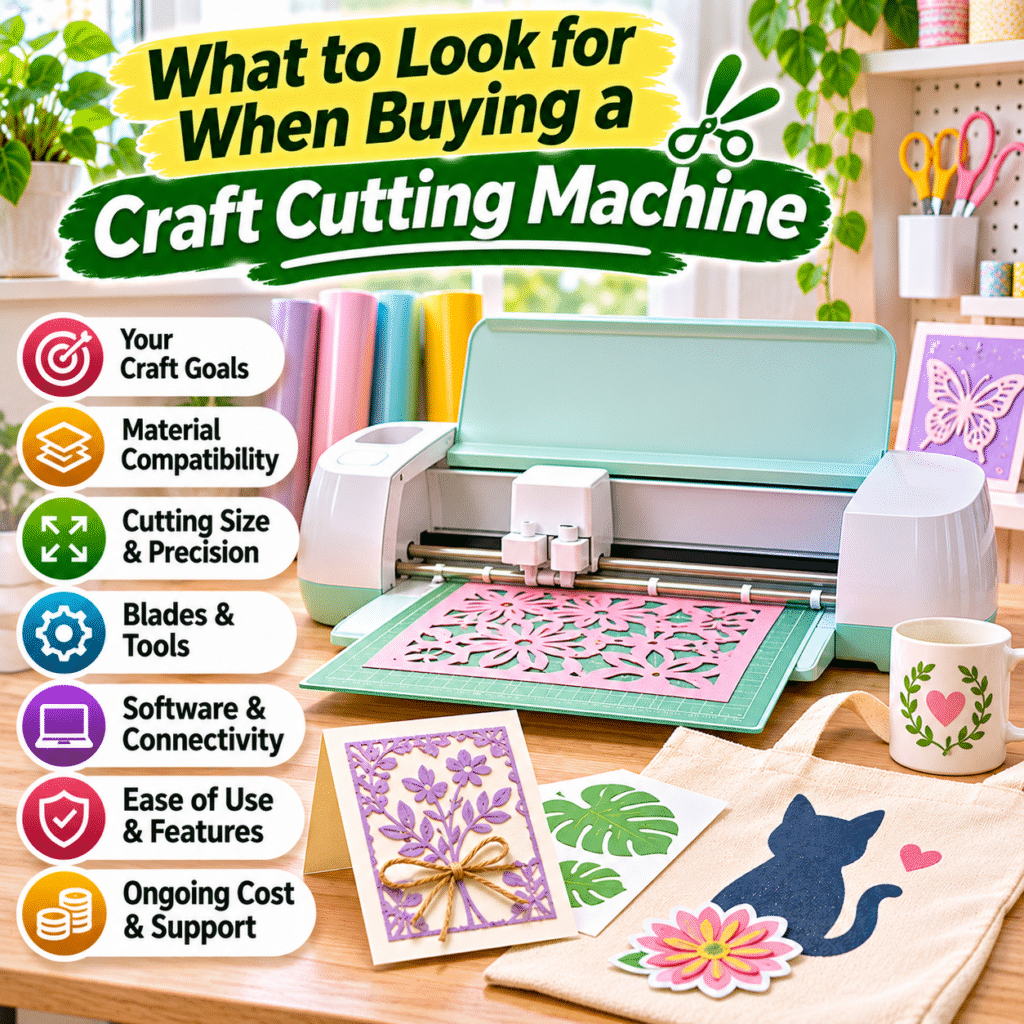
Craft cutting machines have become valuable tools for people who enjoy creating personalized decorations, handmade gifts, custom labels, paper crafts, fabric projects, and other creative items. By using digital designs and specialized cutting tools, these machines can produce detailed shapes, lettering, patterns, and decorative elements that would be difficult or time-consuming to cut consistently by hand.
Whether you are beginning a new crafting hobby, organizing a creative workspace, or exploring more advanced DIY projects, choosing the right craft cutting machine can make a significant difference in your experience.
However, not all craft cutting machines offer the same capabilities. Some are designed primarily for cutting paper and vinyl, while others can handle fabric, thicker cardstock, specialty materials, or additional creative techniques. Machines also differ in cutting size, software compatibility, blade technology, connectivity, accessories, and ongoing operating costs.
A machine with an extensive feature list is not necessarily the best choice for every crafter. Beginners may benefit more from simple controls and reliable cutting performance, while experienced makers may prioritize material versatility, precision, and workflow flexibility.
This guide explains what to look for when buying a craft cutting machine, how different features affect everyday use, and how to choose a practical system that supports your creative interests over time.
1. Understand What a Craft Cutting Machine Does
A craft cutting machine is a device that cuts shapes and patterns from compatible materials using a blade or another specialized cutting mechanism.
Many modern machines connect to design software, allowing users to create or import digital artwork before sending instructions to the machine.
Common Craft Cutting Projects
Depending on the machine and materials, popular projects include:
- Personalized greeting cards.
- Decorative paper cutouts.
- Vinyl wall decals.
- Custom labels.
- Scrapbook embellishments.
- Heat-transfer vinyl designs.
- Fabric appliqué pieces.
- Party decorations.
- Gift packaging.
- Stickers.
- Stencils.
- Handmade home accessories.
Some machines also support drawing, scoring, embossing, foiling, or other techniques through compatible accessories.
How Digital Cutting Works
A typical workflow involves:
- Creating or selecting a digital design.
- Adjusting the design to the intended size.
- Choosing a compatible material.
- Preparing the material for cutting.
- Selecting the appropriate blade and settings.
- Sending the design to the machine.
- Removing the finished shapes.
- Assembling or applying the project.
The exact process varies by machine and software.
Understanding this workflow helps you identify which features will be useful for your projects.
2. Identify Your Main Crafting Goals
Before comparing machines, think about what you want to make most often.
Different crafting activities require different cutting capabilities.
Paper Crafting
Paper projects may include:
- Greeting cards.
- Scrapbook layouts.
- Paper flowers.
- Invitations.
- Decorative banners.
- Gift tags.
For these activities, cutting precision, cardstock compatibility, and scoring options may be important.
Vinyl Crafting
Vinyl is commonly used for:
- Labels.
- Wall decorations.
- Personalized containers.
- Decorative signs.
- Window decals.
- Craft organization projects.
A machine suitable for vinyl should provide accurate cutting of thin designs and small lettering.
Heat-Transfer Projects
Heat-transfer vinyl can be used to decorate compatible fabrics.
Projects may include:
- T-shirts.
- Tote bags.
- Aprons.
- Fabric accessories.
- Personalized gifts.
These projects require compatible cutting materials and a separate method of applying heat and pressure.
Fabric Crafting
Some machines can cut fabric for:
- Appliqué.
- Quilting pieces.
- Decorative patches.
- Fabric ornaments.
- Small sewing projects.
Fabric cutting capability varies considerably between machines.
Sticker Making
Sticker projects often combine printing and cutting.
A machine with a suitable print-then-cut workflow can help cut around printed designs.
Mixed-Material Crafting
If you want to explore several crafting categories, material versatility and accessory compatibility may deserve greater priority.
Buying tip: Choose the machine around the projects you expect to make regularly rather than purchasing advanced capabilities solely because they are advertised.
3. Understand the Main Types of Craft Cutting Machines
Craft cutting machines can be grouped into several broad categories.
Electronic Die-Cutting Machines
These machines use digital instructions to control a cutting blade.
They are commonly used for paper, vinyl, cardstock, and compatible specialty materials.
Advantages:
- Flexible digital designs.
- Repeatable cutting.
- Adjustable sizing.
- Suitable for personalized projects.
- Often support multiple materials.
Limitations:
- Require learning design software.
- Depend on compatible blades and accessories.
- May require internet access for certain functions.
- Material compatibility varies.
Manual Die-Cutting Machines
Manual machines use physical dies and pressure to cut or emboss materials.
They often operate with a hand crank.
Advantages:
- No digital design software required.
- Straightforward operation.
- Useful for repeated shapes.
- Often suitable for embossing.
- No electricity needed for manual operation.
Limitations:
- Require physical dies.
- Designs are limited by available dies.
- Changing shape dimensions may require additional dies.
- Complex custom designs are less flexible.
Specialized Fabric Cutting Machines
Some electronic cutting machines are designed to handle fabric and sewing-related materials.
They may offer specialized blades, mats, or fabric preparation methods.
Professional Cutting Plotters
Larger cutting plotters are often used for signage, commercial decals, and higher-volume production.
They may offer wider cutting areas and specialized material handling.
However, they can require more workspace, maintenance, and technical knowledge.
Which Type Is Best?
For personalized digital designs, an electronic cutting machine is often the most flexible option.
For traditional paper crafting with physical dies, a manual machine may be sufficient.
The best choice depends on whether you prefer digital customization or a simpler physical crafting process.
4. Compare Electronic and Manual Cutting Machines
| Feature | Electronic cutting machine | Manual die-cutting machine |
|---|---|---|
| Design method | Digital files and software | Physical dies |
| Custom shapes | Highly flexible within machine limits | Limited by available dies |
| Resizing designs | Usually supported | Requires differently sized dies |
| Electricity | Generally required | Usually not required |
| Learning curve | Software and machine operation | Mechanical setup |
| Repeated designs | Convenient digital repetition | Convenient with existing dies |
| Material compatibility | Depends on blades and settings | Depends on dies and machine |
| Ongoing costs | Mats, blades, materials, software options | Dies, plates, materials |
| Best suited for | Custom digital projects | Traditional die-cutting and embossing |
Neither approach is universally superior.
Choose the workflow that feels most practical for your creative activities.
5. Evaluate Material Compatibility
Material compatibility is one of the most important factors when choosing a craft cutting machine.
Manufacturers often advertise the number of materials a machine can cut.
However, material counts do not necessarily indicate how well the machine performs with each material.
Common Compatible Materials
Depending on the machine, materials may include:
- Standard paper.
- Cardstock.
- Adhesive vinyl.
- Heat-transfer vinyl.
- Sticker paper.
- Printable vinyl.
- Craft foam.
- Felt.
- Fabric.
- Specialty paper.
- Thin decorative sheets.
- Selected leather-like materials.
- Certain thin wood products.
Not every machine supports every material.
Consider Material Thickness
Material thickness affects blade penetration and cutting performance.
A machine designed for thin vinyl may not be suitable for thick chipboard or dense specialty materials.
Consider Material Density
Thickness alone does not determine cutting difficulty.
A dense material may be harder to cut than a thicker but softer material.
Check Manufacturer Compatibility
Before purchasing, review the manufacturer’s supported materials and recommended tools.
Avoid assuming that a machine can cut a material simply because the material fits beneath the cutting mechanism.
6. Understand Cutting Force and Cutting Capability
Cutting force is sometimes used in product marketing to describe machine performance.
It may be expressed in grams of force or another measurement.
What Cutting Force Means
Cutting force relates to the pressure applied by the cutting mechanism.
However, force alone does not determine cutting quality.
Other important factors include:
- Blade geometry.
- Blade sharpness.
- Material properties.
- Cutting speed.
- Number of cutting passes.
- Material stabilization.
- Machine calibration.
Why Higher Force Is Not Always Better
A machine with higher advertised cutting force may not necessarily produce cleaner cuts on delicate paper or intricate vinyl designs.
Precision and material handling are equally important.
Multiple Cutting Passes
Some machines can make repeated passes over the same design.
This may help with certain thicker materials when the manufacturer supports that method.
However, repeated passes cannot compensate for every material limitation.
Focus on Real Applications
Instead of comparing cutting force alone, check whether the machine reliably supports the materials and projects you intend to make.
7. Choose the Right Cutting Width and Project Size
Craft cutting machines vary in the maximum width and length of materials they can process.
Compact Machines
Smaller machines may be suitable for:
- Labels.
- Small stickers.
- Greeting cards.
- Gift tags.
- Miniature decorations.
They are often easier to store and transport.
Standard Desktop Machines
Standard-sized machines may support:
- Larger paper crafts.
- Decorative vinyl designs.
- Clothing graphics.
- Medium-sized stencils.
- Home decor projects.
Wide-Format Machines
Larger cutting machines may be useful for:
- Oversized decals.
- Signage.
- Large decorative designs.
- Higher-volume crafting.
However, they require additional workspace.
Check Actual Cutting Dimensions
A machine’s physical width is not the same as its usable cutting width.
Also consider whether the machine requires a cutting mat.
Cutting Length
Some machines support longer cuts using compatible roll-fed materials.
Others are limited by mat dimensions or software restrictions.
Buying tip: Measure the largest projects you realistically expect to make and compare them with the machine’s supported cutting area.
8. Understand Cutting Mats and Matless Cutting
Many electronic cutting machines use adhesive cutting mats to hold materials in place.
Other machines can cut certain materials without a mat.
Cutting Mats
A cutting mat provides a stable surface for materials during cutting.
Different mats may have different adhesive strengths.
Light-Grip Mats
These are often used for delicate materials such as lightweight paper.
Standard-Grip Mats
These are commonly used for everyday paper, cardstock, and compatible craft materials.
Strong-Grip Mats
These may be designed for heavier or more rigid materials.
Matless Cutting
Some machines support matless cutting with specially designed materials.
Advantages:
- Reduced preparation for compatible materials.
- Convenient longer cuts.
- Less dependence on cutting mats.
Limitations:
- Not supported for every material.
- May require proprietary or specially backed materials.
- Material feeding limitations still apply.
What to Consider
Check whether the machine supports both mat-based and matless workflows.
A flexible system can be useful when working with different material types.
9. Evaluate Cutting Precision
Precision matters when creating detailed shapes, lettering, and intricate decorative designs.
Fine Lettering
Small text requires accurate blade movement and suitable material settings.
Intricate Paper Designs
Detailed paper cutouts may include narrow connections and delicate patterns.
Poor cutting performance can tear or distort these areas.
Repeated Shapes
Consistent cutting is important when producing multiple identical pieces.
Factors Affecting Precision
These include:
- Blade condition.
- Material quality.
- Cutting mat adhesion.
- Machine calibration.
- Design complexity.
- Cutting speed.
- Appropriate pressure settings.
Test Samples
When possible, review cutting demonstrations that include the types of designs you intend to create.
A machine that performs well with simple shapes may behave differently with very small details.
10. Consider Blade Types and Tool Compatibility
Craft cutting machines may use different blades for different materials and techniques.
Fine-Point Blades
Fine-point blades are commonly used for thin materials such as paper and vinyl.
Deep-Cut Blades
Deep-cut blades may be designed for certain thicker materials.
Rotary Blades
Rotary blades can be useful for compatible fabric cutting applications.
Specialty Blades
Some machines support specialized blades for materials such as selected chipboard, craft foam, or other approved materials.
Scoring Tools
Scoring tools create fold lines in compatible materials.
They are useful for cards, boxes, and paper structures.
Drawing Pens
Some machines can hold compatible pens to draw text or decorative designs.
Additional Creative Tools
Depending on the machine, optional tools may support:
- Foiling.
- Embossing.
- Debossing.
- Perforation.
- Engraving.
- Decorative finishing.
Check Tool Compatibility
Not every tool works with every machine from the same manufacturer.
Verify compatibility with the exact model before buying accessories.
11. Understand Software Requirements
Software is a major part of the electronic cutting experience.
A machine with excellent hardware may still be frustrating if its design software does not fit your workflow.
Common Software Functions
Craft cutting software may allow you to:
- Create shapes.
- Add text.
- Import artwork.
- Resize designs.
- Arrange objects.
- Combine or subtract shapes.
- Prepare cutting paths.
- Adjust material settings.
- Send jobs to the machine.
Beginner-Friendly Software
For beginners, look for:
- Clear menus.
- Simple project setup.
- Helpful tutorials.
- Easy material selection.
- Predictable cutting previews.
Advanced Design Tools
Experienced users may value:
- Detailed vector editing.
- Layer management.
- Custom cut settings.
- Advanced path operations.
- Design alignment tools.
Software Stability
Check whether the software receives updates and supports your operating system.
A machine’s long-term usefulness may depend partly on continued software compatibility.
12. Check File Format Compatibility
Digital cutting machines use design files to define cutting paths.
Common design formats include:
- SVG.
- DXF.
- PNG.
- JPG.
- PDF, where supported.
- Proprietary machine or software formats.
SVG Files
SVG is a vector graphics format commonly used for scalable designs.
It can be convenient for cutting shapes and lettering.
DXF Files
DXF is used in certain design and cutting workflows.
Compatibility and supported features vary by software.
PNG and JPG Files
These are raster image formats.
Some cutting software can trace their outlines or use them in print-then-cut projects.
PDF Files
PDF import capabilities vary.
Some software may support direct import, while other systems require conversion.
Check Import Restrictions
A machine may support a file format only through a paid software edition or specific workflow.
Before buying, confirm whether you can import the design files you already own.
13. Consider Subscription and Software Costs
Some craft cutting systems offer free software with optional paid features.
Others may require paid upgrades for certain capabilities.
Free Software Features
Basic functions may include:
- Simple design editing.
- Text.
- Shape creation.
- Basic cutting.
- Limited image import.
- Project organization.
Paid Features
Depending on the platform, paid services may offer:
- Larger design libraries.
- Premium fonts.
- Advanced editing.
- Additional file compatibility.
- Cloud storage.
- Exclusive project templates.
Understand the Difference
A subscription may provide access to digital content rather than being required for basic machine operation.
However, exact restrictions vary by manufacturer and software version.
Questions to Ask
Before purchasing:
- Can I use the machine without a subscription?
- Can I import my own designs?
- Are essential cutting functions free?
- Which features require payment?
- Can I save designs locally?
- What happens to saved projects if I cancel a subscription?
Long-Term Value
A machine with affordable hardware but restrictive software may become more expensive over time.
Consider the complete software ecosystem, not just the purchase price.
14. Evaluate Connectivity Options
Electronic cutting machines may connect through USB, Bluetooth, or other supported methods.
USB Connectivity
USB connections can provide a direct link between the machine and a compatible computer.
Advantages:
- Straightforward setup.
- No wireless pairing required.
- Useful in environments with wireless interference.
Bluetooth Connectivity
Bluetooth allows compatible devices to communicate without a cable.
Advantages:
- Flexible machine placement.
- Reduced cable clutter.
- Convenient use with supported devices.
Limitations:
- Pairing may occasionally require troubleshooting.
- Range and interference can affect connection quality.
- Device compatibility varies.
Wi-Fi and Cloud Features
Some systems use internet-connected services for design access or project management.
Offline Operation
Check whether the machine can complete essential cutting tasks without an active internet connection.
This can be important for users who prefer local design workflows or have unreliable connectivity.
15. Check Computer and Mobile Device Compatibility
Before purchasing, confirm that the cutting machine works with your existing devices.
Windows Computers
Check the supported Windows versions and minimum system requirements.
Mac Computers
Confirm compatibility with your macOS version and hardware.
Tablets
Some manufacturers offer tablet applications.
However, mobile versions may not include every desktop feature.
Smartphones
Phone-based design applications may support basic projects, but advanced editing can be less convenient on a small screen.
Minimum Requirements
Review:
- Operating system compatibility.
- Memory requirements.
- Available storage.
- Internet requirements.
- Bluetooth or USB support.
- Software update policies.
Do not assume that every machine works with every modern device.
16. Consider Print-Then-Cut Features
Print-then-cut is a popular workflow for making stickers, labels, and printed decorations.
How Print-Then-Cut Works
The process generally involves:
- Creating a printable design.
- Printing it with a compatible printer.
- Placing the printed sheet into the cutting machine.
- Allowing the machine to detect registration marks or other alignment information.
- Cutting around the printed artwork.
Common Applications
Print-then-cut can be used for:
- Decorative stickers.
- Product labels.
- Planner stickers.
- Printed gift tags.
- Custom illustrations.
- Scrapbook elements.
What to Check
Consider:
- Supported paper sizes.
- Maximum printable cutting area.
- Sensor reliability.
- Registration mark requirements.
- Printer compatibility.
- Software restrictions.
Important Limitations
A cutting machine generally does not replace a printer.
Print-then-cut projects typically require a separate compatible printer.
Certain glossy, reflective, transparent, or textured materials may also affect registration performance.
Check the manufacturer’s supported materials and instructions.
17. Consider Drawing, Scoring, and Decorative Functions
Some craft cutting machines support additional creative techniques.
Drawing
Compatible pens allow the machine to create lettering, outlines, and illustrations.
Scoring
Scoring tools create controlled fold lines in paper and cardstock.
They are useful for:
- Greeting cards.
- Gift boxes.
- Paper packaging.
- Folded decorations.
Foiling
Some systems support decorative foil application through specialized tools or accessories.
Embossing and Debossing
These techniques create raised or recessed effects in suitable materials.
Engraving
Certain machines support engraving on approved materials using specialized tools.
Are These Features Necessary?
Not for every crafter.
If your main goal is cutting labels and vinyl decals, advanced decorative tools may add unnecessary cost.
Choose optional techniques according to your actual creative interests.
18. Evaluate Fabric Cutting Capabilities
Fabric cutting can be useful for sewing, quilting, and appliqué projects.
However, not every craft cutting machine handles fabric equally well.
Stabilized Fabric Cutting
Some systems require fabric to be bonded to a stabilizer or backing before cutting.
Rotary Blade Cutting
Certain machines use rotary blades to cut compatible fabrics.
This can reduce the need for some preparation methods, depending on the fabric and machine.
Fabric Mats
Specialized mats may help hold fabric during cutting.
Important Considerations
Check:
- Supported fabric types.
- Maximum cutting dimensions.
- Required stabilizers.
- Blade compatibility.
- Mat requirements.
- Recommended fabric preparation.
Fabric Thickness and Texture
Loose weaves, stretchy fabrics, thick felt, and layered materials may present different challenges.
A machine advertised as fabric-compatible is not necessarily suitable for every textile.
19. Consider Machine Speed and Production Volume
Cutting speed affects how quickly projects can be completed.
Casual Crafting
For occasional projects, speed may be less important than accuracy and ease of use.
Repeated Projects
If you regularly make multiple identical items, cutting efficiency becomes more relevant.
High-Speed Modes
Some machines offer faster cutting settings for compatible materials.
However, higher speed may not be appropriate for every detailed design.
Workflow Efficiency
Overall project time includes:
- Preparing designs.
- Loading materials.
- Adjusting settings.
- Cutting.
- Removing excess material.
- Assembling finished pieces.
A faster machine does not always produce a faster complete workflow.
Choose Balanced Performance
Reliable cutting and easy material handling may be more valuable than maximum advertised speed.
20. Evaluate Noise and Vibration
Electronic craft cutting machines produce mechanical sounds during operation.
Noise levels vary by machine design, material, and cutting speed.
Why Noise Matters
A machine used in a shared living area may need to operate without excessive disturbance.
Factors Affecting Noise
These include:
- Motor design.
- Cutting speed.
- Blade movement.
- Material resistance.
- Table stability.
- Machine maintenance.
Consider Placement
A sturdy work surface can help reduce vibration.
Avoid placing the machine where movement could cause it to fall or damage nearby objects.
Review Realistic Demonstrations
When possible, observe the machine operating with different materials.
A machine may sound different when cutting thin vinyl compared with thicker cardstock.
21. Consider Machine Size and Workspace Requirements
Craft cutting machines require space not only for the device but also for material movement.
Measure the Machine
Check:
- Width.
- Depth.
- Height.
- Weight.
Allow Space for Mats
Some machines move cutting mats forward and backward during operation.
They require clearance in front of and behind the machine.
Material Roll Space
Roll-fed systems may need additional room for feeding and collecting materials.
Accessory Storage
Consider space for:
- Cutting mats.
- Blades.
- Pens.
- Vinyl rolls.
- Cardstock.
- Weeding tools.
- Transfer tape.
- Replacement materials.
Small Craft Spaces
A compact machine may be preferable if you work on a shared desk or dining table.
However, ensure that its cutting capacity still matches your projects.
22. Look for Beginner-Friendly Controls
A beginner-friendly cutting machine should make setup and operation understandable.
Clear Instructions
Look for guides that explain:
- Initial setup.
- Software installation.
- Device connection.
- Blade installation.
- Material loading.
- Cutting settings.
- Basic troubleshooting.
Guided Setup
Some software provides step-by-step instructions for common projects.
Material Presets
Presets can simplify cutting by providing recommended settings for supported materials.
However, adjustments may still be needed for different material brands or conditions.
Loading Mechanism
The machine should make it easy to position mats or materials correctly.
Error Messages
Clear error messages can help identify problems such as incorrect loading, disconnected devices, or incompatible settings.
Learning Resources
Manufacturer tutorials, sample projects, and user guides can reduce the learning curve.
23. Consider the Availability of Accessories
Accessories influence both versatility and long-term operating costs.
Common Accessories
Depending on the machine, accessories may include:
- Cutting mats.
- Replacement blades.
- Blade housings.
- Weeding tools.
- Scrapers.
- Spatulas.
- Brayers.
- Pens.
- Scoring tools.
- Roll holders.
- Material trimmers.
Essential Versus Optional Accessories
Beginners often need only a small collection of basic tools.
Advanced accessories can be added as projects become more complex.
Check Compatibility
Some accessories are designed for specific machine generations or tool holders.
Do not assume that accessories from one model will work with another.
Replacement Availability
A machine becomes less practical if replacement blades or mats are difficult to obtain.
Consider the availability of consumables before purchasing.
24. Understand Ongoing Material and Maintenance Costs
The purchase price is only one part of the total cost of owning a craft cutting machine.
Replacement Blades
Blades wear over time and may need replacement.
Wear depends on material type, cutting frequency, and maintenance.
Cutting Mats
Adhesive mats gradually lose effectiveness.
Their useful lifespan depends on care, material choice, and usage.
Craft Materials
Recurring purchases may include:
- Vinyl.
- Heat-transfer vinyl.
- Cardstock.
- Sticker paper.
- Transfer tape.
- Specialty sheets.
- Fabric.
- Decorative materials.
Software Costs
Optional subscriptions or software upgrades may add ongoing expenses.
Additional Equipment
Some projects require separate equipment.
For example:
- A printer for print-then-cut stickers.
- A heat press or suitable heat application tool for heat-transfer projects.
- Sewing equipment for fabric construction.
- Finishing tools for specialty materials.
Calculate Total Ownership Cost
Consider both the machine and the supplies required for your intended projects.
A machine that uses readily available materials and accessories may offer better long-term flexibility.
25. Evaluate Build Quality and Durability
A craft cutting machine should provide stable operation and consistent results.
Exterior Construction
Look for:
- Solid housing.
- Secure covers.
- Stable feet.
- Smooth material feeding.
- Accessible controls.
- Well-fitting components.
Cutting Mechanism
The blade carriage should move smoothly during normal operation.
Material Rollers
Feed rollers help guide materials through the machine.
Consistent feeding is important for cutting accuracy.
Tool Holders
Blade and accessory holders should secure compatible tools properly.
Long-Term Reliability
Consider:
- Manufacturer reputation.
- Warranty coverage.
- Replacement part availability.
- Software support.
- Repair options.
A durable machine with accessible support may provide better value than a feature-heavy model with limited service options.
26. Consider Cleaning and Maintenance
Regular maintenance helps preserve cutting performance.
Blade Care
Remove material debris according to manufacturer instructions.
Avoid touching sharp cutting edges directly.
Cutting Mats
Keep mats free from excessive paper fibers and other debris.
Use cleaning methods recommended for the specific mat.
Rollers
Inspect rollers for material residue or obstructions.
Machine Interior
Remove loose scraps carefully.
Do not use liquids or tools in areas where the manufacturer prohibits them.
Software Updates
Software and firmware updates may improve compatibility or address technical problems.
However, updates should be installed according to manufacturer guidance.
Storage
Keep the machine in a clean, dry location.
Protect it from excessive dust, moisture, and accidental impacts.
27. Check Safety Features
Craft cutting machines contain sharp tools and moving components.
Blade Safety
Use appropriate blade housings and follow installation instructions.
Keep replacement blades away from children.
Moving Parts
Do not place hands inside the cutting area while the machine is operating.
Electrical Safety
Check that:
- The power adapter is suitable.
- Cables are undamaged.
- Ventilation openings remain clear.
- The machine is placed on a stable surface.
- Electrical components are protected from moisture.
Material Safety
Some craft materials may produce dust, fumes, or residues during certain processing methods.
Follow material-specific safety guidance, especially when using heat application tools or other equipment.
Supervision
Children should use craft cutting equipment only with appropriate adult supervision and age-suitable safety practices.
28. Compare Popular Craft Cutting Machine Ecosystems
Several established manufacturers offer craft cutting machines with different design philosophies.
Cricut
Cricut offers electronic cutting machines designed for a range of crafting activities.
Depending on the model, features may include:
- Paper and vinyl cutting.
- Compatible fabric cutting.
- Print-then-cut.
- Drawing and scoring.
- Specialty tool support.
- Integrated design software.
Capabilities vary significantly across models.
Silhouette
Silhouette machines are commonly used for digital cutting projects involving paper, vinyl, and other compatible materials.
Depending on the model and software edition, features may include:
- Custom design workflows.
- Adjustable cutting settings.
- Print-and-cut functions.
- Specialized cutting tools.
- Different material handling options.
Brother ScanNCut
Brother ScanNCut machines are known for incorporating scanning capabilities into certain models.
Depending on the machine, this can support workflows involving physical artwork, printed patterns, and digital cutting.
Sizzix
Sizzix offers manual die-cutting and embossing systems, along with related crafting accessories.
These can appeal to people who prefer physical dies and traditional paper crafting methods.
How to Compare Brands
Rather than choosing solely by brand recognition, evaluate:
- Exact model capabilities.
- Software requirements.
- Material compatibility.
- Cutting dimensions.
- Accessory availability.
- Ongoing costs.
- Service support.
Product features and software policies can change, so verify current specifications before purchasing.
29. Compare Craft Cutting Machine Features
| Feature | Why it matters | What to check |
|---|---|---|
| Material compatibility | Determines project versatility | Supported materials and limitations |
| Cutting width | Controls maximum project size | Actual usable cutting area |
| Cutting precision | Supports detailed designs | Fine lettering and intricate cuts |
| Blade options | Expands compatible materials | Tool availability and model support |
| Matless cutting | Simplifies certain workflows | Compatible materials and length limits |
| Print-then-cut | Supports printed stickers and labels | Registration and print area |
| Software | Controls design workflow | Ease of use and essential features |
| File compatibility | Supports imported artwork | SVG, DXF, raster formats |
| Connectivity | Affects setup convenience | USB, Bluetooth, offline options |
| Drawing and scoring | Expands creative techniques | Tool compatibility |
| Fabric cutting | Supports sewing projects | Blades, mats, fabric preparation |
| Machine size | Affects workspace requirements | Dimensions and mat clearance |
| Consumables | Influences ongoing costs | Blades, mats, materials |
| Warranty and support | Supports long-term ownership | Service and replacement parts |
30. Choose a Machine for Your Experience Level
For Complete Beginners
Prioritize:
- Simple software.
- Clear instructions.
- Reliable paper and vinyl cutting.
- Easy material loading.
- Accessible tutorials.
- Affordable replacement supplies.
Avoid paying for specialty features you do not yet need.
For Casual Hobbyists
A versatile desktop machine may support a variety of projects without requiring professional equipment.
Look for balanced material compatibility and convenient software.
For Experienced Crafters
Advanced users may value:
- Greater material flexibility.
- Detailed cutting controls.
- Specialized blades.
- Advanced file import.
- Larger cutting areas.
- Efficient repeated cutting.
For Small Creative Businesses
If you plan to produce items for sale, consider:
- Consistent cutting quality.
- Repeatable results.
- Workflow efficiency.
- Material costs.
- Software licensing.
- Machine durability.
- Replacement part availability.
Also review whether purchased design files and fonts permit commercial use.
31. Choose a Craft Cutting Machine for Different Projects
For Sticker Making
Prioritize:
- Reliable print-then-cut.
- Accurate registration.
- Suitable sticker paper compatibility.
- Convenient software.
- Consistent cutting pressure.
For Vinyl Decals
Look for:
- Fine-detail cutting.
- Compatible vinyl materials.
- Suitable cutting width.
- Easy weeding.
- Matless cutting if useful.
For Paper Crafting
Consider:
- Clean cardstock cutting.
- Scoring tools.
- Intricate design capability.
- Appropriate cutting mats.
- Reliable material feeding.
For Heat-Transfer Projects
Prioritize:
- Heat-transfer vinyl compatibility.
- Suitable cutting dimensions.
- Mirror-image workflow.
- Reliable small-detail cutting.
- Convenient design preparation.
Remember that applying heat-transfer materials generally requires separate equipment.
For Fabric and Sewing Projects
Look for:
- Supported fabric types.
- Compatible fabric blades.
- Suitable cutting mats.
- Adequate cutting area.
- Convenient pattern preparation.
For Home Decor
Consider the size and materials of the decorations you want to create.
Large decals and signs may require greater cutting width or longer material handling.
32. Common Mistakes to Avoid When Buying a Craft Cutting Machine
Choosing Based Only on the Number of Supported Materials
Large material counts can be misleading.
Better approach: Check whether the machine performs well with your specific materials.
Ignoring Software Restrictions
Some important features may require paid upgrades.
Better approach: Review the software’s free and paid capabilities before purchasing.
Buying a Machine That Is Too Small
A compact machine may limit future projects.
Better approach: Consider your expected project dimensions.
Assuming All Machines Cut Fabric
Fabric cutting requires suitable tools and machine support.
Better approach: Verify fabric compatibility for the exact model.
Overlooking Consumable Costs
Blades, mats, and specialty materials can add ongoing expenses.
Better approach: Estimate the cost of the projects you intend to make.
Ignoring Workspace Clearance
Cutting mats may need substantial movement space.
Better approach: Measure the full operating area.
Buying Too Many Accessories Immediately
Specialized tools may remain unused.
Better approach: Begin with essential accessories and expand gradually.
Assuming Print-Then-Cut Includes Printing
Most craft cutting machines do not print full-color artwork.
Better approach: Plan for a separate compatible printer when needed.
Choosing Based Only on Cutting Speed
Fast cutting does not guarantee accuracy.
Better approach: Prioritize consistent results and practical workflow efficiency.
Overlooking Long-Term Software Support
A machine may depend on software compatibility for continued use.
Better approach: Consider manufacturer updates, device support, and offline capabilities.
33. Step-by-Step Guide to Choosing a Craft Cutting Machine
Step 1: Identify Your Main Projects
Decide whether you will primarily cut paper, vinyl, stickers, fabric, or mixed materials.
Step 2: Determine Your Budget
Include essential accessories and recurring supplies.
Step 3: Choose Manual or Electronic Cutting
Select the workflow that matches your crafting preferences.
Step 4: Check Material Compatibility
Confirm that the machine supports the exact materials you intend to use.
Step 5: Evaluate Cutting Dimensions
Compare the usable cutting area with your project sizes.
Step 6: Review Cutting Precision
Look for reliable performance with detailed shapes and small lettering.
Step 7: Evaluate Software
Check ease of use, file compatibility, and subscription requirements.
Step 8: Confirm Device Compatibility
Make sure the machine works with your computer or mobile device.
Step 9: Review Blade and Accessory Options
Choose a system with the tools needed for your projects.
Step 10: Consider Workspace Requirements
Measure machine dimensions and material clearance.
Step 11: Estimate Long-Term Costs
Include blades, mats, materials, and software.
Step 12: Review Warranty and Support
Check replacement parts, documentation, and service availability.
Step 13: Choose for Practical Growth
Select a machine that meets your current needs while allowing reasonable creative expansion.
34. Practical Craft Cutting Machine Buying Checklist
Use this checklist before purchasing.
Creative Goals
- I know which projects I want to make.
- The machine supports my preferred materials.
- The cutting dimensions are suitable.
- The machine offers enough versatility for future projects.
- I am not paying for unnecessary advanced features.
Cutting Performance
- Cutting precision is appropriate for my designs.
- Compatible blades are available.
- Material loading is straightforward.
- Cutting mats are suitable for my projects.
- Matless cutting is available if needed.
- Repeated cuts can be performed consistently.
Software and Connectivity
- The software works with my device.
- Essential design features are available.
- My preferred file formats are supported.
- Subscription requirements are acceptable.
- Connectivity options meet my needs.
- Offline operation is available if important.
Accessories and Convenience
- Essential accessories are included or available.
- Replacement blades are easy to obtain.
- Compatible cutting mats are available.
- The machine fits my workspace.
- Setup instructions are clear.
- Learning resources are accessible.
Long-Term Value
- The machine fits my total budget.
- Consumable costs are manageable.
- Software support is adequate.
- Replacement parts are available when relevant.
- Warranty terms are clear.
- The machine can support my expected creative development.
35. Frequently Asked Questions
What is a craft cutting machine?
A craft cutting machine is a device used to cut shapes, patterns, lettering, and decorative designs from compatible materials.
Electronic machines use digital instructions, while manual die-cutting machines use physical dies.
Are craft cutting machines good for beginners?
Yes.
Many machines are designed for hobbyists and beginners.
A suitable beginner model should offer straightforward software, reliable cutting, clear instructions, and accessible learning resources.
What materials can a craft cutting machine cut?
Depending on the model, materials may include paper, cardstock, vinyl, heat-transfer vinyl, sticker paper, fabric, felt, and certain specialty materials.
Always verify compatibility with the exact machine.
Do I need a computer to use a craft cutting machine?
Many electronic machines require a compatible computer, tablet, or smartphone for design preparation.
Some models offer additional standalone capabilities.
Check the manufacturer’s requirements.
Can I use my own designs?
Many machines allow users to import their own artwork.
However, supported file formats and software restrictions vary.
Is SVG compatibility important?
SVG compatibility can be useful because it supports scalable vector designs.
It is particularly valuable if you plan to use custom artwork or purchased digital cutting files.
Do craft cutting machines print stickers?
Most electronic cutting machines cut rather than print full-color designs.
Sticker making often involves printing artwork with a separate printer before cutting.
What is print-then-cut?
Print-then-cut is a process in which artwork is printed first and then cut around its outline using registration or alignment technology.
Can a craft cutting machine cut fabric?
Some machines support fabric cutting with compatible blades, mats, or stabilizers.
Not every machine offers this capability.
Can a craft cutting machine cut wood?
Certain machines can cut specific thin wood products using specialized tools.
However, compatibility is limited by material type, thickness, density, and machine design.
A craft cutting machine is not a substitute for general woodworking equipment.
Do I need a cutting mat?
Many materials require a cutting mat.
Some machines support matless cutting with specially designed materials.
How often should cutting blades be replaced?
Blade lifespan depends on material type, cutting frequency, maintenance, and cutting conditions.
Replace blades when cutting quality deteriorates and cleaning or setting adjustments do not resolve the problem.
Are craft cutting machines expensive to maintain?
Operating costs vary.
Common expenses include replacement blades, cutting mats, craft materials, and optional software subscriptions.
Are Cricut and Silhouette machines the same?
They are different product ecosystems with distinct machines, software, accessories, and workflows.
The best choice depends on your preferred projects and features.
Is a manual die-cutting machine better than an electronic machine?
Manual machines can be excellent for traditional paper crafting and embossing.
Electronic machines offer greater flexibility for custom digital designs.
Neither is universally better.
Can I use a craft cutting machine for a small business?
Yes, some machines can support small-scale production.
However, consider cutting capacity, repeatability, consumable costs, maintenance, and commercial licensing for designs and fonts.
What is the most important feature for beginners?
Ease of use and reliable cutting performance are among the most important considerations.
A machine with clear software and accessible support can make learning much easier.
How long does a craft cutting machine last?
Service life depends on construction quality, usage, maintenance, and availability of software and replacement parts.
Proper care can help extend useful life.
Do I need an internet connection?
Some systems require internet access for certain design or account functions.
Others support more extensive offline workflows.
Check the exact software requirements.
Should I buy a machine with the most features?
Not necessarily.
The best machine is one that performs your intended projects reliably and provides useful flexibility without unnecessary cost or complexity.
Final Thoughts
Choosing a craft cutting machine is about finding a practical balance between creative possibilities, cutting performance, software convenience, and long-term value.
The most important considerations include material compatibility, cutting dimensions, precision, blade options, software requirements, accessory availability, and ongoing operating costs.
For beginners, a machine with reliable paper and vinyl cutting, intuitive software, straightforward material loading, and accessible tutorials can provide an excellent foundation. More experienced crafters may benefit from advanced cutting tools, larger working areas, fabric compatibility, and greater design flexibility.
However, the largest feature list does not automatically provide the best crafting experience. A machine that is easy to use, produces consistent results, and supports the projects you genuinely enjoy is often the more satisfying choice.
Before purchasing, consider not only the machine itself but also the broader ecosystem of software, blades, mats, materials, and replacement parts. These elements influence how convenient and affordable the machine will be over time.
A thoughtfully chosen craft cutting machine can become a versatile part of your creative workspace, helping you transform digital ideas into personalized gifts, decorative projects, practical labels, and handmade designs.
The right machine should support your creativity rather than complicate it, giving you the confidence to learn new techniques, experiment with materials, and enjoy making meaningful projects for years to come.