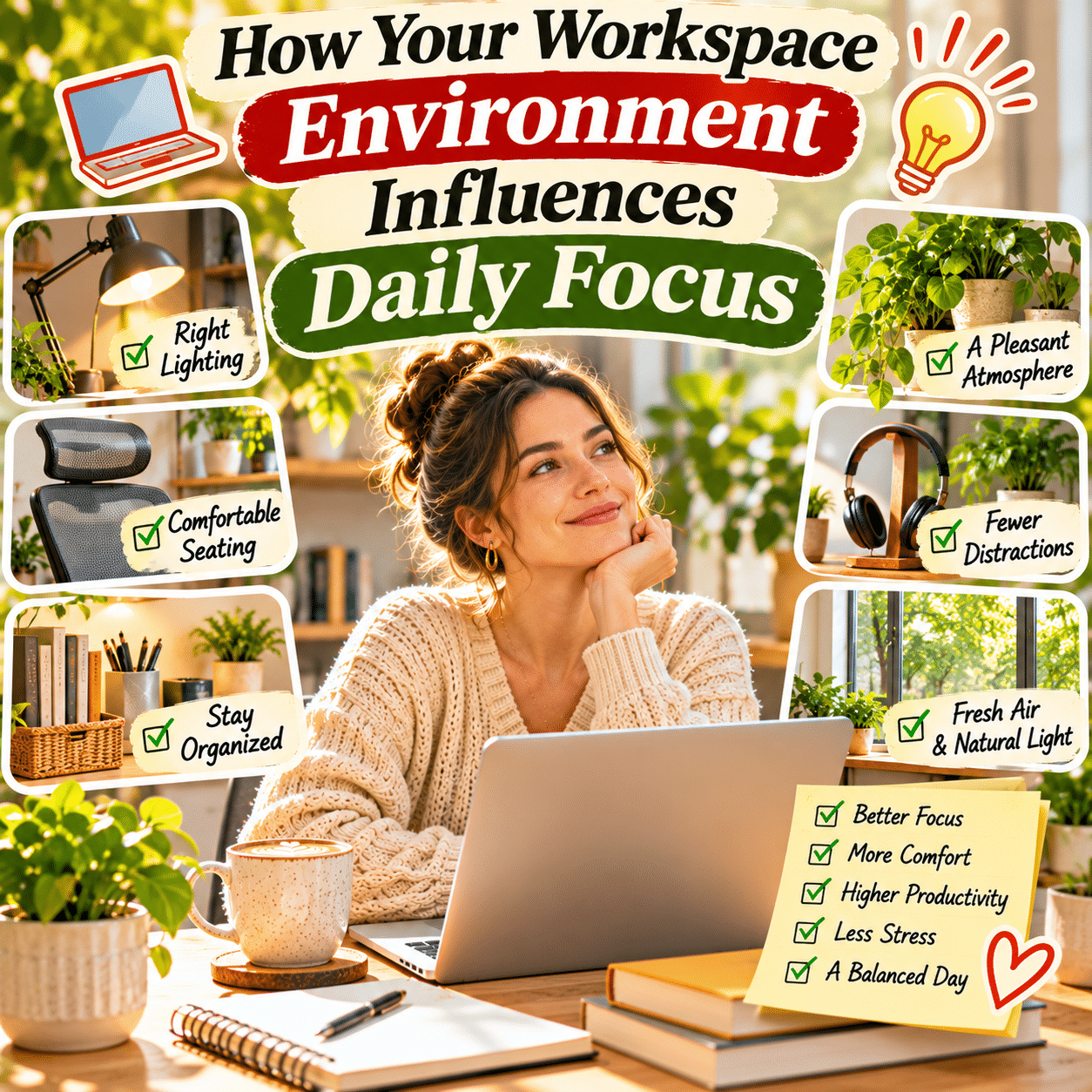
The environment in which people work can have a meaningful influence on how they approach everyday tasks. Whether someone works in a traditional office, a home workspace, a shared environment, or a small corner of a living room, the surrounding conditions can affect comfort, attention, organization, and the overall experience of working.
Daily focus is influenced by many factors, including workload, motivation, sleep, health, personal responsibilities, and the nature of the task. However, the physical workspace is another important consideration because it shapes the conditions in which concentration takes place.
A crowded desk may make essential materials difficult to find. Uncomfortable seating can become distracting during extended work sessions. Excessive noise, poor lighting, and frequent interruptions may also make it harder to maintain attention.
By contrast, a thoughtfully arranged workspace can support a smoother daily routine. Accessible tools, comfortable furniture, suitable lighting, and manageable distractions can create conditions that make focused work more practical.
An effective workspace does not need to be large, expensive, or professionally designed. Many useful improvements involve simple adjustments to existing furniture, storage arrangements, lighting, and everyday habits.
It is also important to recognize that people have different working preferences. Some individuals concentrate best in quiet surroundings, while others prefer moderate background activity. Certain tasks require uninterrupted attention, while others benefit from conversation and collaboration.
The goal is not to create one ideal workspace for everyone. It is to understand how environmental conditions interact with individual needs and to make thoughtful adjustments that support daily activities.
Understanding how your workspace environment influences daily focus can help you create a more comfortable, functional, and sustainable setting for work, study, creative projects, and other activities that require attention.
1. Your Workspace Creates the Foundation for Daily Focus
A workspace provides the physical setting in which tasks are performed.
Its layout determines where equipment is placed, how easily materials can be accessed, and how comfortably someone can work.
When the environment supports the activities taking place, fewer unnecessary adjustments may be required.
For example, a person who regularly writes or studies may benefit from a clear surface, suitable seating, and convenient access to reference materials.
The workspace does not create concentration automatically.
However, it can reduce environmental obstacles that might otherwise interfere with attention.
2. Desk Organization Can Reduce Unnecessary Distractions
A desk often contains a mixture of essential tools, documents, electronic devices, and personal belongings.
When these items become disorganized, locating necessary materials may interrupt the working process.
A simple organizational system can help.
Frequently used items can be kept within easy reach, while less relevant materials can be stored elsewhere.
The goal is not to maintain a completely empty desk.
It is to create an arrangement that supports the tasks being performed without unnecessary searching or movement.
3. Visual Clutter May Compete for Attention
Visual clutter refers to an environment containing numerous objects or competing visual elements.
Some people find that crowded surfaces make it more difficult to focus on a particular task.
Unfinished projects, scattered papers, and unrelated objects may serve as reminders of other responsibilities.
Reducing unnecessary visual distractions can make a workspace feel more manageable.
However, preferences vary. A visually rich environment may feel comfortable or creatively stimulating to some individuals.
The most useful approach is to identify which objects support work and which regularly interfere with it.
4. A Clear Work Surface Supports Practical Task Management
Available desk space influences how easily people can organize materials.
Writing, drawing, assembling projects, and using a computer may require different amounts of room.
A suitable work surface allows necessary items to be arranged without constant repositioning.
For example, someone reviewing documents may need space for a laptop, notebook, and reference papers.
Keeping the immediate work area functional can reduce avoidable interruptions.
The ideal arrangement depends on the activity rather than a universal desk layout.
5. Lighting Conditions Influence Visual Comfort
Lighting is an important part of workspace design.
Insufficient light may make reading, writing, or detailed tasks more difficult.
Excessively bright lighting or poorly positioned fixtures can create glare.
A comfortable lighting arrangement should support the type of work being performed.
For computer tasks, positioning screens to reduce reflections may improve visual comfort.
For reading or detailed manual work, additional task lighting may be useful.
Lighting needs vary according to individual vision, task requirements, and the surrounding environment.
6. Natural Light Can Make Workspaces More Pleasant
Natural daylight is often appreciated in work environments.
A workspace near a window may provide changing light conditions and a connection to the outdoors.
Daylight can also contribute to the overall atmosphere of a room.
However, direct sunlight may create screen glare or uncomfortable heat.
Curtains, blinds, and thoughtful desk positioning can help manage these conditions.
Natural light is not essential for an effective workspace, but it can be a useful feature when available and appropriately controlled.
7. Artificial Lighting Supports Consistent Working Conditions
Not every workspace receives sufficient daylight.
Artificial lighting helps maintain visibility during cloudy weather, evenings, or in rooms with limited windows.
A combination of general room lighting and task-specific lighting may be practical.
For example, a desk lamp can illuminate documents without requiring excessively bright lighting throughout the room.
The position and brightness of fixtures should be adjusted to reduce glare and uncomfortable shadows.
A well-lit workspace supports visual tasks without making the environment unnecessarily harsh.
8. Workspace Noise Can Affect Concentration
Noise is a common source of workplace distraction.
Conversations, traffic, household appliances, and notifications may interrupt attention.
The effect depends on the task and the individual.
Activities involving complex reading or detailed reasoning may be more sensitive to certain interruptions.
Other tasks may be performed comfortably with background sounds.
Identifying the most disruptive noise sources can help determine whether environmental changes are useful.
9. Quiet Spaces Can Support Demanding Mental Tasks
Some tasks require sustained concentration.
Writing, analyzing information, studying, and solving complex problems may benefit from fewer interruptions.
A quieter workspace can make it easier to maintain attention on these activities.
Possible adjustments include closing a door, choosing a less active location, or scheduling demanding tasks during quieter periods.
Complete silence is not necessary for everyone.
The goal is to create a sound environment that supports the task and personal preferences.
10. Background Sound Can Be Helpful for Some People
Not everyone prefers working in silence.
Some individuals enjoy soft music, ambient sounds, or familiar background activity.
These sounds may make the environment feel more comfortable.
However, music with lyrics or frequently changing audio may distract from language-intensive tasks for some people.
Personal experimentation can help identify suitable conditions.
Background sound should be considered an optional preference rather than a universal concentration technique.
11. Comfortable Seating Supports Longer Work Sessions
Seating influences physical comfort during desk-based activities.
A chair that does not provide suitable support may contribute to discomfort during extended use.
Adjustable seating can help accommodate different body sizes and working positions.
Important considerations include seat height, back support, and the relationship between the chair and desk.
However, no chair guarantees comfort for everyone.
Individual needs and the ability to change position throughout the day remain important.
12. Desk Height Influences Working Posture
The relationship between desk height, chair height, and equipment placement affects how people position their bodies.
A desk that is too high or too low for a particular user may encourage awkward arm or shoulder positions.
Adjustments can help create a more comfortable setup.
For example, a suitable chair height and appropriate keyboard placement may reduce unnecessary reaching.
Ergonomic arrangements should reflect individual body dimensions and tasks.
There is no single perfect posture that everyone must maintain throughout the day.
13. Monitor Placement Can Improve Screen Comfort
Computer screens are central to many modern workspaces.
Poor screen placement may encourage uncomfortable neck positions or create visual difficulties.
Positioning a monitor at a comfortable viewing distance and height can help.
The top of the screen is often placed around or slightly below eye level, although individual needs and equipment vary.
Screen angle and surrounding lighting also influence glare.
Laptop users may benefit from external accessories when practical, especially during extended desk work.
14. Keyboard and Mouse Placement Affect Everyday Usability
Frequently used input devices should be positioned where they can be operated comfortably.
A keyboard placed too far away may require unnecessary reaching.
A mouse positioned awkwardly may also create discomfort during repeated use.
Keeping devices within a comfortable range can support a more natural working arrangement.
Different equipment designs may suit different preferences.
The objective is to reduce awkward positioning while allowing movement and variation throughout the day.
15. Workspace Temperature Can Influence Comfort
Temperature is another environmental factor that may affect attention.
A room that feels excessively warm or cold can become distracting.
Comfortable temperature ranges differ between individuals.
Clothing, ventilation, humidity, and activity levels also influence how temperature is experienced.
Fans, air conditioning, heating, or simple changes in airflow may help when available.
The most practical goal is maintaining a reasonably comfortable environment rather than following one universal temperature setting.
16. Ventilation Contributes to a Comfortable Workspace
Ventilation helps maintain indoor air quality by supporting the exchange or treatment of indoor air.
Poor ventilation can allow indoor pollutants to accumulate.
Depending on the building and outdoor conditions, opening windows or using suitable ventilation systems may help.
However, outdoor pollution, humidity, and weather can affect whether natural ventilation is appropriate.
Air purifiers may reduce certain airborne particles when correctly selected and maintained, but they do not replace adequate ventilation for all indoor pollutants.
A comfortable workspace should consider air quality as well as temperature.
17. Indoor Air Quality Is Part of Workspace Design
Indoor environments may contain dust, particles, cleaning-product emissions, and other pollutants.
These conditions can affect comfort and health.
Regular cleaning, appropriate ventilation, and responsible use of household products can support indoor air quality.
Maintaining heating, cooling, and filtration equipment according to manufacturer instructions may also be useful.
Decorative plants can improve the appearance of a workspace, but ordinary houseplants should not be relied upon as a practical substitute for ventilation or air filtration.
18. Workspace Layout Influences Movement and Accessibility
The arrangement of furniture affects how easily people move around a workspace.
Crowded pathways and poorly positioned equipment may create inconvenience or safety concerns.
A practical layout allows access to frequently used materials without unnecessary obstacles.
Cables should be managed to reduce tripping hazards.
Storage should also be positioned according to individual reach and mobility.
An accessible workspace is one that supports the actual needs of its users.
19. Keeping Essential Tools Nearby Reduces Interruptions
Frequently used tools should generally be easy to retrieve.
These may include notebooks, pens, chargers, reference materials, or specialized equipment.
A designated location can reduce time spent searching.
For example, keeping a notebook beside a computer may make it easier to record ideas without leaving the workstation.
However, accessibility should not result in overcrowding.
The most effective arrangement balances convenience with usable work surface.
20. Storage Systems Help Maintain Workspace Functionality
Storage supports organization by giving materials consistent locations.
Drawers, shelves, document holders, and simple containers can all be useful.
The appropriate system depends on the type and quantity of materials involved.
Someone who works primarily with digital documents may require little physical storage.
A craft enthusiast or designer may need more space for supplies.
Storage systems should remain simple enough to maintain during ordinary use.
21. Digital Organization Is Part of the Workspace Environment
Modern workspaces include digital as well as physical environments.
Computer desktops, file structures, browser tabs, and application notifications can influence how easily tasks are managed.
Disorganized digital files may create interruptions similar to misplaced physical documents.
Consistent file naming, practical folders, and manageable application layouts can help.
However, excessive digital organization can become another time-consuming task.
The goal is to make important information easy to locate rather than create an unnecessarily elaborate system.
22. Notification Management Can Protect Focused Work
Digital notifications frequently compete for attention.
Messages, calendar alerts, application updates, and social media notifications may interrupt tasks.
Some interruptions are necessary, while others can wait.
Reviewing notification settings can help reduce avoidable distractions.
A person may choose to silence nonessential alerts during a demanding assignment.
Any arrangement should preserve access to genuinely urgent communication when required.
23. Workspace Design Can Support Clearer Work-Life Boundaries
The physical workspace can help distinguish professional activities from personal life.
This is especially relevant for people working from home.
A dedicated desk or work area may provide a recognizable setting for professional tasks.
At the end of the day, closing work applications and putting away materials can reinforce the transition to personal time.
However, physical separation is not always possible.
Simple routines can still support boundaries in small or shared homes.
24. Small Home Workspaces Can Be Highly Functional
An effective workspace does not require a large room.
A compact desk, suitable chair, adequate lighting, and organized supplies may be sufficient for many tasks.
Wall shelves or vertical storage can help when space is limited.
Furniture should be positioned to preserve safe movement and practical access.
Multipurpose areas may require additional organization.
The priority is creating a functional arrangement rather than reproducing a large professional office.
25. Shared Workspaces Require Additional Consideration
Shared environments involve different users, schedules, and preferences.
Noise levels, desk availability, storage, and communication expectations may influence concentration.
Clear agreements can help reduce unnecessary interruptions.
For example, household members sharing a room may establish periods for quiet work.
In offices, designated collaboration and focused-work areas may support different activities.
A shared workspace works best when the needs of multiple users are considered.
26. Personal Decorations Can Make a Workspace More Welcoming
Personal objects can contribute to a sense of comfort and familiarity.
Photographs, artwork, small plants, and favorite stationery may make a workspace feel more inviting.
These details can reflect individual interests and preferences.
However, excessive decoration may reduce usable space or create distractions for some people.
The most useful approach is selective personalization.
A workspace should feel comfortable without interfering with the activities performed there.
27. Color Can Influence the Atmosphere of a Workspace
Colors contribute to the visual character of a room.
Light neutrals may create a simple appearance, while warmer or more saturated colors can add personality.
However, claims that specific colors reliably increase concentration or productivity are often overstated.
Individual preferences, lighting, cultural associations, and the overall design influence how colors are experienced.
Choosing colors that feel comfortable and appropriate for the space is generally more useful than following rigid psychological rules.
28. Plants Can Add a Natural Element to Workspaces
Indoor plants are popular workspace decorations.
They can introduce greenery, texture, and visual interest.
Some people find natural elements pleasant or calming.
However, plants require suitable light, watering, and maintenance.
They should not obstruct equipment, create moisture problems, or interfere with safe movement.
Low-maintenance plants may be practical for people who enjoy greenery but have limited time for care.
29. A View of the Outdoors Can Provide Visual Variety
Workspaces near windows may offer views of trees, buildings, gardens, or changing weather.
Looking away from a screen periodically can provide a change in visual activity.
A pleasant view may also make the environment feel less enclosed.
However, outdoor views are not necessary for effective concentration.
Workspaces without windows can still be comfortable through appropriate lighting, organization, and thoughtful design.
The best arrangement reflects the available environment rather than an idealized office setting.
30. Workspace Cleanliness Supports Everyday Comfort
Dust, spills, food waste, and accumulated clutter can make work areas less pleasant.
Regular cleaning helps maintain hygiene and protect equipment.
Simple routines may include wiping surfaces, removing waste, and cleaning frequently touched items appropriately.
Electronic devices should be cleaned according to manufacturer guidance.
A clean workspace does not need to look perfect at all times.
Consistent, manageable maintenance is more sustainable than occasional intensive cleaning.
31. Workspace Maintenance Can Prevent Small Problems From Accumulating
Workspace conditions change through everyday use.
Cables become tangled, documents accumulate, and storage areas gradually fill.
Periodic reviews can help identify problems before they become inconvenient.
For example, a short weekly review may reveal unnecessary materials or equipment that needs attention.
Maintenance should remain proportionate to the workspace.
The goal is to preserve functionality without spending excessive time organizing.
32. Different Tasks May Require Different Workspace Arrangements
Not all activities benefit from the same environment.
Computer work may require a suitable screen setup and keyboard space.
Drawing may require a larger clear surface and different lighting.
Video meetings may benefit from controlled background noise and appropriate camera positioning.
Creative projects may involve additional tools and materials.
A flexible workspace allows arrangements to change according to the task.
33. Deep Focus Benefits From Reduced Interruptions
Some activities require sustained attention over longer periods.
Complex writing, programming, research, and detailed analysis are common examples.
These tasks may benefit from a workspace with fewer unnecessary interruptions.
Possible adjustments include organizing materials in advance, managing notifications, and choosing suitable work periods.
However, concentration also depends on workload, motivation, health, and individual differences.
Environmental improvements can support focus but cannot guarantee it.
34. Collaborative Work Needs a Different Environment
Collaboration often involves conversation, shared materials, and spontaneous discussion.
An environment designed exclusively for silence may not support these activities effectively.
Meeting tables, accessible displays, and suitable communication equipment may be more useful.
In shared offices, separating collaborative spaces from quiet work areas can reduce conflicts.
For remote collaboration, reliable communication tools and manageable background noise become important.
Workspace design should support the type of interaction required.
35. Break Areas Can Support Transitions Between Tasks
A workspace does not need to contain every daily activity.
Stepping away from the desk may provide a useful change of environment.
A nearby chair, kitchen table, balcony, or other comfortable area can serve as a break location.
These transitions may help distinguish focused work from rest periods.
However, dedicated break rooms are not necessary.
The important principle is allowing opportunities to change position and activity when practical.
36. Movement Should Be Part of Workspace Planning
Remaining in one position for long periods can become uncomfortable.
Workspace arrangements should allow people to change posture and move periodically.
Standing, walking, stretching, or adjusting seating may provide variety during the day.
Sit-stand desks can be useful for some individuals, but they are not essential.
Standing continuously is not automatically better than sitting continuously.
Comfortable variation is generally more practical than maintaining one supposedly perfect position.
37. Workspace Needs Change Throughout the Day
Lighting, temperature, noise, and personal energy levels may vary.
A workspace that feels comfortable in the morning may require adjustments later.
For example, afternoon sunlight may create glare that was absent earlier.
Household activity may also increase at certain times.
Flexible arrangements make it easier to respond to these changes.
Simple adjustments can help maintain comfort without redesigning the entire space.
38. Workspace Preferences Differ Between Individuals
People experience environmental conditions differently.
One person may prefer minimal decoration and silence.
Another may enjoy visible creative materials and soft background music.
Sensory sensitivities, physical abilities, vision needs, and personal habits can influence these preferences.
An effective workspace should accommodate individual differences where practical.
There is no universal environment that guarantees concentration for everyone.
39. Workspace Improvements Should Be Practical and Affordable
Improving a workspace does not necessarily require purchasing new furniture or accessories.
Rearranging existing equipment, adjusting lighting, clearing unnecessary materials, or changing notification settings may provide useful benefits.
Before buying products, identify the specific problem that needs solving.
For example, a desk lamp may be helpful when lighting is inadequate, but additional storage containers may be unnecessary if the real issue is excess materials.
Practical improvements are those that address actual needs.
40. The Best Workspace Supports Your Real Daily Activities
A workspace should be designed around the tasks performed and the people using it.
Comfort, accessibility, lighting, organization, and manageable distractions all contribute to its functionality.
However, a visually attractive workspace is not automatically an effective one.
The most valuable environment is one that reduces unnecessary obstacles and supports sustainable daily routines.
As responsibilities and preferences change, the workspace can evolve.
Thoughtful adjustments help create a setting where focus becomes easier to maintain without demanding perfect conditions.
Understanding How Workspace Factors Influence Daily Focus
Different environmental features can affect the experience of working.
| Workspace Factor | Potential Influence | Practical Improvement |
|---|---|---|
| Desk organization | Easier access to materials | Keep frequently used tools nearby |
| Visual clutter | Competing visual distractions | Remove unnecessary items |
| Natural lighting | Visual comfort and atmosphere | Manage sunlight with blinds or desk placement |
| Task lighting | Better visibility for detailed work | Use an appropriately positioned desk lamp |
| Background noise | Interruptions during demanding tasks | Choose quieter periods or locations |
| Seating | Physical comfort | Adjust chair height and support |
| Monitor placement | Viewing comfort | Position screens at suitable height and distance |
| Keyboard and mouse placement | Comfortable equipment use | Keep devices within easy reach |
| Room temperature | General comfort | Adjust ventilation or temperature controls |
| Indoor air quality | Environmental comfort and health | Maintain appropriate ventilation |
| Storage systems | Easier material retrieval | Group related supplies |
| Digital notifications | Interruptions to attention | Silence nonessential alerts |
| Personal decoration | Familiarity and visual appeal | Add meaningful items selectively |
| Workspace boundaries | Separation of work and personal life | Establish start-of-work and end-of-work routines |
| Movement opportunities | Postural variety | Allow regular changes in position |
| Workspace maintenance | Long-term functionality | Review and clean the area periodically |
These factors interact with personal preferences, task demands, and broader working conditions.
How to Create a More Focus-Friendly Workspace Step by Step
Improving a workspace can begin with small changes. The most effective approach is to identify practical problems and address them gradually.
Step 1: Observe Your Current Working Environment
Spend time noticing how your workspace functions during ordinary tasks.
Identify recurring distractions, uncomfortable arrangements, or materials that are difficult to locate.
Consider whether the main challenges involve lighting, noise, organization, equipment, or interruptions.
Step 2: Identify Your Most Important Tasks
Different activities require different workspace features.
Determine whether you primarily use the area for computer work, writing, studying, creative projects, or meetings.
Prioritize the equipment and space needed for those activities.
Step 3: Clear the Main Work Surface
Remove items unrelated to your most frequent tasks.
Keep essential equipment accessible.
Avoid removing useful materials simply to create a minimalist appearance.
Step 4: Arrange Frequently Used Tools
Assign consistent locations to notebooks, writing tools, chargers, and other supplies.
Use existing drawers or containers when possible.
Keep the arrangement simple enough to maintain.
Step 5: Review Your Seating and Desk Setup
Check whether the chair, desk, screen, and input devices feel comfortable.
Make suitable adjustments where possible.
Consider individual accessibility or ergonomic needs.
Step 6: Improve Lighting Conditions
Observe lighting at different times of day.
Reduce glare and add task lighting if necessary.
Avoid placing screens where reflections regularly interfere with visibility.
Step 7: Manage Noise and Interruptions
Identify which sounds or interruptions are most disruptive.
Consider quieter work periods, appropriate background sound, or practical communication arrangements.
Respect the needs of others in shared spaces.
Step 8: Organize Your Digital Environment
Review frequently used applications, folders, and notifications.
Make important files easier to locate.
Reduce nonessential digital interruptions during focused tasks.
Step 9: Add Comfortable Personal Details
Choose a few items that make the workspace pleasant.
These might include artwork, a plant, or a favorite desk accessory.
Avoid decorations that interfere with equipment or usable space.
Step 10: Test and Adjust the Arrangement
Use the updated workspace during ordinary activities.
Notice whether the changes improve comfort and convenience.
Make further adjustments when necessary.
A useful workspace should evolve through experience rather than follow a fixed design formula.
Workspace Organization Ideas for Different Environments
Different working environments present different challenges.
| Workspace Type | Common Challenge | Practical Solution |
|---|---|---|
| Small home office | Limited space | Prioritize essential equipment and vertical storage |
| Bedroom workspace | Work and rest overlap | Create a recognizable work area and closing routine |
| Living room desk | Shared household activity | Use compact storage and agreed quiet periods |
| Traditional office | Conversations and interruptions | Organize focused-work periods when possible |
| Shared coworking space | Variable noise | Choose suitable seating and manage distractions |
| Student study desk | Books and materials accumulating | Group resources by subject or task |
| Creative studio | Numerous tools and supplies | Organize materials according to workflow |
| Laptop-only setup | Limited screen and input flexibility | Adjust positioning and consider suitable accessories |
| Hybrid work environment | Changing locations | Maintain a portable set of essential tools |
| Multipurpose dining table | Frequent setup and cleanup | Use simple storage for quick transitions |
| Windowless workspace | Limited daylight | Use suitable general and task lighting |
| Compact apartment | Limited separation between activities | Establish clear work routines and organized equipment |
The most effective arrangement is one that fits the available environment and daily activities.
Creating a Workspace That Supports Different Types of Focus
Different tasks place different demands on attention.
Focused Reading and Writing
A comfortable chair, suitable lighting, and a manageable amount of visual distraction may support sustained reading or writing.
Keep essential reference materials accessible.
Computer-Based Work
Monitor placement, input devices, seating, and lighting are important considerations.
Manage notifications when tasks require uninterrupted attention.
Creative Projects
Creative activities may benefit from flexible surfaces and accessible supplies.
The amount of visible material can reflect personal preferences.
Video Meetings
Consider camera position, lighting, background noise, and communication equipment.
A simple, functional setup is usually sufficient.
Administrative Tasks
Organized files, clear task lists, and accessible documents can make repetitive activities easier to manage.
Collaborative Activities
Provide suitable space for communication and shared materials.
Avoid applying quiet-work expectations to activities that require discussion.
Common Workspace Mistakes to Avoid
1. Prioritizing Appearance Over Functionality
An attractive desk does not necessarily support everyday work.
Choose arrangements that solve practical problems.
2. Buying Accessories Without Identifying a Need
Additional products can create more clutter.
Evaluate existing equipment before making purchases.
3. Ignoring Lighting Problems
Poor lighting or glare can interfere with visual comfort.
Adjust the environment according to actual tasks.
4. Maintaining an Uncomfortable Position for Too Long
No single posture is ideal for continuous use.
Allow opportunities to change position and move.
5. Keeping Every Item on the Desk
Too many materials can reduce usable space.
Store less frequently used items elsewhere.
6. Expecting Complete Silence at All Times
Some environments cannot remain perfectly quiet.
Identify realistic ways to reduce the most disruptive sounds.
7. Overlooking Digital Distractions
Physical organization alone may not resolve interruptions from applications and notifications.
Review digital working habits as well.
8. Using Decoration That Interferes With Work
Plants, ornaments, and accessories should not obstruct equipment or movement.
Personalization should support comfort.
9. Failing to Consider Shared-Space Needs
Workspace arrangements may affect other household members or colleagues.
Communicate expectations and respect different activities.
10. Never Adjusting the Workspace
Working needs change over time.
Review the arrangement when tasks, equipment, or personal preferences evolve.
A Practical Workspace Focus Checklist
Use this checklist to evaluate whether your workspace supports comfortable and focused daily activities.
Desk and Organization
- My main work surface has enough space for essential tasks.
- Frequently used tools are easy to locate.
- Unnecessary clutter does not interfere with work.
- Storage arrangements are simple and practical.
- I can return materials to their designated locations easily.
Lighting and Environment
- Lighting is suitable for the tasks I perform.
- Screen glare is reasonably controlled.
- Room temperature is comfortable when possible.
- Ventilation and indoor air quality are considered.
- Background noise is manageable for my activities.
Physical Comfort
- My chair and desk arrangement feel reasonably comfortable.
- My screen is positioned at a suitable viewing distance.
- Keyboard and mouse placement do not require awkward reaching.
- I have opportunities to change position.
- Pathways and cables do not create unnecessary hazards.
Digital Focus
- Important files are reasonably easy to find.
- Nonessential notifications can be reduced when appropriate.
- Frequently used applications are organized practically.
- I can distinguish focused tasks from routine communication.
- My digital setup supports my actual workflow.
Long-Term Functionality
- My workspace reflects my personal preferences.
- Decorations do not interfere with essential tasks.
- Shared-space expectations are reasonably clear.
- Cleaning and maintenance routines are manageable.
- I adjust the workspace when my needs change.
Frequently Asked Questions About Workspace Environment and Daily Focus
1. How does workspace environment affect concentration?
The workspace influences comfort, visibility, noise exposure, accessibility, and interruptions. These factors can make it easier or harder to maintain attention, depending on the person and task.
2. Does a clean desk improve focus?
A clear, organized desk may reduce distractions and make materials easier to find. However, the ideal level of organization varies between individuals.
3. Is natural light important for a workspace?
Natural light can contribute to visual comfort and a pleasant atmosphere. Appropriate artificial lighting can also support effective work when daylight is limited.
4. What is the best desk position for concentration?
There is no universal best position. Consider lighting, glare, noise, movement, available space, and personal comfort.
5. Can plants improve workspace productivity?
Plants may make a workspace more pleasant for some people, but they do not guarantee improved productivity. Their practical value often lies in personal enjoyment and visual appeal.
6. Is working in silence better than listening to music?
It depends on the individual and task. Some people prefer silence, while others find suitable background sound comfortable.
7. How can someone improve focus in a small apartment?
Prioritize a functional work surface, suitable lighting, accessible tools, and manageable distractions. Clear routines can help when the space serves multiple purposes.
8. Does desk color affect concentration?
Color can influence personal impressions of a space, but there is no reliable universal color that guarantees better focus. Choose a comfortable visual environment.
9. How important is an ergonomic chair?
Suitable seating can support comfort during desk work. However, movement, individual needs, desk arrangement, and task demands also matter.
10. Can workspace organization reduce stress?
A more manageable environment may reduce some everyday frustrations, such as searching for materials. It does not eliminate stress caused by workload or other factors.
11. Should a home workspace be separate from the bedroom?
Separate spaces can be useful, but they are not always available. A defined work area and consistent transition habits may help when work and rest share a room.
12. How often should a workspace be reorganized?
There is no fixed requirement. Review the arrangement when clutter accumulates, tasks change, or equipment becomes inconvenient to use.
13. Can a workspace be too minimalist?
Yes. Removing useful materials simply to maintain a particular appearance may reduce convenience. Functionality should guide organization.
14. What is the easiest workspace improvement to make?
Begin by identifying one recurring problem, such as poor lighting, misplaced tools, or unnecessary notifications. Addressing a specific issue is often more useful than redesigning everything.
15. What is the most important feature of a focus-friendly workspace?
The most important feature is suitability for the person and the task. A workspace should support comfort, accessibility, manageable distractions, and practical daily routines.
Final Thoughts
The workspace environment influences daily focus by shaping the conditions in which people perform their tasks. Lighting, noise, seating, organization, temperature, and digital distractions all contribute to the overall working experience.
A thoughtfully arranged workspace can reduce unnecessary interruptions, make essential tools easier to access, and support greater physical comfort. These improvements may help people approach everyday activities with more confidence and consistency.
However, concentration is influenced by more than the surrounding environment. Workload, sleep, health, motivation, and personal circumstances also matter. A well-designed desk cannot eliminate every difficulty associated with demanding responsibilities.
The most effective workspace is not necessarily the largest, most expensive, or most visually impressive. A small, practical area can function well when it supports the tasks performed there.
Personal preferences should guide design choices. Some people benefit from quiet, minimal surroundings, while others prefer creative materials, background sound, or familiar decorative objects.
Flexibility is equally important. As work responsibilities, equipment, and household arrangements change, the workspace should evolve accordingly.
Rather than attempting to create perfect working conditions, it is more useful to identify specific obstacles and make manageable improvements over time.
Ultimately, the lasting value of a well-organized workspace lies in creating an environment that supports comfortable, focused, and sustainable everyday work without unnecessary distractions or complications.