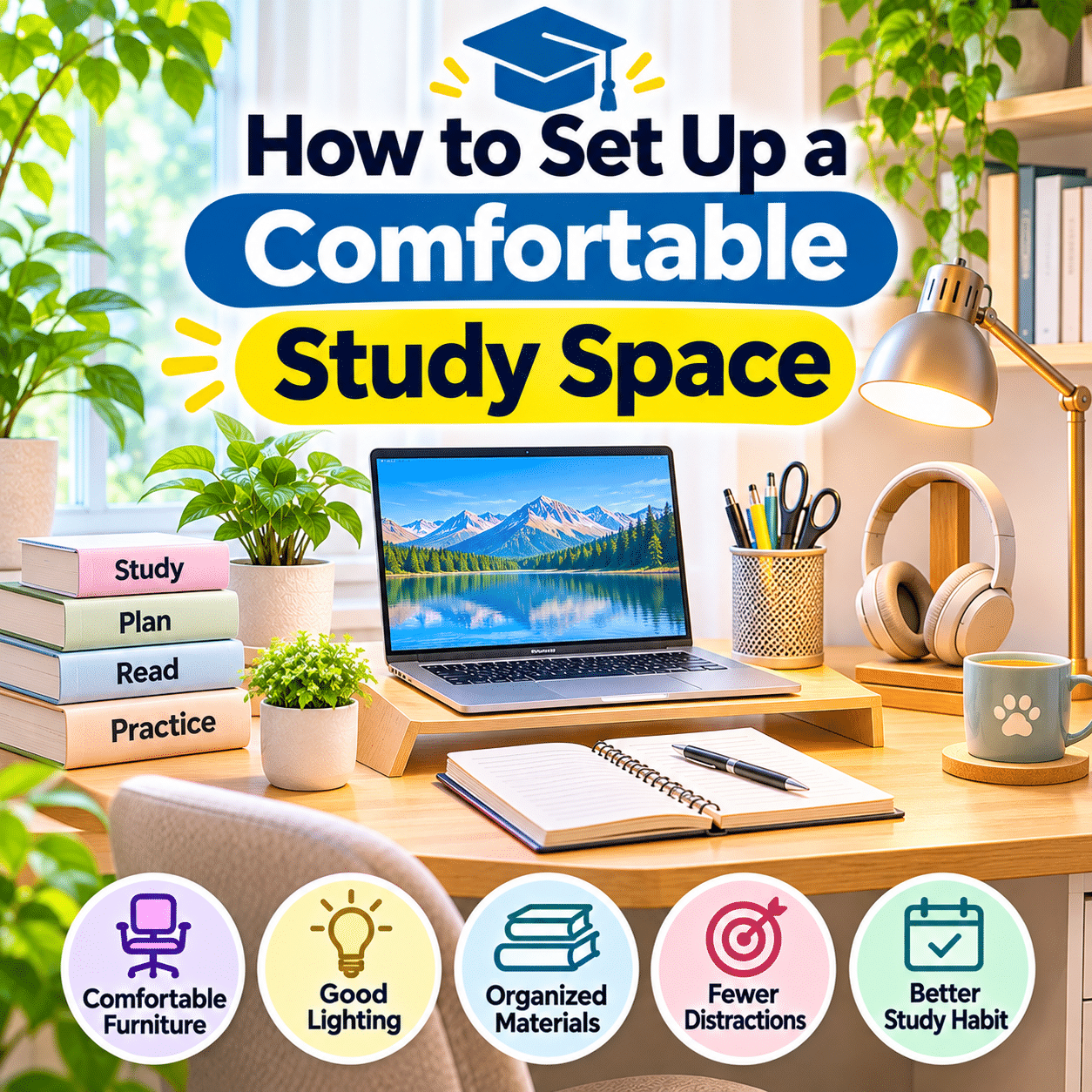
A comfortable study space can make learning feel more organized, enjoyable, and manageable. Whether you are preparing for examinations, attending online classes, learning a new language, developing professional skills, or simply reading for personal growth, the environment around you can influence how easily you concentrate and maintain a consistent study routine.
Studying at home offers flexibility, but it also presents challenges. Household noise, uncomfortable furniture, poor lighting, cluttered surfaces, and digital distractions can interrupt concentration and make even simple learning activities feel more demanding.
Fortunately, creating a comfortable study space does not require a dedicated room, expensive furniture, or an elaborate interior design project.
A small desk beside a window, a quiet corner of a bedroom, or a thoughtfully arranged area in a shared living space can become an effective learning environment.
The most important consideration is how well the space supports your actual study activities.
A practical study area should provide comfortable seating, suitable lighting, enough room for learning materials, accessible supplies, and a manageable level of distraction. It should also allow you to change positions, take breaks, and maintain healthy everyday habits.
Personal preferences matter as well. Some people concentrate best in a simple, minimalist environment, while others feel more comfortable surrounded by books, plants, meaningful decorations, and familiar objects.
The goal is not to create a perfectly styled desk. It is to develop a space that makes studying easier to begin and more comfortable to continue.
This guide explains how to set up a comfortable study space, including choosing the right location, arranging furniture, improving lighting, organizing supplies, managing technology, reducing distractions, and developing practical study routines.
It also explores ways to create effective study areas in small homes, shared rooms, and multipurpose spaces.
With thoughtful planning and a few consistent habits, almost any suitable corner of your home can become a welcoming place for learning.
1. Understand What Makes a Study Space Comfortable
A comfortable study space combines physical support, practical organization, and an environment that suits the learner.
Comfort involves more than choosing a soft chair or attractive desk.
A useful study environment should make common activities easy to perform, including:
- Reading books and documents.
- Writing notes.
- Using a laptop or computer.
- Watching educational videos.
- Participating in online classes.
- Reviewing learning materials.
- Completing assignments.
- Practicing creative or technical skills.
- Organizing study schedules.
The arrangement should support these activities without requiring constant adjustments or unnecessary movement.
For example, a desk may look attractive but provide too little space for a laptop and open textbook.
Similarly, a comfortable chair may become unsuitable if its height does not match the desk.
A successful study setup considers how the different elements work together.
2. Why Your Study Environment Matters
The surrounding environment can influence attention, comfort, and the ease of completing learning tasks.
Common study difficulties may be made worse by:
- Uncomfortable seating.
- Insufficient lighting.
- Excessive background noise.
- Frequent interruptions.
- Limited working space.
- Poorly positioned screens.
- Disorganized materials.
- Uncomfortable room temperatures.
Improving these conditions can reduce avoidable distractions and make study sessions more manageable.
However, a well-designed study space does not guarantee better grades or faster learning.
Effective learning also depends on study methods, motivation, practice, rest, and the complexity of the material.
A comfortable environment supports those activities by making it easier to maintain a practical routine.
3. Identify Your Main Study Activities
Before arranging furniture, consider how you normally study.
Different learning activities require different setups.
| Study Activity | Important Workspace Features |
|---|---|
| Reading textbooks | Comfortable lighting, book support, quiet surroundings |
| Handwritten note-taking | Clear writing surface, suitable chair and desk height |
| Online learning | Stable internet, screen visibility, headphones |
| Language learning | Audio equipment, speaking space, accessible notes |
| Computer-based coursework | Comfortable monitor, keyboard, mouse |
| Art and design study | Larger working surface, organized creative supplies |
| Exam preparation | Reference materials, planner, manageable distractions |
| Professional development | Flexible computer and document arrangement |
You may perform several of these activities regularly.
In that case, choose a flexible layout rather than designing the entire space around one task.
4. Choose a Suitable Location in Your Home
The location of your study area influences how easily you can concentrate.
Look for a space that provides:
- Reasonably low noise levels.
- Adequate lighting.
- Comfortable ventilation.
- Enough room for essential equipment.
- A stable working surface.
- Convenient electrical access.
- Limited unnecessary interruptions.
A dedicated study room is helpful but not essential.
Suitable locations may include:
- A bedroom corner.
- A home office.
- A quiet living room area.
- A small alcove.
- A space beside a bookshelf.
- A multipurpose guest room.
Consider how the location functions throughout the day.
A dining table may be quiet in the morning but busy during family meals.
Choose a location that fits your normal study schedule.
5. Consider Natural Light When Choosing a Study Area
Natural light can make a study space feel open and welcoming.
A desk near a window may provide pleasant daytime illumination.
However, direct sunlight can also create problems.
Potential issues include:
- Glare on computer screens.
- Excessive brightness.
- Uncomfortable heat.
- Strong shadows on books.
- Changing light conditions.
Positioning a desk with a window to the side often helps reduce direct screen reflections.
Curtains or blinds can provide additional control.
Avoid assuming that the brightest location is automatically the most comfortable.
Balanced lighting is generally more useful than intense direct sunlight.
6. Choose a Desk That Fits Your Study Needs
A study desk should provide enough space for your most common activities.
Consider:
- Desk height.
- Surface width.
- Surface depth.
- Stability.
- Available legroom.
- Storage needs.
- Equipment placement.
- Room dimensions.
For basic reading and writing, a compact desk may be sufficient.
For studying with a laptop, textbook, notebook, and additional materials, a larger surface may be more convenient.
Avoid selecting a desk based only on appearance.
A beautiful desk that is too narrow or unstable may become frustrating during everyday use.
Measure the available space before purchasing furniture.
7. Understand Comfortable Desk Height
Desk height affects arm, shoulder, and wrist positioning.
A useful starting point is to arrange the desk and chair so that:
- Shoulders remain relaxed.
- Elbows are comfortably bent.
- Forearms can work without excessive reaching.
- Wrists remain relatively straight during typing.
- Feet are supported.
- Legs have enough room to move.
There is no universal desk height suitable for everyone.
The ideal arrangement depends on body proportions, chair adjustments, and study activities.
A fixed desk can work well when paired with suitable seating.
If the desk is too high, a chair adjustment and footrest may help.
8. Choose a Supportive Study Chair
A comfortable chair is especially important during extended study sessions.
Useful chair features may include:
- Adjustable seat height.
- Supportive backrest.
- Appropriate seat depth.
- Stable construction.
- Comfortable cushioning.
- Suitable lumbar support.
- Armrests that do not interfere with the desk.
An expensive ergonomic chair is not always necessary.
The most important consideration is whether the chair fits your body and supports comfortable working positions.
Avoid choosing an overly soft chair that makes upright desk work difficult.
A supportive chair should allow natural movement rather than force one rigid posture.
9. Adjust Your Chair Correctly
Begin by sitting comfortably toward the back of the chair.
Adjust the seat height so that your feet rest on the floor or a stable footrest.
Your knees should remain comfortably bent.
Check that the seat does not create excessive pressure behind your knees.
Then review your arm position at the desk.
If your shoulders rise while writing or typing, the work surface may be too high relative to your chair.
If your feet no longer reach the floor after adjusting the chair, consider a suitable footrest.
Small changes can make a noticeable difference in comfort.
10. Provide Comfortable Back Support
A supportive backrest can help reduce unnecessary muscular effort while sitting.
Some chairs include adjustable lumbar support.
Others have naturally contoured backrests.
If your chair lacks adequate support, a suitable cushion may help.
However, avoid forcing your back into an exaggerated position.
Comfortable sitting should feel natural.
Remember that no chair eliminates the need for movement.
Changing positions and taking breaks remain important during longer study sessions.
11. Maintain Enough Legroom
The space beneath your desk should allow comfortable movement.
Avoid filling it with:
- Storage boxes.
- Spare books.
- Bags.
- Unused equipment.
- Loose cables.
- Unnecessary furniture.
Check that you can move your feet and adjust your seated position.
If you use a footrest, choose one that remains stable.
Keep cables away from chair wheels and walking areas.
A clear under-desk area supports both comfort and everyday safety.
12. Arrange Your Study Desk Into Functional Zones
A simple desk layout can make studying more convenient.
Consider creating three main zones.
Primary study zone
The central area used for your main activity.
This may contain a notebook, textbook, laptop, or keyboard.
Reference zone
A nearby area for frequently consulted materials.
Examples include:
- Textbooks.
- Printed notes.
- Study guides.
- Reference documents.
- A planner.
Supplies zone
A designated location for stationery and accessories.
Examples include:
- Pens.
- Pencils.
- Highlighters.
- Sticky notes.
- Charging cables.
- Headphones.
These zones do not need physical dividers.
Their purpose is to keep materials accessible without overcrowding the desk.
13. Keep the Main Working Surface Clear
A clear working area makes it easier to switch between reading, writing, and computer tasks.
Avoid permanently filling the center of the desk with decorative objects or storage containers.
Keep only the materials needed for the current activity.
For example, when writing an assignment, you may need:
- Laptop.
- Notebook.
- Pen.
- Reference document.
- Water bottle.
Other materials can remain on a nearby shelf.
The goal is not to eliminate every visible object.
It is to preserve enough space for comfortable work.
14. Organize Books and Learning Materials
Books, notebooks, folders, and printed materials can accumulate quickly.
Create simple categories based on how frequently you use them.
Current study materials
Keep active textbooks and notebooks within easy reach.
Reference materials
Store occasionally consulted books on a nearby shelf.
Completed materials
Move finished course materials to an archive or separate storage area.
Bookends, vertical file holders, and shelves may help maintain order.
Avoid stacking heavy books where they could fall.
Use clear labels when managing multiple subjects.
15. Create a Practical Stationery System
Stationery should be easy to find without occupying excessive desk space.
Useful everyday supplies may include:
- Pens.
- Pencils.
- Eraser.
- Highlighter.
- Ruler.
- Sticky notes.
- Small notebook.
- Paper clips.
Keep a limited number of frequently used items on the desk.
Store extras in a drawer or container.
Discard dried-out markers and broken pens.
A small stationery organizer is usually more practical than several oversized containers.
16. Use a Book Stand or Document Holder
A book stand or document holder can be useful when studying from printed materials.
It may help position text at a more comfortable viewing angle.
This can be particularly helpful when:
- Typing from a textbook.
- Comparing printed and digital information.
- Reading lengthy reference documents.
- Practicing music from sheet notation.
- Following printed instructions.
Choose a stable holder appropriate for the size and weight of the material.
Avoid positioning it where it blocks the computer screen or restricts writing space.
17. Position Your Computer Screen Comfortably
If you use a computer regularly, screen positioning deserves attention.
For many desktop setups, a practical starting point is to place the top of the visible screen around eye level or slightly below.
Position the main screen directly in front of you.
A viewing distance of approximately an arm’s length is a common starting point, although the ideal distance depends on screen size, text size, and individual vision.
Avoid leaning forward repeatedly to read.
Increase text scaling when necessary.
The goal is comfortable viewing rather than following one exact measurement.
18. Improve Laptop Comfort During Long Study Sessions
Laptops are convenient for studying but can create ergonomic limitations.
Because the screen and keyboard are attached, adjusting one affects the other.
For extended computer-based study, consider:
- A stable laptop stand.
- An external keyboard.
- An external mouse.
- A separate monitor when useful.
These accessories allow more independent adjustment of screen height and typing position.
For shorter sessions, a laptop alone may be sufficient.
Choose equipment based on how long and how frequently you use it.
19. Position Your Keyboard and Mouse Correctly
For computer-based study, keep the keyboard and mouse within comfortable reach.
A practical arrangement includes:
- Keyboard centered with the main screen.
- Mouse beside the keyboard.
- Relaxed shoulders.
- Comfortable elbow positioning.
- Relatively straight wrists.
- Enough room for natural movement.
Avoid reaching far forward or sideways.
If desk space is limited, a compact keyboard may create more room.
Different input devices suit different users.
Comfort should guide your choice.
20. Choose Suitable Task Lighting
Good lighting is essential for comfortable reading and writing.
A study area may benefit from:
- General room lighting.
- A desk lamp.
- Natural daylight.
- Adjustable task lighting.
A suitable desk lamp should illuminate books and notebooks without shining directly into your eyes.
Adjustable lamps allow you to direct light where needed.
Avoid creating strong contrast between a very bright desk and a dark surrounding room.
Balanced illumination is usually more comfortable.
21. Reduce Screen Glare and Harsh Reflections
Glare can make reading difficult and encourage uncomfortable viewing positions.
Common sources include:
- Direct sunlight.
- Bright windows.
- Overhead lighting.
- Desk lamps.
- Glossy surfaces.
To reduce glare:
- Adjust the screen angle.
- Reposition nearby lamps.
- Use curtains or blinds.
- Change the desk orientation when possible.
- Adjust screen brightness.
- Increase text size if needed.
Avoid relying only on maximum screen brightness to overcome poor lighting.
Improving the surrounding environment may be more effective.
22. Create Comfortable Conditions for Reading
Reading printed materials differs from using a computer.
You may need more open desk space and carefully positioned lighting.
For comfortable reading:
- Use sufficient illumination.
- Position the book at a manageable distance.
- Avoid sustained awkward neck positions.
- Support large textbooks when necessary.
- Change positions periodically.
- Take breaks during extended reading.
A book stand may help with certain materials.
For casual reading, a comfortable chair elsewhere in the room may provide a useful alternative to sitting at the desk.
23. Understand Digital Eye Strain
Extended screen use can contribute to tired eyes, dryness, headaches, and temporary visual discomfort.
Factors may include:
- Prolonged near focusing.
- Reduced blinking.
- Glare.
- Small text.
- Uncomfortable viewing distances.
- Inadequate breaks.
A commonly suggested habit is the 20-20-20 rule.
Approximately every 20 minutes, look at something at least 20 feet away for about 20 seconds.
This is a simple reminder to change visual focus rather than a guaranteed treatment.
If visual symptoms persist, consult a qualified eye care professional.
24. Reduce Background Noise
Noise can interrupt reading, memorization, and other concentration-intensive activities.
Potential sources include:
- Television.
- Household conversations.
- Traffic.
- Construction.
- Appliances.
- Nearby entertainment.
Practical improvements include:
- Choosing a quieter location.
- Closing doors when appropriate.
- Studying during quieter hours.
- Using curtains or soft furnishings.
- Wearing comfortable headphones.
- Communicating study times to household members.
Some people prefer silence.
Others find low-level background sound comfortable.
Choose an environment that supports your actual learning activities.
25. Decide Whether Background Music Helps
Background music affects people differently.
Instrumental music or familiar low-volume audio may feel pleasant during routine tasks.
However, music with lyrics or complex patterns may interfere with reading, language processing, or memorization for some learners.
Consider the type of study activity.
For example:
- Routine organization may tolerate background music.
- Complex reading may benefit from quiet.
- Language learning may require clear audio.
- Creative tasks may suit different sound environments.
Experiment with different conditions.
If music makes you reread material repeatedly, try studying without it.
Avoid unnecessarily high headphone volume.
26. Maintain Comfortable Room Temperature
Temperature can affect how pleasant a study environment feels.
A room that is excessively hot, cold, or stuffy may make extended concentration more difficult.
Consider:
- Suitable ventilation.
- Comfortable temperature control.
- Avoiding direct uncomfortable drafts.
- Managing sunlight and heat buildup.
- Keeping heating and cooling equipment maintained.
Individual temperature preferences vary.
There is no single ideal temperature for every learner.
Choose conditions that allow comfortable study without creating unnecessary energy use.
27. Improve Ventilation and Indoor Air Quality
Fresh air and appropriate ventilation contribute to a comfortable indoor environment.
Practical considerations include:
- Opening windows when outdoor conditions are suitable.
- Using appropriate ventilation systems.
- Keeping vents unobstructed.
- Cleaning dust from surrounding surfaces.
- Maintaining heating and cooling equipment.
- Avoiding strong odors near the study area.
If using an air purifier, select and maintain it according to the manufacturer’s instructions.
Avoid placing air-cleaning equipment where it creates excessive noise or uncomfortable airflow.
28. Manage Digital Distractions
Digital devices are useful learning tools, but they can also interrupt concentration.
Common distractions include:
- Social media notifications.
- Messaging applications.
- Entertainment websites.
- Unnecessary browser tabs.
- Frequent email checking.
- Unrelated videos.
Consider creating a study-focused digital environment.
Useful habits include:
- Muting nonessential notifications.
- Closing unrelated applications.
- Keeping learning materials accessible.
- Using appropriate focus settings.
- Separating study and entertainment browser tabs.
- Setting clear goals for each session.
Avoid relying on complicated productivity applications when simple device settings are sufficient.
29. Organize Digital Study Materials
Digital organization is just as important as physical organization.
A simple folder structure might include:
Study Materials
- Current Courses
- Notes
- Assignments
- Reference Documents
- Practice Exercises
- Completed Courses
Use descriptive file names.
For example:
- Biology_Chapter_03_Notes.pdf
- English_Vocabulary_Week_02.docx
- Accounting_Practice_Exercises.xlsx
Choose names that make files easy to recognize.
Back up important documents regularly.
Avoid storing all study materials permanently in the Downloads folder.
30. Create a Dedicated Study Planning Area
A small planning area can help you organize learning activities.
Possible tools include:
- A notebook.
- A weekly planner.
- A calendar.
- A small whiteboard.
- A digital task manager.
- A simple checklist.
Keep the system manageable.
For example, you might identify:
- Today’s main study topic.
- One important assignment.
- A review activity.
- The next study session.
Avoid filling the desk with several overlapping planners.
Choose one primary system that is easy to update.
31. Set Clear Goals Before Each Study Session
A comfortable space becomes more useful when paired with a clear study purpose.
Instead of beginning with a vague intention to study, identify a specific task.
Examples include:
- Read one chapter.
- Complete five practice questions.
- Review vocabulary.
- Summarize a lesson.
- Draft an assignment section.
- Practice a technical skill.
Goals should be realistic for the available time.
A clear objective can make it easier to begin and evaluate progress.
Avoid turning every study session into a race to complete as many tasks as possible.
Understanding and retention matter more than simply checking items off a list.
32. Use Study Blocks That Match Your Attention
Many learners find it helpful to divide study time into manageable sessions.
One familiar approach is the Pomodoro Technique, often using approximately 25 minutes of focused work followed by a short break.
However, this timing is not ideal for everyone.
Complex tasks may benefit from longer uninterrupted periods.
Other activities may require more frequent breaks.
Experiment with a schedule that suits your concentration and workload.
For example:
- Short sessions for vocabulary review.
- Longer sessions for writing assignments.
- Flexible periods for creative practice.
- Regular breaks during computer-based study.
The goal is sustainable concentration rather than strict adherence to one timer.
33. Include Movement Breaks
Remaining in one position for extended periods can become uncomfortable.
Regular movement helps interrupt prolonged static posture.
Simple break activities include:
- Standing up.
- Walking around the room.
- Changing seated positions.
- Stretching gently.
- Refilling a water bottle.
- Looking away from the screen.
- Moving your shoulders and hands.
Avoid forcing uncomfortable stretches.
If you experience persistent pain, numbness, or other concerning symptoms, seek appropriate professional guidance.
A comfortable study routine should include opportunities for natural movement.
34. Keep Water Accessible
Hydration is part of ordinary daily comfort.
Keeping water nearby can make it easier to drink regularly during study sessions.
Choose a stable bottle or cup.
Place it away from:
- Laptop keyboards.
- Power strips.
- Charging accessories.
- Important paper documents.
- Other spill-sensitive equipment.
A bottle with a secure lid may be practical for crowded desks.
Avoid placing drinks where they could be knocked over while reaching for study materials.
35. Organize Snacks Thoughtfully
Some people prefer having a light snack available during long study periods.
If you choose to eat near your workspace, consider:
- Keeping food away from electronics.
- Avoiding messy or greasy snacks.
- Using a separate plate or container.
- Cleaning crumbs promptly.
- Taking a proper break for meals.
Eating away from the desk can also provide a useful change of activity.
The goal is to maintain a clean and comfortable study environment.
36. Personalize Your Study Space
Personal touches can make a study area feel welcoming.
Possible additions include:
- A small plant.
- A favorite photograph.
- A simple motivational reminder.
- A decorative lamp.
- A meaningful object.
- A framed illustration.
- A small calendar.
Choose decorations that fit the available space.
Avoid placing objects where they block lighting, restrict movement, or interfere with learning materials.
A few thoughtful details may be more practical than numerous decorative accessories.
37. Use Colors and Materials That Feel Comfortable
Color can influence the atmosphere of a room, although individual preferences vary.
Light neutral colors may create a simple, open appearance.
Warm wood tones can make a space feel inviting.
Soft greens and blues may contribute to a calm visual style for some people.
Brighter accent colors can add personality.
However, there is no universally best color for concentration.
Choose a palette that feels comfortable and does not create excessive visual distraction.
Natural materials, comfortable textures, and balanced lighting can help make the space pleasant without requiring extensive decoration.
38. Create a Study Space in a Small Bedroom
A bedroom can accommodate a practical study area when space is limited.
Consider:
- A compact desk.
- Vertical shelving.
- Wall-mounted storage.
- A small desk lamp.
- A comfortable chair.
- Cable clips.
- A portable stationery organizer.
Position the desk where it does not block doors or walkways.
Keep the sleeping area and study area visually distinct when practical.
For example, a small shelf or different lighting arrangement may help define the workspace.
Avoid placing large amounts of study clutter on the bed.
A consistent desk location can make it easier to establish a learning routine.
39. Set Up a Study Area in a Shared Living Space
Not everyone can dedicate a room to studying.
A shared living room or dining area may be the most practical option.
In this situation, flexibility becomes especially important.
Useful strategies include:
- Choosing predictable study times.
- Using portable organizers.
- Keeping supplies in one storage box.
- Wearing headphones when appropriate.
- Communicating quiet periods.
- Using a foldable or multipurpose desk.
- Clearing the space after each session.
Avoid leaving sensitive documents or valuable equipment unattended in shared areas.
A portable study kit can make setup and cleanup easier.
40. Maintain Your Study Space Over Time
A comfortable study space requires occasional maintenance.
Daily habits may include:
- Returning supplies to their locations.
- Clearing unnecessary papers.
- Saving digital work.
- Removing food containers.
- Preparing materials for the next session.
Weekly maintenance may include:
- Cleaning the desk.
- Sorting notes.
- Organizing digital files.
- Checking stationery.
- Managing cables.
- Reviewing study schedules.
Periodically reassess furniture comfort, lighting, and equipment placement.
Your study needs may change as you begin new courses or develop different interests.
A flexible study environment should adapt with you.
Step-by-Step Guide: Set Up a Comfortable Study Space
Follow this practical process to create a study area that supports everyday learning.
Step 1: Identify your study activities
Determine whether you primarily read, write, use a computer, attend online classes, or practice creative skills.
Step 2: Choose a suitable location
Find a reasonably quiet area with adequate space and lighting.
Step 3: Measure the available space
Check the dimensions before selecting furniture.
Step 4: Choose a stable desk
Select a work surface that accommodates your main learning materials.
Step 5: Add a supportive chair
Choose seating that fits your body and desk.
Step 6: Adjust chair height
Ensure your feet are supported and your arms can work comfortably.
Step 7: Check back support
Adjust the backrest or use suitable support when needed.
Step 8: Clear the space beneath the desk
Maintain adequate legroom.
Step 9: Position your computer
Place the screen at a comfortable height and distance.
Step 10: Arrange the keyboard and mouse
Keep input devices within easy reach.
Step 11: Create a writing area
Reserve enough space for notebooks and textbooks.
Step 12: Organize essential stationery
Keep frequently used tools accessible.
Step 13: Store reference materials
Use shelves, folders, or document holders.
Step 14: Improve natural lighting
Reduce direct glare and excessive brightness.
Step 15: Add task lighting
Position a suitable lamp for reading and writing.
Step 16: Manage technology accessories
Organize chargers, headphones, and other equipment.
Step 17: Reduce distractions
Adjust notifications and manage household interruptions.
Step 18: Improve room comfort
Review temperature, ventilation, and noise conditions.
Step 19: Create a study planner
Choose a simple method for tracking learning tasks.
Step 20: Add a few personal touches
Make the space welcoming without overcrowding it.
Step 21: Test the arrangement
Complete a normal study session and notice any discomfort.
Step 22: Adjust the layout
Move equipment and supplies where necessary.
Step 23: Establish a daily reset
Return materials to their designated locations after studying.
Step 24: Review the space regularly
Make changes as your study activities evolve.
Practical Comfortable Study Space Checklist
Use this checklist to evaluate your study environment.
Location and Layout
- Choose a reasonably quiet location.
- Provide enough room for study activities.
- Maintain clear walking areas.
- Ensure access to electrical outlets.
- Reduce unnecessary household interruptions.
- Keep the workspace stable and accessible.
Desk and Chair
- Select a desk with sufficient surface space.
- Use a supportive chair.
- Adjust chair height.
- Support feet comfortably.
- Check backrest positioning.
- Maintain enough legroom.
- Allow regular changes in posture.
Lighting and Visual Comfort
- Use suitable natural light.
- Control direct sunlight.
- Add appropriate task lighting.
- Reduce screen glare.
- Adjust monitor height.
- Set a comfortable viewing distance.
- Use readable text sizes.
- Take regular visual breaks.
Organization
- Keep the primary study area clear.
- Organize books and notebooks.
- Store stationery consistently.
- Keep reference materials accessible.
- Create folders for active subjects.
- Manage charging cables.
- Organize digital documents.
Environment
- Maintain comfortable temperature.
- Provide suitable ventilation.
- Reduce distracting noise.
- Keep drinks away from electronics.
- Avoid excessive decorative clutter.
- Keep the desk clean.
Study Habits
- Set clear goals before studying.
- Choose manageable study periods.
- Take movement breaks.
- Reduce unnecessary notifications.
- Review learning progress.
- Reset the desk after each session.
- Adjust the setup when needs change.
Common Study Space Problems and Practical Solutions
| Problem | Possible Cause | Practical Solution |
|---|---|---|
| Difficulty concentrating | Noise or frequent interruptions | Choose quieter times and reduce distractions |
| Neck discomfort | Screen or reading materials positioned poorly | Adjust viewing height and document placement |
| Tired eyes | Glare, small text, or prolonged screen use | Improve lighting and take visual breaks |
| Crowded desk | Too many supplies on the surface | Store occasional-use items elsewhere |
| Uncomfortable sitting | Poor chair or desk relationship | Adjust seating and foot support |
| Frequent searching for materials | Inconsistent storage locations | Create simple subject-based categories |
| Laptop screen feels too low | Built-in screen and keyboard arrangement | Consider a stand and external input devices |
| Study sessions feel disorganized | No clear study objective | Set a manageable goal before beginning |
| Room feels uncomfortable | Heat, poor airflow, or unsuitable lighting | Improve ventilation and environmental control |
| Clutter returns quickly | No maintenance routine | Establish a short daily desk reset |
Frequently Asked Questions About Comfortable Study Spaces
1. What makes a good study space at home?
A good study space provides comfortable seating, suitable lighting, enough working room, accessible materials, and manageable distractions.
The arrangement should support your main learning activities.
2. Do I need a separate room for studying?
No.
A quiet corner of a bedroom, living room, or multipurpose space can work well.
Consistency and thoughtful organization are often more important than having a dedicated room.
3. What type of desk is best for studying?
Choose a stable desk with enough space for your normal activities.
The appropriate size depends on whether you primarily read, write, use a laptop, or work with multiple materials.
4. What is the best chair for a study desk?
A supportive chair that fits your body and works comfortably with your desk is a practical choice.
Adjustable height and back support may be useful for longer sessions.
5. Is natural light better for studying?
Natural light can make a space pleasant, but direct sunlight may create glare and heat.
Balanced lighting with adjustable control is generally more useful than relying only on natural light.
6. Where should I place my study desk?
Choose a location with manageable noise, adequate lighting, sufficient space, and convenient access to necessary equipment.
Consider how the area functions during your usual study hours.
7. How can I make a small study area comfortable?
Use compact furniture, organize supplies vertically when appropriate, keep essential materials accessible, and preserve enough room for comfortable movement.
8. Should I study in complete silence?
Not necessarily.
Some learners prefer silence, while others find low-level background sound comfortable.
Choose conditions that support the specific activity you are performing.
9. Does listening to music help with studying?
It depends on the individual and the task.
Music may feel pleasant during routine activities but can interfere with complex reading or language-based tasks for some people.
Experiment with different conditions.
10. How can I reduce distractions while studying?
Mute nonessential notifications, close unrelated applications, choose predictable study times, and keep your primary working area organized.
11. How often should I take study breaks?
Regular short breaks and changes in position are useful during extended study.
The ideal schedule depends on your activities and personal comfort.
12. Is a laptop stand useful for studying?
A laptop stand may improve screen positioning during longer sessions.
An external keyboard and mouse can provide additional flexibility.
13. How can I make my study desk more attractive?
Add a few meaningful decorations, suitable lighting, and coordinated storage accessories.
Avoid overcrowding the workspace.
14. What should I keep on my study desk?
Keep the materials you use frequently, such as a laptop, notebook, pen, textbook, and essential accessories.
Store occasional-use supplies elsewhere.
15. What is the most important habit for maintaining a study space?
A short daily reset is one of the most practical habits.
Returning supplies, organizing notes, and preparing materials for the next session can help keep the space ready for learning.
Final Thoughts
Creating a comfortable study space is an important part of building a practical and sustainable learning routine.
A suitable environment does not need to be large, expensive, or perfectly decorated. It simply needs to support the activities you perform regularly.
Begin by choosing a reasonably quiet location with adequate lighting and enough space for essential materials.
Then focus on the fundamentals: a stable desk, supportive chair, comfortable screen placement, accessible stationery, and a clear working surface.
Pay attention to the surrounding environment as well.
Manage noise, reduce digital distractions, maintain comfortable room conditions, and keep technology accessories organized.
Remember that physical comfort and productive study habits work together.
Even a thoughtfully designed desk cannot replace regular movement, suitable breaks, realistic goals, and effective learning methods.
Personalize the space with a few details that make it feel welcoming, but avoid allowing decoration to interfere with functionality.
As your learning needs change, review and adjust the arrangement.
A study space that works well for reading may need modifications when you begin online classes, creative projects, or computer-intensive coursework.
With consistent organization and thoughtful adjustments, a small corner of your home can become a reliable place for concentration, curiosity, and personal development.
The best study space is not the most elaborate one—it is the environment that helps you feel comfortable, stay organized, and return to learning with confidence every day.