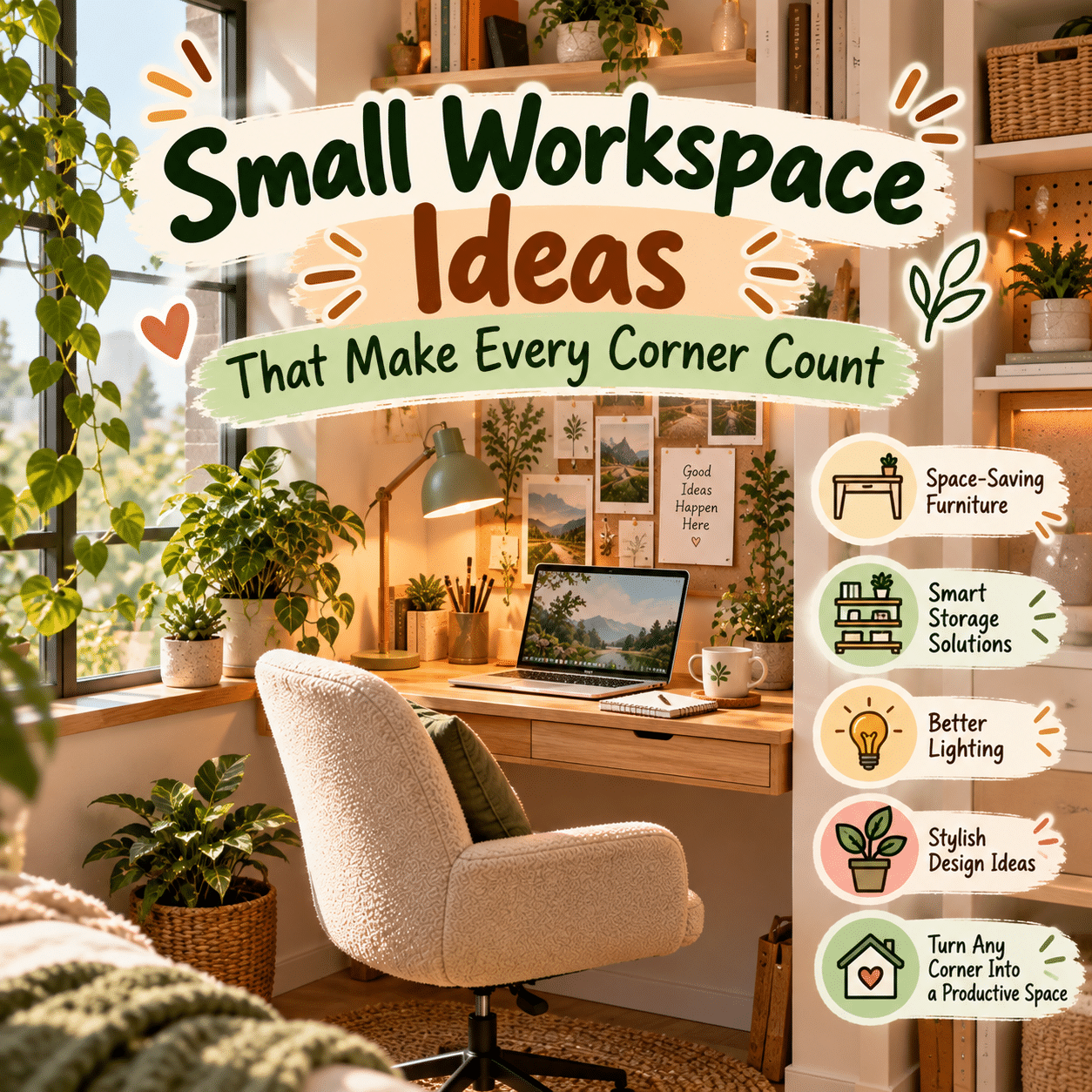
A productive and inspiring workspace does not require a large room, an oversized desk, or an elaborate home office. Sometimes, the most functional working environments are created in the smallest and most unexpected places: a quiet bedroom corner, an unused alcove, a narrow section of a living room, or a compact space beside a window.
As homes accommodate more activities, creating a dedicated area for work, studying, planning, and creative projects has become an important part of thoughtful interior design. However, limited square footage can present challenges. Furniture must fit comfortably, supplies need practical storage, and the workspace should feel inviting without overwhelming the surrounding room.
The good news is that small spaces often encourage creative solutions.
A carefully chosen desk, well-organized shelves, suitable lighting, and multifunctional accessories can transform an overlooked corner into a comfortable and efficient workstation. The key is to make intentional decisions about layout, storage, ergonomics, and personal style.
Rather than trying to squeeze a full-sized office into a small area, the goal is to design a workspace that makes the best possible use of what is available.
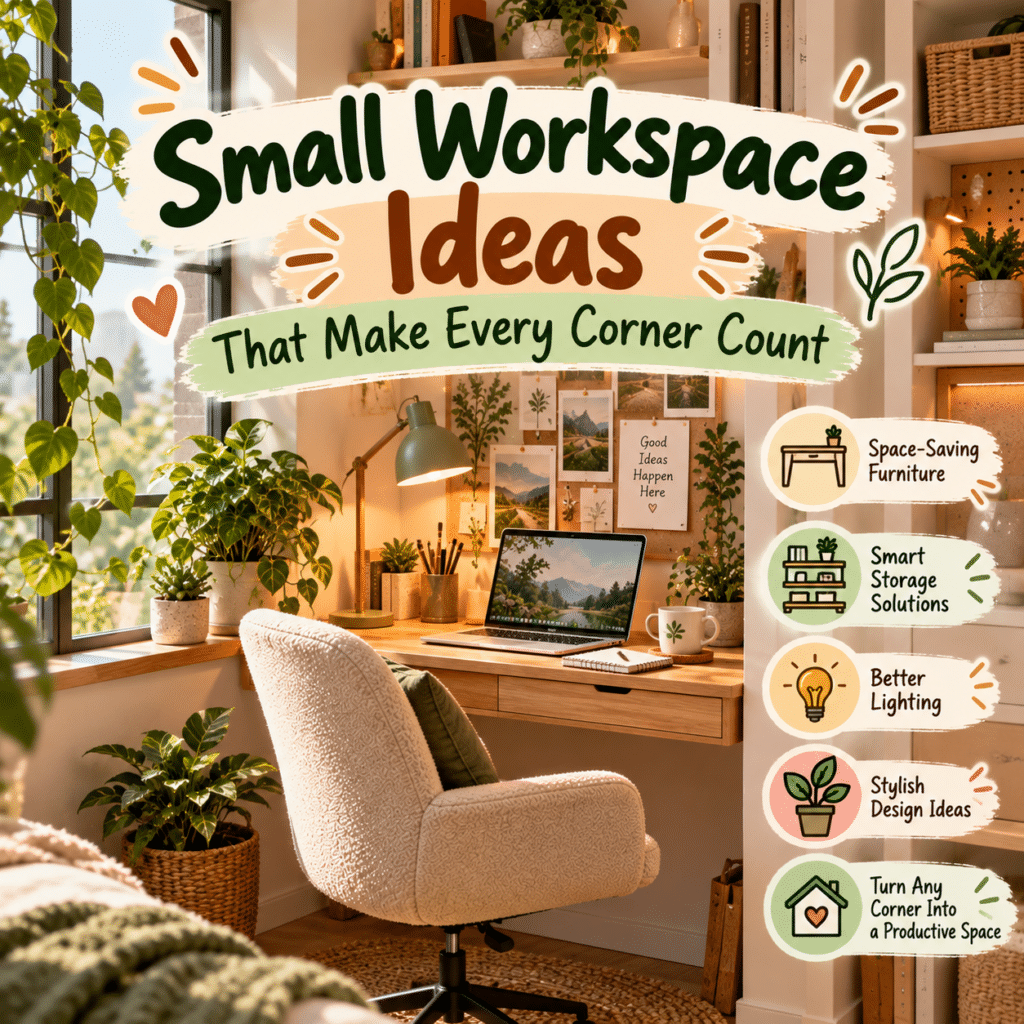
This guide explores practical and inspiring small workspace ideas for apartments, bedrooms, living rooms, and multipurpose spaces. From space-saving furniture and vertical storage to clever organization and visual design techniques, these ideas can help you create a workspace where every corner serves a purpose.
1. Start by Understanding Your Available Space
Before choosing furniture or accessories, evaluate the area you want to transform.
A small workspace becomes more functional when its layout is based on actual dimensions and everyday activities rather than appearance alone.
Measure the Space Carefully
Begin by measuring the width, depth, and height of the available area.
Include nearby features such as:
- Doors and their opening paths.
- Windows and window coverings.
- Electrical outlets.
- Heating and cooling equipment.
- Built-in cabinets.
- Walkways and furniture clearance.
- Wall fixtures and architectural details.
Do not measure only the space where the desk will stand.
You also need room to sit comfortably, move your chair, reach storage, and enter or leave the workspace.
Identify Your Essential Activities
A workspace used for occasional laptop tasks requires less equipment than one used for daily computer work or creative projects.
Think about what you actually need.
For example:
- Computer work may require a monitor, keyboard, and mouse.
- Writing may require an open surface for notebooks and documents.
- Studying may involve textbooks, reference materials, and stationery.
- Crafting may require a durable surface and organized tools.
- Household administration may need document storage and planning materials.
Prioritizing your main activities prevents unnecessary furniture from consuming valuable space.
Recognize the Difference Between Small and Crowded
A small workspace can feel comfortable when furniture is appropriately sized and supplies are organized.
A crowded workspace, by contrast, may contain too many objects, inadequate movement space, or furniture that interferes with everyday tasks.
The objective is not to use every available inch.
It is to make the available area work efficiently while preserving comfort.
2. Transform an Unused Corner Into a Functional Office
Corners are among the most overlooked opportunities for creating a small workspace.
A corner that currently holds a decorative table, unused chair, or miscellaneous storage may have enough room for a compact workstation.
Choose a Corner-Friendly Desk
A small rectangular desk can fit neatly against one wall.
A triangular or specially designed corner desk may make use of an awkward layout.
However, corner desks are not automatically more space-efficient.
Check whether the design provides enough usable surface area and comfortable legroom.
Use the Walls Around the Corner
Two adjoining walls offer opportunities for storage and decoration.
Consider placing a small shelf above the desk or adding a narrow organizer on one side.
Avoid installing shelves where they could interfere with head movement or make the workspace feel enclosed.
Add a Focused Light Source
Corners may receive less daylight than central areas of a room.
An adjustable desk lamp or appropriately positioned wall light can improve visibility.
Choose lighting that illuminates the work surface without producing uncomfortable glare.
Give the Corner Its Own Identity
A small piece of artwork, coordinated desk accessories, or a subtle wall color can help distinguish the workstation from the surrounding room.
This visual definition makes the corner feel intentional rather than improvised.
3. Create a Small Workspace Beside a Window
A window-side workstation can feel bright and welcoming, even when the available area is limited.
Natural light and an outdoor view can add visual interest without requiring additional decorative objects.
Position the Desk for Comfortable Lighting
A desk placed beside a window may receive pleasant daylight while reducing direct reflections on a computer screen.
Avoid arrangements that force you to look directly toward strong sunlight.
Adjustable curtains or blinds can help control brightness throughout the day.
Choose a Slim Desk
A narrow writing desk may fit beneath or beside a window.
Before choosing furniture, check the window height, sill depth, and access requirements.
Do not block windows that are needed for emergency escape or required ventilation.
Keep the Window Area Open
Avoid placing tall storage units where they unnecessarily block daylight.
Low-profile furniture can help preserve the room’s sense of openness.
Add Simple Natural Details
A small plant, wooden organizer, or neutral desk mat can complement the outdoor view.
Keep plants away from electrical connections and choose varieties suited to the available light.
4. Design a Compact Workspace in the Living Room
Living rooms often accommodate multiple activities, making them useful locations for small workstations.
The challenge is creating a practical office area without disrupting the room’s primary purpose.
Select Furniture That Blends With the Interior
A desk that complements existing furniture can make the workspace feel like part of the living room.
For example, a slim wooden desk may coordinate with a coffee table or bookshelf.
A simple console-style desk may suit a contemporary interior.
Use a Bookshelf as a Visual Divider
An appropriately sized bookshelf can help distinguish the workspace from the seating area.
Open shelving may preserve some visual connection between the two zones.
Secure tall furniture against tipping where appropriate, especially in homes with children or pets.
Conceal Office Supplies
Closed drawers, decorative storage boxes, or a nearby cabinet can keep stationery and paperwork organized.
This is particularly helpful when the living room is used for entertaining or relaxation.
Establish a Simple End-of-Day Routine
Return notebooks, headphones, and other work materials to their designated locations.
A clear desk can help the room transition back to its primary function.
5. Make a Bedroom Workspace Feel Separate and Peaceful
A bedroom workspace can be practical when a dedicated office is unavailable.
However, combining work and relaxation requires thoughtful organization.
Choose a Location Away From the Bed
When possible, position the desk so it does not dominate the view from the sleeping area.
A wall beside a window or an unused corner may provide a suitable location.
Create Visual Separation
A small rug, distinct desk lamp, or coordinated wall decoration can help define the workspace.
In larger bedrooms, a lightweight room divider or suitable shelving unit may provide additional separation.
Avoid blocking circulation paths or ventilation.
Keep Work Materials Contained
Use drawers, organizers, or covered storage to prevent paperwork from spreading across the bedroom.
Choose a Calm Color Palette
Soft neutrals, natural wood, muted green, or gentle blue can help the workstation blend with a relaxing bedroom interior.
The best colors are those that suit your preferences and existing decor.
Maintain Clear Boundaries
If possible, put away work equipment after finishing for the day.
A consistent routine can help the bedroom remain associated with rest rather than unfinished tasks.
6. Explore Wall-Mounted Desks for Limited Floor Space
Wall-mounted desks can be useful when conventional furniture occupies too much floor area.
Some designs provide a fixed work surface, while others fold away when not in use.
Consider a Floating Desk
A floating desk attaches directly to a suitable wall.
Without traditional legs, it can create a visually lighter appearance.
However, wall-mounted furniture requires appropriate structural support.
Follow the manufacturer’s installation instructions and weight limits.
Try a Fold-Down Desk
A fold-down desk can provide a temporary working surface.
When closed, it may leave more room for other activities.
This arrangement can work well for occasional laptop use, writing, or household planning.
Check the Practical Dimensions
A fold-down surface still needs enough depth for the intended activity.
Make sure there is sufficient space for comfortable seating when the desk is open.
Plan Storage Separately
Some wall-mounted desks include shelves or compartments.
Others require additional storage nearby.
Consider where the chair, computer, and supplies will go when the desk is not in use.
7. Choose Multipurpose Furniture That Saves Space
Furniture that performs more than one function can be especially valuable in small homes.
However, multifunctional design should not compromise comfort or safety.
Desk and Bookshelf Combinations
A desk integrated into a shelving unit can provide both a working surface and vertical storage.
This arrangement may reduce the need for separate furniture.
Console Tables That Double as Desks
A console table can serve as an occasional workstation when its dimensions are suitable.
Choose a design with adequate depth and legroom.
Storage Cabinets With Work Surfaces
Some cabinets include pull-out or fold-out surfaces.
These can be useful for occasional tasks, provided the work surface is stable and appropriately supported.
Mobile Work Tables
A small table on locking casters may allow flexible use in different areas.
Check stability and load capacity before placing computer equipment or heavy supplies on it.
Think Beyond the Furniture Label
An item does not need to be marketed as office furniture to be useful.
However, its dimensions, stability, and construction must suit the intended activity.
A narrow decorative table may look attractive but provide inadequate space for regular computer work.
8. Use Vertical Storage to Free Up Desk Space
When floor space is limited, walls become valuable organizational resources.
Vertical storage can reduce clutter while keeping important supplies accessible.
Install Floating Shelves
Floating shelves can hold books, storage boxes, and lightweight decorative objects.
Position frequently used items within comfortable reach.
Avoid placing heavy or unstable objects directly above your head.
Add a Pegboard
A pegboard offers flexible storage for stationery, small containers, headphones, and creative tools.
Its arrangement can change as your needs evolve.
Use suitable mounting hardware and respect the board’s load limits.
Try Narrow Wall Organizers
Slim organizers can hold documents, notebooks, or small accessories without occupying much desk space.
Use Stackable Storage Carefully
Stackable containers can make better use of cabinet or shelf height.
Choose stable designs and avoid creating tall, unsecured stacks.
Balance Storage With Open Space
Too many wall-mounted objects can make a compact workspace feel crowded.
Leave some empty wall area to preserve visual simplicity.
9. Make the Most of Under-Desk Storage
The space beneath a desk can provide useful storage, but it should never interfere with comfortable seating.
Choose Compact Drawer Units
A narrow drawer cabinet can hold stationery, documents, and accessories.
Measure carefully to ensure it does not restrict legroom.
Use Portable Storage Carts
A small rolling cart may fit beside or partially beneath a desk.
It can be useful for supplies that need to move between activities.
Add Suitable Cable Organizers
Under-desk cable trays can help manage compatible cables and accessories.
Follow electrical safety instructions and avoid tightly bundling heat-producing cords.
Keep the Foot Area Clear
Avoid placing boxes or equipment where they prevent natural leg movement.
A compact workspace should still allow comfortable changes in posture.
10. Create a Clutter-Free Desk With Smart Organization
Small work surfaces become crowded quickly when objects lack designated storage.
A simple organizational system can make the workspace easier to use and maintain.
Keep Only Daily Essentials on the Desk
Identify the items you use most frequently.
These might include:
- A computer or laptop.
- Keyboard and mouse.
- Notebook.
- Pen.
- Desk lamp.
- One small organizer.
Move occasional supplies into drawers or shelves.
Group Similar Items
Store pens together, keep charging accessories in one location, and organize documents by purpose.
Grouping reduces the time spent searching for small objects.
Use Drawer Dividers
Dividers can prevent stationery and accessories from becoming mixed together.
Choose compartments that fit your actual supplies.
Create a Temporary Paperwork Zone
A small document tray or vertical file holder can contain papers that need attention.
Review the contents regularly to prevent accumulation.
Maintain a Clear Working Area
Leave enough space for the activity you are performing.
An organized desk should support movement and flexibility rather than merely appear tidy.
11. Improve Small Workspace Lighting
Lighting has a major influence on how comfortable a small workspace feels.
Poor lighting can make a compact area seem less welcoming and may interfere with reading or screen use.
Combine Natural and Artificial Light
Use available daylight when practical.
Supplement it with a desk lamp or suitable room lighting.
Choose Adjustable Task Lighting
An adjustable lamp can direct light toward notebooks, documents, or creative materials.
A compact lamp with a stable base may be especially useful on a small desk.
Consider Wall-Mounted Lighting
A wall-mounted task light can free up desk space.
Ensure installation is appropriate for the wall and electrical requirements.
Reduce Screen Glare
Avoid positioning bright lights directly behind or in front of reflective screens.
Adjust the monitor and lighting until the display is comfortable to view.
Avoid Excessive Decorative Lighting
Accent lighting can add atmosphere, but too many light sources may create visual clutter.
Prioritize practical illumination.
12. Use Color to Make a Small Workspace Feel Inviting
Color can influence the visual character of a compact workspace.
A cohesive palette helps furniture and accessories feel connected.
Light Neutrals for an Airy Appearance
White, cream, beige, and light gray can create a bright visual foundation.
These colors work well with simple furniture and natural textures.
Soft Green for a Nature-Inspired Corner
Sage or muted green can complement wooden surfaces and botanical artwork.
Gentle Blue for a Refined Look
Dusty blue or pale blue can add subtle color without overwhelming the area.
Warm Earth Tones for a Cozy Atmosphere
Terracotta, caramel, warm brown, and muted orange can introduce warmth.
Use Accent Colors Selectively
A colorful desk mat, lamp, or artwork may provide enough visual interest.
There is no need to repaint an entire room to create a distinctive workspace.
13. Introduce Mirrors and Reflective Details Thoughtfully
Mirrors can influence how spacious a room appears by reflecting light and surrounding features.
However, placement matters.
Position Mirrors to Reflect Pleasant Views
A mirror reflecting a window or uncluttered part of the room may create a sense of openness.
Avoid Distracting Reflections
Do not place mirrors where they reflect bright light directly into your eyes or computer screen.
Choose Appropriate Dimensions
A modest wall mirror may be sufficient for a small workspace.
Oversized mirrors can overwhelm narrow areas.
Use Reflective Finishes Sparingly
Metallic accessories or smooth decorative surfaces can add visual interest.
Balance them with matte textures to reduce excessive reflections.
14. Add Personal Style Without Overcrowding
A small workspace should feel personal rather than purely functional.
The challenge is choosing decorative details that fit comfortably within limited space.
Display One Meaningful Artwork
A framed photograph, illustration, or small painting can provide a focal point.
Choose a Compact Plant
A small plant can add color and natural texture.
Select a variety appropriate for the available light and household conditions.
Use Attractive Functional Accessories
A ceramic pen holder, wooden tray, or coordinated notebook can contribute to the aesthetic while serving a practical purpose.
Create a Mini Inspiration Board
A compact corkboard or magnetic board can display notes, photographs, and ideas.
Rotate Decorations
Instead of displaying every favorite object at once, change accessories occasionally.
This keeps the workspace fresh without creating clutter.
15. Design a Small Workspace for Creative Activities
Creative work often involves materials that require more space than computer-based tasks.
A compact creative station can still function well with flexible organization.
Use Portable Supply Containers
Keep drawing tools, craft materials, or other supplies in containers that can be moved easily.
Protect the Work Surface
Choose a suitable protective mat when using materials that may scratch, stain, or damage furniture.
Organize Supplies Vertically
Pegboards, wall organizers, and narrow shelves can keep lightweight tools accessible.
Create a Temporary Project Area
A fold-out surface or portable work table may provide additional room when needed.
Ensure the furniture is stable and suitable for the activity.
Plan for Cleanup
Creative materials should have clear storage locations.
An easy cleanup routine helps the workspace remain useful for other tasks.
16. Make a Small Workspace Comfortable for Computer Work
A compact desk should still support appropriate computer positioning.
Saving space should not require uncomfortable posture.
Position the Monitor Properly
A useful starting point is to place the monitor approximately an arm’s length away, adjusting for screen size, vision, and comfort.
For many users, the top of the display is positioned around eye level or slightly below.
Use a Separate Keyboard When Helpful
A laptop stand combined with an external keyboard and mouse may allow more comfortable screen positioning.
Make sure the laptop remains stable and properly ventilated.
Choose a Suitable Chair
A compact chair should still provide adequate support.
Look for appropriate seat height, stable construction, and comfortable positioning.
Preserve Legroom
Avoid filling the entire area beneath the desk with storage.
Take Movement Breaks
Changing posture and moving periodically remain important, regardless of workspace size.
17. Explore Narrow Workspace Layouts
Long, narrow areas can present challenges, but they may accommodate useful workstations.
Place a Desk Along the Wall
A slim desk can fit against a long wall without occupying excessive floor space.
Use Shallow Shelves
Shallow shelving may provide storage while preserving walking room.
Keep Circulation Paths Open
Avoid furniture arrangements that obstruct doors or create narrow, uncomfortable passages.
Choose Visually Light Furniture
Furniture with simple lines and appropriately sized legs can make a narrow space feel less crowded.
Use a Consistent Color Palette
Coordinated colors help the workspace blend with the surrounding area.
18. Create a Workspace Inside an Alcove or Recess
Architectural recesses can provide natural locations for compact workstations.
Measure the Alcove Precisely
Check the width at several heights and depths.
Walls may not be perfectly straight.
Choose Appropriately Sized Furniture
A compact desk may fit without modification.
Custom furniture can be useful for unusual dimensions, but it is not always necessary.
Add Wall Storage
Shelves can use the space above the desk.
Ensure adequate clearance and secure installation.
Improve Lighting
Alcoves may require additional task lighting.
Maintain Ventilation
Avoid enclosing equipment in a way that traps heat.
Follow device ventilation requirements.
19. Use Room Dividers to Define a Small Work Zone
In shared rooms, visual separation can make a workspace feel more intentional.
Open Shelving Units
An open bookshelf can distinguish the desk from another activity area.
Secure tall furniture where necessary.
Lightweight Screens
A folding screen may provide temporary visual separation.
Choose a stable design that does not obstruct movement.
Curtains
A curtain can conceal a workspace when it is not in use.
Keep fabrics away from heat-producing equipment and electrical hazards.
Rugs
A small rug can visually define the work area without adding walls.
Choose a low-profile, slip-resistant option that does not interfere with chair movement.
Lighting Differences
A dedicated desk lamp can help distinguish the workspace from the rest of the room.
20. Organize a Small Workspace for Multiple Users
Sometimes a single desk must serve more than one person.
Shared workspaces benefit from clear organization and flexible arrangements.
Create Individual Storage Zones
Assign separate drawers, containers, or shelves for each user.
Use Portable Accessories
Personal notebooks, keyboards, or supplies can be stored when another person needs the desk.
Establish Simple Scheduling Rules
Agree on when the workspace is available for different activities.
Keep Shared Equipment Accessible
Arrange frequently used items where both users can reach them comfortably.
Respect Privacy
Provide appropriate storage for personal documents and sensitive materials.
21. Build a Small Workspace With Budget-Friendly Solutions
An effective workspace does not require a major renovation.
Start with practical improvements that address real needs.
Reuse Existing Furniture
A suitable table or cabinet may already provide the foundation for a compact desk.
Check stability and dimensions before repurposing it.
Choose Affordable Organizers
Simple trays, boxes, and drawer dividers can improve organization.
Create Personal Artwork
Use photographs, illustrations, or handmade decorations to add character.
Improve One Element at a Time
Prioritize seating, lighting, and essential equipment before decorative purchases.
Consider Secondhand Furniture
Inspect used furniture for structural stability, damage, and suitability.
Avoid Buying Unnecessary Accessories
A smaller number of useful items often creates a more comfortable workspace than an extensive collection of decorative products.
22. Make a Small Workspace More Flexible
Small work areas often need to support changing activities.
Flexibility can make limited space more useful.
Choose Movable Storage
Portable organizers and carts allow supplies to move when needed.
Use Adaptable Work Surfaces
A desk with sufficient clear space can support writing, computer work, and occasional creative projects.
Keep Furniture Arrangements Simple
Avoid layouts that are difficult to change.
Plan for Equipment Updates
Consider whether the workspace can accommodate future needs without becoming crowded.
Reevaluate the Setup Periodically
As your activities change, adjust storage and furniture placement.
23. Common Small Workspace Design Mistakes to Avoid
A compact workstation can become uncomfortable when space-saving ideas are applied without considering practical needs.
Choosing a Desk That Is Too Small
An extremely narrow desk may not support comfortable keyboard or monitor placement.
Using Too Much Vertical Storage
Shelves can be helpful, but excessive wall storage may create a crowded appearance.
Ignoring Chair Clearance
A desk must allow enough room for sitting and movement.
Blocking Natural Light
Tall furniture placed in front of windows may make the room feel darker.
Overdecorating
Too many accessories can consume valuable working space.
Neglecting Electrical Safety
Avoid overloaded outlets, damaged cords, and unsafe cable arrangements.
Forgetting Ventilation
Small enclosed spaces may trap heat from electronic equipment.
Designing Only for Appearance
A workspace should support actual tasks, not merely look attractive in photographs.
24. Small Workspace Ideas for Different Home Layouts
The most effective solution depends on the available space.
| Home Area | Workspace Idea | Main Advantage |
|---|---|---|
| Living room | Slim desk beside a bookshelf | Blends work with shared living space |
| Bedroom | Compact desk in a quiet corner | Uses existing room space |
| Window alcove | Narrow desk with natural light | Creates a bright workstation |
| Hallway recess | Wall-mounted writing desk | Uses an overlooked area |
| Guest room | Multipurpose desk and storage | Supports flexible room use |
| Studio apartment | Fold-down workstation | Preserves floor space when closed |
| Creative corner | Compact table with vertical organizers | Keeps materials accessible |
| Shared room | Desk with portable personal storage | Accommodates multiple users |
These arrangements are starting points.
Every home has different dimensions, lighting conditions, and household needs.
25. A Step-by-Step Small Workspace Makeover
A practical makeover begins with understanding the space and making improvements in a logical order.
Step 1: Evaluate the Existing Area
Identify the available dimensions, lighting, outlets, and circulation paths.
Step 2: Define Your Main Activities
List the equipment and supplies needed for regular tasks.
Step 3: Choose the Right Desk
Select a surface that fits the area while providing adequate working room.
Step 4: Plan Comfortable Seating
Make sure the chair can be positioned and moved properly.
Step 5: Improve Lighting
Use daylight where appropriate and add suitable task lighting.
Step 6: Organize Essential Equipment
Arrange monitors, keyboards, notebooks, and other frequently used items.
Step 7: Add Vertical Storage
Use shelves or wall organizers only where they improve accessibility.
Step 8: Introduce Personal Details
Choose artwork, colors, and accessories that make the space welcoming.
Step 9: Test the Arrangement
Use the workspace during normal activities.
Notice whether any objects interfere with movement or comfort.
Step 10: Refine and Maintain
Make adjustments based on experience and establish simple organizational habits.
26. Small Workspace Design Checklist
Use this checklist to evaluate whether your compact workstation is both practical and inviting.
Space and Layout
- The desk fits comfortably within the available area.
- The chair has sufficient clearance.
- Doors and walkways remain unobstructed.
- Windows and ventilation are not unnecessarily blocked.
- Furniture is stable and appropriately positioned.
Comfort
- The work surface supports regular activities.
- Seating is comfortable and supportive.
- The monitor is positioned appropriately.
- Keyboard and mouse placement feels natural.
- Lighting is suitable for the tasks performed.
Organization
- Frequently used supplies are accessible.
- Storage does not interfere with legroom.
- Cables are managed safely.
- Documents have designated locations.
- The desk can be cleared easily.
Style and Atmosphere
- Colors complement the surrounding room.
- Decorative objects are thoughtfully selected.
- The workspace feels welcoming.
- Natural light is used effectively where available.
- Personal details do not overwhelm the space.
Long-Term Functionality
- Furniture and accessories are easy to maintain.
- The setup can adapt to changing needs.
- Electrical equipment is used safely.
- Storage systems remain practical.
- The workspace supports everyday comfort.
Frequently Asked Questions About Small Workspace Design
1. How can I create a workspace when I have very little room?
Start by identifying an unused corner, wall section, or alcove.
Choose a compact desk that provides enough space for your main activities.
Use vertical storage and keep only essential items on the working surface.
Even a small area can become functional when furniture and accessories are selected carefully.
2. What type of desk is best for a small workspace?
The best desk depends on the available dimensions and how you work.
A slim rectangular desk may suit a narrow wall, while a fold-down desk can be useful for occasional tasks.
A compact standard desk may be preferable for regular computer work because it can provide more comfortable equipment positioning.
3. How do I make a small workspace look bigger?
Use appropriately sized furniture, a cohesive color palette, and effective lighting.
Keep the work surface organized and avoid blocking natural light.
Mirrors and visually lightweight furniture may also contribute to a more open appearance when positioned thoughtfully.
4. Can I create a home office in my bedroom?
Yes. A bedroom corner can accommodate a practical workstation.
Choose a compact desk, organize work materials, and use lighting or decoration to define the area.
Keeping the workspace tidy and establishing clear work routines can help preserve the bedroom’s relaxing atmosphere.
5. How can I organize a small desk without buying expensive accessories?
Use existing drawers, suitable containers, simple trays, and shelves.
Group similar items and store less frequently used supplies away from the main surface.
The most effective organization often comes from reducing unnecessary objects rather than purchasing additional products.
6. Is a wall-mounted desk a good idea for small spaces?
A wall-mounted desk can be useful when floor space is limited.
However, it must be installed on a suitable wall using appropriate hardware.
Check load limits, working depth, and chair clearance before choosing this solution.
7. How can I make a small workspace comfortable for long work sessions?
Prioritize suitable seating, adequate desk dimensions, comfortable monitor positioning, and appropriate lighting.
Leave enough legroom and avoid awkward reaching.
Change posture and take movement breaks regularly.
A compact workspace should still support physical comfort.
Conclusion: Make Every Corner Work Beautifully
A small workspace does not have to feel restrictive, temporary, or uninspiring. With thoughtful planning, even a modest corner can become a comfortable and attractive place for focused work, studying, planning, or creative activities.
The most successful small workspaces begin with practical choices. An appropriately sized desk, supportive seating, suitable lighting, and well-organized storage create a foundation that makes everyday tasks easier.
Vertical shelves, multipurpose furniture, compact accessories, and carefully chosen colors can help maximize limited space without sacrificing visual appeal.
Personal details such as artwork, plants, meaningful objects, and natural textures can then transform the workstation into a place that feels welcoming and individual.
Most importantly, making every corner count does not mean filling every available inch. It means using space intentionally, preserving comfort, and allowing each element to serve a useful purpose.
Whether your workspace occupies a bedroom corner, a living room wall, or a narrow alcove, thoughtful design can turn a small area into a place where ideas develop, tasks feel manageable, and everyday creativity has room to grow.