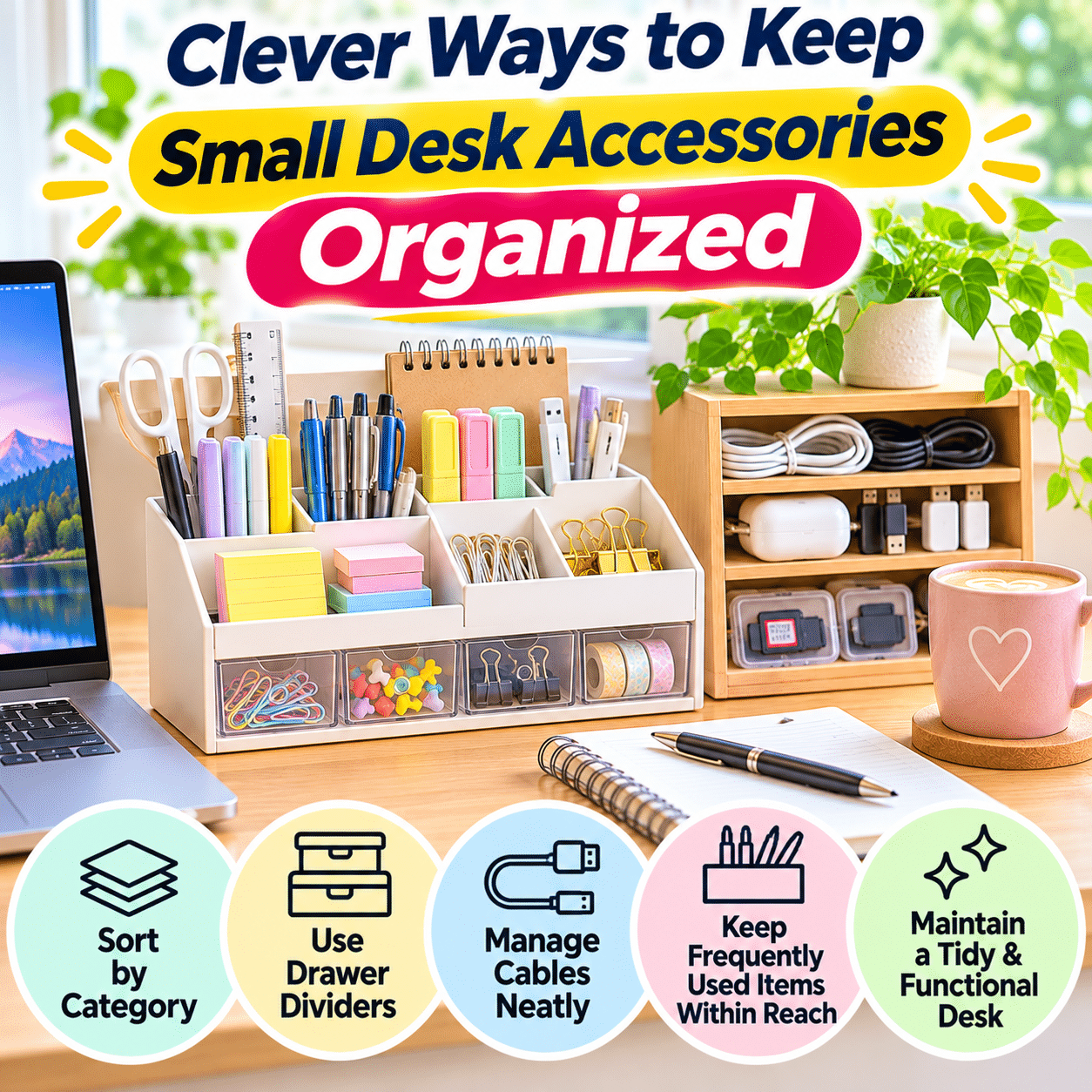
A well-organized desk can make everyday work feel easier, more comfortable, and more enjoyable. Whether you use your desk for remote work, studying, creative projects, household administration, or personal hobbies, having essential supplies within reach helps create a smoother and more practical workspace.
However, small desk accessories are surprisingly easy to lose control of. Pens, paper clips, sticky notes, USB drives, charging cables, earbuds, memory cards, adapters, and other everyday items may seem insignificant individually, but together they can quickly create clutter.
The challenge is not always having too many accessories. Often, the real problem is that small objects do not have clearly assigned storage locations. A pen gets left beside the keyboard, a charging adapter disappears beneath paperwork, and several unrelated items accumulate inside the same drawer.
Over time, this disorganization can make routine activities unnecessarily frustrating. Finding a particular cable may require searching through several containers. Important notes can become buried beneath stationery, while frequently used tools take up valuable desk space simply because there is nowhere convenient to put them.
Small desk accessories also vary considerably in size, purpose, and frequency of use. A daily writing pen should be easier to reach than a spare USB adapter used once a month. Delicate electronic accessories need different storage conditions from ordinary paper clips or rubber bands.
Fortunately, keeping small desk accessories organized does not require expensive furniture, elaborate storage systems, or a perfectly minimalist workspace. A few thoughtful changes can make a meaningful difference.
The most effective approach is to group similar items, assign practical storage locations, use available space efficiently, and establish simple habits that prevent clutter from returning.
This guide explores clever ways to organize small desk accessories, improve drawer storage, manage stationery and electronics, make better use of limited space, and maintain a functional workspace that supports your everyday activities.
1. Understand Why Small Desk Accessories Become Cluttered
Before purchasing organizers or rearranging your desk, it helps to understand how small accessories accumulate.
Unlike larger office equipment, small objects are easy to move, overlook, and store temporarily.
Small Items Rarely Have Permanent Locations
A laptop usually has an obvious place on the desk.
A paper clip, spare charging cable, or USB adapter may not.
When an item has no assigned location, it often ends up wherever it was last used.
Different Accessories Become Mixed Together
Many desks contain combinations of:
- Pens and pencils
- Highlighters and markers
- Paper clips
- Binder clips
- Sticky notes
- Erasers
- Rulers
- Scissors
- USB flash drives
- Charging adapters
- Earbuds
- Memory cards
- Cable connectors
- Small notebooks
- Adhesive tape
- Spare batteries
- Craft accessories
When everything is stored together, even a relatively small collection can become difficult to manage.
Duplicate Items Accumulate
It is common to own several similar pens, charging cables, or small stationery supplies.
Duplicates may be useful, but unnecessary extras occupy space.
Frequently Used Items Are Stored Inconveniently
If a pen is difficult to reach, it may never return to its proper location.
A storage system that requires too much effort can encourage clutter.
Storage Containers Become Catch-All Spaces
A drawer or decorative basket may initially look organized.
However, without internal categories, it can gradually become a collection of unrelated objects.
The solution is not simply to hide clutter. It is to create a system that makes each accessory easy to find, use, and return.
2. Begin by Sorting Everything Into Practical Categories
The first step toward better organization is understanding what you actually own.
Gather Accessories From One Area
Start with your desktop and one drawer.
Avoid emptying every storage area in the room simultaneously.
Place the items on a clean surface where you can see them clearly.
Group Similar Objects
A simple sorting system might include:
| Category | Examples | Suggested storage |
|---|---|---|
| Writing tools | Pens, pencils, markers | Pen holder or divided tray |
| Paper supplies | Sticky notes, index cards | Shallow tray |
| Fasteners | Paper clips, binder clips | Small containers |
| Electronic accessories | USB drives, adapters, earbuds | Protective compartments |
| Charging accessories | Cables, connectors | Cable organizer |
| Cutting and measuring tools | Scissors, rulers | Drawer section |
| Creative supplies | Craft knives, brushes, specialty tools | Dedicated organizer |
| Occasional-use items | Spare supplies and backups | Secondary storage |
The exact categories should reflect your activities.
Identify Frequently Used Items
Ask yourself:
- Which accessories do I use every day?
- Which items do I use weekly?
- Which supplies are only needed occasionally?
- Which items no longer work?
- Which accessories belong somewhere else?
- Do I have unnecessary duplicates?
Remove Items That Do Not Belong
Return household objects, personal belongings, and unrelated equipment to their proper locations.
Check Condition Before Keeping
Test pens, inspect cables, and examine frequently handled accessories.
Dispose of damaged items appropriately.
Do not continue using unsafe electrical accessories.
3. Organize Accessories According to Frequency of Use
One of the most effective desk organization principles is to make frequently used items easier to access than occasional supplies.
Daily-Use Accessories
These might include:
- Favorite pen
- Notebook
- Sticky notes
- Headphones
- Charging cable
- Mouse
- Frequently used adapter
Keep them within comfortable reach.
Weekly-Use Accessories
Examples include:
- Scissors
- Stapler
- Tape dispenser
- Highlighters
- USB flash drives
- Measuring tools
These can be stored in accessible drawers or nearby containers.
Occasional-Use Accessories
Examples include:
- Spare charging cables
- Extra stationery
- Specialty connectors
- Backup writing tools
- Seasonal craft supplies
Store these in secondary compartments.
Create an Accessibility Hierarchy
Primary zone: Essential tools used during most work sessions.
Secondary zone: Supplies used regularly but not continuously.
Storage zone: Backup and occasional-use items.
This arrangement reduces unnecessary searching while keeping the desktop clear.
4. Use Drawer Dividers to Prevent Small Items From Mixing
Desk drawers are convenient storage spaces, but they can become disorganized when small objects move freely.
Drawer dividers create defined compartments.
Choose Adjustable Dividers When Practical
Adjustable dividers allow you to change compartment sizes as your needs evolve.
They are useful for drawers containing accessories of different dimensions.
Use Small Trays for Tiny Objects
Paper clips, erasers, adapters, and other small accessories benefit from shallow containers.
Measure Before Purchasing
Check:
- Drawer width
- Drawer depth
- Interior height
- Available clearance
- Space required for opening and closing
A poorly fitted organizer can waste space or interfere with drawer operation.
Avoid Too Many Tiny Compartments
Excessive subdivision can make storage unnecessarily complicated.
Create enough separation to keep categories distinct without assigning every individual object its own section.
Keep the Layout Predictable
For example:
Front left: Writing tools.
Front right: Sticky notes and paper supplies.
Middle: Clips and fasteners.
Back left: Electronic accessories.
Back right: Occasional-use supplies.
The exact arrangement is less important than using it consistently.
5. Choose Pen Holders That Match Your Actual Needs
Pen holders are among the simplest desk accessories, yet their design affects how conveniently writing tools can be stored.
Avoid Overfilled Containers
A pen holder packed with dozens of writing tools can make it difficult to select one.
Keep your most useful pens accessible and store extras elsewhere.
Separate Different Writing Tools
If you regularly use several types, consider separate compartments for:
- Pens
- Pencils
- Highlighters
- Markers
- Specialty writing tools
Consider Horizontal Storage for Certain Supplies
Some markers and specialty pens have manufacturer-specific storage recommendations.
Follow those instructions when appropriate.
Choose Stable Containers
A pen holder should remain upright during normal use.
Avoid lightweight containers that tip easily when filled with tall objects.
Keep the Holder Near Its Main Use
If you frequently write notes beside your computer, place the holder within comfortable reach without obstructing the keyboard or screen.
6. Keep Paper Clips, Binder Clips, and Other Tiny Supplies Contained
Tiny stationery accessories are especially likely to disappear into drawers.
Use Small Dedicated Containers
Shallow boxes, divided trays, or suitable reusable containers can keep fasteners separated.
Avoid Mixing Different Sizes
Large binder clips and small paper clips may be easier to retrieve when stored separately.
Keep Only a Working Quantity Accessible
A small supply may be sufficient for everyday use.
Store bulk extras elsewhere.
Consider Magnetic Holders Carefully
Magnetic holders can be convenient for certain metal accessories.
However, keep magnets away from equipment or objects that may be sensitive to magnetic fields, including certain magnetic-stripe cards and specialized devices.
Refill Instead of Overfilling
When a working container becomes low, replenish it from backup storage.
This prevents the main desk from becoming crowded.
7. Organize Sticky Notes and Small Paper Supplies
Sticky notes, index cards, and small notepads are useful for reminders and quick reference.
However, they can contribute to visual clutter when scattered across the desk.
Create a Paper Supply Zone
Keep unused sticky notes and small notepads in one tray or drawer section.
Separate Blank Notes From Active Reminders
Unused paper supplies should not be mixed with notes containing tasks or important information.
Limit Visible Reminders
Too many sticky notes can make important information harder to notice.
Transfer ongoing tasks to a reliable planning system when appropriate.
Remove Outdated Notes
Review visible reminders periodically.
Discard completed or irrelevant notes after confirming that the information is no longer needed.
Protect Important Information
Avoid leaving sensitive passwords, account details, or confidential information on exposed sticky notes.
Keep a Small Writing Surface Clear
Leave enough space to write comfortably without moving several accessories.
8. Create a Dedicated Storage System for USB Drives and Small Adapters
Electronic accessories require more careful handling than ordinary stationery.
USB drives, memory cards, card readers, and adapters can be small, delicate, and easy to misplace.
Use Protective Compartments
Store electronic accessories in suitable containers that protect connectors from unnecessary contact and pressure.
Separate Different Connector Types
Group accessories according to their purpose.
Examples include:
- USB-C adapters
- USB-A accessories
- Memory card readers
- Display adapters
- Audio connectors
- Specialized device adapters
Label Similar-Looking Accessories
Small labels can help identify connectors that appear nearly identical.
Protect Data Storage Devices
USB drives and memory cards may contain important or sensitive information.
Use appropriate digital security measures and maintain backups.
Avoid Storing Electronics With Liquids
Keep small electronic accessories away from drinks, cleaning products, and other moisture sources.
Remove Obsolete Accessories Thoughtfully
Before discarding an old adapter, verify whether it is still needed for a device you own.
Recycle unwanted electronics through appropriate channels.
9. Manage Charging Cables Without Creating Desk Clutter
Charging cables can quickly become tangled around small accessories.
A dedicated cable system helps keep the desk functional.
Separate Active and Spare Cables
Keep regularly used charging cables accessible.
Store backup cables in a designated drawer or organizer.
Coil Spare Cables Gently
Avoid sharp bends and excessive tension.
Use reusable cable straps to keep them organized.
Use Cable Clips for Active Connections
Cable clips can help prevent charging connectors from falling behind the desk.
Label Similar Cables
Labels are useful when several devices use different charging standards.
Avoid Tight Cable Bundles Around Heat-Producing Equipment
Follow manufacturer guidance for ventilation, cable routing, and safe operation.
Inspect Cables Regularly
Replace damaged cables rather than continuing to use them.
A neat cable arrangement should support both convenience and safety.
10. Use Vertical Space to Free Up the Desktop
When desk space is limited, vertical storage can provide additional organization opportunities.
Consider Small Shelves
A compact shelf may hold notebooks, small organizers, or reference materials.
Use Suitable Wall Organizers
Wall-mounted compartments can store lightweight stationery and accessories.
Consider Pegboards
A pegboard can support hooks, small containers, and other accessories when properly installed.
Use Monitor Risers When Appropriate
A stable monitor riser may create additional storage beneath the screen.
Check weight limits and ergonomic requirements.
Avoid Overcrowding Vertical Storage
Too many visible objects can create visual clutter.
Keep the arrangement simple and purposeful.
Install Storage Securely
Follow installation instructions and ensure that wall-mounted equipment is suitable for the surface and expected load.
11. Make Better Use of the Space Beneath Your Monitor
The area beneath a monitor can provide useful storage when arranged carefully.
Use Low-Profile Organizers
Shallow trays may hold small accessories without obstructing the screen.
Store Frequently Used Items
Examples include:
- Small notebook
- Pen
- Sticky notes
- USB adapter
- Cable clip
Avoid Blocking Ventilation
Do not place accessories where they obstruct monitor vents or other equipment cooling areas.
Maintain Comfortable Screen Height
Storage should not force the monitor into an uncomfortable viewing position.
Keep the Area Easy to Clean
Avoid creating tightly packed spaces where dust and debris accumulate.
12. Create a Small Accessories Station for Creative Work
Creative desks often contain a wider variety of tools than ordinary computer workstations.
Examples include:
- Brushes
- Craft knives
- Rulers
- Adhesive tools
- Cutting accessories
- Decorative clips
- Drawing supplies
- Small measuring tools
Group Supplies by Activity
Separate drawing, cutting, measuring, and assembly tools.
Keep Sharp Tools Protected
Store craft blades, scissors, and other sharp accessories securely.
Use appropriate protective covers and keep them inaccessible to children when necessary.
Use Portable Containers
A small caddy can make it easier to move creative supplies between work areas.
Separate Clean and Messy Materials
Avoid storing delicate electronics or important documents alongside wet paints, adhesives, or dusty craft materials.
Return Tools After Each Project
Creative work often involves many small items.
A short cleanup routine helps prevent supplies from becoming mixed between projects.
13. Organize Accessories for a Shared Desk
A shared desk may be used by family members, roommates, or coworkers.
Without clear organization, personal accessories can become mixed together.
Separate Personal and Shared Supplies
Shared items might include:
- Stapler
- Scissors
- Tape
- General stationery
- Common charging accessories
Personal items might include:
- Headphones
- Specialty pens
- USB drives
- Personal notebooks
- Individual adapters
Use Labeled Containers
Simple labels can help identify ownership.
Establish Shared Storage Rules
Agree on where common supplies belong.
Respect Personal Materials
Avoid moving or using another person’s accessories without permission.
Keep Shared Surfaces Clear
Return personal belongings to designated storage after use.
Avoid Excessive Duplication
Where appropriate, shared stationery can reduce unnecessary clutter.
However, personal or specialized equipment may still require separate storage.
14. Keep Accessories Organized in a Small Home Office
Small workspaces require thoughtful storage because every surface has multiple purposes.
Prioritize Essential Accessories
Keep only items needed for regular activities on the desk.
Choose Compact Organizers
Select containers that fit the available space.
Use Drawer Space Efficiently
Dividers and shallow trays can make small drawers more useful.
Consider Wall Storage
Suitable vertical organizers may reduce desktop crowding.
Use Portable Storage for Multipurpose Rooms
A small caddy can hold work accessories when the desk must be cleared for another activity.
Avoid Oversized Storage Products
Large organizers may consume more space than the accessories themselves.
Maintain a Clear Working Zone
Even a small desk should have enough open surface for its main purpose.
15. Use Repurposed Containers for Budget-Friendly Organization
Effective desk organization does not always require purchasing new products.
Existing household containers may provide suitable storage.
Small Boxes
Sturdy boxes can separate stationery and other dry accessories.
Reusable Jars
Appropriate jars may hold pens, pencils, or larger stationery items.
Choose stable containers and avoid sharp edges.
Small Trays
Unused trays can create defined spaces inside drawers.
Divided Packaging
Some clean, sturdy packaging can be repurposed for lightweight accessories.
Fabric Pouches
Small pouches can hold cables or other compatible items.
Important Considerations
Repurposed containers should be:
- Clean
- Dry
- Stable
- Free from sharp edges
- Appropriate for the items stored
- Easy to access
- Suitable for the available space
Avoid repurposing containers that previously held hazardous substances.
16. Choose Desk Organizers Based on Function, Not Appearance Alone
Attractive organizers can improve the appearance of a desk, but their usefulness depends on practical details.
Consider Compartment Size
Check whether the organizer can accommodate your actual accessories.
Evaluate Accessibility
An item should be easy to retrieve and return.
Check Stability
Choose containers that remain stable during normal use.
Consider Cleaning Requirements
Simple surfaces and removable trays may be easier to maintain.
Match the Organizer to Your Desk
A large rotating organizer may be useful on a spacious craft table but impractical on a narrow computer desk.
Avoid Buying More Storage Than Necessary
Declutter first.
Then choose organizers based on the remaining items.
Compare Common Organizer Types
| Organizer | Best for | Main advantage | Possible limitation |
|---|---|---|---|
| Pen holder | Writing tools | Quick access | Can become overcrowded |
| Drawer divider | Mixed small supplies | Clear separation | Requires suitable drawer dimensions |
| Small storage box | Backup accessories | Compact storage | Contents may be less visible |
| Desk tray | Frequently used items | Easy retrieval | Occupies desktop space |
| Cable organizer | Charging accessories | Reduces tangling | Must accommodate cable types |
| Pegboard | Lightweight tools | Uses vertical space | Requires secure installation |
| Portable caddy | Multipurpose workspaces | Easy to move | May need regular sorting |
17. Use Labels Without Overcomplicating the System
Labels can make storage easier to understand, especially when several containers look similar.
Label Categories Rather Than Individual Objects
Useful labels might include:
- Pens
- Clips
- Cables
- USB Accessories
- Spare Supplies
- Craft Tools
Keep Labels Short
Clear, simple words are usually sufficient.
Use Consistent Terminology
Avoid labeling similar categories with several different names.
Update Labels When Storage Changes
Outdated labels can create confusion.
Avoid Excessive Labeling
A container holding only pens may not require a label if its contents are obvious.
Use labels where they genuinely improve organization.
18. Create a Practical Desk Reset Routine
Even a well-organized desk can become cluttered during active work.
A short reset routine helps maintain order without requiring frequent major cleaning sessions.
At the End of Each Work Session
- Return pens and pencils to their holder.
- Place paper clips and fasteners in their containers.
- Coil or route loose cables appropriately.
- Return electronic accessories to their compartments.
- Remove unnecessary paper.
- Clear the main working surface.
- Check that sharp tools are stored safely.
Keep the Routine Short
A reset should be simple enough to complete consistently.
Avoid Reorganizing Everything Daily
The purpose is to restore the established system, not redesign it.
Adjust Storage When Problems Repeat
If an accessory consistently ends up in the wrong location, its assigned storage may be inconvenient.
Move it to a more practical place.
19. Prevent Duplicate Supplies From Accumulating
Duplicate accessories can gradually overwhelm a small workspace.
Check Existing Supplies Before Buying
Look through the relevant drawer or organizer before purchasing additional items.
Maintain a Small Backup Supply
Keep reasonable extras for frequently used consumables.
Avoid Excessive Bulk Storage at the Desk
Store larger quantities elsewhere when appropriate.
Review Similar Electronic Accessories
Some older adapters and cables may no longer serve any current device.
Verify compatibility before deciding whether to keep them.
Donate Usable Extras When Appropriate
Unneeded stationery may be useful to schools, community groups, or other recipients.
Recycle Unusable Items Properly
Different materials require different disposal methods.
Follow local recycling and electronic waste guidance.
20. Protect Delicate Accessories From Damage
Organization should protect accessories as well as make them easier to locate.
Avoid Excessive Pressure
Do not pack delicate connectors or electronic accessories tightly beneath heavy objects.
Keep Small Electronics Dry
Store memory cards, USB drives, and adapters away from moisture.
Protect Sharp or Fragile Components
Use suitable cases or compartments.
Avoid Extreme Temperatures
Follow manufacturer storage recommendations for electronic accessories.
Keep Batteries Separate When Necessary
Loose batteries should be stored according to their chemistry and manufacturer guidance, with terminals protected against short circuits where appropriate.
Inspect Accessories Periodically
Look for damaged cables, broken connectors, leaking batteries, or other signs of deterioration.
Stop using unsafe items.
21. Make Desk Accessories Easier to Find With Visual Organization
Visual organization helps you recognize where items belong.
Use Clear Containers Selectively
Transparent containers can make contents easy to identify.
However, too many visible objects may create visual clutter.
Arrange Similar Items Together
Grouping objects by function creates predictable storage.
Keep Frequently Used Items Visible
A small number of daily essentials can remain on the desktop.
Store Backups Out of Sight
Occasional-use accessories do not need to occupy prominent locations.
Use Consistent Container Styles When Helpful
A coordinated arrangement can make the desk feel calmer, but matching products are not necessary.
Prioritize Recognition Over Decoration
The most useful system is one where you can locate an accessory without searching through unrelated items.
22. Adapt Your Organization System to Different Desk Activities
Different activities require different accessory arrangements.
Computer Work
Prioritize:
- Charging accessories
- Headphones
- USB adapters
- Notebook
- Pen
- Cable management
Studying
Prioritize:
- Pens
- Pencils
- Highlighters
- Sticky notes
- Index cards
- Rulers
- Reference materials
Creative Hobbies
Prioritize:
- Specialized tools
- Drawing supplies
- Measuring accessories
- Small components
- Protective storage
Household Administration
Prioritize:
- Pen
- Calculator when needed
- Paper clips
- Filing accessories
- Document tray
- Notebook
Multipurpose Desks
Use portable containers or activity-specific storage groups.
The goal is to make transitions between activities easier.
23. Common Mistakes When Organizing Small Desk Accessories
Mistake 1: Buying Organizers Before Sorting
Why it causes problems: Storage products may not fit the actual collection.
Better approach: Sort and declutter first.
Mistake 2: Keeping Every Accessory on the Desktop
Why it causes problems: The working surface becomes crowded.
Better approach: Keep daily essentials accessible and store occasional-use items elsewhere.
Mistake 3: Using One Large Catch-All Drawer
Why it causes problems: Small objects become mixed and difficult to find.
Better approach: Add simple dividers or trays.
Mistake 4: Creating Too Many Compartments
Why it causes problems: Returning items becomes unnecessarily complicated.
Better approach: Use broad, practical categories.
Mistake 5: Ignoring Access Frequency
Why it causes problems: Daily-use items may be harder to reach than rarely used supplies.
Better approach: Organize according to actual usage.
Mistake 6: Overfilling Containers
Why it causes problems: Items become difficult to retrieve and may be damaged.
Better approach: Leave reasonable space in each compartment.
Mistake 7: Mixing Electronics With Unrelated Objects
Why it causes problems: Delicate connectors may be damaged or lost.
Better approach: Use suitable protective storage.
Mistake 8: Keeping Unnecessary Duplicates
Why it causes problems: Backup supplies occupy valuable space.
Better approach: Maintain only practical quantities.
Mistake 9: Ignoring Safety
Why it causes problems: Sharp tools, batteries, and damaged electrical accessories may create hazards.
Better approach: Store potentially hazardous items appropriately.
Mistake 10: Never Resetting the Desk
Why it causes problems: Even good systems become disorganized without maintenance.
Better approach: Return accessories to their assigned locations after use.
24. Troubleshooting Common Desk Accessory Organization Problems
Problem: Small Items Keep Disappearing
Possible cause: Accessories have no permanent storage locations.
Solution: Assign dedicated compartments and return items after use.
Problem: My Desk Drawer Becomes Messy Quickly
Possible cause: Different categories are stored together.
Solution: Use simple dividers or shallow trays.
Problem: I Have Too Many Pens
Possible cause: Duplicates accumulate without regular review.
Solution: Keep a small working selection and store or donate usable extras.
Problem: Charging Cables Become Tangled
Possible cause: Loose storage and inconsistent cable routing.
Solution: Coil spare cables gently and use reusable straps.
Problem: My Desk Looks Crowded Despite Being Organized
Possible cause: Too many storage containers remain visible.
Solution: Move occasional-use accessories into drawers or secondary storage.
Problem: I Cannot Find the Correct USB Adapter
Possible cause: Similar accessories are mixed together.
Solution: Separate connector types and label them when useful.
Problem: My Organizer Takes Up Too Much Space
Possible cause: The storage product is larger than necessary.
Solution: Choose compact organizers based on actual accessory volume.
Problem: My Supplies Become Mixed During Creative Projects
Possible cause: Several activity categories share one workspace.
Solution: Use project-specific containers and reset the desk after each session.
Problem: I Keep Buying Supplies I Already Own
Possible cause: Existing inventory is difficult to see.
Solution: Consolidate backup supplies and check storage before purchasing.
Problem: The Organization System Never Lasts
Possible cause: Storage locations are inconvenient or overly complicated.
Solution: Simplify categories and place frequently used accessories closer to where they are needed.
25. Frequently Asked Questions
1. What is the easiest way to organize small desk accessories?
Group similar items, assign permanent storage locations, and keep frequently used supplies within easy reach.
2. How can I organize a desk without buying new organizers?
Repurpose suitable boxes, trays, jars, and containers already available at home.
3. What should I keep on my desktop?
Keep essential items used regularly, such as a pen, notebook, computer accessories, and other task-related tools.
4. How do I organize a messy desk drawer?
Remove the contents, sort items by function, discard unnecessary objects, and create compartments with dividers or small trays.
5. Are drawer dividers worth using?
They can be helpful when small accessories frequently become mixed together.
6. How many pens should I keep on my desk?
Keep a practical selection based on your activities. Store extra pens separately.
7. How should I store paper clips?
Use a small dedicated container or drawer compartment.
8. What is the best way to organize sticky notes?
Keep unused notes in one designated location and limit the number of active reminders displayed around the desk.
9. How can I prevent charging cables from tangling?
Coil spare cables gently and secure them with reusable cable straps.
10. Where should I store USB drives?
Use a protective compartment that keeps them dry, secure, and easy to locate.
11. Should I label desk organizers?
Labels are useful when containers hold similar-looking accessories or when several people share storage.
12. How can I organize a very small desk?
Keep only essential accessories visible, use compact drawer organizers, and consider suitable vertical storage.
13. Are transparent containers better than opaque ones?
Transparent containers make contents easier to identify, while opaque containers can reduce visible clutter. Choose based on your needs.
14. How do I organize accessories for a shared desk?
Separate personal and shared supplies, use clear storage locations, and agree on simple organization rules.
15. Can I use a pegboard above my desk?
Yes, if it is securely installed and used within its intended load capacity.
16. What should I do with extra stationery?
Keep reasonable backups, donate usable extras when appropriate, and dispose of unusable items responsibly.
17. How do I store small electronic adapters safely?
Use suitable compartments that protect connectors from pressure, moisture, and unnecessary contact.
18. Should I keep all desk accessories in one drawer?
Not necessarily. Separate frequently used supplies from backup and specialized accessories.
19. How can I organize craft supplies on a desk?
Group tools by activity, use portable containers, and store sharp or delicate items appropriately.
20. How often should I reorganize desk accessories?
A brief reset after work sessions and occasional category reviews are generally more practical than frequent complete reorganizations.
21. What is the best storage solution for small binder clips?
A shallow divided container or small box can keep different sizes organized.
22. How do I stop losing earbuds on my desk?
Return them to their case and assign the case a consistent storage location.
23. Can I store small accessories beneath my monitor?
Yes, provided the arrangement does not obstruct ventilation, affect stability, or create uncomfortable screen positioning.
24. Are rotating desk organizers useful?
They can be convenient for certain workspaces, but may occupy too much space on smaller desks.
25. How can I organize desk accessories for children?
Use simple categories, accessible containers, and age-appropriate storage. Keep sharp tools, batteries, and other hazards out of reach.
26. What should I do with obsolete cables and adapters?
Verify that they are no longer needed, then recycle unwanted electronic accessories through suitable programs.
27. How can I reduce visual clutter on my desk?
Keep daily essentials visible and move occasional-use accessories into drawers or other storage.
28. Is it better to use one large organizer or several small ones?
It depends on your desk and accessory collection. Choose the arrangement that provides clear categories without wasting space.
29. Why does my desk become messy again after organizing?
Storage locations may be inconvenient, categories may be unclear, or the system may lack a simple reset routine.
30. What is the most important habit for maintaining an organized desk?
Return each accessory to its assigned location immediately after use or during a brief end-of-session reset.
26. Practical Desk Accessory Organization Checklist
Use this checklist to create a simple, sustainable system for managing small desk accessories.
Initial Sorting
- Choose one desk area to organize.
- Gather loose accessories.
- Group similar items.
- Identify daily-use supplies.
- Separate occasional-use accessories.
- Remove unrelated household objects.
- Check for unnecessary duplicates.
- Inspect items for damage.
Desktop Organization
- Keep the central work surface clear.
- Position essential accessories within reach.
- Use a suitable pen holder.
- Create a designated notebook location.
- Limit visible reminders.
- Avoid excessive decorative storage.
- Keep drinks away from delicate electronics.
Drawer Storage
- Measure drawer dimensions.
- Choose suitable dividers or trays.
- Separate stationery categories.
- Contain tiny fasteners.
- Store backup supplies appropriately.
- Keep compartments easy to access.
- Avoid overfilling organizers.
Electronic Accessories
- Separate charging cables.
- Organize USB adapters.
- Protect memory cards and storage drives.
- Label similar connectors when useful.
- Keep electronics dry.
- Inspect cables for damage.
- Store batteries safely.
- Recycle obsolete electronic accessories responsibly.
Space Efficiency
- Use available drawer space.
- Consider suitable vertical storage.
- Avoid oversized organizers.
- Keep frequently used items accessible.
- Store occasional-use supplies out of sight.
- Maintain clear movement space.
- Check equipment stability and ventilation.
Shared Workspace
- Separate personal and shared supplies.
- Label containers where necessary.
- Establish consistent storage locations.
- Respect personal accessories.
- Return shared tools after use.
- Keep the main work surface available.
Ongoing Maintenance
- Return accessories after use.
- Reset the desk after work sessions.
- Refill working supplies when needed.
- Review duplicate items periodically.
- Remove damaged accessories.
- Adjust inconvenient storage locations.
- Keep the organization system simple.
- Reevaluate storage when work activities change.
Final Thoughts
Keeping small desk accessories organized is not about creating a perfectly arranged workspace or hiding every object from view. It is about developing a practical system that makes everyday tools easy to find, comfortable to use, and simple to return to their proper locations.
Small items often create disproportionate clutter because they are easy to move and rarely have obvious storage locations. Pens, paper clips, USB adapters, charging cables, and sticky notes can gradually spread across a desk when there is no consistent arrangement.
The most effective solution begins with sorting accessories according to their purpose and frequency of use. Daily essentials should remain accessible, while backup supplies and specialized tools can be stored in drawers, compartments, or secondary containers.
Drawer dividers, small trays, cable organizers, and suitable vertical storage can make better use of available space. However, the usefulness of these tools depends on how well they match your actual habits.
A simple arrangement is often more sustainable than a complicated collection of specialized organizers. Storage should make returning an item almost as easy as leaving it on the desk.
It is also important to balance organization with safety. Delicate electronics should be protected from damage, sharp tools should be stored appropriately, and electrical accessories should be inspected and handled according to manufacturer guidance.
Finally, maintaining an organized desk requires only a few consistent habits. Returning supplies after use, keeping duplicates under control, and performing a brief workspace reset can prevent small accessories from becoming a recurring source of clutter.
Over time, these thoughtful adjustments can create a desk that feels calmer, more spacious, and more functional.
A well-organized workspace does not need to be elaborate. When every accessory has a sensible place and the tools you need are easy to reach, your desk becomes a more comfortable environment for focused work, creative activities, and everyday productivity.