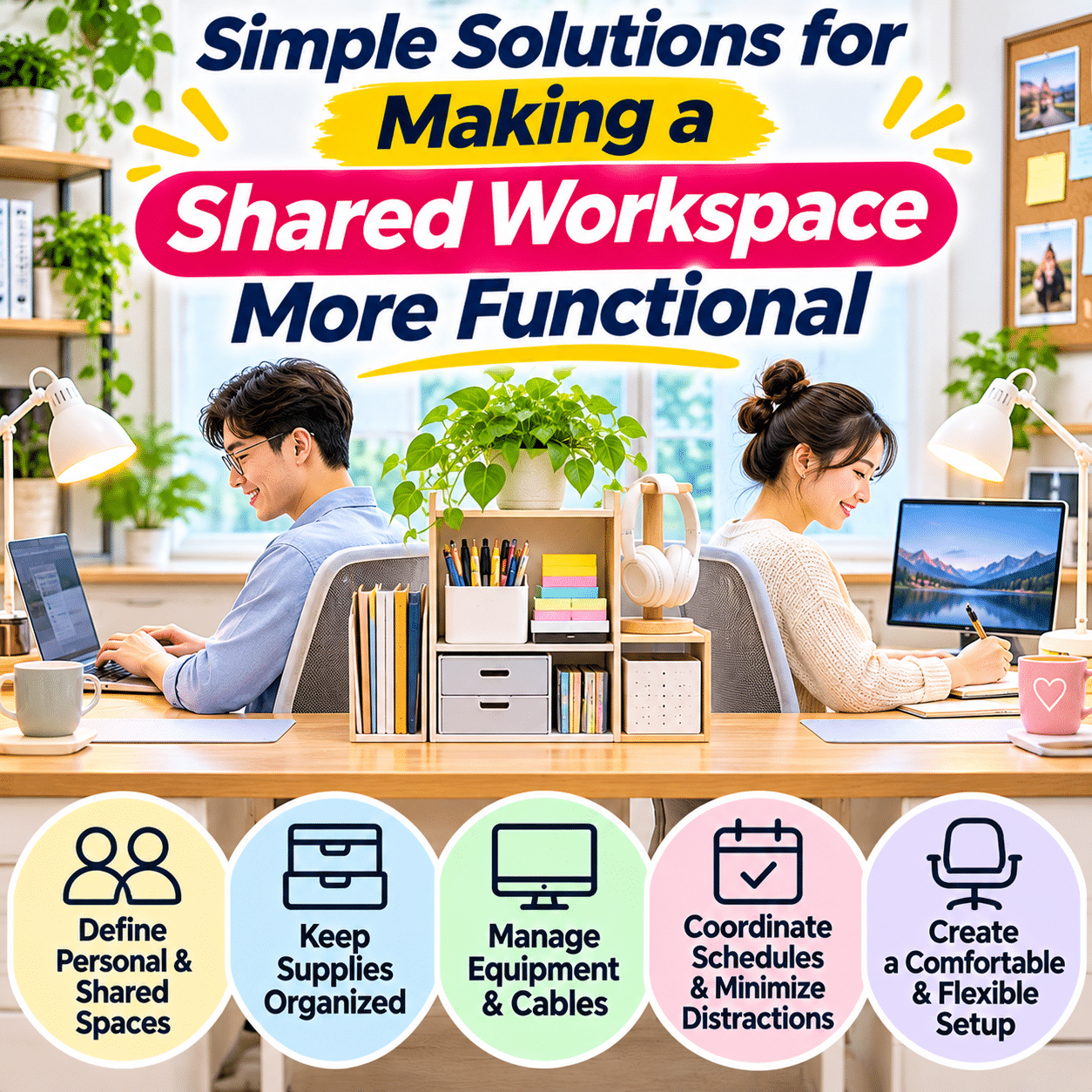
A shared workspace can be a practical solution for households, couples, roommates, students, and families who need to work or study in the same area. Whether it is a dedicated home office, a long desk in a bedroom, a dining table used for multiple activities, or a small corner of the living room, sharing a workspace can make better use of available space.
However, a shared desk introduces challenges that are less noticeable when only one person uses the area.
Different people may have different schedules, equipment, storage needs, and working habits. One person may require a quiet environment for video meetings, while another prefers background music. Someone may need room for a laptop and documents, while another uses drawing tools, notebooks, or creative supplies.
Without a clear arrangement, these differences can lead to clutter, interruptions, misplaced belongings, and frustration.
Charging cables become mixed together. Important documents occupy shared surfaces. Frequently used accessories move between users, and limited desk space can make even simple activities feel inconvenient.
The challenge becomes greater when a shared workspace also serves other household purposes. A dining table may need to transition between work, meals, and family activities. A bedroom desk may support studying during the day and personal projects in the evening.
Fortunately, a functional shared workspace does not require a large room, expensive furniture, or identical working habits.
The most effective solutions focus on defining personal and shared areas, organizing equipment according to actual needs, managing noise and schedules, and creating simple routines that everyone can maintain.
This guide explores practical ways to make shared workspaces more organized, comfortable, flexible, and productive while respecting the different needs of the people who use them.
1. Understand the Needs of Everyone Using the Workspace
Before rearranging furniture or purchasing storage accessories, identify how the workspace is currently used.
A shared workspace should support the activities of all regular users rather than being designed around only one person’s preferences.
Identify the Main Activities
Common shared workspace activities include:
- Remote work
- Online meetings
- Studying
- Homework
- Writing
- Reading
- Creative projects
- Household administration
- Video editing
- Online learning
- Personal hobbies
Some activities require similar equipment, while others have very different needs.
Consider Individual Work Habits
Ask each person:
- What activities do you perform here most often?
- Which equipment do you use every day?
- Do you need a large open surface?
- How sensitive are you to background noise?
- Do you regularly attend video meetings?
- Do you need private storage?
- What times do you usually use the workspace?
- Which interruptions are most frustrating?
Identify Shared Requirements
Some needs may overlap.
For example, both users may benefit from:
- Comfortable seating
- Adequate lighting
- Reliable internet access
- Accessible charging outlets
- Organized stationery
- Clear working surfaces
- Convenient storage
Recognize Different Priorities
One person may prioritize a large monitor, while another needs more room for handwritten notes.
A practical design should accommodate these differences instead of forcing everyone into an identical setup.
Create a Simple Workspace Needs Table
| User activity | Main requirements | Possible solution |
|---|---|---|
| Computer work | Screen space, keyboard, charging | Dedicated equipment zone |
| Studying | Writing surface, books, stationery | Clear desk section |
| Video meetings | Quiet, lighting, microphone | Meeting-friendly area |
| Creative hobbies | Tools, materials, open surface | Portable project organizer |
| Household administration | Documents, notebook, filing | Compact paper station |
| Shared computer use | Adjustable equipment, user accounts | Flexible workstation |
Understanding these needs makes later organization decisions easier.
2. Define Personal and Shared Zones
One of the simplest ways to improve a shared workspace is to establish clear boundaries between personal and communal areas.
These boundaries do not need walls or permanent partitions.
They can be created through furniture placement, storage arrangements, and agreed-upon routines.
Create Personal Work Areas
If the desk is large enough, assign each person a defined section.
Each area can contain personal essentials such as:
- Keyboard
- Mouse
- Notebook
- Headphones
- Writing tools
- Frequently used accessories
Establish Shared Storage
Shared items may include:
- Stapler
- Scissors
- General stationery
- Printer supplies
- Common reference materials
- Certain compatible charging accessories
Keep these in a neutral, accessible location.
Use Visual Boundaries
A desk mat, small organizer, or carefully positioned storage unit can help distinguish individual work areas.
Avoid Overly Rigid Divisions
Some tasks require additional surface space.
Agree on when shared areas can be temporarily expanded and how they should be restored afterward.
Respect Personal Belongings
Do not assume that equipment or supplies are available for shared use simply because they are located on the same desk.
Clear expectations help prevent misunderstandings.
3. Choose a Workspace Layout That Matches the Room
The physical layout strongly influences how comfortably people can share a workspace.
The best arrangement depends on room dimensions, available furniture, and the activities performed.
Side-by-Side Desks
<text weight=”medium”>Best for:</text> People who frequently work at the same time.
Advantages:
- Efficient use of a long wall
- Easy access to shared storage
- Convenient communication
Considerations:
- Limited personal space
- Possible screen distractions
- Noise from nearby activities
Opposite-Facing Desks
<text weight=”medium”>Best for:</text> People who benefit from visual separation.
Advantages:
- Reduced direct screen distraction
- Defined personal work areas
- Potentially better privacy
Considerations:
- Requires suitable room dimensions
- Cable routing may be more complicated
L-Shaped Workspace
<text weight=”medium”>Best for:</text> Corners and rooms with limited wall space.
Advantages:
- Distinct working directions
- Efficient corner use
- Flexible storage placement
Considerations:
- Corner access may be limited
- Furniture dimensions require careful planning
One Desk Used at Different Times
<text weight=”medium”>Best for:</text> Small apartments and multipurpose rooms.
Advantages:
- Minimal furniture requirements
- Efficient space usage
- Easy integration into existing rooms
Considerations:
- Requires consistent setup and cleanup
- Personal accessories need separate storage
Layout Comparison
| Layout | Space requirement | Main advantage | Main challenge |
|---|---|---|---|
| Side-by-side | Moderate | Easy collaboration | Noise and visual distractions |
| Opposite-facing | Moderate to large | Better visual separation | Requires suitable room shape |
| L-shaped | Moderate | Distinct working zones | Corner access |
| Time-shared desk | Small | Maximum space efficiency | Frequent transitions |
| Separate compact desks | Flexible | Individual control | May require additional furniture |
Measure the room and furniture before making major changes.
4. Make Better Use of Limited Desk Space
A shared desk must accommodate multiple sets of equipment without becoming overcrowded.
Keep the Main Surface Purposeful
The central work area should support active tasks rather than permanent storage.
Use Compact Accessories
Choose organizers that provide useful storage without occupying excessive surface space.
Consider Monitor Arms or Risers
Suitable equipment may free space beneath or around monitors.
Check compatibility, stability, load limits, and ergonomic requirements.
Store Backup Supplies Elsewhere
Extra stationery, spare cables, and rarely used accessories do not need to remain on the desk.
Use Portable Work Kits
Each person can maintain a small container holding personal essentials.
When switching users, the outgoing person removes their kit and the next person brings theirs.
Avoid Overcrowding
A desk that appears organized but leaves insufficient room for comfortable movement may not be functional.
Prioritize usable working space.
5. Give Everyone Dedicated Storage
Personal storage is particularly important in shared environments.
Without it, accessories and documents can easily become mixed together.
Assign Drawers or Compartments
Each person can have a designated drawer, shelf, or organizer.
Use Labels When Helpful
Simple labels can identify ownership or purpose.
Separate Private Documents
Personal, financial, medical, and work-related documents may require secure storage.
Create Shared Supply Categories
Common supplies should have their own storage location.
Keep Storage Accessible
Frequently used items should not require moving another person’s belongings.
Avoid Excessive Storage Furniture
Choose storage based on actual needs and available space.
A few well-organized compartments may be more useful than a large cabinet.
6. Organize Shared Stationery and Small Accessories
Small supplies can create disproportionate clutter when several people use the same desk.
Identify Common Supplies
Examples include:
- Pens
- Pencils
- Paper clips
- Sticky notes
- Tape
- Stapler
- Scissors
- Rulers
Keep Shared Supplies in One Area
A compact organizer or drawer section can serve as a central supply station.
Separate Specialized Tools
Personal or activity-specific equipment should remain in individual storage.
Avoid Unnecessary Duplicates
One shared stapler may be sufficient, while personal pens or headphones may be more convenient.
Replenish Supplies Consistently
Agree on how shared supplies are replaced.
Return Items After Use
A simple return habit prevents accessories from migrating across the workspace.
7. Manage Charging Cables and Power Connections Safely
Multiple users often bring multiple devices into a shared workspace.
This can create tangled cables and crowded outlets.
Identify Essential Devices
List equipment requiring power, such as:
- Laptops
- Monitors
- Desk lamps
- Printers
- Phone chargers
- Speakers
- Networking equipment
Plan Outlet Access
Position equipment so that appropriate outlets are accessible without creating tripping hazards.
Use Suitable Cable Organizers
Cable clips, sleeves, and routing accessories can help keep cords away from the main work surface.
Label Similar Cables
Labels can prevent confusion when several devices use similar connectors.
Avoid Overloading Outlets
Use appropriately rated electrical equipment and follow manufacturer instructions.
Do not assume that adding a power strip increases the electrical capacity of a circuit.
Maintain Ventilation
Do not cover chargers, power supplies, or other heat-producing equipment in ways that restrict cooling.
Inspect Cables
Replace damaged electrical accessories and avoid unsafe repairs.
8. Create a Flexible Charging Station
A shared charging station can reduce the number of devices scattered around the desk.
Choose a Convenient Location
Select a stable, dry, well-ventilated surface near suitable electrical outlets.
Group Compatible Charging Accessories
Where appropriate, a suitable multi-port charger may serve several devices.
Verify electrical requirements and charging compatibility.
Separate Personal Devices
Use designated spaces or labels when several people charge devices simultaneously.
Keep Cables Manageable
Avoid excessive cable lengths and unnecessary tangling.
Protect Devices From Spills
Keep drinks and liquids away from charging equipment.
Avoid Charging Beneath Soft Materials
Do not cover operating chargers or devices with blankets, pillows, or other materials that may trap heat.
Maintain Access to Outlets
Electrical equipment should remain accessible for safe disconnection.
9. Reduce Noise Between Workspace Users
Noise is one of the most common challenges in shared work environments.
Typing, conversations, online meetings, and background audio may interrupt others.
Identify Noise-Sensitive Activities
Examples include:
- Video meetings
- Recording audio
- Reading complex material
- Writing
- Studying
- Detailed analytical work
Use Headphones When Appropriate
Headphones can reduce unnecessary audio disturbance.
Keep listening levels comfortable.
Establish Quiet Periods
Agree on times when interruptions and unnecessary noise should be minimized.
Coordinate Video Meetings
If both users have meetings, consider whether they can use separate rooms or staggered schedules.
Manage Background Audio
Music and videos should not automatically become shared audio.
Use headphones or agree on acceptable background sound.
Maintain Safety Awareness
Noise reduction should not prevent people from hearing important alarms or emergency signals.
10. Coordinate Different Work Schedules
Sharing a workspace becomes easier when users understand one another’s schedules.
Identify Overlapping Hours
Determine when multiple people need the workspace simultaneously.
Reserve Space for Important Activities
Video meetings, examinations, and time-sensitive tasks may require predictable access.
Use a Shared Calendar When Helpful
A simple calendar can display:
- Meetings
- Study sessions
- Workspace reservations
- Quiet periods
- Shared equipment needs
Avoid Overcomplicated Scheduling
Not every desk session requires a reservation.
Use scheduling only when conflicts are likely.
Allow Flexibility
Unexpected responsibilities may require changes.
Review Recurring Conflicts
If the same problem occurs repeatedly, consider adjusting the layout or working arrangement.
11. Improve Lighting for Different Users
Lighting preferences and task requirements may differ.
One person may work primarily on a computer, while another reads printed documents or creates detailed artwork.
Use Individual Task Lamps
Separate lamps can provide adjustable lighting for each working area.
Reduce Screen Glare
Position monitors to minimize reflections from windows and lamps.
Balance Natural Light
Daylight can make a workspace pleasant, but direct sunlight may create heat or glare.
Choose Adjustable Lighting
Different activities may require different illumination levels.
Avoid Disturbing Others
Position lamps so they do not shine directly into another person’s eyes or screen.
Keep Electrical Safety in Mind
Use suitable lighting equipment and avoid unsafe cable arrangements.
12. Make Seating and Equipment Adjustable
People have different body dimensions and comfort needs.
A shared workstation should not require everyone to use identical equipment positions.
Choose Adjustable Chairs When Possible
Seat height and support should accommodate the user.
Adjust Monitor Position
Screens should be positioned at comfortable viewing distances and heights.
Consider Separate Input Devices
Personal keyboards and mice may be useful when preferences differ.
Maintain Clear Legroom
Avoid storing boxes or equipment beneath the desk where they restrict movement.
Encourage Position Changes
Even comfortable workstations benefit from opportunities to move and change posture.
Avoid One-Size-Fits-All Arrangements
A setup comfortable for one user may require adjustment for another.
13. Create a Smooth System for Sharing One Computer
Some households share not only a desk but also a computer.
This requires both physical and digital organization.
Use Separate User Accounts
Where supported, individual accounts can keep personal settings and files separate.
Protect Personal Information
Use appropriate authentication and privacy settings.
Organize Shared Files Carefully
Create clearly defined shared folders for information that everyone is authorized to access.
Avoid Mixing Personal Documents
Sensitive files should remain in appropriate private locations.
Coordinate Software Requirements
Different users may need different applications or settings.
Maintain Backups
Important files should be backed up according to their sensitivity and value.
Establish a Device Handover Routine
Before another person begins:
- Save current work.
- Close private applications.
- Sign out or lock the account appropriately.
- Return shared accessories.
- Leave the equipment ready for the next user.
14. Organize Shared Printers and Other Equipment
Shared equipment can improve space efficiency, but only when positioned thoughtfully.
Choose a Central Equipment Location
Place printers and other shared devices where authorized users can access them comfortably.
Avoid Crowding the Desk
Larger equipment may be better positioned on a suitable shelf or separate stand.
Store Supplies Nearby
Keep relevant paper and consumables organized.
Maintain Ventilation
Follow manufacturer clearance and operating requirements.
Establish Maintenance Responsibilities
Agree on who handles routine supplies and maintenance.
Protect Printed Documents
Confidential paperwork should not remain unattended in shared output trays.
Keep Equipment Stable
Use furniture suitable for the device’s weight and dimensions.
15. Improve Privacy in Shared Workspaces
Sharing a workspace does not mean sharing every document, screen, or conversation.
Privacy is particularly important when people handle professional, financial, medical, or personal information.
Position Screens Thoughtfully
Arrange monitors to reduce unnecessary visibility of confidential content.
Use Separate Storage
Keep private documents in designated drawers, folders, or secure containers.
Protect Digital Accounts
Use individual accounts and appropriate authentication.
Consider Headsets for Private Calls
Headsets may reduce audible information from the remote participant, but the local user’s spoken words may still be overheard.
Relocate Sensitive Conversations
Confidential meetings may require a separate room or other suitable private environment.
Establish Respectful Boundaries
Agree that personal belongings, documents, and devices should not be accessed without permission.
Follow Workplace Requirements
Remote employees should follow applicable organizational confidentiality and information security policies.
16. Make a Shared Workspace Work for Adults and Children
A workspace used by both adults and children requires additional planning.
Separate Age-Appropriate Supplies
Children may need pencils, notebooks, and educational materials.
Adults may use equipment unsuitable for unsupervised child access.
Store Hazardous Items Securely
Keep sharp tools, small batteries, electrical accessories, and other hazards out of reach as appropriate.
Create Clear Activity Areas
Use separate desk sections or portable work mats when possible.
Protect Important Documents
Keep confidential paperwork and valuable equipment in secure storage.
Coordinate Study and Work Periods
Children may need supervision or assistance during learning activities.
Keep Expectations Realistic
A shared family workspace may involve more interruptions than a dedicated office.
Encourage Simple Cleanup Habits
Age-appropriate routines can help children return supplies after use.
17. Adapt a Dining Table Into a Functional Shared Workspace
A dining table often serves as a temporary desk in smaller homes.
The challenge is transitioning between work and household activities.
Use Portable Work Kits
Each person can keep essential supplies in a container that is easy to move.
Protect the Table Surface
Use suitable mats when working with equipment or creative materials.
Avoid Permanent Cable Clutter
Arrange charging accessories so they can be removed safely when the table is needed for meals.
Establish Clear Transition Times
Agree on when the table needs to return to its dining function.
Store Work Materials Nearby
A shelf, cabinet, or portable cart can hold supplies between sessions.
Keep Food and Electronics Separate
Avoid placing liquids near charging equipment or sensitive devices.
Make Cleanup Predictable
A short reset routine allows the table to serve multiple purposes without becoming permanently cluttered.
18. Create a Shared Workspace in a Bedroom
Bedrooms may offer convenient desk space when a separate home office is unavailable.
However, work activities should be arranged thoughtfully to preserve comfort and privacy.
Choose a Practical Desk Location
Avoid blocking wardrobes, doors, or walkways.
Use Compact Storage
Keep work supplies contained rather than spreading them across the room.
Manage Lighting
Task lighting should support work without unnecessarily disturbing someone resting nearby.
Reduce Noise
Headphones and coordinated schedules may help.
Establish Work Boundaries
Where possible, keep work equipment within a defined area.
Avoid Excessive Equipment
Choose accessories based on actual needs and available space.
Maintain Comfortable Room Conditions
Ensure appropriate ventilation and safe electrical arrangements.
19. Use Portable Storage for Flexible Shared Spaces
Portable storage is particularly useful when users alternate between activities or locations.
Personal Supply Caddies
Each person can keep frequently used stationery and small accessories in a dedicated caddy.
Laptop Sleeves
Protective sleeves make it easier to store and transport computers.
Document Folders
Separate folders prevent paperwork from becoming mixed.
Cable Pouches
Small pouches can hold personal chargers and adapters.
Rolling Carts
Suitable carts may provide movable storage for larger collections of supplies.
Ensure they remain stable and do not obstruct walkways.
Storage Baskets
Baskets can hold lightweight materials, provided their contents remain organized.
Choose Based on Actual Use
Portable storage should simplify transitions rather than create additional objects to manage.
20. Establish Shared Workspace Etiquette
Even a well-designed workspace can become frustrating without basic agreements.
Return Shared Items
Put common supplies back after use.
Respect Personal Zones
Avoid placing belongings in another person’s designated area without permission.
Manage Noise Considerately
Use headphones or coordinate noisy activities.
Communicate Schedule Changes
Inform others when important meetings or tasks require the space.
Clean Up After Activities
Remove unnecessary papers, food packaging, and project materials.
Handle Equipment Carefully
Follow manufacturer instructions and avoid modifying another person’s settings without permission.
Discuss Problems Early
Small recurring frustrations are easier to resolve through practical adjustments than through assumptions.
21. Create a Simple Workspace Agreement
A shared workspace agreement does not need to be formal.
A few clear expectations can prevent repeated misunderstandings.
Topics Worth Discussing
Storage: Which areas belong to each person?
Shared supplies: What can everyone use?
Noise: When is quiet particularly important?
Schedules: How are overlapping activities handled?
Equipment: Who maintains shared devices?
Privacy: Which materials must remain private?
Cleanup: What condition should the desk be left in?
Example Shared Workspace Rules
- Keep personal supplies in assigned storage.
- Return shared tools after use.
- Use headphones for nonessential audio.
- Communicate important meeting times.
- Keep food and drinks away from sensitive equipment.
- Respect private documents and devices.
- Clear the shared work surface after each session.
- Discuss changes before rearranging common equipment.
The agreement should remain flexible and appropriate to the household.
22. Reduce Visual Distractions Between Users
A shared workspace may contain twice as many screens, supplies, and personal objects.
Thoughtful organization can reduce visual competition.
Keep Personal Accessories Contained
Use small organizers rather than spreading items across the desk.
Position Screens Carefully
Avoid unnecessary screen movement or reflections within another user’s field of view.
Use Simple Dividers When Helpful
A suitable divider may create visual separation.
Ensure that it does not obstruct ventilation, lighting, or safe movement.
Limit Shared Decorations
Choose decorative objects that everyone finds acceptable.
Keep Central Areas Clear
Shared surfaces should remain available for their intended activities.
Avoid Excessive Storage Displays
Too many open shelves and visible containers may create additional visual clutter.
23. Common Shared Workspace Mistakes
Mistake 1: Designing the Space for Only One Person
Why it causes problems: Other users may struggle with comfort, storage, or equipment access.
Better approach: Identify everyone’s regular activities before arranging the space.
Mistake 2: Mixing Personal and Shared Supplies
Why it causes problems: Items become misplaced and ownership becomes unclear.
Better approach: Establish separate storage categories.
Mistake 3: Ignoring Noise Conflicts
Why it causes problems: Meetings and focused tasks may interfere with one another.
Better approach: Coordinate schedules and use suitable audio equipment.
Mistake 4: Overcrowding the Desk
Why it causes problems: There is insufficient room for active work.
Better approach: Move backup supplies and unnecessary equipment into storage.
Mistake 5: Using Fixed Equipment Positions for Everyone
Why it causes problems: Different users may experience discomfort.
Better approach: Use adjustable equipment where practical.
Mistake 6: Creating Unsafe Cable Arrangements
Why it causes problems: Tangled cords and overloaded outlets can create hazards.
Better approach: Plan electrical connections carefully.
Mistake 7: Failing to Protect Privacy
Why it causes problems: Sensitive information may be exposed.
Better approach: Use appropriate physical and digital privacy measures.
Mistake 8: Establishing Too Many Rules
Why it causes problems: An overly complicated system may be difficult to maintain.
Better approach: Agree on a few practical expectations.
Mistake 9: Ignoring Transitions Between Users
Why it causes problems: Equipment and supplies remain arranged for the previous activity.
Better approach: Create a short handover routine.
Mistake 10: Never Reviewing the Arrangement
Why it causes problems: Household schedules and activities change.
Better approach: Reevaluate the setup when recurring problems appear.
24. Troubleshooting Common Shared Workspace Problems
Problem: Two People Need the Desk at the Same Time
Possible cause: Overlapping schedules or insufficient working space.
Practical solution: Coordinate important activities, establish priorities, or create a secondary temporary work area.
Problem: Shared Supplies Keep Disappearing
Possible cause: No designated storage locations.
Practical solution: Create a central supply station and return items after use.
Problem: Video Meetings Interrupt Other Users
Possible cause: Noise and overlapping communication needs.
Practical solution: Use headsets, coordinate schedules, or relocate sensitive meetings.
Problem: The Desk Becomes Cluttered Quickly
Possible cause: Personal items are mixed with shared materials.
Practical solution: Establish individual storage and a simple reset routine.
Problem: There Are Not Enough Electrical Outlets
Possible cause: Multiple devices require power.
Practical solution: Review equipment needs and use appropriately rated electrical solutions. Seek qualified electrical advice when necessary.
Problem: One Person Needs More Desk Space
Possible cause: Different tasks require different working surfaces.
Practical solution: Create flexible zones and agree on temporary space adjustments.
Problem: Personal Documents Become Mixed Together
Possible cause: Shared paper storage without clear categories.
Practical solution: Use separate labeled folders and secure storage for sensitive records.
Problem: The Workspace Feels Too Noisy
Possible cause: Simultaneous conversations, typing, or background media.
Practical solution: Identify disruptive sounds and coordinate quieter activities.
Problem: Users Disagree About Organization
Possible cause: Different preferences and unclear expectations.
Practical solution: Focus on shared functional needs while allowing personal flexibility.
Problem: The Workspace Is Difficult to Reset
Possible cause: Too many accessories or complicated storage.
Practical solution: Simplify the setup and use portable work kits.
25. Build a Simple Shared Workspace Routine
A functional shared workspace benefits from predictable habits.
Before Starting Work
- Check whether another person needs the space.
- Gather personal supplies.
- Adjust seating and equipment.
- Confirm that essential devices are ready.
- Review any scheduled meetings.
- Keep shared pathways clear.
During Work
- Respect personal zones.
- Manage noise appropriately.
- Return shared supplies after use.
- Keep cables safely arranged.
- Protect confidential information.
- Communicate unavoidable interruptions.
When Switching Users
- Save current work.
- Sign out or lock devices appropriately.
- Remove personal materials.
- Return shared accessories.
- Clear unnecessary objects.
- Adjust equipment for the next user.
At the End of the Day
- Return personal supplies.
- Organize shared stationery.
- Remove unnecessary paperwork.
- Check electrical equipment.
- Clear the main working surface.
- Prepare the space for its next use.
Periodically
- Review storage arrangements.
- Check equipment condition.
- Discuss recurring conflicts.
- Adjust schedules if necessary.
- Remove unused accessories.
- Update shared workspace expectations.
26. Frequently Asked Questions
1. How can two people share a small home office?
Define personal zones, organize shared supplies, coordinate schedules, and use compact storage to keep the working area functional.
2. What is the best desk layout for two people?
The best layout depends on room size, equipment, and working habits. Side-by-side, opposite-facing, and L-shaped arrangements each offer different advantages.
3. Can two people comfortably share one desk?
Yes, particularly when they use the desk at different times or have clearly defined working areas.
4. How do I organize shared desk supplies?
Create one central location for common stationery and separate personal accessories into individual compartments.
5. How can I reduce noise in a shared workspace?
Use suitable headphones, coordinate meetings, and establish reasonable quiet periods.
6. Should everyone have separate storage?
Dedicated personal storage is helpful for preventing misplaced belongings and protecting privacy.
7. How can I share a workspace with someone who has different working habits?
Discuss individual needs and agree on practical boundaries while allowing flexibility.
8. Are desk dividers useful?
They may help reduce visual distractions and define personal areas when suitable for the workspace.
9. How do I manage multiple charging cables?
Use appropriate cable organizers, label similar connections, and separate personal charging accessories where helpful.
10. Can one charger serve several devices?
A compatible multi-port charger may support multiple devices, provided its electrical specifications and charging protocols meet their requirements.
11. How can I make a shared desk more comfortable?
Use adjustable seating and equipment, provide adequate lighting, and maintain sufficient working space.
12. What if both people need video meetings simultaneously?
Consider separate rooms, staggered meeting times, or other suitable arrangements that reduce audio interference.
13. How do I protect privacy in a shared home office?
Use separate accounts, secure document storage, thoughtful screen placement, and private locations for confidential conversations.
14. Can children and adults share a workspace?
Yes, with appropriate supervision, age-appropriate supplies, safe storage, and realistic expectations.
15. How can I turn a dining table into a shared workspace?
Use portable work kits, protect the table surface, and establish a consistent cleanup routine.
16. Is a shared calendar necessary?
Not always. It is most useful when scheduling conflicts occur regularly.
17. How can I avoid arguments about desk clutter?
Agree on storage locations, personal boundaries, and simple cleanup expectations.
18. What should I do if one person needs more equipment?
Adjust the layout according to actual requirements and use secondary storage for less frequently used accessories.
19. Are monitor arms useful for shared desks?
They can improve flexibility and free surface space when properly installed and compatible with the equipment.
20. How do I organize shared paperwork?
Use separate folders for personal documents and a clearly defined location for shared administrative materials.
21. Can a shared workspace be used for creative hobbies?
Yes. Portable organizers and activity-specific storage make it easier to transition between work and creative projects.
22. How can I make a shared bedroom workspace functional?
Use compact storage, coordinate lighting and noise, and maintain clear boundaries between work and rest areas.
23. What is the best way to share a computer?
Use separate user accounts, protect private files, and establish a simple handover routine.
24. How can I keep shared equipment organized?
Assign permanent locations, store accessories nearby, and establish maintenance responsibilities.
25. Should personal decorations be allowed?
Personal decorations can make the space welcoming, provided they do not obstruct shared activities or create unnecessary clutter.
26. How often should a shared workspace be cleaned?
A brief reset after use and regular cleaning according to actual needs are usually practical.
27. What if the workspace is too small for two chairs?
Consider alternating schedules, separate compact work areas, or another suitable location rather than overcrowding the space.
28. How can I prevent cables from becoming a safety hazard?
Route cables away from walkways and moving furniture, avoid overloading electrical equipment, and inspect cords for damage.
29. What is the most important rule for sharing a workspace?
Respect other users’ needs, belongings, schedules, and access to the space.
30. How can a shared workspace remain functional long-term?
Maintain simple storage systems, communicate regularly, and adjust the arrangement as household needs change.
27. Practical Shared Workspace Organization Checklist
Use this checklist to create and maintain a comfortable shared working environment.
Planning
- Identify all regular workspace users.
- List their main activities.
- Review equipment requirements.
- Identify overlapping schedules.
- Measure available space.
- Choose a suitable layout.
- Discuss privacy and noise needs.
Personal and Shared Zones
- Define individual working areas.
- Establish shared storage.
- Separate personal accessories.
- Label compartments where helpful.
- Keep central surfaces clear.
- Respect personal belongings.
- Allow flexibility for different tasks.
Desk Organization
- Keep essential equipment accessible.
- Use compact organizers.
- Store backup supplies separately.
- Organize stationery.
- Manage cables safely.
- Maintain adequate working space.
- Avoid unnecessary furniture and accessories.
Comfort and Lighting
- Provide suitable seating.
- Adjust monitor positions.
- Maintain comfortable keyboard placement.
- Reduce screen glare.
- Provide appropriate task lighting.
- Maintain ventilation.
- Allow room for movement.
Noise and Scheduling
- Identify noise-sensitive activities.
- Coordinate important meetings.
- Use headphones when appropriate.
- Establish reasonable quiet periods.
- Communicate schedule changes.
- Avoid unnecessary background audio.
- Maintain flexibility for essential interruptions.
Equipment and Electrical Safety
- Identify power requirements.
- Use compatible charging equipment.
- Avoid overloaded outlets.
- Route cables safely.
- Keep electrical equipment ventilated.
- Inspect cords and adapters.
- Keep liquids away from sensitive devices.
Privacy and Security
- Use separate digital accounts when appropriate.
- Protect personal documents.
- Secure confidential information.
- Position screens thoughtfully.
- Arrange private conversations appropriately.
- Follow relevant workplace security policies.
- Maintain suitable data backups.
Daily Maintenance
- Return shared supplies.
- Remove personal materials after use.
- Clear unnecessary paperwork.
- Reset equipment when switching users.
- Keep shared pathways clear.
- Clean work surfaces as needed.
- Prepare the area for the next activity.
Long-Term Improvement
- Review recurring problems.
- Discuss changing needs.
- Adjust storage locations.
- Remove unused accessories.
- Reevaluate schedules.
- Check equipment condition.
- Keep shared rules simple and practical.
Final Thoughts
Making a shared workspace more functional is not about creating identical workstations or requiring everyone to follow the same habits. It is about designing an environment that supports different activities while making the best use of available space.
The most effective shared workspaces begin with a clear understanding of individual needs. Some people require quiet concentration, others need room for creative materials, and many depend on reliable access to computers, chargers, documents, and communication tools.
By defining personal and shared zones, assigning practical storage locations, and keeping frequently used supplies accessible, it becomes easier to prevent clutter and confusion.
Thoughtful furniture placement can improve comfort and reduce distractions, while flexible equipment arrangements allow the workspace to accommodate different users. Cable management, appropriate lighting, and safe electrical connections further contribute to a reliable working environment.
Communication is equally important. Shared spaces work best when users understand one another’s schedules, respect personal belongings, and agree on simple expectations for noise, privacy, and cleanup.
A functional arrangement should also remain adaptable. Household routines change, new equipment may be introduced, and different projects may require additional space. Regularly reviewing the setup helps ensure that the workspace continues to meet practical needs.
Most importantly, a shared workspace does not need to be large or expensive to work well. A compact desk, a few suitable organizers, and consistent habits can create a comfortable environment for several people.
With thoughtful planning and mutual consideration, even a small shared workspace can become an organized, flexible, and welcoming place for focused work, learning, creativity, and everyday productivity.