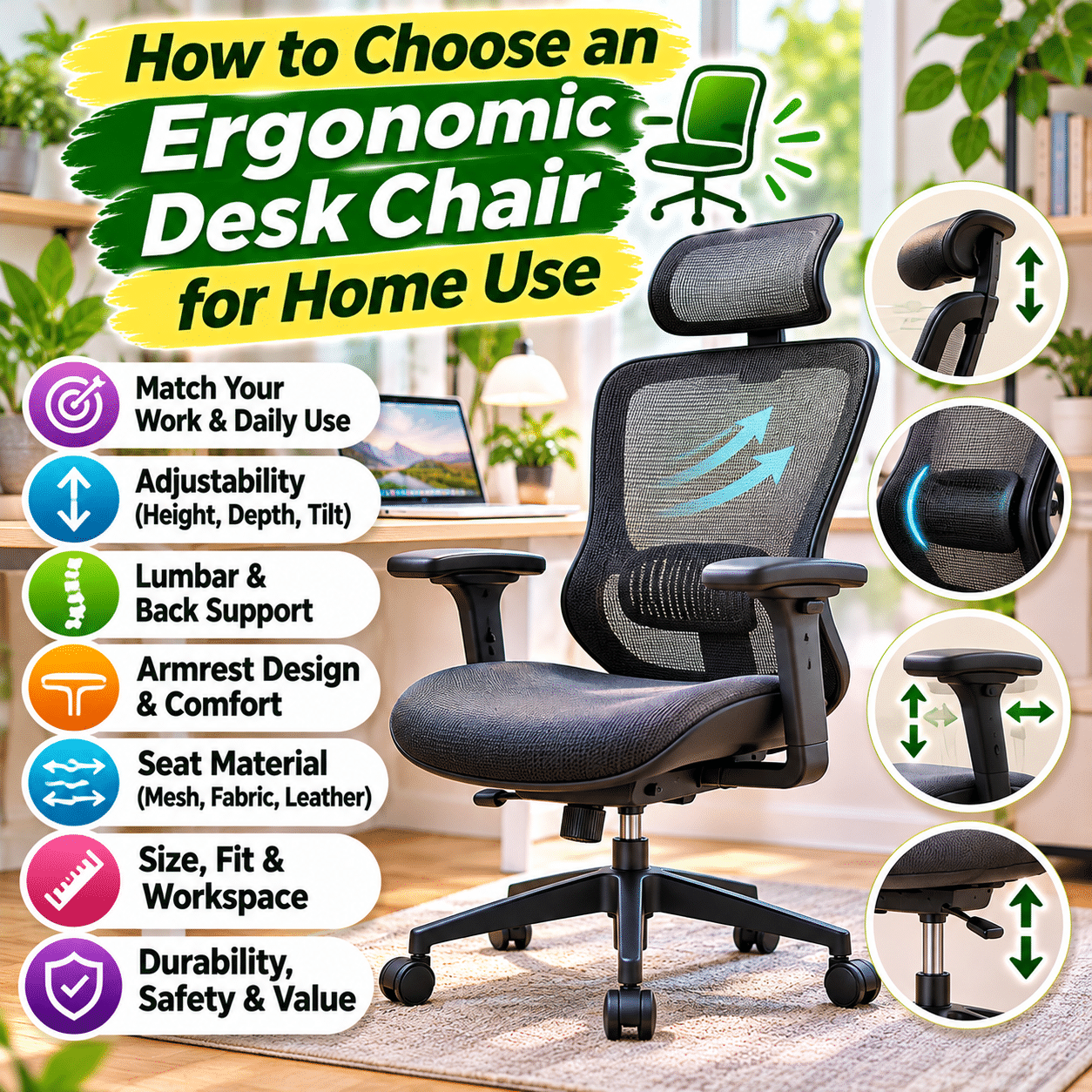
A comfortable desk chair can make a meaningful difference in how you work, study, create, and spend time at home. Whether you have a dedicated home office, a small workstation in your bedroom, or a multipurpose desk in your living room, the chair you use affects your sitting posture, movement, and everyday comfort.
As more daily activities involve computers, online learning, creative projects, and desk-based tasks, choosing a suitable chair has become an important part of creating a practical home workspace.
However, finding the right ergonomic desk chair is not simply about selecting the most expensive model or choosing a chair with an impressive list of adjustable features. A chair that feels comfortable for one person may not provide the same support for another.
Differences in body proportions, desk height, sitting habits, available space, and personal preferences all influence how well a chair fits.
Some chairs emphasize extensive adjustability, while others focus on simplicity, compact dimensions, breathable materials, or a particular seating experience. Understanding these differences can help you avoid purchasing a chair that looks appealing but feels uncomfortable during everyday use.
This guide explains how to choose an ergonomic desk chair for home use, which features deserve attention, how to evaluate chair fit, and what to consider before investing in a seating solution for your workspace.
1. Understand What Makes a Desk Chair Ergonomic
An ergonomic desk chair is designed to support comfortable sitting and accommodate different body positions during desk-based activities.
The term ergonomic is widely used in product descriptions, but it does not guarantee that a chair will fit every user.
A genuinely useful ergonomic chair should allow you to adjust your sitting position according to your body dimensions and workspace.
Important characteristics often include:
- Adjustable seat height.
- Supportive backrest.
- Appropriate seat depth.
- Comfortable seat cushioning.
- Stable construction.
- Suitable armrest positioning.
- Adjustable reclining or tilt functions.
- Adequate freedom of movement.
The goal is not to force your body into one rigid posture.
Instead, a well-designed chair should support a range of comfortable positions and make it easier to change posture throughout the day.
Ergonomics Is About Fit, Not Just Features
A chair with numerous adjustment controls may still be uncomfortable if its dimensions do not suit your body.
Similarly, a simpler chair can work well when its proportions and support match your needs.
Buying tip: Prioritize personal fit, useful adjustability, and comfort over marketing claims or the number of advertised ergonomic features.
2. Identify How You Will Use the Chair
Before comparing desk chairs, consider how the chair will fit into your daily routine.
General Home Office Work
If you spend several hours working at a computer, prioritize:
- Adjustable seat height.
- Supportive backrest.
- Comfortable seat depth.
- Practical armrests.
- Stable reclining mechanisms.
- Durable construction.
Studying and Reading
A study chair should support comfortable desk work while allowing you to shift positions.
Useful features may include adjustable height, a supportive backrest, and armrests that do not interfere with writing.
Creative Projects
Drawing, sewing, crafting, and other creative activities may require frequent reaching, leaning forward, or moving between tools.
Consider:
- Easy chair movement.
- Stable seating.
- Appropriate seat height.
- Armrests that can be lowered or moved aside.
- Sufficient clearance around the desk.
Occasional Desk Use
If you use your desk for short periods, a simpler adjustable chair may be sufficient.
However, basic comfort and stability still matter.
Shared Home Workspaces
When several people use the same chair, a wider range of adjustments can help accommodate different body sizes.
3. Understand the Main Types of Desk Chairs
Desk chairs are available in several common designs.
Task Chairs
Task chairs are generally designed for everyday desk activities.
They often feature:
- Compact construction.
- Adjustable height.
- Swivel bases.
- Casters.
- Basic back support.
They may be suitable for small home offices and general computer use.
Ergonomic Office Chairs
Ergonomic office chairs often provide additional adjustment options.
Depending on the model, these may include:
- Seat depth adjustment.
- Lumbar support adjustment.
- Backrest tilt.
- Adjustable armrests.
- Headrest adjustment.
- Recline tension control.
These chairs may be useful for people who spend extended periods at a desk.
Executive Chairs
Executive chairs commonly feature taller backrests and substantial cushioning.
They may use leather, synthetic leather, or upholstered materials.
However, appearance and padding do not necessarily indicate better ergonomic performance.
Mesh Office Chairs
Mesh chairs use woven or tensioned materials in the backrest, seat, or both.
They are often selected for ventilation and a lighter visual appearance.
Kneeling Chairs
Kneeling chairs support a different seated position by distributing some body weight through angled supports.
They may appeal to certain users for occasional posture variation.
However, they are not automatically better than conventional chairs and may place pressure on the knees or shins.
Saddle Chairs
Saddle chairs use a seat shape resembling a riding saddle.
They encourage a different hip and leg position and may be useful for certain work activities.
Their suitability depends on the user and task.
For most home computer workstations, a well-fitting adjustable task chair or ergonomic office chair is a practical starting point.
4. Compare Common Desk Chair Types
| Chair type | Main characteristics | Potential advantages | Considerations |
|---|---|---|---|
| Task chair | Compact, basic adjustments | Practical for everyday use | May offer limited support adjustments |
| Ergonomic office chair | Multiple adjustment features | Adaptable to different users | Can be expensive or complex |
| Executive chair | Tall back, substantial upholstery | Comfortable for some users | May be bulky or less adjustable |
| Mesh chair | Ventilated mesh surfaces | Breathable and lightweight appearance | Mesh tension and firmness vary |
| Kneeling chair | Angled seat and knee supports | Alternative sitting position | Not ideal for everyone or continuous use |
| Saddle chair | Saddle-shaped seat | Different hip and leg positioning | Requires individual fit assessment |
The best chair is the one that supports your activities and body comfortably.
5. Prioritize Adjustable Seat Height
Seat height is one of the most important chair adjustments.
A suitable seat height helps you position your body comfortably relative to the floor and desk.
Why Seat Height Matters
When a chair is too high, your feet may not rest comfortably on the floor.
This can increase pressure beneath the thighs.
When a chair is too low, your knees may rise excessively relative to your hips, and the desk may feel too high.
A Practical Starting Position
When seated:
- Place your feet flat on the floor or a suitable footrest.
- Keep your thighs comfortably supported.
- Allow your knees to bend naturally.
- Avoid excessive pressure behind the knees.
- Keep your shoulders relaxed while working.
Your hips and knees do not need to remain at one exact angle throughout the day.
Comfortable variation is more important than maintaining a rigid position.
Check the Adjustment Range
A chair’s minimum and maximum seat heights should suit your body and desk.
Do not assume every adjustable chair can accommodate very short or tall users.
Gas-Lift Mechanisms
Many office chairs use a gas-lift cylinder for height adjustment.
Check that the mechanism operates smoothly and holds the selected height securely.
6. Choose the Right Seat Depth
Seat depth refers to the distance from the front edge of the seat to the backrest.
This dimension strongly affects comfort.
If the Seat Is Too Deep
You may have difficulty sitting against the backrest without pressure behind your knees.
You might also slide forward and lose back support.
If the Seat Is Too Shallow
Your thighs may not receive sufficient support.
How to Check Seat Depth
Sit fully back against the backrest.
Ideally, the seat should support much of your thighs while leaving some clearance between the front edge and the backs of your knees.
A commonly used starting guideline is approximately two to three finger widths of clearance, although individual comfort and anatomy vary.
Adjustable Seat Depth
Some chairs allow the seat pan to slide forward or backward.
This feature can be particularly valuable when:
- Several people share the chair.
- Your leg proportions differ from standard chair dimensions.
- You have difficulty finding a comfortable fixed-depth seat.
Buying tip: Adjustable seat depth can be more useful than several decorative or rarely used chair features.
7. Consider Seat Width and Overall Fit
Seat width affects how freely you can sit and move.
A Seat That Is Too Narrow
A narrow seat may restrict movement or create pressure around the hips and thighs.
A Seat That Is Too Wide
An excessively wide seat may make fixed armrests difficult to use comfortably.
What to Look For
Choose a seat that:
- Accommodates your hips comfortably.
- Allows small position changes.
- Does not create pressure along the sides.
- Works with the armrest spacing.
- Fits your overall body proportions.
Check the Actual Measurements
Product listings may provide total chair width rather than usable seat width.
These measurements are not interchangeable.
Look for the seat’s actual usable dimensions whenever possible.
8. Evaluate Lumbar Support
Lumbar support is designed to help support the lower back.
The lumbar spine naturally has a curve, but the most comfortable amount and location of support vary between individuals.
Fixed Lumbar Support
Some chairs have a built-in lumbar contour.
This can work well if the support aligns with your lower back.
However, it may feel uncomfortable if positioned too high or low.
Adjustable Lumbar Support
Adjustable systems may allow you to change:
- Support height.
- Support depth.
- Support firmness.
- Contact pressure.
Not every chair offers all these adjustments.
What Good Lumbar Support Feels Like
Support should feel comfortable rather than forceful.
It should help you sit against the backrest without creating a concentrated pressure point.
Avoid Excessive Pressure
A prominent lumbar pad is not necessarily better.
If the support pushes aggressively into your back, it may become uncomfortable over time.
Is Lumbar Support Essential?
A supportive backrest is important, but a separate adjustable lumbar mechanism is not essential for every user.
The overall shape and fit of the chair matter more than the presence of a particular feature.
9. Examine Backrest Height and Shape
Backrests vary from compact designs to tall, full-back structures.
Mid-Back Chairs
Mid-back chairs generally support the lower and middle back.
They may be suitable for:
- Compact workspaces.
- General computer work.
- Small desks.
- Users who prefer a lighter chair design.
High-Back Chairs
High-back chairs extend farther up the back.
Some include additional upper-back or head support.
Backrest Contour
Look for a shape that follows your back comfortably without restricting movement.
Backrest Width
A backrest should provide support while allowing natural shoulder and arm movement.
Flexibility
Some backrests flex slightly as you shift positions.
Others provide firmer, more structured support.
Neither design is universally better.
Choose according to comfort and the activities you perform.
10. Understand Recline and Tilt Functions
A chair that allows controlled reclining can help you change positions throughout the day.
Basic Backrest Recline
Some chairs allow the backrest to tilt backward.
Synchronous Tilt
A synchronous tilt mechanism coordinates movement between the seat and backrest.
The exact movement ratio varies by design.
Tilt Tension
Tilt tension adjusts how much resistance you feel when leaning backward.
Tilt Lock
Some chairs allow you to lock the backrest or tilt mechanism in selected positions.
Why Recline Matters
Remaining in one position for long periods can become uncomfortable.
A reclining mechanism may encourage posture variation and provide a different position during reading or short breaks.
What to Test
Check whether:
- Reclining feels smooth.
- Resistance is comfortable.
- The chair remains stable.
- The backrest continues to support you.
- The mechanism is easy to control.
Avoid choosing a chair solely because it advertises an unusually large recline angle.
For desk work, practical control matters more than maximum recline.
11. Consider Adjustable Armrests
Armrests can help support the arms during certain activities.
However, poorly positioned armrests may interfere with desk access or encourage uncomfortable shoulder positions.
Fixed Armrests
Fixed armrests offer simplicity but limited adaptability.
Height-Adjustable Armrests
These allow you to raise or lower the arm support.
Width-Adjustable Armrests
Width adjustment can help accommodate different shoulder widths.
Depth-Adjustable Armrests
Some armrests move forward and backward.
Pivoting Armrests
Pivoting armrests can change their angle to support different tasks.
What Does 3D or 4D Mean?
Manufacturers may use terms such as 3D or 4D to describe armrest adjustability.
However, these labels are not universally standardized.
Check the actual adjustment directions rather than relying on the marketing term.
Proper Armrest Position
Armrests should allow your shoulders to remain relaxed.
They should not force your elbows outward or prevent you from sitting close enough to your desk.
When Armrests May Be Unnecessary
Some people prefer armless chairs for:
- Drawing.
- Sewing.
- Playing musical instruments.
- Activities requiring unrestricted arm movement.
The best choice depends on your work.
12. Choose Between Mesh, Fabric, and Leather Upholstery
Chair materials influence comfort, ventilation, appearance, and maintenance.
Mesh Chairs
Mesh is commonly used for chair backs and sometimes seats.
Advantages:
- Allows airflow.
- Often feels less enclosed.
- Can provide flexible support.
- May suit warm environments.
Considerations:
- Mesh tension varies.
- Some designs feel firm.
- Seat frames may create pressure if poorly fitted.
- Material quality affects durability.
Fabric Chairs
Fabric upholstery is widely used in home and office seating.
Advantages:
- Available in many textures.
- Often comfortable against the skin.
- Offers a wide range of appearances.
- Can suit home decor styles.
Considerations:
- May absorb spills.
- Can collect dust.
- Cleaning requirements vary.
Genuine Leather Chairs
Leather can provide a distinctive appearance and feel.
Advantages:
- Often easy to wipe clean when appropriately finished.
- Can be durable with proper care.
- May develop a characteristic appearance over time.
Considerations:
- Often more expensive.
- May feel warm in certain conditions.
- Requires suitable maintenance.
- Quality varies by leather type.
Synthetic Leather Chairs
Synthetic leather provides a leather-like appearance.
However, durability, breathability, and resistance to peeling vary significantly by material and construction.
Which Material Is Best?
For a warm home environment, breathable mesh or fabric may be appealing.
However, personal comfort, maintenance preferences, and construction quality should guide the decision.
13. Evaluate Seat Cushioning and Firmness
A chair’s seat cushion affects pressure distribution and comfort.
Soft Cushions
Soft cushions may feel pleasant initially.
However, excessive softness can allow the body to sink too deeply, reducing support.
Firm Cushions
Firm cushions may provide stable support but can feel uncomfortable if pressure is concentrated.
Medium-Firm Cushions
Many users prefer a balance between softness and support.
However, there is no universally ideal firmness.
Foam Quality
Foam durability depends on density, formulation, thickness, and construction.
A thicker cushion is not automatically better.
Mesh Seats
Mesh seats use tensioned material rather than conventional foam cushioning.
Some users find them comfortable and breathable, while others prefer padded seats.
Test Over Time
A seat that feels comfortable for a few seconds may feel different after extended sitting.
When possible, test the chair for more than a brief moment.
14. Check the Front Edge of the Seat
The front edge of a chair seat can influence pressure beneath the thighs.
Waterfall Seat Edge
A waterfall edge slopes downward at the front of the seat.
This design may help reduce concentrated pressure in some sitting positions.
Rounded Seat Edge
A rounded front edge can also improve comfort.
What Matters Most
The seat should not press sharply against the backs of your knees.
Proper seat height and depth are often more important than the name of the edge design.
15. Consider Headrest Support
Some ergonomic desk chairs include headrests.
Others do not.
When a Headrest May Be Useful
A headrest can provide support during reclining or resting.
It may be useful for people who frequently lean back while reading or taking short breaks.
When a Headrest May Be Unnecessary
For upright desk work, the head often does not need to rest against a headrest.
Adjustable Headrests
Some models allow adjustment of:
- Height.
- Angle.
- Depth.
Avoid Poor Positioning
A headrest that pushes your head forward can feel uncomfortable.
Choose a headrest that supports your preferred reclining position without forcing your neck into an awkward angle.
16. Examine the Chair Base and Stability
A stable base is essential for safe and comfortable seating.
Five-Star Bases
Many office chairs use five-legged bases with casters.
This design is common because it provides a broad support structure.
Base Materials
Common materials include:
- Reinforced plastic.
- Aluminum.
- Steel.
- Other engineered materials.
Stability Depends on More Than Material
Base design, construction quality, chair dimensions, and assembly all affect stability.
A metal base is not automatically better than a properly engineered reinforced plastic base.
Check for Unusual Movement
The chair should not wobble excessively or feel unstable during normal use.
Avoid Misuse
Do not stand on a rolling office chair or use it as a step stool.
17. Choose the Right Casters for Your Flooring
Casters affect how smoothly the chair moves.
Hard Flooring
Wood, laminate, tile, and other hard surfaces may benefit from casters designed to reduce scratching.
Carpeted Flooring
Carpet-compatible casters may roll more effectively on suitable carpet surfaces.
Soft Casters
Some casters use softer materials intended for hard floors.
However, flooring compatibility varies.
Chair Mats
A chair mat may help protect certain floors and improve movement.
What to Check
Consider:
- Flooring type.
- Caster material.
- Rolling resistance.
- Noise.
- Floor protection.
- Replacement compatibility.
Locking Casters
Some chairs offer locking wheels.
These may be useful when you want to limit chair movement during certain activities.
18. Check Weight Capacity and Structural Ratings
Every chair has a manufacturer-specified load capacity.
Why Weight Capacity Matters
Using a chair beyond its rated capacity can affect stability, durability, and safety.
Consider a Suitable Margin
Choose a chair with a rated capacity comfortably above the intended user’s weight.
Check the Complete Chair
Weight capacity depends on the entire structure, including:
- Base.
- Gas cylinder.
- Seat frame.
- Backrest.
- Fasteners.
- Adjustment mechanisms.
Avoid Unsupported Assumptions
A large or heavy-looking chair is not necessarily rated for a higher load.
Always check the manufacturer’s specifications.
19. Consider Chair Dimensions for Your Home Workspace
A chair may fit your body but still be unsuitable for your room.
Measure Your Desk
Check:
- Desk height.
- Space beneath the desktop.
- Leg clearance.
- Available width.
- Room for armrests.
Measure Floor Space
Allow room for:
- Rolling backward.
- Swiveling.
- Reclining.
- Entering and leaving the chair.
Small Home Offices
Compact chairs may be easier to integrate into limited spaces.
However, avoid sacrificing essential fit and support merely to save space.
Multipurpose Rooms
If your desk is located in a bedroom or living room, consider how the chair looks and functions when not in use.
Desk Clearance
Check whether the armrests fit beneath the desk when the chair is positioned at a comfortable working height.
20. Match Your Chair to Your Desk Height
Chair comfort depends partly on the relationship between the chair and desk.
If the Desk Is Too High
You may raise your shoulders or arms excessively to reach the work surface.
If the Desk Is Too Low
You may lean forward or bend your neck to work comfortably.
Adjust the Chair First
Begin by finding a seat height that allows comfortable arm positioning relative to the desk.
Then check whether your feet are properly supported.
Use a Footrest When Needed
If raising the chair to match the desk leaves your feet unsupported, a suitable footrest may help.
Consider an Adjustable Desk
A height-adjustable desk can provide additional flexibility.
However, a new desk is not always necessary if your existing setup can be adjusted effectively.
21. Consider Monitor and Keyboard Position
An ergonomic chair works best as part of a coordinated workstation.
Monitor Position
Position the monitor at a comfortable viewing distance.
A common starting point is to place the top of the visible screen around eye level or slightly below, then adjust for screen size, viewing needs, and comfort.
Keyboard Position
Keep the keyboard at a height that allows relaxed shoulders and comfortable arm positioning.
Mouse Placement
Place the mouse close enough to avoid excessive reaching.
Laptop Use
A laptop used for extended periods may benefit from a separate keyboard and mouse, along with a suitable laptop stand or external monitor.
Avoid Excessive Reaching
Frequently used items should be within comfortable reach.
Remember the Whole Workspace
Even an excellent chair may feel uncomfortable if the desk, monitor, or keyboard is poorly positioned.
22. Consider Movement and Posture Changes
No chair can eliminate the need for movement.
Sitting in one position for extended periods can become uncomfortable, even with good ergonomic support.
Change Position Regularly
Alternate between slightly different seated positions when practical.
Take Short Movement Breaks
Standing, walking, and gentle movement can help interrupt prolonged sitting.
Use Recline When Appropriate
Reclining occasionally may provide a comfortable change from upright desk work.
Avoid Rigid Posture Rules
There is no single perfect sitting posture that must be maintained continuously.
The goal is comfortable support combined with regular movement.
Consider Your Daily Routine
A chair should support your work without making it difficult to stand, stretch, or change activities.
23. Evaluate Ease of Adjustment
A chair with many features is only useful if those features are practical to operate.
Accessible Controls
Adjustment levers should be easy to reach while seated.
Clear Instructions
Look for a manual explaining each function.
Smooth Mechanisms
Height, tilt, and armrest adjustments should operate predictably.
Repeatable Settings
If multiple people use the chair, easy adjustments can be particularly valuable.
Avoid Overcomplication
Some users prefer a chair with fewer, intuitive controls.
Others appreciate extensive customization.
Choose according to your comfort with the adjustment system.
24. Consider Noise and Everyday Operation
Chair mechanisms can produce noise during movement.
Common Noise Sources
These may include:
- Casters.
- Swivel mechanisms.
- Recline joints.
- Loose fasteners.
- Armrest components.
Why Noise Matters at Home
A noisy chair may be distracting in a quiet room or shared living space.
Test the Chair
If possible, check for:
- Excessive squeaking.
- Unusual clicking.
- Grinding sounds.
- Loose movement.
Maintenance
Follow manufacturer instructions for tightening accessible fasteners and maintaining moving parts.
Do not modify the gas cylinder or disassemble pressurized components.
25. Evaluate Durability and Build Quality
A desk chair used regularly should withstand repeated sitting, movement, and adjustments.
Frame Construction
Look for a stable structure with well-fitted components.
Upholstery Quality
Check seams, fabric tension, and surface finish.
Adjustment Mechanisms
Controls should feel secure and operate consistently.
Casters and Base
Wheels should roll smoothly on appropriate flooring.
Armrest Construction
Armrests should not wobble excessively during normal use.
Replacement Parts
Consider whether components such as casters, arm pads, or gas cylinders are available through approved service channels.
Long-Term Value
A chair with reliable mechanisms and accessible support may provide better value than a less durable model with more advertised features.
26. Understand Office Chair Testing Standards
Some manufacturers provide information about recognized furniture testing standards.
BIFMA Standards
BIFMA standards are commonly referenced in the office furniture industry.
They address aspects of furniture performance, durability, and safety.
European Standards
Certain office chairs may be evaluated under applicable European standards for dimensions, safety, or strength.
What Standards Can Tell You
Testing information can provide useful evidence about aspects of chair construction.
However, compliance with a furniture standard does not guarantee that the chair will feel comfortable or fit every person.
Verify Claims
Look for clear manufacturer documentation rather than relying solely on vague phrases such as certified ergonomic.
27. Consider Assembly Requirements
Many desk chairs require some assembly after delivery.
Common Assembly Steps
These may include:
- Attaching casters.
- Installing the gas cylinder.
- Connecting the seat and mechanism.
- Attaching the backrest.
- Installing armrests.
- Securing fasteners.
What to Look For
Consider:
- Clear instructions.
- Labeled components.
- Included tools.
- Reasonable assembly time.
- Availability of support.
Assembly Safety
Follow the manufacturer’s instructions and use the correct fasteners.
Do not substitute unsuitable hardware.
Recheck Fasteners
Some manufacturers recommend checking accessible fasteners after initial use.
Follow the maintenance guidance for your specific chair.
28. Consider Cleaning and Maintenance
A chair that is easy to maintain may be more practical for everyday home use.
Mesh Chairs
Mesh may collect dust and require gentle cleaning.
Follow the manufacturer’s instructions to avoid damaging the material.
Fabric Chairs
Fabric upholstery may require vacuuming or appropriate spot cleaning.
Leather Chairs
Leather should be cleaned and conditioned according to its specific finish and manufacturer recommendations.
Synthetic Leather Chairs
Use cleaning products compatible with the material.
Harsh chemicals may damage some coatings.
Casters
Remove accumulated hair, dust, and debris when the manufacturer permits.
Mechanical Components
Avoid applying lubricants or disassembling mechanisms unless instructed by the manufacturer.
Protect the Chair
Keep the chair away from excessive moisture, unsuitable heat sources, and prolonged direct sunlight when these conditions could damage its materials.
29. Consider Warranty and After-Sales Support
Warranty coverage can be an important part of long-term chair value.
Check Warranty Duration
Different components may have different coverage periods.
Understand Exclusions
Warranties may exclude:
- Normal wear.
- Upholstery damage.
- Improper assembly.
- Misuse.
- Unauthorized modifications.
- Certain cosmetic changes.
Replacement Parts
Check whether approved replacement parts are available.
Customer Support
A manufacturer or retailer with accessible support can make repairs and warranty claims easier.
Return Policies
Because comfort is highly individual, a reasonable return or trial policy can be especially valuable.
Review any return shipping costs, assembly restrictions, and packaging requirements.
30. Understand Chair Pricing and Value
Ergonomic desk chairs are available across a wide range of prices.
Budget Chairs
Affordable chairs may provide basic adjustments and adequate comfort for some users.
However, construction quality and adjustment ranges vary.
Mid-Range Chairs
Mid-range chairs may offer:
- Adjustable lumbar support.
- Seat depth adjustment.
- Improved armrests.
- Better tilt mechanisms.
- More durable materials.
Premium Chairs
Premium models may emphasize:
- Extensive customization.
- Advanced reclining mechanisms.
- Higher-quality construction.
- Longer warranty coverage.
- Replacement part support.
Price Does Not Guarantee Fit
A premium chair can still feel uncomfortable if its dimensions or support do not suit your body.
Evaluate Total Value
Consider:
- Comfort.
- Adjustability.
- Durability.
- Warranty.
- Maintenance.
- Replacement parts.
- Expected frequency of use.
A chair that fits well and lasts may offer better value than one chosen primarily for appearance or brand recognition.
31. Compare Essential Ergonomic Desk Chair Features
| Feature | Why it matters | Buying priority |
|---|---|---|
| Adjustable seat height | Helps match body and desk dimensions | Essential |
| Suitable seat depth | Supports thighs without excessive pressure | Essential |
| Supportive backrest | Helps maintain comfortable seated positions | Essential |
| Lumbar support | Supports lower-back comfort | High |
| Adjustable lumbar support | Allows more personalized fit | Useful |
| Adjustable armrests | Helps accommodate arm position | High for many users |
| Recline or tilt | Supports posture variation | High |
| Tilt tension adjustment | Controls reclining resistance | Useful |
| Breathable upholstery | Influences thermal comfort | Preference-based |
| Comfortable seat cushioning | Supports pressure distribution | Essential |
| Stable base | Supports safe everyday use | Essential |
| Appropriate casters | Supports movement and floor protection | High |
| Headrest | May support reclining comfort | Optional |
| Adjustable seat depth | Helps accommodate leg proportions | High |
| Warranty and service | Supports long-term ownership | High |
The most valuable features are those that improve your individual comfort and fit.
32. How to Choose a Chair for Different Home Workspaces
For a Small Apartment
Prioritize:
- Compact dimensions.
- Suitable seat height.
- Comfortable back support.
- Easy movement.
- Armrests that fit beneath the desk.
- Practical storage clearance.
For a Dedicated Home Office
Consider:
- Adjustable seat depth.
- Supportive lumbar design.
- Recline controls.
- Durable construction.
- Comfortable upholstery.
- Long-term service support.
For a Bedroom Desk
Look for a chair that balances:
- Comfort.
- Compact size.
- Quiet operation.
- Appropriate appearance.
- Easy maintenance.
For a Creative Workspace
Useful features may include:
- Easy swiveling.
- Stable casters.
- Adjustable height.
- Armrests that move out of the way.
- Freedom to reach materials.
For a Shared Family Desk
Prioritize:
- Broad height adjustment.
- Adjustable seat depth.
- Flexible armrests.
- Simple controls.
- Durable construction.
For Warm Rooms
Breathable upholstery may be particularly valuable.
However, overall chair fit and support should remain the primary considerations.
33. Common Mistakes to Avoid When Buying an Ergonomic Desk Chair
Choosing Based Only on Appearance
A chair may look modern without providing a suitable fit.
Better approach: Evaluate dimensions, adjustments, and comfort.
Assuming More Adjustments Always Mean Better Ergonomics
Extra controls are not useful if they do not improve your sitting experience.
Better approach: Prioritize adjustments that address your needs.
Ignoring Seat Depth
A seat that is too deep or shallow can cause discomfort.
Better approach: Check actual dimensions or choose an adjustable seat pan.
Buying Without Checking Desk Height
A chair may not align comfortably with your existing desk.
Better approach: Evaluate chair and desk dimensions together.
Choosing Excessively Soft Cushioning
Very soft seats may feel comfortable initially but provide insufficient support for some users.
Better approach: Test pressure distribution and comfort over time.
Assuming Lumbar Support Must Be Firm
Aggressive lumbar pressure may feel uncomfortable.
Better approach: Choose support that fits your back naturally.
Ignoring Armrest Clearance
Armrests may prevent the chair from fitting beneath the desk.
Better approach: Measure desk clearance before purchasing.
Overlooking Flooring Compatibility
Unsuitable casters may damage flooring or roll poorly.
Better approach: Choose appropriate casters or a compatible chair mat.
Ignoring Weight Capacity
A chair should be used within its rated load limits.
Better approach: Check manufacturer specifications.
Expecting a Chair to Eliminate All Discomfort
No chair can replace movement, appropriate workstation setup, or individual health needs.
Better approach: Combine a suitable chair with posture variation and regular activity.
34. How to Test an Ergonomic Desk Chair Before Buying
Testing a chair is one of the most useful steps in the buying process.
Step 1: Adjust the Seat Height
Set the chair so your feet are supported and your body aligns comfortably with the desk.
Step 2: Sit Fully Against the Backrest
Check whether the backrest supports your back without creating uncomfortable pressure.
Step 3: Evaluate Seat Depth
Make sure the seat supports your thighs without pressing sharply behind your knees.
Step 4: Check Seat Width
Confirm that you can sit and shift positions comfortably.
Step 5: Adjust the Armrests
Relax your shoulders and position the armrests where they do not interfere with desk work.
Step 6: Test Reclining
Lean backward and evaluate resistance, stability, and back support.
Step 7: Check Movement
Swivel and roll the chair on an appropriate surface.
Step 8: Evaluate Cushioning
Notice any pressure beneath the thighs, hips, or lower back.
Step 9: Simulate Your Normal Work
Try typing, reading, writing, or another activity you perform regularly.
Step 10: Spend Enough Time Sitting
If possible, test the chair for an extended period rather than making a decision after only a few seconds.
Step 11: Check Adjustment Accessibility
Make sure you can operate the controls comfortably.
Step 12: Review the Overall Fit
The chair should feel supportive, adaptable, and comfortable without requiring you to hold an unnatural posture.
35. Step-by-Step Guide to Choosing an Ergonomic Desk Chair
Step 1: Identify Your Daily Activities
Consider how you use your desk and how long you typically remain seated.
Step 2: Measure Your Workspace
Record desk height, available floor space, and under-desk clearance.
Step 3: Determine Your Preferred Chair Type
Choose between a compact task chair and a more adjustable ergonomic chair.
Step 4: Check Seat Height Range
Confirm that the chair can accommodate your body and desk.
Step 5: Evaluate Seat Depth and Width
Look for appropriate dimensions and useful adjustments.
Step 6: Examine Backrest Support
Check lumbar fit, backrest contour, and overall comfort.
Step 7: Review Armrest Options
Choose armrests that support your activities without interfering with movement.
Step 8: Test Recline and Tilt
Look for smooth, stable movement.
Step 9: Compare Upholstery Materials
Consider ventilation, comfort, cleaning, and durability.
Step 10: Check Base and Casters
Make sure the chair is stable and suitable for your flooring.
Step 11: Review Construction Quality
Evaluate materials, mechanisms, and available replacement parts.
Step 12: Consider Warranty and Returns
Check service support and return conditions.
Step 13: Test the Chair When Possible
Evaluate comfort during realistic activities.
Step 14: Choose for Long-Term Practicality
Select a chair that fits your body, workspace, budget, and everyday routine.
36. Practical Ergonomic Desk Chair Buying Checklist
Use this checklist before making a purchase.
Personal Fit
- The seat height range suits my body.
- My feet can rest comfortably on the floor or a footrest.
- The seat depth supports my thighs appropriately.
- The seat width feels comfortable.
- The backrest fits my back.
- The lumbar support does not create excessive pressure.
Adjustability
- Seat height is adjustable.
- Seat depth is adjustable if needed.
- Armrests suit my preferred working position.
- Recline or tilt feels comfortable.
- Tilt resistance is manageable.
- Controls are easy to operate.
Comfort and Materials
- Seat cushioning feels supportive.
- Upholstery suits my climate and preferences.
- The front seat edge does not create uncomfortable pressure.
- The backrest allows comfortable movement.
- The chair remains comfortable during realistic desk activities.
Workspace Compatibility
- The chair fits beneath my desk.
- There is enough room to swivel and move.
- Casters suit my flooring.
- The chair does not obstruct nearby furniture.
- The design fits my home workspace.
Safety and Durability
- The chair meets my weight capacity requirements.
- The base feels stable.
- Adjustment mechanisms operate smoothly.
- Construction quality is satisfactory.
- Assembly instructions are clear.
- Maintenance requirements are manageable.
Long-Term Value
- The chair fits my budget.
- Warranty terms are clear.
- Return conditions are acceptable.
- Replacement parts are available when relevant.
- The chair supports my expected daily use.
37. Frequently Asked Questions
What is the most important feature of an ergonomic desk chair?
Proper fit is one of the most important factors.
Seat height, seat depth, backrest support, and comfortable positioning relative to the desk matter more than an extensive list of features.
Are ergonomic chairs better than regular office chairs?
A well-designed ergonomic chair may offer greater adjustability.
However, a simpler office chair can also be comfortable when it fits the user and workspace.
Is lumbar support necessary?
A supportive backrest is important for comfort, but not everyone needs a separate adjustable lumbar pad.
The support should fit your lower back without creating excessive pressure.
Should an ergonomic chair have a headrest?
A headrest can be useful during reclining, but it is not essential for upright computer work.
Is mesh better than fabric?
Neither is universally better.
Mesh may provide greater airflow, while fabric offers different textures and cushioning options.
Choose according to comfort, climate, and maintenance preferences.
Are leather office chairs ergonomic?
A leather chair can be ergonomic if its dimensions and support features suit the user.
Upholstery material alone does not determine ergonomic quality.
How high should my desk chair be?
Adjust the chair so your feet are supported, your thighs are comfortable, and your arms can work at the desk without excessive shoulder tension.
The exact height depends on your body and workstation.
Should my feet touch the floor?
Your feet should be comfortably supported.
If the chair must be raised to match the desk, a suitable footrest can provide support.
How much space should be behind my knees?
A small gap between the front edge of the seat and the backs of your knees is generally useful.
A common starting guideline is approximately two to three finger widths, but individual fit matters.
Are adjustable armrests worth it?
They can be useful, especially for computer work.
However, armrests should not interfere with desk access or other activities.
Should a desk chair recline?
A controlled reclining function can support posture variation and comfort.
It is useful for many users but does not need to provide an extreme recline angle.
Is a firm or soft chair better?
The best firmness depends on personal preference, body proportions, and pressure distribution.
A supportive seat that remains comfortable during extended use is generally preferable to choosing based on softness alone.
Are expensive ergonomic chairs worth buying?
They may offer better adjustment options, materials, warranties, or durability.
However, a higher price does not guarantee a better fit.
Can an ergonomic chair prevent back pain?
A suitable chair may improve sitting comfort and reduce some sources of strain, but it cannot guarantee prevention or treatment of back pain.
Persistent or worsening pain should be discussed with a qualified healthcare professional.
How long should I sit in an ergonomic chair?
There is no universal sitting duration that is appropriate for everyone.
Regular movement and changes in position are important, regardless of chair quality.
Is a gaming chair suitable for home office work?
Some gaming chairs can be comfortable for desk work.
However, evaluate seat dimensions, lumbar support, adjustability, and materials rather than relying on the chair’s category or appearance.
Are kneeling chairs better for posture?
Not necessarily.
Kneeling chairs provide an alternative sitting position but may be uncomfortable for some users and are not automatically superior to conventional adjustable chairs.
Do I need a footrest?
A footrest may help when your feet cannot rest comfortably on the floor while the chair is adjusted to the appropriate desk height.
How do I know if a chair is too deep?
If you cannot sit against the backrest without pressure behind your knees, the seat may be too deep.
How long should an ergonomic chair last?
Service life depends on construction quality, usage, maintenance, and replacement part availability.
A well-maintained chair with durable components may remain useful for many years.
Can I use an ergonomic chair with a standing desk?
Yes.
A suitable chair can complement a height-adjustable desk, allowing you to alternate between sitting and standing.
What should I prioritize when buying a chair online?
Check exact dimensions, adjustment ranges, weight capacity, material specifications, warranty terms, and return policies.
Customer feedback can provide additional context, but personal fit remains important.
Final Thoughts
Choosing an ergonomic desk chair for home use is about creating a comfortable, adaptable seating arrangement that supports your body and daily activities.
The most important factors are not necessarily the chair’s appearance, price, or number of advertised features. Proper seat height, suitable seat depth, supportive backrest design, comfortable cushioning, and practical adjustability are often more valuable.
A chair should fit your body rather than forcing you to adapt to its dimensions. Adjustable lumbar support, armrests, and reclining mechanisms can improve comfort when they are well designed and appropriate for your needs.
It is also important to consider the wider workspace. Desk height, monitor position, keyboard placement, available floor space, and flooring type all influence how comfortably the chair functions in everyday use.
Material choice, construction quality, warranty coverage, and replacement part availability can affect long-term satisfaction. A thoughtfully selected chair should provide dependable support without creating unnecessary maintenance or adjustment difficulties.
Remember that even a well-designed ergonomic chair is only one part of a comfortable work routine. Regular movement, changing positions, and arranging your workstation thoughtfully remain important.
By evaluating chair fit, useful features, workspace compatibility, and long-term value, you can choose an ergonomic desk chair that makes working, studying, and creating at home more comfortable and enjoyable for years to come.