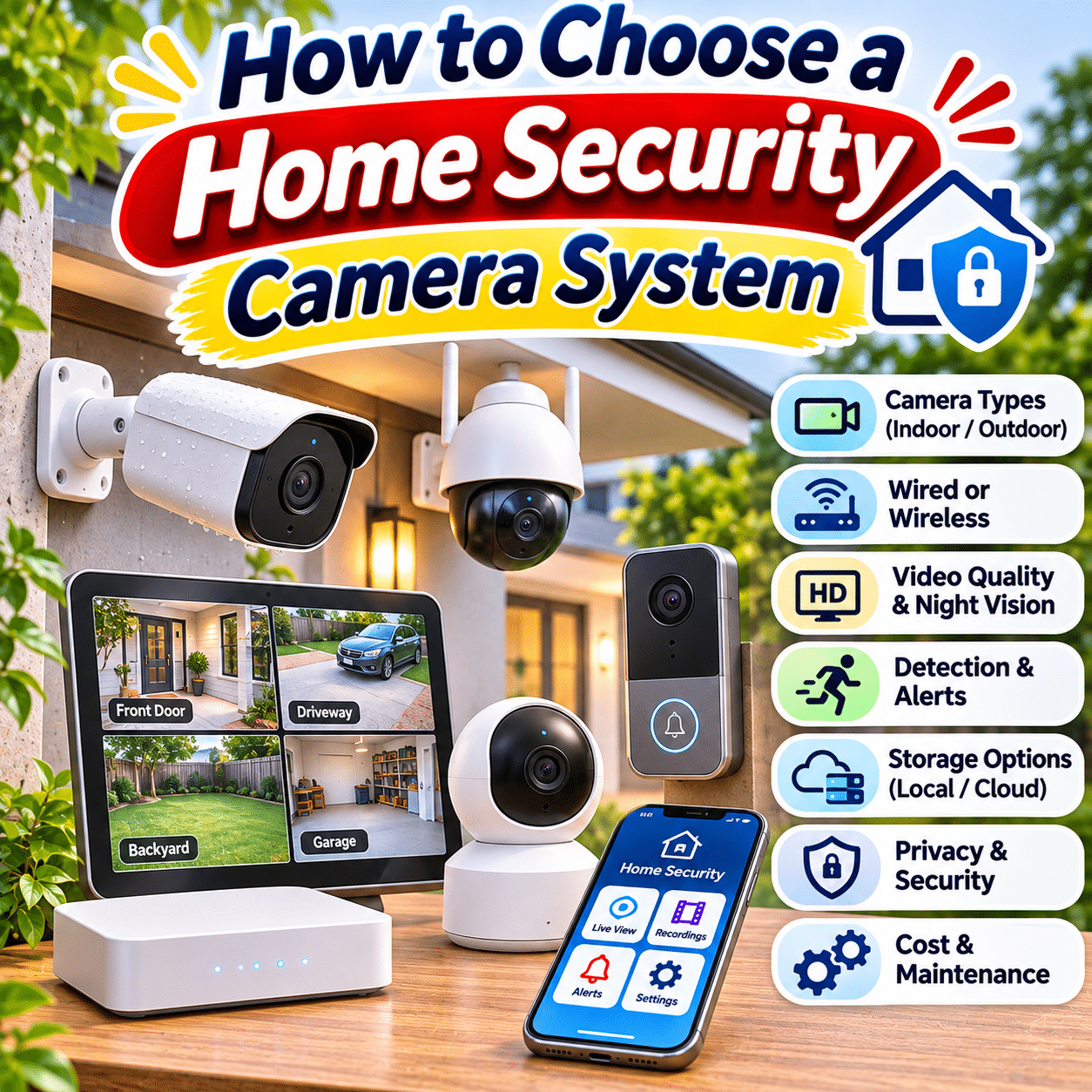
A home security camera system can help homeowners monitor important areas, review recorded activity, and stay informed about events around their property. Whether you live in an apartment, a townhouse, or a larger family home, choosing the right cameras can provide greater visibility into everyday household security.
Modern security cameras offer much more than basic video recording. Depending on the system, they may include motion detection, night vision, two-way audio, smartphone notifications, person recognition, local recording, cloud storage, and integration with other smart home devices.
However, not every camera system is suitable for every home.
An apartment resident may need only a compact indoor camera and a video doorbell, while a larger property may benefit from several outdoor cameras connected to a centralized recording system. Some households prioritize simple wireless installation, while others prefer wired connections for dependable power and recording.
Privacy, cybersecurity, recording reliability, and long-term operating costs are also important considerations. A camera with impressive image quality may still be a poor choice if its application is unreliable, its recordings are difficult to retrieve, or its essential features require an unexpected subscription.
This comprehensive buying guide explains the most important home security camera features, compares common camera technologies, explores installation and privacy considerations, and provides a practical framework for selecting a reliable system for everyday home monitoring.
1. Understand What a Home Security Camera System Does
A home security camera system captures video from selected areas and allows users to view or review that footage.
Depending on the equipment, the system may support live viewing, recorded playback, event notifications, and communication with people near the camera.
Common Functions
A security camera system may help you:
- Monitor entrances and exits.
- Observe activity near a front door.
- Review recorded events.
- Check on selected indoor spaces.
- Monitor a driveway or garage.
- Receive notifications about detected movement.
- Communicate through two-way audio.
- Keep records of certain security-related incidents.
What Cameras Cannot Guarantee
Security cameras do not automatically prevent theft, trespassing, or other incidents.
They may provide information or evidence, but their effectiveness depends on camera placement, recording availability, lighting, connectivity, and how users respond to alerts.
A camera system should be considered one component of a broader home security approach.
Secure doors, suitable locks, adequate lighting, and sensible household routines remain important.
2. Identify Your Home Security Priorities
Before comparing products, decide what you want the cameras to accomplish.
Questions to Ask
- Which areas need monitoring?
- Do I want indoor or outdoor cameras?
- Is live viewing enough, or do I need recordings?
- Do I want continuous recording?
- Will cameras operate in darkness?
- Is two-way communication important?
- Do I prefer local or cloud storage?
- Can I install cables?
- Do I want smartphone notifications?
- What privacy protections do I need?
Different Homes Have Different Requirements
A small apartment may need only one or two cameras.
A detached home may require several cameras positioned around entrances and exterior access points.
A property with a detached garage or long driveway may need additional consideration for power, network coverage, and camera range.
Start With the Purpose
Choose camera features according to the areas and activities you actually need to monitor.
Avoid buying an unnecessarily complicated system simply because it offers more cameras or advanced specifications.
3. Understand the Main Types of Home Security Cameras
Security cameras are available in several designs.
Indoor Cameras
Designed for compatible interior environments.
Outdoor Cameras
Built for exterior installation within specified environmental limits.
Video Doorbells
Designed to monitor visitors and activity near an entrance.
Bullet Cameras
Usually feature a directional, elongated housing.
Dome Cameras
Typically use a rounded housing that can make the viewing direction less obvious.
Turret Cameras
Often use a compact adjustable camera module within a mounting base.
Pan-Tilt-Zoom Cameras
Allow supported remote movement and, in some cases, optical zoom.
Floodlight Cameras
Combine video monitoring with integrated lighting.
Battery-Powered Cameras
Use rechargeable or replaceable batteries, depending on the design.
Wired Cameras
Receive power or data through installed cables.
The best camera type depends on installation conditions and monitoring needs.
4. Compare Indoor and Outdoor Security Cameras
Indoor and outdoor cameras are designed for different operating environments.
| Feature | Indoor cameras | Outdoor cameras |
|---|---|---|
| Primary location | Inside the home | Exterior areas |
| Weather resistance | Often limited | Designed for specified outdoor conditions |
| Typical power options | Plug-in, wired, or battery | Wired, battery, or solar-assisted |
| Common uses | Living areas, entryways, pets | Entrances, driveways, yards |
| Lighting challenges | Indoor lighting and windows | Sunlight, darkness, weather |
| Privacy considerations | Household occupants and guests | Neighbors, visitors, public areas |
Indoor Camera Considerations
Indoor cameras may offer:
- Compact design.
- Two-way audio.
- Privacy shutters.
- Pan-and-tilt movement.
- Flexible placement.
Outdoor Camera Considerations
Outdoor cameras may require:
- Weather-resistant construction.
- Suitable mounting hardware.
- Night vision.
- Reliable outdoor connectivity.
- Protection against tampering.
Important Reminder
Do not install an indoor-only camera outdoors unless the manufacturer explicitly approves that use.
5. Understand Wired and Wireless Camera Systems
The terms wired and wireless can be confusing.
A wireless camera may still require a power cable.
Wired Data Cameras
These transmit video through a physical cable.
Wi-Fi Cameras
These transmit data over a wireless network but may use wired or battery power.
Battery-Powered Cameras
These use internal batteries and commonly transmit data wirelessly.
Why the Difference Matters
Installation flexibility, reliability, maintenance, and recording options depend on both power and data connections.
Practical Advice
When comparing cameras, check separately:
- How the camera receives power.
- How it transmits video.
- Whether it requires internet access.
- How it stores recordings.
6. Evaluate Wired Security Camera Systems
Wired camera systems are often suitable for permanent installations.
Potential Advantages
- Stable data connections.
- Reliable continuous power.
- Support for continuous recording.
- Less dependence on Wi-Fi coverage.
- Centralized recording options.
Limitations
- Cable installation.
- More complicated setup.
- Potential drilling.
- Limited placement flexibility.
- Possible professional installation costs.
Suitable Homes
Wired systems may be particularly useful for:
- Larger houses.
- Permanent exterior installations.
- Homes undergoing renovation.
- Properties requiring multiple cameras.
- Households prioritizing continuous recording.
Important Consideration
A wired camera system may still depend on electricity, networking equipment, or internet connectivity for certain functions.
7. Understand Power over Ethernet Cameras
Power over Ethernet, commonly abbreviated as PoE, allows compatible equipment to receive power and data through an Ethernet cable.
How PoE Works
A compatible network switch or injector supplies electrical power through the network cable.
The camera communicates through the same connection.
Advantages
- One cable for power and data.
- Reliable network connection.
- Suitable for permanent installation.
- Convenient centralized infrastructure.
- Support for many continuous-recording systems.
Limitations
- Ethernet cabling is required.
- PoE equipment must be compatible.
- Cable distance and power budgets matter.
- Installation may require planning.
Check Compatibility
Verify the camera’s PoE requirements and the power capabilities of the switch or recorder.
Do not assume every Ethernet-connected camera supports PoE.
8. Evaluate Wi-Fi Security Cameras
Wi-Fi cameras are popular because they can simplify installation.
Advantages
- Flexible placement.
- No dedicated network cable.
- Convenient smartphone access.
- Suitable for apartments.
- Often easy to expand.
Limitations
- Dependence on wireless signal quality.
- Possible interference.
- Network congestion.
- Router compatibility requirements.
- Potential connectivity interruptions.
Wi-Fi Signal Matters
A camera positioned far from the router may experience:
- Delayed live video.
- Interrupted recording uploads.
- Missed notifications.
- Reduced video quality.
- Frequent reconnection attempts.
Practical Recommendation
Check network coverage at the intended camera location before purchasing.
Outdoor locations can be especially challenging because walls and building materials may weaken wireless signals.
9. Consider Battery-Powered Security Cameras
Battery cameras offer installation flexibility.
Advantages
- No nearby electrical outlet required.
- Convenient placement.
- Less complicated installation.
- Suitable for selected temporary or rental situations.
Limitations
- Periodic charging.
- Battery aging.
- Limited continuous recording on many models.
- Performance affected by temperature.
- Greater maintenance demands.
Battery Life Depends On
- Motion activity.
- Recording duration.
- Video resolution.
- Wi-Fi signal quality.
- Live viewing frequency.
- Ambient temperature.
- Spotlight use.
Important Buying Advice
Advertised battery life is usually based on specific assumptions.
Frequent motion events or prolonged live viewing can reduce runtime substantially.
10. Consider Solar-Assisted Security Cameras
Some battery cameras can connect to compatible solar panels.
Potential Benefits
- Reduced manual recharging.
- Convenient outdoor placement.
- Useful for certain locations without electrical outlets.
Limitations
- Sunlight dependence.
- Weather conditions.
- Panel orientation.
- Battery temperature limits.
- Power consumption exceeding solar input.
Important Reminder
A small solar panel does not guarantee uninterrupted operation.
Extended cloudy conditions, shaded placement, or heavy recording activity may still require manual charging.
Practical Recommendation
Evaluate solar charging as a supplementary power solution rather than assuming it eliminates all maintenance.
11. Understand Camera Resolution
Resolution describes the number of pixels in a video image.
Common marketing descriptions include:
- 1080p.
- 2K.
- 4K.
1080p
Often refers to 1920 × 1080 pixels.
4K UHD
Commonly refers to 3840 × 2160 pixels.
What About 2K?
The term 2K is used inconsistently in consumer security camera marketing.
Always check the actual pixel dimensions.
Why Resolution Matters
Higher resolution can provide more image detail under suitable conditions.
However, resolution alone does not guarantee better identification of faces, vehicles, or other objects.
12. Understand Why Higher Resolution Is Not Always Better
A high-resolution camera can still produce poor footage.
Image quality also depends on:
- Sensor size.
- Lens quality.
- Exposure.
- Lighting.
- Compression.
- Motion blur.
- Bitrate.
- Processing algorithms.
- Camera positioning.
Example
A well-positioned camera with suitable lighting may provide more useful footage than a higher-resolution camera aimed at a poorly illuminated area.
Higher Resolution Also Requires Resources
It can increase:
- Storage consumption.
- Network bandwidth.
- Processing demands.
- Power usage.
Practical Advice
Choose resolution based on the detail required at the actual monitoring distance.
13. Evaluate Image Sensor Performance
The image sensor converts incoming light into electronic image information.
Why Sensor Quality Matters
Sensor characteristics influence:
- Low-light performance.
- Noise levels.
- Dynamic range.
- Color reproduction.
- Image detail.
Sensor Size
Larger sensors can offer advantages under certain conditions, but performance also depends on sensor design, optics, and processing.
Avoid Comparing Megapixels Alone
More pixels do not automatically mean better nighttime footage.
Practical Recommendation
Look for credible sample footage captured in conditions similar to your intended installation.
14. Understand Camera Field of View
Field of view describes how much of the scene a camera can capture.
It is usually expressed in degrees.
Wide Field of View
Can cover a larger area.
Narrower Field of View
May provide more detail within a smaller viewing area.
The Trade-Off
A wider view spreads available pixels across a larger scene.
Objects farther away may occupy fewer pixels and be harder to identify.
Practical Example
A wide-angle camera may be useful for monitoring a small front yard.
A more focused camera may be better for observing a specific gate or entrance.
Important Detail
Manufacturers may report diagonal, horizontal, or vertical field of view.
These measurements are not interchangeable.
15. Understand Lens Focal Length
Lens focal length influences the camera’s viewing angle and the apparent size of objects.
Shorter Focal Length
Generally provides a wider view.
Longer Focal Length
Generally provides a narrower view with greater apparent subject size.
Fixed Lenses
Most consumer security cameras use fixed lenses.
Varifocal Lenses
Some cameras allow the viewing angle to be adjusted.
Optical Zoom
Certain cameras can change focal length electronically or mechanically through supported controls.
Practical Advice
Choose the lens based on the area you need to monitor, not simply the maximum advertised viewing angle.
16. Understand Digital and Optical Zoom
Zoom features are often advertised prominently.
Digital Zoom
Enlarges part of an existing image.
It does not create additional captured detail.
Optical Zoom
Changes the lens’s focal length to capture a narrower field of view with more available sensor detail concentrated on that area.
Which Is More Useful?
Optical zoom can be valuable for monitoring distant areas.
Digital zoom is convenient for reviewing footage but cannot recover details that were never captured.
Practical Recommendation
If distance identification is important, prioritize suitable lens selection and optical capabilities rather than digital zoom claims.
17. Evaluate Night Vision Performance
Night vision is one of the most important features for outdoor security cameras.
Common Technologies
- Infrared night vision.
- Low-light color imaging.
- Integrated white-light illumination.
- Hybrid night modes.
Infrared Night Vision
Uses infrared illumination to capture images in darkness.
Footage is often displayed in grayscale.
Color Night Vision
May use a sensitive image sensor, visible illumination, or both.
Important Limitation
Color night vision does not necessarily mean the camera can produce clear color footage in complete darkness without visible light.
Practical Advice
Evaluate actual nighttime footage at the intended monitoring distance.
18. Understand Infrared Illumination
Infrared LEDs help cameras capture images in low-light conditions.
Important Considerations
- Effective illumination range.
- Camera placement.
- Nearby reflective surfaces.
- Lens and sensor performance.
- Exposure settings.
Common Problems
Infrared reflections can occur when cameras are placed behind windows or near reflective surfaces.
Why Window Placement Can Fail
Infrared light may reflect from the glass back into the camera, producing glare.
Practical Recommendation
Use cameras designed for the intended indoor or outdoor placement.
Do not assume that an indoor camera looking through a window will provide reliable nighttime outdoor footage.
19. Consider Color Night Vision and Spotlights
Some outdoor cameras use visible light to improve nighttime recording.
Potential Advantages
- Color information.
- Better visibility of certain details.
- Additional area illumination.
- Potential deterrent effect.
Limitations
- Increased power consumption.
- Possible light disturbance.
- Neighboring property concerns.
- Insects attracted to lighting.
- Weather-related reflections.
Practical Advice
Consider whether visible lighting is appropriate for the location.
Adjust illumination to avoid unnecessarily disturbing neighbors or household occupants.
20. Evaluate High Dynamic Range
High dynamic range, often abbreviated as HDR, helps cameras handle scenes containing both bright and dark areas.
Common Challenging Scenes
- Front doors facing bright sunlight.
- Entrances with shaded porches.
- Windows behind visitors.
- Garages with strong exterior light.
Why HDR Matters
Without suitable exposure management, bright backgrounds may cause nearby subjects to appear too dark.
Important Limitation
HDR performance varies by camera and processing method.
Practical Recommendation
For entrances with strong backlighting, prioritize cameras with demonstrated performance in high-contrast scenes.
21. Understand Frame Rate
Frame rate describes how many video frames a camera captures per second.
It is expressed as frames per second, or fps.
Common Examples
- 15 fps.
- 20 fps.
- 25 fps.
- 30 fps.
Higher Frame Rates
Can provide smoother motion under suitable conditions.
Trade-Offs
Higher frame rates may increase:
- Storage use.
- Bandwidth requirements.
- Processing demands.
Practical Advice
Choose a frame rate that captures the movement relevant to your monitoring needs.
A high frame rate cannot compensate for poor lighting or excessive motion blur.
22. Understand Video Compression
Security cameras compress video to reduce storage and transmission requirements.
Common formats include:
- H.264.
- H.265.
Why Compression Matters
Efficient compression can reduce storage consumption and network bandwidth.
H.265
May provide better compression efficiency than H.264 under comparable conditions.
Compatibility Considerations
Not every recorder, browser, application, or editing tool supports every format equally.
Practical Recommendation
Verify compatibility with your preferred recording and playback system.
23. Understand Motion Detection
Motion detection allows a camera to identify changes in its monitored area.
Basic Motion Detection
May respond to changes in image content.
Passive Infrared Detection
Some cameras use PIR sensors to detect changes in infrared radiation associated with warm objects.
Advanced Detection
Some systems use computer vision to identify selected object categories.
Why Motion Detection Matters
It can reduce unnecessary recording and help generate relevant notifications.
Important Limitation
Motion detection does not guarantee that every important event will be captured.
Sensitivity, positioning, lighting, and system behavior all influence results.
24. Evaluate Person, Vehicle, and Animal Detection
Some cameras can classify detected objects.
Common categories include:
- People.
- Vehicles.
- Animals.
- Packages.
Potential Advantages
- More relevant notifications.
- Reduced unnecessary alerts.
- Easier event searching.
- Better organization of recorded footage.
Limitations
Recognition accuracy varies.
False positives and missed detections can occur.
Subscription Considerations
Some manufacturers include object detection locally.
Others require cloud processing or paid plans.
Practical Advice
Confirm whether the detection features you want are included in the purchase price.
25. Understand Activity Zones
Activity zones allow users to select areas within the camera’s view for monitoring or notifications.
Example Uses
- Front doorway.
- Driveway entrance.
- Garden gate.
- Garage door.
Why Activity Zones Help
They may reduce notifications caused by irrelevant movement.
Important Limitation
An activity zone does not necessarily change what the camera records or stores.
Some systems continue recording the full image while filtering alerts.
Privacy Consideration
Activity zones are not always equivalent to privacy masks.
Verify how each feature operates.
26. Evaluate Notification Quality
Smartphone notifications can make a security camera more useful.
Useful Notification Features
- Person detection.
- Event previews.
- Adjustable sensitivity.
- Activity zones.
- Notification schedules.
- Camera-specific settings.
- Quiet hours.
Common Problems
- Too many alerts.
- Delayed notifications.
- Missed events.
- Poor event descriptions.
- Repeated notifications from the same activity.
Practical Advice
A system with fewer but more relevant notifications may be more useful than one that sends constant alerts.
27. Consider Two-Way Audio
Two-way audio allows users to hear sound near a camera and speak through its speaker.
Common Uses
- Speaking to visitors.
- Communicating with delivery personnel.
- Checking on household members.
- Addressing someone near an entrance.
Important Considerations
- Microphone clarity.
- Speaker volume.
- Network delay.
- Background noise.
- Wind interference.
- Audio privacy laws.
Practical Recommendation
Test audio quality in realistic conditions when possible.
Do not assume that every camera with a microphone provides effective two-way communication.
28. Understand Built-In Sirens and Warning Lights
Some security cameras include deterrent features.
Common Options
- Audible sirens.
- Flashing lights.
- Motion-triggered spotlights.
- Recorded warning messages.
Potential Benefits
These features may draw attention to selected activity.
Limitations
They can also create:
- Noise disturbances.
- False alarms.
- Unwanted activation.
- Neighbor complaints.
Practical Advice
Use deterrent features responsibly and in accordance with local rules.
A siren or spotlight should not be treated as a guarantee that an incident will be prevented.
29. Compare Local and Cloud Video Storage
Recording storage is a major decision when choosing a security camera system.
| Feature | Local storage | Cloud storage |
|---|---|---|
| Storage location | Camera, recorder, or local device | Provider-managed remote servers |
| Internet dependence | Varies; may record locally without internet | Upload generally requires internet |
| Ongoing fees | Often none for basic storage | Frequently subscription-based |
| Physical theft risk | Stored footage may be lost if equipment is stolen | Previously uploaded footage may remain available |
| Privacy control | Depends on device and configuration | Depends on provider policies and security |
| Maintenance | User may manage storage hardware | Provider manages server infrastructure |
Local Storage
Can provide greater independence from subscription services.
Cloud Storage
May provide convenient remote access and protection against loss of on-site equipment.
Hybrid Storage
Some systems support both approaches.
Best Choice
Select storage according to your priorities for cost, privacy, reliability, and access.
30. Understand microSD Card Recording
Some cameras store footage on a removable microSD card.
Advantages
- Compact.
- Simple setup.
- Often no monthly storage fee.
- Useful for individual cameras.
Limitations
- Limited capacity.
- Card wear.
- Possible corruption.
- Theft or damage to the camera.
- Compatibility restrictions.
Choose Suitable Cards
Continuous video recording can create frequent write cycles.
High-endurance cards may be appropriate when recommended by the manufacturer.
Important Reminder
Not every camera supports every card capacity or file system.
Verify compatibility before purchasing.
31. Understand Network Video Recorders
A Network Video Recorder, or NVR, is commonly used with compatible IP cameras.
What an NVR Does
It receives and stores video from network-connected cameras.
Potential Advantages
- Centralized recording.
- Support for multiple cameras.
- Large storage capacity.
- Continuous recording.
- Local footage management.
Limitations
- Higher initial cost.
- Additional equipment.
- Installation complexity.
- Storage drive maintenance.
- Compatibility requirements.
Practical Recommendation
NVR systems are often worth considering for permanent multi-camera installations.
32. Understand Digital Video Recorders
A Digital Video Recorder, or DVR, is commonly associated with compatible analog camera systems.
Typical Configuration
Cameras send video through supported cabling to a recorder.
Potential Advantages
- Centralized recording.
- Useful for certain existing installations.
- Multiple-camera support.
Limitations
- Cabling requirements.
- Technology compatibility.
- Installation complexity.
DVR Versus NVR
The main difference is the camera and recording architecture.
Neither category alone guarantees superior image quality or reliability.
Buying Advice
Choose a recorder compatible with your intended cameras and installation.
33. Consider Continuous Recording Versus Event Recording
Security systems may offer different recording modes.
Continuous Recording
Captures video throughout the configured recording period.
Event Recording
Captures video when a defined trigger occurs.
Scheduled Recording
Records during selected hours.
Advantages of Continuous Recording
- More complete timeline.
- Less dependence on motion detection.
- Easier review of activity before and after events.
Limitations
- Greater storage consumption.
- Higher power requirements.
- More footage to review.
Advantages of Event Recording
- Lower storage consumption.
- Easier event-based review.
- Often suitable for battery cameras.
Important Limitation
Event recording may miss activity if detection fails or recording begins too late.
34. Understand Pre-Event and Post-Event Recording
Some cameras preserve footage from before and after a detected event.
Pre-Event Recording
Stores video from shortly before the trigger.
Post-Event Recording
Continues recording after the event.
Why This Matters
Important activity may begin before motion detection is triggered.
Important Consideration
Pre-event recording may require continuous buffering and may not be available on every battery-powered camera.
Practical Advice
Check actual recording behavior rather than assuming all motion-triggered cameras capture the beginning of every event.
35. Estimate Video Storage Requirements
Storage requirements depend on several factors.
Important Variables
- Resolution.
- Bitrate.
- Frame rate.
- Compression.
- Number of cameras.
- Recording hours.
- Motion activity.
- Retention period.
Basic Formula
For a continuous video stream:
Storage in GB ≈ Bitrate in Mbps × Recording Hours × 0.45
This is an approximate decimal-gigabyte calculation and excludes some overhead.
Illustrative Example
A camera recording continuously at an average bitrate of 4 Mbps for 24 hours uses approximately:
4 × 24 × 0.45 = 43.2 GB
Over seven days:
43.2 × 7 = 302.4 GB
Actual requirements vary.
Practical Recommendation
Calculate storage needs before selecting a recorder or memory card.
36. Understand Recording Retention Periods
Retention describes how long footage remains available.
Common Retention Approaches
- Fixed number of days.
- Storage until capacity is reached.
- Automatic overwriting of older footage.
- Subscription-based cloud retention.
Questions to Ask
- How long do I need recordings?
- Does the system overwrite old footage?
- Can important clips be saved separately?
- Can footage be exported?
- What happens when storage becomes full?
Practical Advice
Choose a retention period based on your household needs and applicable privacy obligations.
37. Evaluate Internet and Network Requirements
Connected cameras rely on network infrastructure for various functions.
Important Factors
- Wi-Fi coverage.
- Upload bandwidth.
- Router stability.
- Network congestion.
- Internet reliability.
- Local network design.
Cloud Cameras
May require sufficient internet upload capacity to transmit footage.
Local Recording Systems
May continue recording without internet access, depending on their design.
Remote Viewing
Usually requires some form of network connectivity.
Practical Recommendation
Check whether essential recording functions continue during an internet outage.
38. Understand Bandwidth Requirements
Multiple cameras can generate substantial network traffic.
Bandwidth Depends On
- Video bitrate.
- Number of simultaneous streams.
- Recording destination.
- Live viewing.
- Cloud uploads.
- Video quality settings.
Example
Four cameras each uploading an average of 3 Mbps could require approximately 12 Mbps of sustained upstream bandwidth while all four streams are active.
Additional overhead and other household internet activity should also be considered.
Practical Advice
Do not compare only your internet download speed.
Upload capacity can be particularly important for cloud-connected camera systems.
39. Consider Power Outages
A camera system cannot record without adequate power.
Common Power Sources
- Wall outlets.
- PoE switches.
- NVR power supplies.
- Rechargeable batteries.
- Solar-assisted batteries.
Backup Power
A compatible uninterruptible power supply, or UPS, may keep selected equipment operating during short outages.
Important Limitation
A UPS must be appropriately sized for the connected equipment.
Network Dependencies
Keeping the camera powered may not be sufficient for remote access if the router or internet connection also fails.
Practical Recommendation
Consider which functions must continue during a power interruption and plan the required backup equipment accordingly.
40. Understand Camera Weather Resistance
Outdoor cameras must withstand environmental conditions within their rated limits.
Common Environmental Challenges
- Rain.
- Dust.
- Humidity.
- Sun exposure.
- Wind.
- Temperature changes.
IP Ratings
Ingress Protection ratings describe specified resistance to solids and water.
Examples include IP65, IP66, and IP67.
Important Distinction
An IP rating does not guarantee unlimited resistance to all weather conditions.
Check Additional Specifications
Review:
- Operating temperature.
- Mounting orientation.
- Cable sealing requirements.
- Corrosion resistance.
- Manufacturer installation instructions.
41. Consider Outdoor Camera Placement
Camera placement strongly influences usefulness.
Common Locations
- Front entrance.
- Rear entrance.
- Driveway.
- Garage.
- Side gate.
- Accessible exterior pathways.
Placement Goals
- Capture relevant activity.
- Reduce blind spots.
- Avoid excessive glare.
- Maintain reliable connectivity.
- Protect equipment from damage.
Avoid Unnecessary Surveillance
Position cameras to monitor your own property and legitimate security interests.
Avoid recording private neighboring spaces where possible.
42. Understand Camera Mounting Height
Mounting height affects visibility, detail, and tamper resistance.
Lower Placement
May provide better facial detail but can make equipment easier to reach.
Higher Placement
May improve area coverage and reduce casual tampering, but can make faces appear smaller or less recognizable.
Practical Trade-Off
The best mounting height depends on:
- Camera lens.
- Monitoring distance.
- Entrance geometry.
- Lighting.
- Desired identification detail.
- Accessibility.
Practical Recommendation
Use the manufacturer’s placement guidance and test the view before permanently mounting the camera.
43. Avoid Common Camera Placement Mistakes
Pointing Directly Into Strong Sunlight
Can create exposure problems and glare.
Mounting Too High
May reduce useful facial detail.
Using an Excessively Wide View
May make important subjects appear too small.
Ignoring Nighttime Lighting
A location that looks clear during the day may be difficult to monitor after dark.
Placing Wi-Fi Cameras Too Far From the Router
Can cause unstable connectivity.
Ignoring Rain and Drainage
Poor installation may expose connectors to moisture.
Overlooking Nearby Obstacles
Plants, walls, and decorative objects can block the view.
Failing to Test Motion Detection
An unsuitable angle may produce missed events or excessive alerts.
44. Consider Video Doorbells
Video doorbells are designed to monitor activity near an entrance.
Common Features
- Visitor video.
- Doorbell notifications.
- Two-way audio.
- Motion detection.
- Package detection.
- Recorded clips.
Power Options
- Rechargeable battery.
- Existing compatible doorbell wiring.
- Other manufacturer-approved power arrangements.
Important Considerations
- Doorbell transformer compatibility.
- Mounting position.
- Field of view.
- Subscription requirements.
- Local recording options.
Practical Recommendation
A video doorbell may be sufficient for households primarily concerned with entrance monitoring.
45. Consider Floodlight Security Cameras
Floodlight cameras combine video monitoring with visible lighting.
Potential Advantages
- Improved nighttime illumination.
- Monitoring and lighting in one location.
- Motion-triggered activation.
- Useful driveway or entrance coverage.
Limitations
- Electrical installation.
- Higher power consumption.
- Light pollution.
- Potential disturbance to neighbors.
Practical Advice
Choose a model with adjustable lighting behavior and appropriate electrical requirements.
46. Understand Pan-Tilt-Zoom Cameras
Pan-Tilt-Zoom cameras, commonly called PTZ cameras, can change their viewing direction.
Pan
Moves the camera horizontally.
Tilt
Moves the camera vertically.
Zoom
Changes image magnification, using optical or digital methods depending on the design.
Advantages
- Flexible viewing direction.
- Monitoring of larger areas.
- Remote adjustment.
- Potential object tracking.
Limitations
- More complex mechanisms.
- Higher cost on some models.
- A moving camera may not observe every area simultaneously.
Practical Recommendation
PTZ cameras can be useful for selected monitoring tasks, but fixed cameras may provide more consistent coverage of important entrances.
47. Understand Automatic Tracking
Some cameras attempt to follow moving objects.
Potential Benefits
- Keeping a moving subject in view.
- Capturing additional movement.
- Monitoring larger spaces.
Limitations
- Tracking errors.
- Temporary loss of important areas.
- Movement delays.
- Difficulty with multiple subjects.
Important Consideration
A tracking camera may turn away from another area where an event occurs.
Practical Advice
Use fixed cameras for locations that require uninterrupted coverage.
48. Evaluate Smart Home Integration
Some security cameras integrate with broader smart home systems.
Potential ecosystems include:
- Apple Home.
- Google Home.
- Amazon Alexa.
- Samsung SmartThings.
- Compatible Matter-based systems.
Possible Features
- Viewing camera feeds.
- Receiving notifications.
- Triggering automation routines.
- Displaying footage on compatible screens.
- Coordinating with lights or other devices.
Important Compatibility Limitation
Not every platform supports every camera feature.
Matter compatibility does not automatically guarantee full camera functionality across all ecosystems.
Practical Recommendation
Verify the exact integration features supported by the camera model and your preferred platform.
49. Understand ONVIF Compatibility
ONVIF develops interoperability specifications for IP-based physical security products.
Why ONVIF May Matter
Compatible implementations can help connect cameras and recording equipment from different manufacturers.
Important Limitation
ONVIF support is not a universal guarantee that every feature will work across devices.
Compatibility depends on supported profiles, functions, and implementation.
Before Buying
Check:
- Supported ONVIF profiles.
- Recorder compatibility.
- Video stream support.
- Event support.
- Authentication requirements.
Practical Advice
If you plan to combine equipment from different brands, verify interoperability before purchasing.
50. Consider RTSP Video Streaming
Real-Time Streaming Protocol, or RTSP, is used in some camera systems to control media streaming sessions.
Potential Uses
- Viewing compatible camera streams.
- Connecting to certain recording software.
- Integrating with local monitoring systems.
Important Limitation
Not every consumer security camera provides RTSP access.
Some manufacturers restrict streaming to their own applications.
Security Consideration
Avoid exposing camera streams directly to the public internet.
Use secure network configurations and supported access methods.
51. Evaluate the Smartphone Application
The application can strongly influence the everyday experience.
Useful Features
- Reliable live viewing.
- Fast event playback.
- Clear camera selection.
- Simple notification settings.
- Recording export.
- Multi-user access.
- Privacy controls.
- Firmware updates.
Common Problems
- Slow video loading.
- Frequent disconnections.
- Confusing menus.
- Delayed alerts.
- Poor playback navigation.
- Unexpected subscription restrictions.
Practical Advice
Look for credible user feedback about the application, not only the camera hardware.
52. Consider Multi-User Access
Some households need several people to access the camera system.
Useful Features
- Individual accounts.
- Permission controls.
- Shared camera access.
- Activity notifications.
- Account revocation.
- Authentication options.
Why Permissions Matter
Not every user needs access to every camera or administrative setting.
Practical Recommendation
Choose systems that allow appropriate control over household access.
Avoid sharing one administrative password among multiple people when individual accounts are available.
53. Understand Home Security Camera Privacy
Security cameras may record sensitive household activity.
Privacy Risks
Depending on placement, cameras may capture:
- Family routines.
- Visitors.
- Conversations.
- Private living spaces.
- Neighboring properties.
- Children.
- Household schedules.
Privacy-Conscious Practices
- Install cameras only where needed.
- Avoid private rooms unless there is a clear, appropriate reason.
- Inform household members about recording.
- Review audio recording settings.
- Use privacy zones or shutters where available.
- Limit recording retention.
- Control account access.
Important Reminder
Privacy rules vary by jurisdiction.
A camera’s technical capability does not automatically mean every use is legally permitted.
54. Consider Local Laws and Recording Rules
Security camera laws differ across countries and regions.
Areas of Legal Concern
- Recording audio.
- Monitoring shared spaces.
- Capturing neighboring property.
- Recording employees or visitors.
- Data retention.
- Sharing footage.
- Posting recordings online.
Apartments and Shared Buildings
Building rules may restrict camera placement in corridors, entrances, or shared facilities.
Practical Recommendation
Review applicable local laws and building policies before installation.
If necessary, seek qualified local guidance.
55. Understand Camera Cybersecurity
Internet-connected cameras are network devices and should be treated accordingly.
Common Risks
- Weak passwords.
- Outdated firmware.
- Unsecured remote access.
- Compromised accounts.
- Vulnerable applications.
- Poorly configured networks.
Recommended Practices
- Use strong unique passwords.
- Enable multifactor authentication where available.
- Install security updates.
- Remove unused accounts.
- Review connected devices.
- Use secure Wi-Fi settings.
- Disable unnecessary remote services.
Practical Principle
A security camera should improve household safety without creating unnecessary digital security risks.
56. Evaluate Firmware Updates and Long-Term Support
Security cameras depend on software as well as hardware.
Why Updates Matter
Firmware updates may address:
- Security vulnerabilities.
- Stability problems.
- Connectivity issues.
- Feature improvements.
- Compatibility changes.
Questions to Ask
- Does the manufacturer publish updates?
- Is there a stated support period?
- Can updates be installed easily?
- Are security notices available?
- What happens when support ends?
Long-Term Value
A camera that no longer receives necessary security updates may become difficult to use safely.
Practical Recommendation
Prioritize manufacturers with clear software support practices.
57. Consider Local Network Isolation
Some households place security cameras on a separate network or VLAN.
Potential Benefits
- Reduced access to unrelated household devices.
- More controlled network permissions.
- Easier management of connected equipment.
Important Limitation
Network segmentation requires suitable router or networking equipment and correct configuration.
Practical Advice
For advanced installations, network isolation can be useful.
For simpler households, strong passwords, updates, secure Wi-Fi, and appropriate account settings remain important foundations.
58. Understand Subscription Costs
Some cameras require subscriptions for selected features.
Potential Subscription Features
- Cloud video history.
- Extended recording retention.
- Advanced object recognition.
- Rich notifications.
- Multiple-camera cloud plans.
- Professional monitoring services.
Questions to Ask
- Is live viewing free?
- Is recording included?
- Can I save clips without paying?
- Are detection features subscription-only?
- Does the price increase with camera count?
- What happens if I cancel?
Practical Recommendation
Compare the full cost over several years rather than only the camera’s purchase price.
59. Calculate the Total Cost of Ownership
A camera system may involve several expenses.
Initial Costs
- Cameras.
- Mounting hardware.
- Cables.
- Network switches.
- Recorders.
- Storage drives.
- Installation labor.
Ongoing Costs
- Cloud subscriptions.
- Electricity.
- Battery replacement.
- Storage replacement.
- Maintenance.
- Internet service.
- Repairs.
Example
A camera with a low purchase price but a recurring cloud subscription may cost more over time than a higher-priced camera with suitable local recording.
Practical Advice
Choose based on long-term value, not just the initial price.
60. Consider Reliability and Maintenance
Security cameras require occasional inspection.
Routine Tasks
- Clean lenses.
- Check camera alignment.
- Test night vision.
- Review recording availability.
- Check storage health.
- Inspect cables.
- Update firmware.
- Test notifications.
- Verify battery levels.
- Review user access.
Why Maintenance Matters
A camera may appear operational while recording incorrectly or failing to send notifications.
Practical Recommendation
Test the complete system periodically, including playback of recorded footage.
61. Choose a Security Camera System for an Apartment
Apartments often have limited installation flexibility.
Useful Features
- Compact cameras.
- Wi-Fi connectivity.
- Simple mounting.
- Reliable smartphone access.
- Privacy controls.
- Suitable indoor monitoring.
- Optional video doorbell.
Important Considerations
- Building rules.
- Shared corridors.
- Rental restrictions.
- Neighbor privacy.
- Available power outlets.
Practical Recommendation
A small number of well-positioned cameras may be more useful than a complex multi-camera system.
62. Choose a Security Camera System for a Detached House
Detached houses may require broader coverage.
Common Monitoring Areas
- Front entrance.
- Rear entrance.
- Driveway.
- Garage.
- Side access points.
Useful Features
- Outdoor-rated cameras.
- Reliable night vision.
- Multiple-camera recording.
- Appropriate network coverage.
- Centralized storage.
- Suitable backup power.
Practical Recommendation
Plan coverage around important access points before deciding how many cameras to purchase.
63. Choose Cameras for a Home With Pets
Some households use cameras to observe pets while away.
Useful Features
- Indoor video.
- Two-way audio.
- Wide field of view.
- Pan-and-tilt capability.
- Reliable notifications.
- Privacy controls.
Important Limitation
A camera does not replace appropriate pet care or supervision.
Practical Advice
Choose placement that captures the areas where pets commonly spend time.
Avoid exposed cables or mounting arrangements that animals could disturb.
64. Choose Cameras for Monitoring an Entrance
Entrance monitoring is a common home security priority.
Useful Features
- Appropriate viewing angle.
- Good facial detail at close range.
- Strong backlight handling.
- Night vision.
- Person detection.
- Two-way audio.
- Reliable event recording.
Consider Camera Height
The camera should capture useful details without being easily obstructed.
Practical Recommendation
Test the view under both daytime and nighttime conditions.
65. Choose Cameras for a Driveway or Garage
Driveways and garages may require wider coverage or longer viewing distances.
Important Features
- Suitable lens selection.
- Outdoor durability.
- Night vision.
- Vehicle detection.
- Reliable recording.
- Adequate lighting.
Vehicle Identification Limitations
Capturing a vehicle is not the same as reliably identifying its license plate.
License plate recognition may require specialized positioning, optics, exposure settings, and lighting.
Practical Recommendation
Determine whether you need general activity monitoring or detailed vehicle identification.
These are different technical requirements.
66. Choose Cameras for a Small Business or Home Office
Some home offices or small businesses require monitoring of entrances or equipment areas.
Useful Features
- Reliable recording.
- Clear access permissions.
- Local storage options.
- Suitable retention.
- Secure remote viewing.
- Consistent uptime.
Privacy Considerations
Workplace monitoring may be subject to additional legal and employment requirements.
Practical Recommendation
Separate business monitoring needs from private household areas whenever possible.
67. Compare Home Security Camera Systems by Household Need
| Household need | Features to prioritize | Features that may be optional |
|---|---|---|
| Small apartment | Compact Wi-Fi cameras, privacy controls | Large NVR system |
| Detached house | Outdoor coverage, night vision, multi-camera recording | Indoor pan-tilt in every room |
| Front entrance | Doorbell camera, person detection, two-way audio | Long-range optical zoom |
| Driveway | Suitable field of view, outdoor durability, night performance | Indoor privacy shutter |
| Rental property | Flexible mounting, simple installation | Permanent Ethernet cabling |
| Large property | PoE, centralized recording, reliable networking | Battery-only installation |
| Pet monitoring | Indoor camera, audio, wide view | Advanced vehicle detection |
| Privacy-focused home | Local storage, strong security controls | Cloud-only recording |
| Frequent travel | Reliable remote access, useful alerts, recording retention | Unnecessary decorative features |
| Budget-conscious household | Core image quality, dependable recording, low ongoing costs | Premium analytics subscriptions |
68. Common Mistakes When Buying Home Security Cameras
Choosing Only by Resolution
High resolution does not guarantee useful footage.
Ignoring Camera Placement
Poor placement can undermine even expensive equipment.
Buying Too Many Cameras
More cameras may increase cost and complexity without improving meaningful coverage.
Overlooking Night Vision
Daytime image quality may not reflect nighttime performance.
Ignoring Storage Costs
Cloud subscriptions and storage equipment can affect long-term expenses.
Assuming Wireless Means Battery-Powered
Many Wi-Fi cameras still need power cables.
Ignoring Wi-Fi Coverage
Weak connectivity can make an otherwise capable camera unreliable.
Assuming AI Detection Is Perfect
Object recognition can miss events or generate false alerts.
Forgetting Privacy
Camera placement and data handling require careful consideration.
Overlooking Firmware Support
Unsupported devices can become cybersecurity risks.
Ignoring Power Outages
A system without backup power may stop operating during electrical interruptions.
Failing to Test Recording Playback
Live video does not guarantee that recordings are being stored correctly.
69. How to Choose a Home Security Camera System Step by Step
Step 1: Identify Important Monitoring Areas
List entrances, access points, and other locations where monitoring is justified.
Step 2: Decide Between Indoor and Outdoor Cameras
Choose equipment designed for each environment.
Step 3: Select Power and Connectivity
Compare PoE, plug-in Wi-Fi, battery, and solar-assisted options.
Step 4: Determine Image Quality Requirements
Evaluate resolution, lens, field of view, and low-light performance.
Step 5: Choose Recording Behavior
Decide whether continuous recording, event recording, or both are needed.
Step 6: Select Storage
Compare local, cloud, and hybrid options.
Step 7: Evaluate Detection and Notifications
Choose features that provide useful alerts without excessive interruptions.
Step 8: Review Privacy and Security
Consider camera placement, data handling, account protection, and software updates.
Step 9: Check Network and Power Reliability
Confirm adequate connectivity and any required backup power.
Step 10: Calculate Long-Term Costs
Include subscriptions, storage, maintenance, and installation.
Step 11: Verify Compatibility
Check smart home integration, recorder support, and application requirements.
Step 12: Test Before Final Installation
Confirm image quality, night vision, detection, recording, and playback.
70. Practical Home Security Camera Buying Checklist
Home and Coverage
- I have identified the areas that genuinely need monitoring.
- Camera placement respects privacy.
- The number of cameras is appropriate.
- The field of view matches each location.
- Mounting positions are practical.
Image Quality
- Resolution is sufficient for the intended purpose.
- Lens selection is appropriate.
- Night vision meets my needs.
- Backlight performance is acceptable.
- Sample footage is available for evaluation.
Power and Connectivity
- Power requirements are understood.
- Wi-Fi or Ethernet connectivity is reliable.
- Outdoor cable protection is appropriate.
- Battery maintenance is manageable if applicable.
- Power outage behavior is understood.
Recording and Storage
- The system supports my preferred recording mode.
- Storage capacity is adequate.
- Retention settings meet my needs.
- Important footage can be exported.
- Recording can continue under expected network conditions.
Smart Features
- Motion detection is suitable.
- Notifications can be customized.
- Person detection is available if needed.
- Two-way audio is useful if included.
- Smart home compatibility is verified.
Privacy and Cybersecurity
- Strong account authentication is available.
- Firmware updates are supported.
- Data storage practices are acceptable.
- User permissions can be managed.
- Camera placement complies with applicable rules.
Long-Term Value
- Purchase cost fits my budget.
- Subscription costs are understood.
- Warranty coverage is acceptable.
- Replacement parts or accessories are available.
- The system is practical to maintain.
71. Frequently Asked Questions About Home Security Camera Systems
1. How many security cameras does a home need?
The number depends on property layout, important access points, and monitoring goals. A few well-positioned cameras may provide more useful coverage than many poorly placed cameras.
2. Are wired security cameras better than wireless cameras?
Wired systems can provide dependable connectivity and continuous power, while wireless systems offer installation flexibility. Neither is universally better.
3. Do wireless security cameras need electricity?
Many Wi-Fi cameras require electrical power. Others use rechargeable batteries.
4. What is a PoE security camera?
A PoE camera receives compatible electrical power and network data through an Ethernet cable.
5. Are battery-powered cameras reliable?
They can be useful, but battery life and recording behavior depend on activity, temperature, connectivity, and product design.
6. Do solar security cameras work at night?
Solar-assisted cameras generally rely on stored battery energy at night. Solar panels provide charging when sufficient sunlight is available.
7. Is 1080p resolution enough for home security?
It may be sufficient for many monitoring tasks, depending on viewing distance, lens selection, lighting, and required detail.
8. Is 4K worth it for security cameras?
4K can provide additional detail but may require more storage and bandwidth. Its value depends on the monitoring situation.
9. What is the best field of view for a security camera?
There is no universal best angle. Wide views cover more area, while narrower views can concentrate detail.
10. Do security cameras work in complete darkness?
Some cameras use infrared illumination or other lighting systems to record in darkness.
11. What is color night vision?
It refers to nighttime color imaging supported by low-light sensors, visible illumination, or related technologies.
12. Can indoor cameras record through windows at night?
They may experience infrared reflections and glare. Performance depends on camera design and lighting.
13. What is motion detection?
It is a function that identifies changes or selected activity within the monitored area.
14. What is person detection?
It is a feature that attempts to recognize people in video or sensor data.
15. Can security cameras recognize vehicles?
Some cameras support vehicle classification, but accuracy varies.
16. Do AI security cameras make mistakes?
Yes. Object recognition can produce false alerts or miss events.
17. What are activity zones?
They are selected areas within the camera’s view used for certain detection or notification functions.
18. Can security cameras record continuously?
Some can, particularly wired systems with suitable storage. Battery cameras may have additional limitations.
19. What is event-based recording?
It records video when a configured trigger, such as motion detection, occurs.
20. What is pre-event recording?
It preserves footage from shortly before a detected event, when supported by the camera.
21. Is local storage better than cloud storage?
Local storage can reduce subscription dependence, while cloud storage can preserve uploaded footage if on-site equipment is damaged or stolen.
22. Do security cameras require monthly subscriptions?
Not all do. Some offer local recording without recurring fees, while others require subscriptions for selected functions.
23. Can security cameras work without internet access?
Some systems can continue local recording without internet access. Remote access and cloud functions may stop.
24. Can I watch my security cameras from another country?
Many connected systems support remote viewing, subject to internet availability, account access, and service restrictions.
25. What is an NVR?
An NVR is a Network Video Recorder used to record video from compatible network cameras.
26. What is a DVR?
A DVR is a Digital Video Recorder commonly used with compatible analog camera systems.
27. Can I mix security cameras from different brands?
Sometimes. Compatibility depends on supported protocols, recorders, applications, and features.
28. What is ONVIF?
ONVIF develops interoperability specifications for IP-based physical security equipment.
29. What is RTSP?
RTSP is a protocol used to control media streaming sessions in compatible systems.
30. Do security cameras use a lot of internet bandwidth?
Bandwidth depends on bitrate, number of cameras, cloud uploading, and live viewing.
31. How much storage does a security camera need?
Storage depends on resolution, bitrate, recording hours, camera count, and retention period.
32. How long can security cameras keep recordings?
Retention varies by storage capacity, recording mode, and service plan.
33. What happens when camera storage becomes full?
Many systems overwrite older footage, but behavior depends on configuration and product design.
34. Do security cameras work during power outages?
Only if their required equipment has sufficient backup or battery power.
35. Can I use a UPS for security cameras?
A compatible, properly sized UPS may provide temporary backup power.
36. Are outdoor cameras waterproof?
Outdoor cameras have specified environmental resistance ratings, but not all are suitable for every water exposure.
37. What does IP66 mean?
IP66 indicates specified protection against dust ingress and powerful water jets under standardized test conditions.
38. Can security cameras be installed without drilling?
Some models offer alternative mounting options, but suitability depends on camera weight, location, surface, and manufacturer guidance.
39. How high should outdoor security cameras be mounted?
Mounting height should balance useful image detail, coverage, and tamper resistance. The ideal height varies by camera and location.
40. Are video doorbells enough for home security?
They can provide useful entrance monitoring but may not cover other important areas.
41. Are floodlight cameras worth buying?
They can be useful where video monitoring and exterior lighting are both needed.
42. What is a PTZ security camera?
It is a camera that can pan, tilt, and zoom through supported controls.
43. Can PTZ cameras follow moving people?
Some support automatic tracking, but performance varies and tracking can create coverage gaps.
44. Do security cameras record audio?
Some do. Audio recording may be subject to legal restrictions.
45. Can security cameras be hacked?
Like other connected devices, cameras can be vulnerable if poorly secured or inadequately maintained.
46. How can I protect my security cameras from hackers?
Use strong passwords, multifactor authentication where available, firmware updates, and secure network settings.
47. Are cloud security cameras private?
Privacy depends on provider practices, encryption, access controls, and account security.
48. Should I install cameras in bedrooms?
Private spaces require particularly careful consideration of consent, privacy, and necessity.
49. Can security cameras record neighboring property?
Rules vary by jurisdiction. Camera placement should respect applicable privacy laws and avoid unnecessary monitoring of others.
50. How often should security cameras be maintained?
Inspect them periodically and follow manufacturer guidance for cleaning, updates, storage checks, and testing.
51. Do security cameras need firmware updates?
Yes, when supported and recommended. Updates may improve security, stability, and compatibility.
52. Are expensive security cameras always better?
No. Suitable placement, dependable recording, and practical features may matter more than price.
53. What should I prioritize for a small apartment?
Compact installation, reliable Wi-Fi, appropriate entrance coverage, privacy controls, and manageable storage costs.
54. What should I prioritize for a large house?
Outdoor durability, reliable networking, planned coverage, centralized recording, and suitable power infrastructure.
55. What is the most important feature in a home security camera system?
Reliable capture and retrieval of useful footage from the areas you genuinely need to monitor is fundamental.
72. Final Thoughts: Choosing a Home Security Camera System That Fits Your Needs
Choosing a home security camera system requires more than comparing camera resolution or counting the number of included devices.
The most effective system begins with a clear understanding of your property, your monitoring priorities, and the specific areas where cameras can provide useful visibility.
Camera placement is one of the most important decisions. A well-positioned camera with suitable lighting and a clear view of an entrance may provide more valuable footage than a higher-resolution model installed at an ineffective angle.
Connectivity and recording reliability are equally important. Wired and PoE systems can be useful for permanent multi-camera installations, while Wi-Fi and battery-powered cameras offer flexibility for apartments, rentals, and simpler setups.
Storage should be selected carefully. Local recording can provide independence from recurring cloud fees, while cloud storage may offer convenient access and protection against the loss of on-site equipment. The best approach depends on privacy preferences, retention requirements, and long-term costs.
Smart features such as person detection, activity zones, and two-way audio can improve convenience, but they should not distract from core requirements such as dependable recording, clear nighttime footage, and accessible playback.
Privacy and cybersecurity deserve the same attention as physical installation. Strong authentication, responsible camera placement, regular software updates, and appropriate recording practices help ensure that a security system supports household safety without introducing unnecessary risks.
Finally, consider the complete ownership experience. Installation, subscriptions, storage equipment, maintenance, software support, and warranty coverage all influence long-term value.
A thoughtfully selected home security camera system should be reliable, understandable, and manageable in everyday use.
The best home security camera system is not necessarily the one with the most cameras, highest resolution, or longest feature list. It is the system that monitors the right areas, captures useful footage consistently, protects household privacy, and provides dependable value over time.