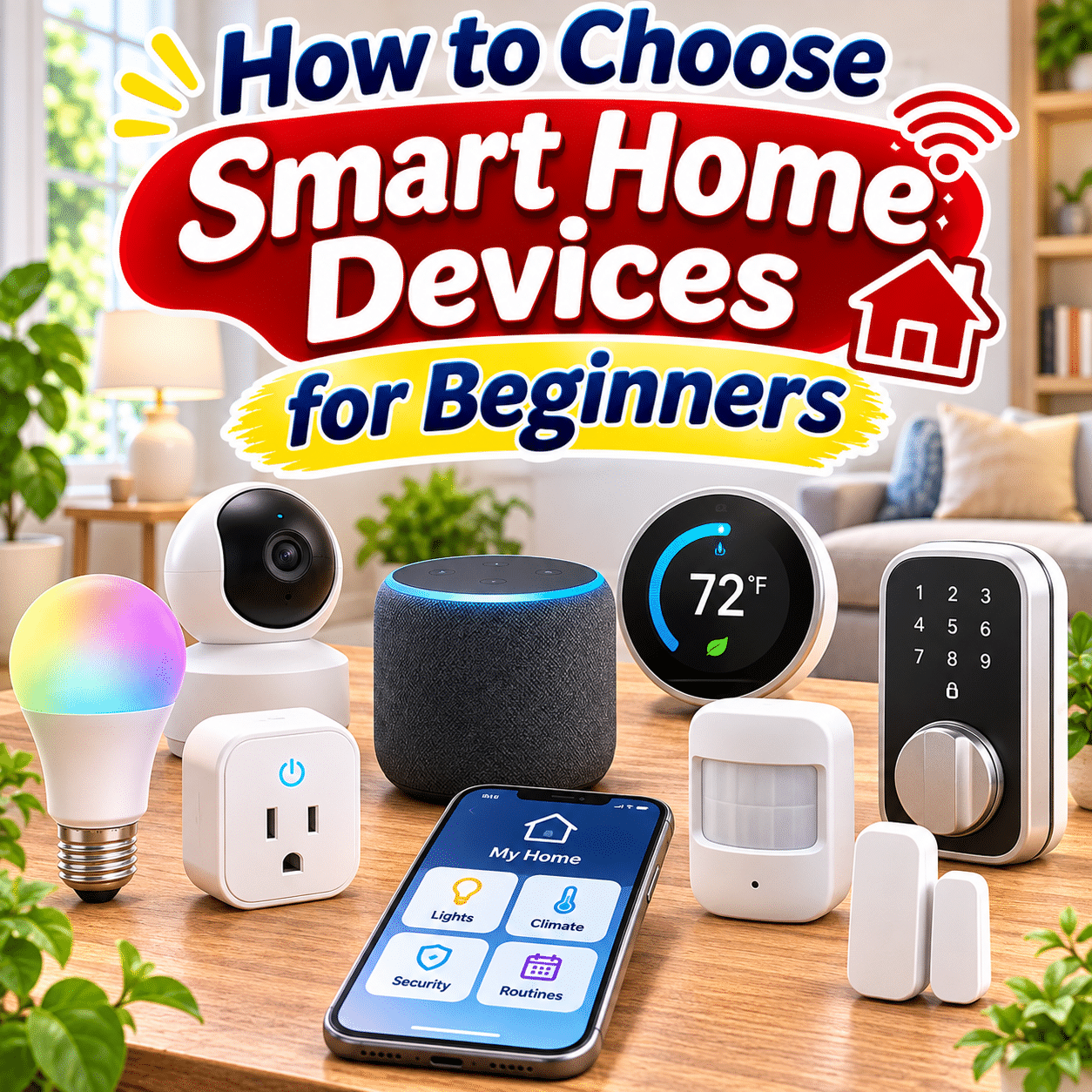
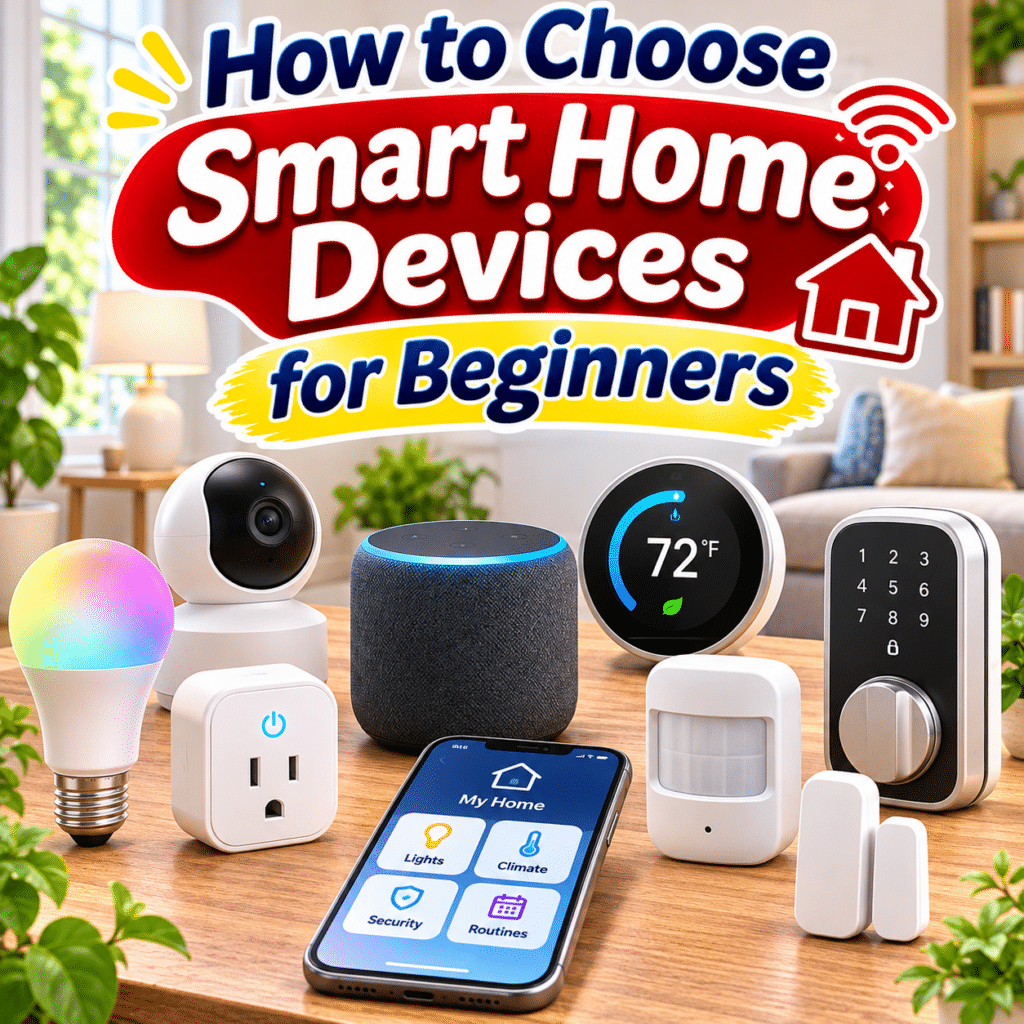
Smart home technology has changed the way people interact with everyday household devices. From controlling lights with a smartphone to adjusting room temperatures, monitoring entrances, and automating daily routines, connected devices can make certain household tasks more convenient and manageable.
However, building a smart home can feel overwhelming for beginners. There are many products, communication technologies, ecosystems, and compatibility requirements to consider. Smart bulbs, plugs, speakers, thermostats, cameras, sensors, and connected appliances may all offer useful features, but they do not necessarily work together automatically.
The challenge is not simply finding devices with the most advanced technology. It is choosing products that solve real household needs, fit your existing equipment, and remain practical to operate over time.
A thoughtfully designed smart home should be easy to understand, reliable in everyday use, and flexible enough to accommodate future changes. It should also provide appropriate privacy controls, security protections, and alternatives when internet connectivity or automated features are unavailable.
This comprehensive beginner’s guide explains how smart home devices work, compares common device categories, explores compatibility and connectivity standards, and provides practical advice for choosing useful products without unnecessary complexity or expense.
1. Understand What Makes a Device Smart
A smart home device is generally an electronic product that can communicate with other devices, applications, or control systems to provide connected functions.
Depending on its design, a smart device may support:
- Remote control through a smartphone.
- Voice commands.
- Scheduled operation.
- Automated routines.
- Sensor-based responses.
- Energy monitoring.
- Status notifications.
- Integration with other connected products.
For example, a traditional lamp is controlled using a physical switch.
A smart bulb may also allow brightness adjustments, scheduling, and control through a compatible application.
Similarly, a conventional electrical outlet supplies power, while a smart plug can allow connected appliances to be switched on or off remotely.
Smart Does Not Always Mean Better
A connected device is only useful when its features improve a task you actually perform.
A simple manual switch may be more practical than a complicated automated system for certain situations.
The goal is to choose technology that makes daily life easier rather than introducing unnecessary steps.
2. Identify Your Smart Home Goals Before Shopping
The most important first step is understanding what you want your smart home to accomplish.
Different households benefit from different connected devices.
Common Smart Home Goals
You may want to:
- Control lighting more conveniently.
- Automate repetitive household tasks.
- Monitor doors and windows.
- Improve home security awareness.
- Manage heating and cooling.
- Reduce unnecessary electricity use.
- Control devices while away.
- Create comfortable morning and evening routines.
- Improve accessibility.
- Monitor selected household conditions.
Start With Everyday Problems
Instead of asking which smart devices are most popular, consider which household tasks are inconvenient.
For example:
Problem: You frequently forget to turn off a lamp.
Possible solution: A smart plug or smart bulb with scheduling.
Problem: You want lights to activate when entering a hallway.
Possible solution: A compatible motion sensor and smart lighting system.
Problem: You want to know whether a door has been left open.
Possible solution: A door and window contact sensor.
Choose One or Two Priorities
Beginners often benefit from starting with a small number of devices.
This allows time to understand setup, compatibility, and everyday usefulness before expanding.
3. Understand the Main Types of Smart Home Devices
Smart home products serve different purposes.
Common categories include:
- Smart lighting.
- Smart plugs.
- Smart speakers and displays.
- Smart thermostats.
- Smart cameras.
- Smart doorbells.
- Smart locks.
- Motion and contact sensors.
- Smart blinds and curtains.
- Smart air purifiers.
- Smart cleaning devices.
- Smart home hubs.
Each category has different installation requirements, connectivity options, and maintenance needs.
Not every household needs every category.
4. Smart Bulbs: A Simple Introduction to Connected Lighting
Smart bulbs are among the easiest smart home products for beginners to understand.
They replace compatible conventional light bulbs and add connected control features.
Common Features
- Remote on/off control.
- Adjustable brightness.
- Scheduling.
- Color temperature adjustment.
- Color-changing options.
- Voice assistant compatibility.
- Automated lighting scenes.
Advantages
Smart bulbs can improve convenience without requiring major changes to the room.
They are particularly useful for:
- Bedside lamps.
- Living room lighting.
- Desk lamps.
- Reading corners.
- Evening routines.
Important Considerations
Before purchasing, check:
- Bulb socket type.
- Voltage compatibility.
- Physical bulb dimensions.
- Brightness output.
- Color temperature range.
- Wireless connectivity.
- App compatibility.
- Whether a hub is required.
Understand Wall Switch Behavior
Many smart bulbs require continuous electrical power to remain connected.
If a conventional wall switch cuts power to the bulb, app and voice controls may become unavailable until power is restored.
This is an important consideration when planning everyday lighting control.
5. Smart Plugs: Convenient Control for Existing Devices
Smart plugs connect to electrical outlets and allow compatible appliances to receive switched power through an app or automation.
They can be useful when you want to add basic connected functionality to an existing device.
Common Uses
- Table lamps.
- Decorative lighting.
- Fans with compatible mechanical controls.
- Selected small household appliances.
- Seasonal lighting.
- Certain charging setups.
Advantages
- Relatively simple installation.
- No need to replace the connected appliance.
- Useful scheduling options.
- Convenient remote switching.
- Energy monitoring on selected models.
Important Limitations
A smart plug cannot necessarily operate every connected appliance correctly.
Some electronic devices do not automatically resume operation when power is restored.
Others should not be controlled by remotely switching their power supply.
Electrical Safety
Always check:
- Rated voltage.
- Maximum current.
- Maximum power.
- Outlet compatibility.
- Grounding requirements.
- Manufacturer restrictions.
Do not use smart plugs with high-power appliances unless the plug is explicitly rated for the intended load and use.
Avoid using remote switching with appliances that create fire or other hazards if left unattended, such as portable heaters, irons, or certain cooking appliances.
6. Smart Speakers and Displays: Centralized Voice Control
Smart speakers and displays can provide a convenient interface for controlling compatible smart home devices.
They may support:
- Voice commands.
- Timers.
- Reminders.
- Music and audio.
- Weather information.
- Household routines.
- Smart lighting control.
- Connected device status.
Smart Speakers
Smart speakers primarily provide audio-based interaction.
They may be useful for controlling devices without opening a smartphone application.
Smart Displays
Smart displays include screens that can show selected information and controls.
Depending on the product, they may support:
- Device dashboards.
- Video doorbell feeds.
- Visual timers.
- Calendar information.
- Camera monitoring.
- Touchscreen controls.
Considerations Before Buying
Check:
- Supported smart home ecosystem.
- Language support.
- Voice assistant availability.
- Microphone privacy controls.
- Speaker quality.
- Display size.
- Supported device integrations.
- Internet requirements.
A smart speaker is convenient but not essential for every smart home.
Many devices can be controlled directly through applications or other controllers.
7. Smart Thermostats: Connected Temperature Management
Smart thermostats allow compatible heating and cooling systems to be controlled through schedules, applications, or automated routines.
Common Features
- Temperature scheduling.
- Remote adjustments.
- Occupancy-based settings.
- Energy usage information.
- Integration with other devices.
- Adaptive temperature routines.
Potential Benefits
Smart thermostats may improve comfort and help reduce unnecessary heating or cooling when properly configured.
However, energy savings depend on the building, climate, equipment, and household behavior.
Compatibility Is Essential
Before buying, determine whether the thermostat supports your existing system.
Important factors include:
- HVAC system type.
- Wiring configuration.
- Power requirements.
- Heating and cooling stages.
- Manufacturer compatibility.
- Regional installation standards.
Important Regional Difference
Many smart thermostats are designed for centralized HVAC systems.
They may not be suitable for individual split air conditioners commonly used in some regions.
For split air conditioners, compatible smart infrared controllers or manufacturer-supported connected controls may be more appropriate.
8. Smart Cameras: Monitoring Selected Areas
Smart cameras can provide video monitoring and notifications for selected household locations.
Common products include:
- Indoor cameras.
- Outdoor cameras.
- Battery-powered cameras.
- Wired security cameras.
- Pan-and-tilt cameras.
Features to Consider
- Video resolution.
- Field of view.
- Night vision.
- Motion detection.
- Notification controls.
- Local or cloud recording.
- Audio features.
- Storage costs.
- Privacy settings.
Indoor Versus Outdoor Cameras
Outdoor cameras should be rated for their intended environmental conditions.
Indoor cameras may not withstand rain, humidity, dust, or direct sunlight.
Privacy Considerations
Camera placement deserves careful thought.
Avoid placing cameras in private spaces where recording would be inappropriate.
Consider how recordings are stored, who can access them, and whether household members and visitors understand the monitoring arrangement.
9. Smart Video Doorbells: Monitoring Entrances
Smart video doorbells combine a doorbell function with a camera and connected notifications.
Common Features
- Visitor notifications.
- Live video.
- Two-way audio.
- Motion alerts.
- Recording options.
- Integration with smart displays.
Important Buying Considerations
Check:
- Wired or battery-powered design.
- Doorbell wiring compatibility.
- Wi-Fi signal strength.
- Mounting requirements.
- Viewing angle.
- Recording storage.
- Subscription requirements.
- Weather resistance.
Understand the Limitations
A video doorbell may help you monitor activity near an entrance, but it does not guarantee security or prevent unauthorized entry.
It should be considered one part of a broader household security approach.
10. Smart Locks: Connected Door Access
Smart locks provide electronic control of compatible doors.
Depending on the design, they may support:
- Smartphone unlocking.
- PIN codes.
- Temporary access codes.
- Fingerprint recognition.
- Remote locking.
- Access notifications.
- Automated locking schedules.
Compatibility Requirements
Smart locks must match the physical door and existing locking mechanism.
Consider:
- Door thickness.
- Lock type.
- Backset.
- Door orientation.
- Installation space.
- Power source.
- Mechanical key backup.
- Emergency access options.
Security and Reliability
Choose products with clear security documentation and reliable manufacturer support.
Understand how the lock behaves during:
- Battery depletion.
- Internet outages.
- Wireless connection failures.
- Smartphone loss.
- Electronic malfunction.
Important Principle
Convenient electronic access should not eliminate safe and reliable emergency entry or exit.
11. Smart Sensors: Small Devices With Useful Functions
Sensors detect changes in the home environment and communicate information to compatible systems.
Common sensor types include:
- Motion sensors.
- Door and window contact sensors.
- Temperature sensors.
- Humidity sensors.
- Water leak sensors.
- Light sensors.
- Occupancy sensors.
Motion Sensors
Motion sensors can activate lights or trigger notifications.
Contact Sensors
Contact sensors detect whether a door, window, or cabinet is open or closed.
Temperature and Humidity Sensors
These can help monitor room conditions.
Water Leak Sensors
Water leak sensors can provide early warnings when moisture is detected in selected locations.
Why Sensors Are Useful
Sensors enable automations based on actual conditions rather than only fixed schedules.
For example, a hallway light can turn on when movement is detected.
However, successful automation requires compatible devices and a reliable control system.
12. Smart Blinds and Curtains: Automated Light Control
Smart blinds and curtain systems allow window coverings to open or close through connected controls.
Potential Uses
- Morning routines.
- Privacy schedules.
- Daylight management.
- Glare reduction.
- Room comfort.
Important Considerations
Check:
- Window dimensions.
- Curtain or blind type.
- Motor compatibility.
- Power source.
- Noise level.
- Installation requirements.
- Manual override options.
Battery Versus Wired Designs
Battery-powered systems may simplify installation.
Wired systems can reduce battery maintenance but may require additional electrical work.
Choose based on the room layout and installation conditions.
13. Smart Cleaning Devices: Convenience With Limitations
Connected cleaning devices include robotic vacuum cleaners and selected automated floor-cleaning products.
Common Features
- Scheduled cleaning.
- Room mapping.
- Cleaning zones.
- App-based control.
- Obstacle detection.
- Maintenance notifications.
What to Consider
Evaluate:
- Floor type.
- Room layout.
- Threshold height.
- Carpet compatibility.
- Furniture clearance.
- Pet hair requirements.
- Cleaning performance.
- Maintenance costs.
- Replacement parts.
Understand the Limits
Robotic cleaning devices may reduce routine floor-cleaning work, but they do not eliminate every cleaning task.
Corners, stairs, spills, and certain surfaces may still require manual attention.
14. Smart Air Purifiers and Environmental Devices
Some air purifiers, humidifiers, and other environmental appliances include connected features.
These may allow:
- Remote control.
- Scheduling.
- Air quality monitoring.
- Filter reminders.
- Fan speed adjustments.
- Automated operation.
Prioritize Core Performance
For air purifiers, consider filtration performance, room suitability, noise, and replacement filter availability before smart features.
For humidifiers, consider cleaning requirements, water management, and appropriate humidity control.
Smart Features Are Secondary
An effective appliance with simple controls may provide better value than a poorly performing appliance with advanced connectivity.
15. Compare Common Smart Home Device Categories
| Device type | Main purpose | Beginner suitability | Key consideration |
|---|---|---|---|
| Smart bulb | Connected lighting | Very high | Socket and ecosystem compatibility |
| Smart plug | Switching compatible appliances | Very high | Electrical load rating |
| Smart speaker | Voice and centralized control | High | Ecosystem and language support |
| Smart thermostat | Temperature management | Moderate | HVAC compatibility |
| Smart camera | Video monitoring | Moderate | Privacy and recording |
| Smart doorbell | Entrance monitoring | Moderate | Installation and storage |
| Smart lock | Connected door access | Moderate | Physical compatibility and backup access |
| Smart sensor | Environmental or activity detection | High | Hub and automation support |
| Smart curtains | Automated window coverings | Moderate | Installation and motor compatibility |
| Robot vacuum | Automated floor cleaning | High | Layout and cleaning performance |
Beginners often benefit from starting with smart lighting or a suitable smart plug before adding more complex systems.
16. Understand Smart Home Ecosystems
A smart home ecosystem is a collection of compatible devices, applications, services, and controllers that work together.
Common platforms include:
- Apple Home.
- Google Home.
- Amazon Alexa.
- Samsung SmartThings.
- Home Assistant.
Each ecosystem has different features, supported devices, setup methods, and regional availability.
Why Ecosystem Choice Matters
A device may work with one platform but not another.
For example, a smart bulb may support a manufacturer’s application but offer limited integration with your preferred voice assistant.
Questions to Ask
- Which smartphones do household members use?
- Do you want voice control?
- Which devices do you already own?
- Are the desired features available in your region?
- Do you want local automation?
- Are you comfortable with technical configuration?
Avoid Choosing Based Only on Brand Popularity
The best ecosystem is the one that supports your actual devices and preferred control methods.
17. Understand Apple Home
Apple Home provides a smart home environment for compatible devices within Apple’s ecosystem.
Potential Advantages
- Integration with supported Apple devices.
- Centralized home controls.
- Automation capabilities.
- Privacy-oriented design features.
- Support for compatible Matter accessories.
Important Considerations
Some remote access and automation functions require a compatible home hub.
Feature availability depends on the device, software version, and accessory.
Who May Prefer It?
Apple Home may be convenient for households already using compatible Apple products.
However, verify each accessory’s compatibility before purchasing.
18. Understand Google Home
Google Home provides connected device controls and integration with compatible Google services.
Potential Advantages
- Smartphone-based controls.
- Voice assistant integration on supported devices.
- Smart home routines.
- Compatibility with various connected products.
- Support for selected Matter devices.
Important Considerations
Not all features are available on every device or in every region.
Some functions may depend on specific controllers, software versions, or internet services.
Who May Prefer It?
Google Home may be practical for households that already use compatible Google devices and services.
19. Understand Amazon Alexa
Amazon Alexa is a voice assistant and smart home ecosystem supported by various compatible devices.
Potential Advantages
- Voice-based control.
- Household routines.
- Integration with supported accessories.
- Compatible smart speakers and displays.
- Broad categories of connected devices.
Important Considerations
Language support, services, and regional availability vary.
Some features require compatible hardware or additional services.
Who May Prefer It?
Alexa may suit households that want voice-centered smart home control and have access to supported devices and services.
20. Understand Samsung SmartThings
Samsung SmartThings provides connected device management and automation.
Potential Advantages
- Support for multiple device categories.
- Automation capabilities.
- Integration with compatible appliances.
- Support for selected smart home communication technologies.
- Centralized device management.
Important Considerations
Supported features depend on device compatibility and available controllers.
Some integrations require additional hardware.
Who May Prefer It?
SmartThings may be useful for households with compatible Samsung appliances or devices from different supported manufacturers.
21. Understand Home Assistant
Home Assistant is a smart home platform known for customization and local control capabilities.
Potential Advantages
- Flexible automation.
- Broad integration possibilities.
- Local control for supported devices.
- Detailed configuration options.
- Reduced dependence on certain cloud services.
Limitations
- More technical setup.
- Ongoing maintenance.
- Hardware requirements.
- Troubleshooting responsibilities.
- Integration complexity.
Is Home Assistant Suitable for Beginners?
It can be, particularly for users who enjoy learning technical systems.
However, beginners seeking minimal setup may prefer a simpler ecosystem initially.
22. Understand Matter: A Smart Home Compatibility Standard
Matter is a smart home interoperability standard designed to help compatible devices work across supported ecosystems.
It is developed through an industry collaboration coordinated by the Connectivity Standards Alliance.
Why Matter Matters
Traditionally, smart home devices often depended heavily on manufacturer-specific integrations.
Matter aims to provide a more consistent framework for compatible products.
Potential Benefits
- Improved interoperability.
- More flexible ecosystem choices.
- Standardized device communication.
- Support for local network communication.
- Easier integration for supported device categories.
Important Limitations
Matter does not guarantee that every smart home product will work with every ecosystem.
Compatibility depends on:
- Device category.
- Matter version.
- Platform support.
- Hardware capabilities.
- Controller requirements.
- Available software features.
Buying Advice
Look for genuine Matter certification and verify that the specific device functions you need are supported by your chosen platform.
23. Understand Thread Technology
Thread is a low-power wireless networking technology used by certain smart home devices.
It is designed for connected products such as sensors, switches, and other low-power accessories.
Key Characteristics
- Low-power communication.
- Mesh networking.
- IP-based networking.
- Support for certain Matter devices.
- Communication between compatible devices.
What Is a Thread Border Router?
A Thread border router connects a Thread network with other IP networks, such as a home network.
Certain smart home hubs, speakers, and routers include this capability.
Important Distinction
Thread and Matter are not the same thing.
Matter defines an interoperability framework.
Thread is one networking technology that Matter devices may use.
Matter devices can also use other supported network technologies.
24. Understand Zigbee and Z-Wave
Zigbee and Z-Wave are established wireless technologies used in many smart home products.
Zigbee
Zigbee is commonly used by:
- Sensors.
- Smart bulbs.
- Switches.
- Plugs.
- Home automation accessories.
Many Zigbee devices require a compatible coordinator or hub.
Z-Wave
Z-Wave is another wireless technology designed for connected home devices.
It commonly uses mesh networking and typically requires a compatible controller.
Important Compatibility Consideration
A Zigbee device does not automatically connect to a Z-Wave controller, and vice versa.
Even within the same technology, device support can depend on the hub and manufacturer implementation.
Practical Advice
Do not purchase devices solely because they advertise Zigbee or Z-Wave.
Confirm compatibility with your specific controller.
25. Compare Smart Home Connectivity Technologies
| Technology | Typical role | Common requirement | Important consideration |
|---|---|---|---|
| Wi-Fi | Direct network connectivity | Compatible Wi-Fi network | Coverage and network capacity |
| Bluetooth | Short-range communication | Compatible controller or phone | Range and supported functions |
| Thread | Low-power mesh networking | Thread network and suitable border router | Ecosystem and device support |
| Zigbee | Low-power mesh networking | Compatible hub or coordinator | Hub compatibility |
| Z-Wave | Low-power mesh networking | Compatible controller | Regional frequency and device support |
| Matter | Interoperability standard | Compatible controller and supported network | Device-category support |
These technologies serve different purposes and are not always direct substitutes.
26. Decide Whether You Need a Smart Home Hub
A smart home hub connects and coordinates compatible devices.
Some systems use dedicated hubs, while others incorporate hub functions into speakers, displays, routers, or other controllers.
Potential Benefits
- Centralized control.
- Device coordination.
- Local automation on supported systems.
- Communication with Zigbee, Thread, or other accessories.
- Reduced dependence on separate manufacturer applications.
Potential Limitations
- Additional cost.
- Setup requirements.
- Compatibility restrictions.
- Another device to maintain.
- Possible dependence on specific hardware.
When a Hub May Be Useful
A hub becomes more valuable when you want multiple devices to work together reliably.
For example, a motion sensor from one manufacturer may need a compatible controller to trigger lighting from another manufacturer.
When a Hub May Be Unnecessary
Some Wi-Fi smart bulbs and plugs operate directly through manufacturer applications.
For a very small setup, additional hardware may not be required.
27. Evaluate Wi-Fi Requirements
Wi-Fi quality can influence the reliability of connected devices.
Check Frequency Support
Many smart home devices use 2.4 GHz Wi-Fi because it offers useful range characteristics and broad compatibility.
Some products also support 5 GHz or other networking options.
Understand 2.4 GHz and 5 GHz
2.4 GHz:
- Often provides better coverage through obstacles.
- Commonly supported by smart home accessories.
- May experience interference from nearby devices.
5 GHz:
- Can provide higher data rates under suitable conditions.
- Often has shorter practical range through walls.
- Is not supported by every smart home device.
Check Router Compatibility
Some devices have specific requirements for:
- Network security settings.
- Wireless bands.
- Device discovery.
- Multicast communication.
- Local network access.
Avoid Assuming Strong Internet Means Strong Wi-Fi
A fast internet connection does not guarantee reliable wireless coverage throughout the home.
Router placement and building materials also matter.
28. Understand Local Control Versus Cloud Control
Smart home devices may use local communication, cloud services, or a combination of both.
Local Control
Local control allows supported devices to communicate within the home network without requiring an external cloud service for every action.
Potential advantages include:
- Reduced dependence on internet connectivity.
- Faster responses for certain operations.
- Greater control over some data flows.
- Continued operation of selected automations during internet outages.
Cloud Control
Cloud-based systems rely on external servers for certain features.
Potential advantages include:
- Remote access.
- Account synchronization.
- Cloud recording.
- Manufacturer-managed services.
- Some advanced integrations.
Limitations of Cloud Dependence
If a service becomes unavailable, certain connected functions may stop working.
Practical Buying Advice
Check which essential functions remain available when internet connectivity is interrupted.
A well-designed smart home should preserve basic household usability whenever practical.
29. Consider Privacy Before Buying Connected Devices
Smart home products may collect information about device usage, household activity, or environmental conditions.
Cameras, microphones, occupancy sensors, and location-based automations deserve particular attention.
Questions to Ask
- What information does the device collect?
- Is an account required?
- Where is data stored?
- Can recordings be stored locally?
- Can data collection be limited?
- Are privacy settings easy to access?
- Can the device function without continuous cloud access?
Review Privacy Policies
Look for clear explanations of:
- Data collection.
- Data retention.
- Sharing practices.
- Account controls.
- Recording management.
- Deletion options.
Consider Household Members
Connected devices may affect everyone living in the home.
Choose monitoring and automation arrangements that respect household privacy.
30. Evaluate Smart Home Cybersecurity
Connected devices can introduce security risks if they are poorly configured or no longer supported.
Important Security Features
Look for:
- Regular security updates.
- Secure authentication.
- Encrypted communication.
- Clear vulnerability reporting.
- Manufacturer support.
- Account protection options.
Basic Security Practices
- Use unique passwords.
- Enable multifactor authentication when available.
- Keep firmware updated.
- Secure the home router.
- Remove unused device access.
- Review connected accounts.
- Avoid unnecessary remote exposure.
Consider Update Support
A low-cost device may become less attractive if the manufacturer provides limited software maintenance.
Check whether the manufacturer publishes support policies or update information.
31. Understand Smart Home Device Permissions
Smart home applications may request access to:
- Local network.
- Bluetooth.
- Location.
- Microphone.
- Camera.
- Notifications.
- Contacts or other information.
Some permissions are necessary for particular features.
Others may be optional.
Practical Approach
Review permission requests during setup.
Grant only the access required for functions you intend to use.
Where possible, disable unnecessary permissions after configuration.
Location Permissions
Some applications request location access for device discovery or location-based routines.
Understand why access is requested before enabling it.
32. Consider Installation Requirements
Not all smart home devices are equally easy to install.
Plug-and-Play Devices
Examples may include:
- Smart plugs.
- Certain smart bulbs.
- Portable sensors.
- Smart speakers.
These often require relatively simple setup.
Devices Requiring Mounting
Examples include:
- Cameras.
- Doorbells.
- Curtain motors.
- Wall-mounted sensors.
These may require tools and careful placement.
Devices Requiring Electrical Work
Examples may include:
- Smart wall switches.
- Hardwired thermostats.
- Certain smart locks.
- Wired lighting controllers.
Electrical installation should follow applicable codes and manufacturer instructions.
Use a qualified professional when work involves household wiring or when required by local regulations.
33. Understand Neutral Wire Requirements for Smart Switches
Some smart wall switches require a neutral wire.
Others are designed for specific installations without one.
Why This Matters
A conventional switch box may not contain the wiring required by a particular smart switch.
Before Purchasing
Check:
- Existing wiring.
- Voltage compatibility.
- Load type.
- Minimum load requirements.
- Dimmer compatibility.
- Neutral wire requirements.
Important Safety Reminder
Do not assume that a smart switch can replace any conventional wall switch.
Incorrect wiring can create electrical hazards.
Consult a qualified electrician when necessary.
34. Consider Device Power Sources
Smart home devices may use:
- Household electrical power.
- Replaceable batteries.
- Rechargeable batteries.
- USB power.
- Dedicated power adapters.
- Hardwired low-voltage connections.
Battery-Powered Devices
Advantages include flexible placement and simpler installation.
However, they require battery monitoring and replacement or recharging.
Mains-Powered Devices
These may offer continuous operation without battery maintenance.
However, installation and outlet availability matter.
Practical Considerations
Check:
- Expected battery life.
- Replacement battery availability.
- Charging method.
- Power consumption.
- Behavior during power outages.
35. Evaluate Device Reliability
Smart home convenience depends on reliable operation.
A device that frequently disconnects or fails to respond may create more frustration than it solves.
Reliability Factors
- Wireless signal strength.
- Hardware quality.
- Firmware stability.
- Network compatibility.
- Controller availability.
- Power supply.
- Manufacturer support.
Look Beyond Feature Lists
A device with fewer features but dependable operation may provide better everyday value.
Consider Manual Controls
Whenever possible, preserve convenient physical control options.
A smart home should not become difficult to operate when a smartphone is unavailable.
36. Understand Smart Home Automation
Automation allows connected devices to perform actions based on schedules, sensor information, or other conditions.
Schedule-Based Automation
Example:
Turn on selected lights at a chosen evening time.
Sensor-Based Automation
Example:
Activate hallway lighting when motion is detected.
Condition-Based Automation
Example:
Send a notification when a water leak sensor detects moisture.
Multi-Device Routines
Example:
An evening routine may dim lights, close compatible blinds, and adjust supported climate controls.
Keep Automations Simple Initially
Begin with one or two reliable routines.
Add complexity only when the benefits are clear.
37. Avoid Overcomplicated Automations
Complex automations can become difficult to troubleshoot.
Common Problems
- Conflicting schedules.
- Unexpected device behavior.
- Multiple applications controlling the same product.
- Dependence on unavailable services.
- Delays between triggers and actions.
Practical Approach
Use clear automation names and predictable conditions.
For example:
Hallway Motion Light
Trigger: Motion detected.
Action: Turn on hallway light.
Condition: Only during selected evening hours.
This is easier to understand than a routine involving many unrelated devices.
Preserve Manual Overrides
Users should be able to control essential household functions without navigating complicated automation settings.
38. Consider Smart Home Accessibility
Smart home technology can improve convenience for people with different physical abilities or mobility needs.
Potential features include:
- Voice-controlled lighting.
- Remote switches.
- Automated curtains.
- Scheduled appliances.
- Accessible device controls.
- Sensor-based lighting.
Important Considerations
Accessibility needs vary.
A voice assistant may be helpful for one person but unsuitable for another.
Look for multiple control options, including physical controls when practical.
Reliability Matters
Accessibility-related automations should be evaluated carefully.
Avoid making essential safety functions dependent on a single unreliable device or internet service.
39. Consider Energy Efficiency and Monitoring
Some smart home devices provide energy monitoring or automated scheduling.
Potential Applications
- Turning off unnecessary lighting.
- Monitoring selected appliance consumption.
- Scheduling compatible equipment.
- Adjusting heating and cooling.
- Identifying unusual energy use.
Understand Energy Monitoring
Some smart plugs measure electricity consumption.
However, accuracy and reporting capabilities vary.
Smart Does Not Automatically Mean Energy-Efficient
Connected devices consume electricity themselves.
Actual energy savings depend on how they are used.
For example, replacing an efficient light bulb with a smart bulb does not guarantee lower energy consumption.
The benefit may come from better scheduling and reduced unnecessary use.
40. Consider Smart Home Subscription Costs
Some smart home devices require subscriptions for selected features.
Common examples include:
- Cloud video storage.
- Extended recording history.
- Advanced detection features.
- Professional monitoring.
- Certain remote services.
Before Purchasing
Determine:
- Which features are free?
- Which require payment?
- Is local storage available?
- Can the device operate without a subscription?
- What happens if the subscription ends?
Evaluate Long-Term Costs
A device with a low purchase price may become expensive when recurring fees are included.
Compare total ownership costs rather than only the initial price.
41. Understand Compatibility Labels
Smart home packaging may include labels such as:
- Works with Apple Home.
- Works with Google Home.
- Works with Alexa.
- Matter certified.
- Zigbee compatible.
- Thread enabled.
- Wi-Fi enabled.
These labels describe different kinds of compatibility.
Important Distinction
A device supporting one ecosystem does not automatically support every feature available through that ecosystem.
Similarly, Matter certification does not guarantee identical functionality across all controllers.
What to Verify
Check:
- Exact product model.
- Supported platform.
- Required controller.
- Supported functions.
- Regional availability.
- Firmware requirements.
Do not rely only on a general brand compatibility statement.
42. Consider Future Expandability
A beginner’s smart home may eventually include more devices.
Planning for future expansion can reduce compatibility problems.
Questions to Ask
- Can additional devices join the same ecosystem?
- Does the platform support multiple manufacturers?
- Are compatible sensors available?
- Can routines include different device categories?
- Is the controller likely to remain supported?
- Can devices operate without proprietary cloud services?
Avoid Unnecessary Lock-In
When practical, consider devices supporting widely adopted interoperability standards.
However, open standards do not eliminate all compatibility limitations.
Expand Gradually
You do not need to design an entire smart home at once.
Begin with useful devices and add new categories when they solve a clear problem.
43. Choose Smart Home Devices for Small Apartments
Small apartments often benefit from compact, low-maintenance devices.
Useful Starting Options
- Smart bulbs.
- Smart plugs.
- Compact smart speakers.
- Door contact sensors.
- Water leak sensors.
- Selected environmental sensors.
Important Considerations
- Limited outlet availability.
- Shared Wi-Fi environments.
- Storage space.
- Rental restrictions.
- Noise.
- Installation permissions.
Prioritize Nonpermanent Installation
Renters may prefer devices that do not require changes to wiring, doors, or walls.
Battery-powered sensors and plug-in accessories can be practical options.
44. Choose Smart Home Devices for Larger Homes
Larger homes may require additional network planning.
Common Challenges
- Wi-Fi dead zones.
- Multiple floors.
- Thick walls.
- Long distances between devices.
- Multiple household users.
- Greater automation complexity.
Useful Considerations
- Reliable network coverage.
- Suitable controllers.
- Device grouping by room.
- Clear naming conventions.
- Multiple control methods.
- Network capacity.
Avoid Expanding Too Quickly
Test connectivity and reliability in one area before deploying many devices throughout the home.
45. Choose Smart Home Devices for Families
Family households may have multiple people controlling the same devices.
Important Features
- Shared household access.
- Individual permissions.
- Clear device names.
- Physical controls.
- Predictable automations.
- Easy troubleshooting.
Consider Children and Guests
Not everyone may have access to the same smartphone application.
Essential lights and household functions should remain easy to operate.
Review Access Permissions
Avoid giving unnecessary administrative privileges to every household member.
Use available account and role controls where appropriate.
46. Choose Smart Home Devices for Older Adults
Smart home devices may help simplify selected household tasks.
Potentially useful options include:
- Voice-controlled lights.
- Motion-activated hallway lighting.
- Easy-to-use smart plugs.
- Water leak alerts.
- Accessible climate controls.
Prioritize Simplicity
Choose devices with:
- Clear controls.
- Reliable operation.
- Minimal maintenance.
- Easy manual overrides.
- Straightforward notifications.
Avoid Excessive Complexity
A system requiring frequent troubleshooting may be unsuitable for someone who prefers predictable operation.
47. Build a Beginner-Friendly Smart Home Setup
A practical beginner setup can be small and affordable.
Stage 1: Choose One Ecosystem
Select a platform that works with your existing devices and preferred controls.
Stage 2: Add Smart Lighting
Start with one or two compatible bulbs or a suitable lighting controller.
Stage 3: Add a Smart Plug
Use it with an appropriate low-risk appliance to explore scheduling.
Stage 4: Create One Simple Routine
For example, schedule a lamp to turn on during the evening.
Stage 5: Evaluate Reliability
Use the devices for several weeks.
Observe:
- Connection stability.
- App convenience.
- Response time.
- Manual control.
- Maintenance needs.
Stage 6: Add a Useful Sensor
Consider a motion, contact, or water leak sensor.
Stage 7: Expand Only When Needed
Add cameras, locks, climate controls, or other devices when they address a specific household requirement.
48. Common Mistakes Beginners Should Avoid
Buying Devices Before Choosing an Ecosystem
This can lead to incompatible products and multiple applications.
Assuming All Smart Devices Work Together
Compatibility varies by platform, protocol, model, and firmware.
Ignoring Wi-Fi Coverage
Poor wireless coverage can make otherwise capable devices unreliable.
Buying Too Many Devices at Once
Large installations can become difficult to configure and troubleshoot.
Choosing Based Only on Low Price
Very inexpensive devices may have limited software support or unreliable performance.
Overlooking Subscription Costs
Recurring fees can significantly affect long-term value.
Ignoring Privacy Settings
Connected cameras and microphones require careful configuration.
Neglecting Security Updates
Outdated devices may become vulnerable.
Forgetting Manual Controls
Essential functions should remain practical when connected systems are unavailable.
Overcomplicating Automations
Simple routines are easier to maintain.
Ignoring Electrical Compatibility
Incorrect voltage or load ratings can create safety hazards.
Assuming Smart Features Guarantee Energy Savings
Savings depend on actual use and equipment performance.
Buying Devices With Unclear Support Policies
A connected product may become less useful if the manufacturer discontinues services or updates.
49. How to Choose Smart Home Devices Step by Step
Use this process to make informed decisions.
Step 1: Identify a Specific Household Need
Choose a task that connected technology could simplify.
Step 2: Select a Suitable Device Category
Determine whether a smart bulb, plug, sensor, camera, or another product is appropriate.
Step 3: Choose Your Preferred Ecosystem
Consider existing smartphones, controllers, and household preferences.
Step 4: Verify Compatibility
Check the exact product model and supported functions.
Step 5: Review Connectivity Requirements
Determine whether the device uses Wi-Fi, Thread, Zigbee, Z-Wave, Bluetooth, or another technology.
Step 6: Check Installation Requirements
Confirm electrical, mounting, and physical compatibility.
Step 7: Evaluate Privacy and Security
Review data practices, updates, and account protection.
Step 8: Consider Long-Term Costs
Include subscriptions, batteries, accessories, and replacement components.
Step 9: Test Basic Functions
Make sure manual and connected controls work reliably.
Step 10: Expand Gradually
Add devices only after the existing setup performs consistently.
50. Practical Smart Home Buying Checklist
Use this checklist before purchasing connected household devices.
Household Needs
- I have identified a specific problem the device will solve.
- The smart features provide meaningful convenience.
- I understand how the device will be used daily.
- I have considered simpler alternatives.
- I am avoiding unnecessary purchases.
Compatibility
- The device supports my preferred ecosystem.
- The exact model is compatible.
- Required hubs or controllers are identified.
- Wireless requirements are understood.
- Regional availability is confirmed.
Installation and Reliability
- Electrical specifications are compatible.
- Installation requirements are manageable.
- Wi-Fi or network coverage is adequate.
- Manual control is available when needed.
- Basic functions remain practical during outages.
Privacy and Security
- The manufacturer’s privacy policy is understandable.
- Account security options are available.
- Firmware updates are supported.
- Device permissions are appropriate.
- Data storage and sharing practices are acceptable.
Long-Term Value
- The purchase price fits my budget.
- Subscription requirements are clear.
- Maintenance needs are reasonable.
- Manufacturer support is available.
- The device can fit into future smart home plans.
51. Frequently Asked Questions About Choosing Smart Home Devices
1. What is the best smart home device for beginners?
Smart bulbs and suitable smart plugs are often practical starting points because they are relatively simple to install and provide immediately understandable functions.
2. Do I need a smart home hub?
Not always. Some Wi-Fi devices work directly through applications, while other products require compatible hubs or controllers.
3. Can I build a smart home without a smart speaker?
Yes. Many devices can be controlled through smartphones, switches, controllers, or automated routines.
4. Do all smart home devices require Wi-Fi?
No. Some use Thread, Zigbee, Z-Wave, Bluetooth, or other communication technologies.
5. What is Matter in smart home technology?
Matter is an interoperability standard designed to improve compatibility among supported smart home devices and ecosystems.
6. Does Matter mean every device works with every platform?
No. Compatibility depends on supported device categories, platform features, controller requirements, and software versions.
7. What is the difference between Matter and Thread?
Matter defines a device interoperability framework, while Thread is a low-power networking technology used by certain connected devices.
8. What is a smart home ecosystem?
It is a system of compatible devices, applications, controllers, and services used to manage connected household technology.
9. Which smart home ecosystem should I choose?
Choose one that supports your existing devices, preferred controls, and desired features.
10. Can Apple Home and Google Home devices work together?
Some devices support multiple ecosystems, particularly through compatible standards such as Matter. However, individual features and requirements vary.
11. Are smart home devices difficult to install?
Some are simple plug-in products, while others require mounting, wiring, or technical configuration.
12. Do smart home devices work without internet access?
Some support local control, while others depend on cloud services. Offline functionality varies by product and configuration.
13. Are smart home devices secure?
Security depends on product design, manufacturer support, configuration, and ongoing updates.
14. Can smart devices be hacked?
Like other connected technology, smart devices can have vulnerabilities. Strong authentication, updates, and secure network settings help reduce risk.
15. Are smart cameras safe for privacy?
They can be used responsibly, but camera placement, data storage, account access, and privacy settings require careful consideration.
16. Do smart plugs save electricity?
They may help reduce unnecessary power use through scheduling or monitoring, but savings depend on the connected appliance and usage.
17. Can I use a smart plug with an air conditioner?
Only when the plug is appropriately rated and the air conditioner manufacturer permits that control method. Many air conditioners are better managed through dedicated compatible controls.
18. Can I use smart plugs with heaters?
Portable heaters and other high-power heating appliances may create safety risks when remotely switched. Follow both manufacturers’ instructions and avoid unattended operation.
19. Are smart bulbs better than smart switches?
Smart bulbs offer individual lighting features, while smart switches can control compatible lighting circuits. The better option depends on installation and desired control.
20. Do smart bulbs work when the wall switch is off?
Most smart bulbs require power to remain connected, so conventional wall switches can interrupt smart functionality.
21. What happens if my Wi-Fi stops working?
Some connected features may become unavailable. Devices with suitable local or physical controls may continue operating.
22. Are smart locks reliable?
Reliability varies by design, installation, power management, and manufacturer support. Backup access and safe emergency operation are important.
23. Do smart cameras require subscriptions?
Some offer free or local recording options, while others require subscriptions for selected features.
24. Can I use smart home devices in a rented apartment?
Many plug-in and battery-powered products are suitable for nonpermanent installation. Check rental restrictions before making physical modifications.
25. Are smart thermostats compatible with all air conditioners?
No. Compatibility depends on the HVAC system and controller design.
26. What smart home devices help with lighting automation?
Smart bulbs, switches, motion sensors, and compatible controllers can support lighting routines.
27. Can smart home devices help older adults?
They may improve convenience through voice control, automated lighting, and selected alerts, provided the system is reliable and easy to use.
28. Do smart devices require regular updates?
Many connected devices benefit from firmware updates that address security, reliability, and compatibility.
29. How long do smart home devices last?
Useful life depends on hardware durability, software support, batteries, manufacturer services, and maintenance.
30. Can I combine devices from different brands?
Often yes, when they share compatible standards or supported ecosystem integrations.
31. Is Zigbee better than Wi-Fi?
Neither is universally better. Zigbee is designed for certain low-power connected applications, while Wi-Fi offers direct network connectivity for many devices.
32. Is Thread better than Zigbee?
Both support low-power networking, but they differ in architecture and compatibility requirements. Choose based on your ecosystem and device needs.
33. Are battery-powered smart sensors reliable?
They can be reliable when properly installed and maintained, but battery condition and wireless coverage matter.
34. Can smart home devices improve security?
Certain devices can provide monitoring and alerts, but they do not guarantee protection against security incidents.
35. Do I need professional installation?
Simple plug-in products often do not require it. Devices involving electrical wiring or specialized installation may require qualified professionals.
36. What is the biggest mistake beginners make?
Buying devices without confirming compatibility and identifying a clear household need is a common source of frustration.
37. Can I start a smart home with only one device?
Yes. Starting with one useful device is often the easiest way to learn.
38. Should I buy the newest smart home technology?
Not necessarily. Reliability, compatibility, security support, and practical usefulness are more important than novelty.
39. Are smart home devices worth the cost?
They can be worthwhile when they solve recurring problems or provide meaningful convenience. Value depends on actual use.
40. What should I prioritize when building my first smart home?
Prioritize a clear purpose, compatible devices, reliable connectivity, straightforward controls, privacy, security, and long-term support.
52. Final Thoughts: Building a Smart Home That Fits Your Everyday Life
Choosing smart home devices is not about filling every room with connected technology. It is about selecting useful tools that simplify everyday routines, improve convenience, and work reliably with the household equipment you already own.
For beginners, smart lighting, compatible smart plugs, and simple sensors can provide an approachable introduction. More advanced devices, such as cameras, locks, climate controllers, and automated window coverings, can be added when specific needs arise.
Compatibility deserves careful attention. Smart home ecosystems, communication technologies, and interoperability standards influence how devices communicate and which features are available. Understanding Wi-Fi, Matter, Thread, Zigbee, and other common technologies can help prevent unnecessary purchasing mistakes.
Privacy, cybersecurity, and manufacturer support are equally important. Connected devices may remain in use for years, so reliable software updates, appropriate data controls, and practical offline functionality can contribute significantly to long-term value.
A successful smart home should also remain easy to operate. Physical controls, straightforward routines, and gradual expansion help ensure that technology supports daily living rather than making ordinary tasks more complicated.
There is no need to build a complete smart home immediately. Begin with one or two devices that solve genuine problems, learn how they perform, and expand only when the next addition offers a clear benefit.
The best smart home is not necessarily the one with the most devices or advanced automations. It is the one that fits your lifestyle, respects your privacy, works reliably, and makes everyday living simpler, more comfortable, and more convenient over time.