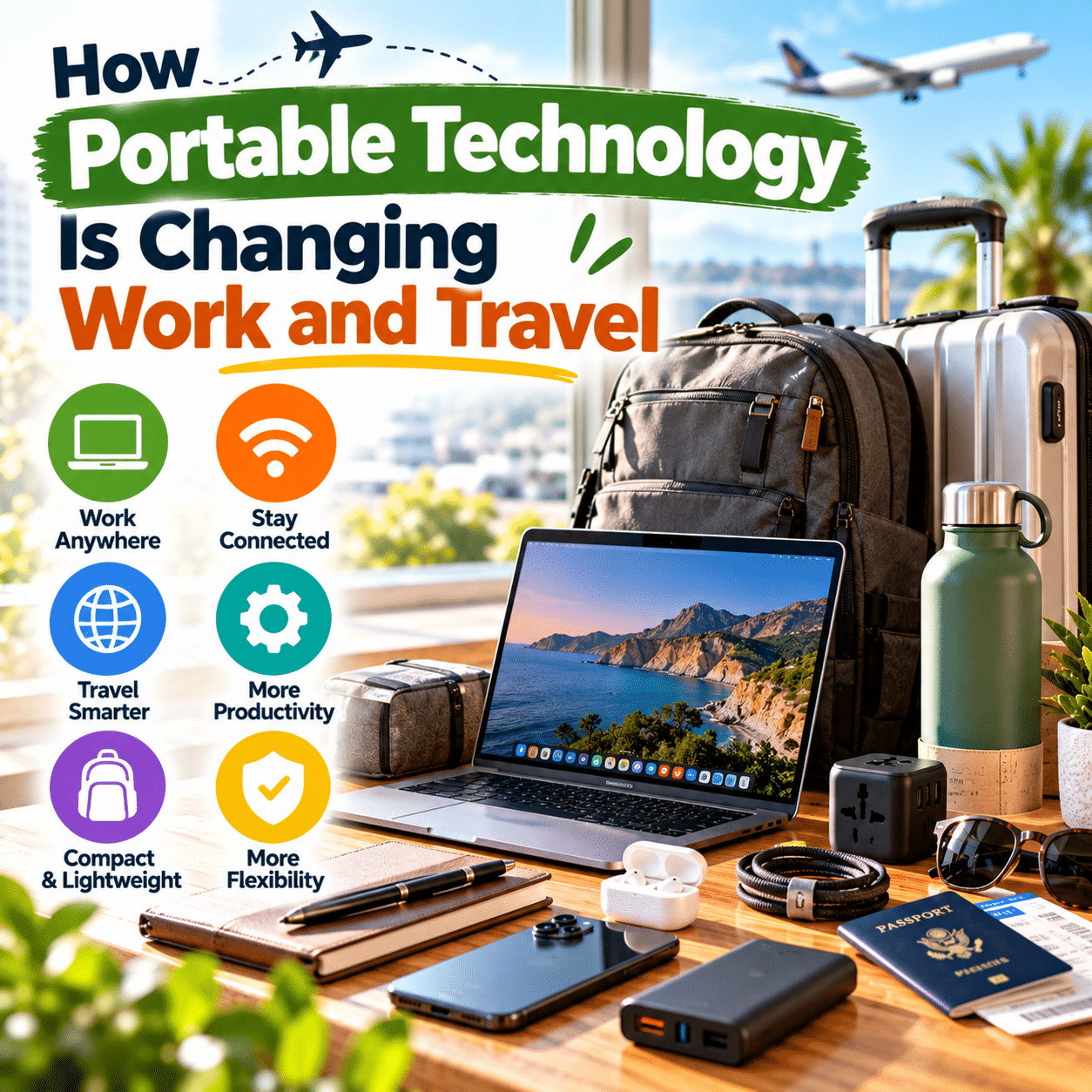
The way people work, communicate, and travel has changed significantly as digital technology has become smaller, more accessible, and easier to carry.
Not long ago, many professional tasks depended on equipment located in a fixed workplace. Documents were stored in physical filing systems, meetings required access to particular locations, and communication often relied on office telephones or desktop computers.
Travel presented its own challenges. Printed maps, paper reservations, separate cameras, guidebooks, and unfamiliar transportation systems required considerable preparation.
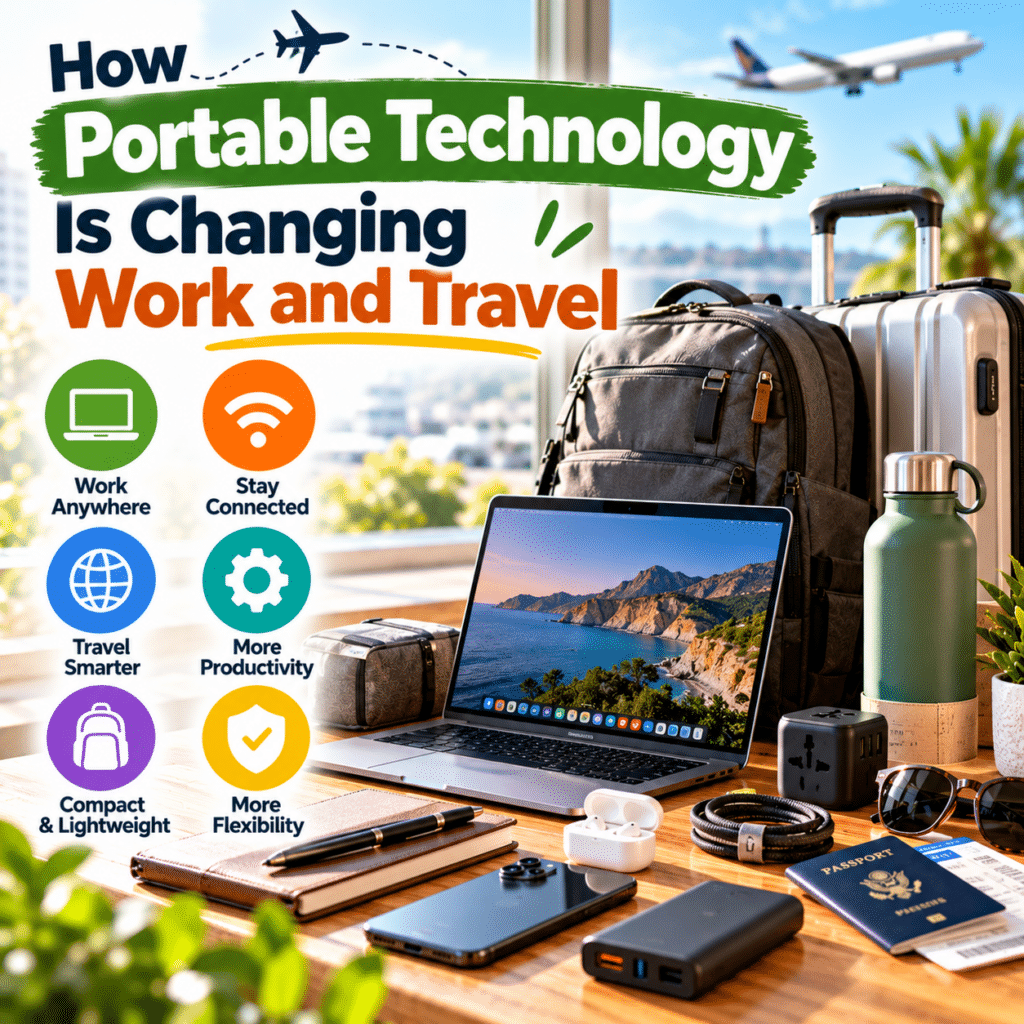
Today, a single smartphone can support navigation, communication, document access, photography, payments, and travel planning. Lightweight laptops allow many professionals to complete certain tasks outside traditional offices. Compact chargers, wireless accessories, portable storage devices, and mobile connectivity solutions make it easier to stay productive while moving between locations.
These developments are changing expectations about where people can work and how they can travel.
Portable technology can support flexible schedules, simpler travel preparation, more efficient communication, and access to information while away from home. It also encourages new approaches to personal organization, mobile workspaces, and everyday productivity.
However, portability does not automatically create convenience.
A collection of electronic devices can become heavy and difficult to manage. Unreliable internet connections may interrupt important work. Battery limitations, cybersecurity risks, incompatible chargers, and uncomfortable temporary workspaces can introduce challenges.
The most effective portable technology is not necessarily the newest or most advanced. It is technology that performs essential functions reliably while remaining practical to carry, maintain, and use.
This guide explores how portable technology is influencing modern work and travel, the devices and accessories supporting these changes, and the practical considerations involved in building a flexible digital lifestyle.
1. What Is Portable Technology?
Portable technology refers to electronic devices and digital tools designed to be transported and used across different locations.
Unlike equipment that depends on a permanent installation, portable devices generally emphasize manageable size, reduced weight, battery operation, wireless connectivity, or easy setup.
Common Examples of Portable Technology
- Smartphones.
- Laptops and tablets.
- Wireless headphones and earbuds.
- Portable chargers and power banks.
- Mobile hotspots.
- Compact keyboards and mice.
- External storage devices.
- Portable monitors.
- E-readers.
- Smartwatches.
- Compact cameras.
- Travel-friendly electronic accessories.
Some products are designed primarily for mobility, while others adapt traditional desktop functions to smaller formats.
Portability Is More Than Physical Size
A small device is not necessarily convenient to use while traveling.
True portability also depends on:
- Battery life.
- Charging requirements.
- Connectivity.
- Durability.
- Weight.
- Compatibility.
- Ease of setup.
- Data accessibility.
- Security.
- Carrying comfort.
A portable device becomes genuinely useful when these characteristics work together to support activities away from a fixed location.
2. Why Portable Technology Is Becoming Part of Everyday Life
Portable technology is closely connected to changing expectations about flexibility and convenience.
People increasingly use digital services throughout the day rather than only at home or in an office.
Work Across Different Locations
Some professional tasks can be completed wherever appropriate equipment and connectivity are available.
Communication on the Move
Mobile devices make it possible to exchange information without returning to a fixed workstation.
Digital Travel Services
Reservations, maps, transportation information, and travel documents can often be accessed electronically.
Personal Organization
Calendars, reminders, notes, and task-management tools help people coordinate activities.
Entertainment and Learning
Portable devices provide access to books, educational resources, and entertainment during suitable moments.
Reduced Dependence on Separate Equipment
A smartphone can replace several devices for many everyday purposes.
Important Limitations
Not every activity can be performed remotely.
Many professions require specialized equipment, physical presence, or controlled working environments.
Portable technology expands possibilities, but its usefulness depends on the nature of the task and the conditions in which it is used.
3. The Shift From Fixed Workstations to Flexible Workspaces
Traditional office environments often centered on desktop computers, fixed telephones, printers, and equipment located in a specific building.
Portable devices allow some of these functions to move with the user.
Lightweight Laptops
Laptops combine computing capabilities with integrated screens, keyboards, and batteries.
Cloud-Based Applications
Authorized users can access certain files and services from different compatible devices.
Video Communication
Online meeting tools support communication between people in separate locations.
Wireless Accessories
Keyboards, mice, and headphones can reduce dependence on fixed cable arrangements.
Portable Displays
Additional screens may provide more workspace when appropriate.
Digital Collaboration
Shared documents and project-management platforms can support coordinated work.
A Flexible Workspace Still Needs Structure
Mobility does not eliminate the need for reliable equipment, appropriate security, and comfortable working conditions.
The most successful flexible workspaces combine portable technology with clear routines and suitable environments.
4. How Lightweight Laptops Support Mobile Productivity
Laptops are among the most important devices in portable professional computing.
They allow users to perform tasks that may be difficult or inconvenient on smaller devices.
Common Applications
- Writing and editing documents.
- Managing spreadsheets.
- Research.
- Email communication.
- Online meetings.
- Creative work.
- Business administration.
- Software development.
- Project coordination.
Important Features
Weight: A lighter laptop may be easier to transport during frequent commuting or travel.
Battery life: Longer usable battery life can reduce dependence on power outlets.
Screen size: Larger screens provide more viewing space but generally increase overall dimensions.
Keyboard comfort: A suitable keyboard supports extended typing.
Performance: Processing power and memory should match the intended workload.
Connectivity: Available ports and wireless capabilities influence compatibility.
Durability: Construction quality matters when equipment is frequently transported.
Finding the Right Balance
The lightest laptop is not automatically the best choice.
A device should provide sufficient performance, comfort, and connectivity for the work it is expected to handle.
5. Tablets and the Growth of Flexible Computing
Tablets occupy a space between smartphones and laptops.
They provide larger displays than most phones while often remaining compact and relatively lightweight.
Reading and Research
Tablets can display documents, articles, and digital books.
Note-Taking
Compatible styluses and applications may support handwritten notes.
Presentations
Tablets can display presentation materials and visual content.
Creative Activities
Certain tablets support drawing, photo editing, and other creative tasks.
Communication
Video calls, messaging, and email applications are commonly available.
Travel Convenience
A tablet may be easier to use in confined spaces than a larger laptop.
Limitations
Some professional software requires desktop operating systems or specific hardware.
Keyboard accessories can also add weight and cost.
Tablets are most useful when their capabilities match the tasks a person performs regularly.
6. Smartphones as All-in-One Work and Travel Tools
Smartphones have become central to portable digital lifestyles because they combine numerous functions in one device.
Communication
Calls, messages, email, and video communication can be managed through compatible applications.
Navigation
Digital maps can support route planning and location searches.
Reservations
Travelers can access booking confirmations and transportation information.
Digital Payments
Supported devices and services may allow contactless or application-based payments.
Photography
Built-in cameras provide convenient documentation of travel experiences.
Productivity
Notes, calendars, reminders, and task-management applications support everyday organization.
Translation
Translation tools may help with basic communication in unfamiliar languages.
Important Considerations
A smartphone may become a single point of dependence.
Battery failure, device loss, connectivity problems, or account-access issues can interrupt several essential functions at once.
Travelers should consider appropriate backups for critical documents, payments, and communication.
7. Portable Chargers and the Importance of Reliable Power
Battery-powered devices provide mobility, but their usefulness depends on available energy.
Portable charging accessories help reduce dependence on fixed power outlets.
Compact Wall Chargers
Small chargers can be convenient for commuting and travel.
Multi-Port Chargers
A compatible charger may support several devices.
USB-C Charging
USB-C is widely used across modern electronics, although charging capabilities vary between devices and cables.
Portable Charging Cables
Appropriate cables provide connections between devices and power sources.
Power Banks
Power banks store energy for charging compatible electronics when wall power is unavailable.
Choosing Charging Equipment
Consider:
- Device compatibility.
- Required power output.
- Port selection.
- Electrical ratings.
- Weight.
- Build quality.
- Safety certifications where applicable.
Electrical Safety
Use reputable charging equipment and avoid damaged cables or overloaded outlets.
Convenience should never take priority over safe electrical operation.
8. Power Banks and Mobile Independence
Power banks can support longer periods away from conventional charging locations.
They are particularly useful during travel days, outdoor activities, and situations involving limited access to electricity.
Capacity
Power banks are often marketed using milliampere-hours.
However, watt-hours and usable output energy are also important when comparing battery capacity.
Charging Speed
Charging performance depends on device compatibility, supported protocols, and output power.
Port Selection
Multiple ports may allow compatible devices to be connected.
Weight and Size
Higher-capacity batteries often require more physical space and weight.
Battery Safety
Avoid damaged, swollen, or overheating batteries.
Follow manufacturer charging and storage instructions.
Air Travel Restrictions
Lithium-ion power banks are generally required to be carried in cabin baggage rather than checked luggage, subject to capacity limits and applicable airline rules.
Travelers should verify current requirements before flying.
Choosing the Right Capacity
A small power bank may be sufficient for occasional phone charging.
A traveler using several power-intensive devices may have different requirements.
The best choice depends on actual energy needs rather than maximum advertised capacity.
9. Mobile Hotspots and Internet Access Away From Home
Connectivity is essential for many portable technology applications.
Mobile hotspots can provide internet access to compatible devices through a cellular connection.
Smartphone Hotspots
Many smartphones can share their mobile data connection.
Dedicated Mobile Hotspots
Separate devices may provide connectivity for multiple compatible electronics.
Local SIM Cards
Travelers may use local mobile service plans where available.
eSIM Technology
Compatible devices can use digital SIM profiles offered by supported carriers.
Public Wi-Fi
Hotels, transportation hubs, and other locations may provide wireless internet access.
Connectivity Limitations
Performance depends on network coverage, congestion, service plans, device capabilities, and local conditions.
Security Considerations
Public networks should be treated carefully.
Use secure connections, updated software, and appropriate authentication.
A mobile hotspot can support flexible work, but it does not guarantee reliable service in every location.
10. Cloud Storage and Access to Files Anywhere
Cloud storage services allow authorized users to store and access digital information through supported internet-connected systems.
This can reduce dependence on files saved exclusively to one device.
Document Access
Files can be opened from compatible devices.
Synchronization
Changes may be synchronized across supported systems.
Collaboration
Shared access can support teamwork.
Backup Support
Certain services provide backup or version-history features.
Travel Convenience
Important non-sensitive reference materials can be accessed without carrying physical copies.
Important Limitations
Cloud access may depend on internet connectivity, account availability, and service reliability.
Synchronization is not always equivalent to a complete backup.
Data Security
Use strong authentication, appropriate access controls, and secure sharing settings.
Sensitive information may require additional protection.
A reliable portable workflow should include a clear strategy for both accessibility and data recovery.
11. Portable Storage Devices and Offline Access
Although cloud services are useful, local storage remains important.
External storage devices can provide access to selected files without relying on continuous internet connectivity.
Portable Solid-State Drives
External SSDs can provide relatively compact storage with suitable performance.
USB Flash Drives
Small flash drives are convenient for transferring compatible files.
Memory Cards
Certain cameras and devices use removable memory cards.
Offline Documents
Travelers may store authorized copies of important information for offline access.
Data Protection
Sensitive files should be protected using suitable encryption and access controls.
Backup Practices
A portable drive should not be the only copy of important information.
Physical Durability
Storage devices can be lost, damaged, or exposed to unsuitable conditions.
Portable storage is most valuable when it forms part of a thoughtful data-management system.
12. Wireless Accessories and Reduced Cable Clutter
Wireless technology has made portable setups easier to configure in many situations.
Wireless Mice
A compact mouse may improve navigation for certain laptop tasks.
Bluetooth Keyboards
Portable keyboards can support typing on compatible devices.
Wireless Headphones
Headphones can support calls, entertainment, and focused work.
Wireless Earbuds
Small earbuds are convenient for compact storage.
Wireless Presentation Devices
Certain accessories support presentations and meetings.
Benefits
Wireless accessories can reduce cable clutter and provide flexible placement.
Limitations
They may require batteries, charging, pairing, or compatible software.
Wireless connections can also experience interference or interruptions.
The best setup uses wireless accessories where they provide meaningful convenience rather than replacing reliable wired equipment unnecessarily.
13. Noise-Canceling Headphones for Work and Travel
Noise-canceling headphones are popular among people who work or travel in environments with background noise.
Active Noise Cancellation
Active noise cancellation uses electronic processing to reduce certain ambient sounds.
It can be particularly effective against some steady, low-frequency noise.
Passive Noise Isolation
Physical ear seals or ear tips can reduce sound entering the ear.
Work Applications
Headphones may support online meetings and concentration.
Travel Applications
They can make some transportation environments more comfortable.
Comfort Considerations
Weight, fit, ear pressure, and wearing duration influence comfort.
Battery Requirements
Wireless noise-canceling models generally require charging.
Safety
Noise reduction should not prevent users from noticing important announcements, traffic, or other safety information.
Listening volume should remain at safe levels.
Headphones are useful when they improve communication and comfort without reducing necessary awareness.
14. Portable Monitors and Expanded Mobile Workspaces
A portable monitor provides additional display space for compatible devices.
This can be useful for certain professional tasks.
Document Comparison
Two screens may make it easier to compare information.
Spreadsheet Work
Additional display space can support complex worksheets.
Creative Applications
Some users benefit from separating editing tools and preview windows.
Presentations
A portable display may support certain presentation arrangements.
Compatibility
Connection requirements vary.
Some monitors use USB-C, while others require HDMI or additional power.
Practical Limitations
A second display adds weight, cables, and setup requirements.
It also requires sufficient workspace.
Is a Portable Monitor Necessary?
Not always.
For occasional email or document editing, a laptop screen may be sufficient.
Portable monitors are most valuable when additional display space significantly improves a recurring workflow.
15. Compact Keyboards, Mice, and Laptop Stands
Portable input and ergonomic accessories can help create a more functional temporary workspace.
Compact Keyboards
A separate keyboard may support a more flexible typing position.
Portable Mice
A mouse can be useful for tasks requiring precise pointer control.
Foldable Laptop Stands
Some stands elevate the screen to a more comfortable viewing position.
Adjustable Tablet Stands
A suitable stand can improve device positioning during reading or video calls.
Ergonomic Considerations
For extended laptop use, separating the screen from the keyboard may support a more adaptable workstation.
Limitations
Accessories must fit the available surface and remain stable.
Additional equipment increases the weight of the travel kit.
The best portable workstation uses only the accessories needed for the expected duration and type of work.
16. Portable Technology and the Rise of Remote Work
Remote work refers to performing job responsibilities outside a conventional centralized workplace.
Portable technology can support remote work when tasks, employer policies, and connectivity allow it.
Communication Tools
Messaging and video platforms help teams exchange information.
Collaborative Documents
Shared files can support coordinated editing.
Project Management
Digital systems can help organize responsibilities and deadlines.
Portable Computing
Laptops and other devices provide access to required software.
Cloud Services
Authorized users may access information across different locations.
Important Boundaries
Remote work is not possible for every occupation.
Certain roles require physical presence, specialized facilities, or controlled equipment.
Organizational Requirements
Employers may impose rules concerning cybersecurity, approved devices, working locations, and confidential information.
Portable technology makes some work arrangements possible, but successful remote work also requires appropriate processes and expectations.
17. Digital Nomads and Location-Flexible Work
The term digital nomad commonly describes someone who works remotely while moving between locations.
Portable technology is an important part of this lifestyle.
Common Equipment
- Reliable laptop.
- Smartphone.
- Compatible charging accessories.
- Headphones.
- Portable storage or secure cloud access.
- Suitable connectivity solution.
- Compact work bag.
Benefits of Portability
A manageable setup can make it easier to move between accommodations and workspaces.
Practical Challenges
- Internet reliability.
- Time-zone differences.
- Workspace availability.
- Equipment security.
- Power access.
- Travel fatigue.
- Work-life boundaries.
Legal and Administrative Considerations
Working while traveling may involve visa, immigration, tax, employment, insurance, and local regulatory requirements.
A tourist entry permission does not necessarily authorize remote work.
A Realistic Perspective
Location flexibility can be valuable, but it requires planning beyond purchasing portable devices.
18. How Portable Technology Is Changing Business Travel
Business travelers often need to remain connected while moving between meetings, transportation, and accommodations.
Portable technology can simplify several tasks.
Digital Documents
Electronic access may reduce dependence on printed materials.
Video Meetings
Some meetings can be conducted remotely when appropriate.
Mobile Presentations
Laptops and tablets can display business materials.
Travel Management
Applications may provide access to reservations and schedules.
Expense Tracking
Digital tools can support receipt organization and expense reporting.
Communication
Mobile devices help maintain contact with colleagues and clients.
Information Security
Business travelers must protect confidential information and follow organizational policies.
Avoiding Equipment Overload
Not every business trip requires a portable monitor, multiple chargers, and numerous accessories.
A streamlined setup should match the actual work requirements.
19. How Portable Technology Is Transforming Travel Planning
Travel planning once depended heavily on printed resources and in-person arrangements.
Digital tools now make many planning tasks accessible from portable devices.
Destination Research
Travelers can review information about transportation, attractions, and accommodations.
Reservations
Many services allow online booking and confirmation management.
Itinerary Organization
Digital calendars and travel applications can consolidate schedules.
Maps
Navigation tools help travelers understand routes and locations.
Translation
Language tools may support basic communication.
Currency Information
Digital services can provide exchange-rate information, although actual transaction rates and fees may differ.
Important Limitations
Online information can become outdated.
Travelers should verify important details through authoritative providers, especially entry requirements, transportation schedules, and safety notices.
Portable technology makes information more accessible, but careful verification remains essential.
20. Digital Tickets, Boarding Passes, and Travel Documents
Digital documentation has become part of many travel experiences.
Electronic Boarding Passes
Some airlines and airports accept mobile boarding passes.
Digital Transportation Tickets
Rail and other transportation systems may support electronic tickets.
Hotel Reservations
Booking confirmations can often be accessed electronically.
Event Tickets
Mobile tickets may be used for attractions and events.
Offline Availability
Saving authorized documents for offline access can be useful when connectivity is uncertain.
Battery Dependence
A phone with an empty battery may prevent access to digital documents.
Acceptance Rules
Not every provider or jurisdiction accepts digital documents in every situation.
Passports, visas, and identification requirements must be followed as applicable.
Practical Backup Strategy
Keep essential information accessible through an appropriate alternative when necessary.
Digital convenience should not create avoidable dependence on a single device.
21. Navigation Technology and Greater Travel Independence
Portable navigation technology helps travelers understand unfamiliar environments.
Digital Maps
Maps provide location information and route options.
Public Transportation Planning
Compatible services may show routes and schedules.
Walking Directions
Navigation tools can support movement through unfamiliar areas.
Offline Maps
Some applications allow selected maps to be downloaded.
Location Sharing
Authorized location sharing may help coordinate travel with trusted people.
Important Limitations
Navigation information can be incomplete or incorrect.
Routes may not account for temporary closures, accessibility needs, or local hazards.
Safety
Travelers should remain attentive to their surroundings rather than relying entirely on a screen.
Navigation tools support informed decisions but do not replace judgment or official instructions.
22. Translation Tools and Cross-Language Communication
Language differences can create practical challenges during travel.
Portable translation technology may help with basic communication.
Text Translation
Applications can translate written phrases.
Camera Translation
Some tools can interpret text captured through a device camera.
Speech Translation
Certain applications provide spoken translation functions.
Offline Language Packs
Some services support limited offline translation.
Practical Uses
Translation tools may help with:
- Reading signs.
- Understanding basic instructions.
- Asking simple questions.
- Reviewing menus.
- Navigating transportation.
Accuracy Limitations
Machine translation can misunderstand context, technical language, cultural expressions, or ambiguous wording.
It should not be relied upon as the sole source for critical medical, legal, or safety communication.
Portable translation tools are most useful as communication aids rather than guarantees of perfect understanding.
23. Portable Photography and Content Creation
Compact cameras and smartphones have changed how people document travel experiences.
Smartphone Cameras
Phones provide convenient photography and video capabilities.
Compact Digital Cameras
Dedicated cameras may offer particular optical or control advantages.
Portable Tripods
Small tripods can support stable photography where permitted.
Compact Microphones
External microphones may improve audio capture in suitable conditions.
Portable Lighting
Small lighting accessories can support certain photography tasks.
Storage Considerations
High-resolution photos and videos can require substantial storage.
Backup Practices
Important media should be backed up using suitable methods.
Responsible Photography
Respect privacy, local rules, restricted areas, and the preferences of people being photographed.
Portable content-creation equipment should support the experience rather than dominate it.
24. E-Readers and Portable Learning
E-readers and tablets make it possible to carry digital reading materials without transporting large collections of printed books.
Compact Libraries
A compatible device can store many digital publications.
Adjustable Text
Some devices support font-size and display adjustments.
Offline Reading
Downloaded content may remain accessible without continuous connectivity.
Travel Convenience
A compact device may be easier to carry than several physical books.
Learning Applications
Portable devices can provide access to educational materials and reference documents.
Limitations
Digital content may involve licensing restrictions, file compatibility, and platform dependence.
Battery Considerations
Devices require periodic charging.
Personal Preference
Some readers prefer physical books.
Portable reading technology provides an additional option rather than a universal replacement for print.
25. Wearable Technology and Travel Convenience
Wearable devices include smartwatches and other electronics designed to be worn on the body.
Notifications
Compatible devices may display messages and reminders.
Navigation Prompts
Some wearables provide directional notifications.
Contactless Payments
Supported devices may allow payments through compatible services.
Activity Tracking
Certain wearables record movement and other activity-related measurements.
Time Management
Timers, alarms, and calendar notifications can support daily routines.
Limitations
Features depend on device compatibility, software, connectivity, and battery life.
Health-Related Features
Consumer wearables vary in accuracy and intended use.
They should not automatically be treated as medical diagnostic devices.
Wearable technology is most useful when it provides convenient access to information without creating unnecessary distraction.
26. Smart Luggage and Connected Travel Accessories
Travel accessories increasingly incorporate digital features.
Luggage Trackers
Compatible tracking devices may help report the location of belongings.
Electronic Locks
Some luggage products use digital locking systems.
Integrated Scales
Certain suitcases include weighing functions.
Digital Identification
Some accessories support electronic identification features.
Charging Features
Selected luggage designs incorporate charging components.
Important Trade-Offs
Electronic systems introduce battery, maintenance, and compatibility requirements.
Aviation Safety
Smart luggage containing batteries may be subject to airline-specific restrictions.
Some batteries must be removable, particularly when luggage is checked.
Security Limitations
Electronic tracking and locking do not guarantee theft prevention or luggage recovery.
Smart travel accessories are worthwhile when their features provide practical benefits without compromising reliability.
27. Portable Technology and Personal Organization
Portable devices can support organization across work, travel, and everyday responsibilities.
Digital Calendars
Calendars help coordinate appointments and deadlines.
Task Lists
Task-management tools can organize activities.
Note-Taking Applications
Digital notes provide convenient storage and search functions.
Password Managers
Suitable password-management systems can support secure account access.
Document Applications
Portable devices can display and edit compatible files.
Reminders
Notifications can help users remember important activities.
Avoiding Digital Clutter
Too many applications and notifications can create confusion.
A simple, consistent organization system is often more effective than using numerous overlapping tools.
Portable technology should reduce mental effort rather than introduce another layer of complexity.
28. Cybersecurity Challenges of Working and Traveling With Devices
Portable technology creates convenience, but mobility can introduce security risks.
Devices may be used on unfamiliar networks, carried through crowded environments, or left temporarily unattended.
Device Loss
A lost device may expose information if it is not appropriately protected.
Public Wi-Fi
Untrusted networks can introduce security concerns.
Account Access
Weak passwords or compromised accounts may affect multiple services.
Physical Observation
Sensitive information may be visible to nearby people.
Data Storage
Unprotected files can be vulnerable if equipment is lost.
Practical Security Measures
- Keep operating systems and applications updated.
- Use strong authentication.
- Enable appropriate device locking.
- Use multifactor authentication where available.
- Maintain suitable backups.
- Avoid unnecessary access to sensitive information on shared devices.
- Follow organizational security policies.
- Use trusted connections and verify websites before entering credentials.
Business Information
Work-related data may require additional controls.
Portable productivity should never depend on ignoring security requirements.
29. Privacy and Data Protection While Traveling
Travelers often use digital services that process personal information.
These may include booking platforms, navigation tools, payment systems, and communication applications.
Location Data
Some applications collect location information to provide services.
Account Information
Travel platforms may store personal and payment details.
Device Permissions
Applications may request access to cameras, microphones, contacts, or location services.
Public Charging
Use charging equipment and connections you trust.
Shared Devices
Avoid leaving personal accounts signed in on public or shared computers.
Privacy Settings
Review application permissions and account-sharing preferences.
Responsible Data Management
Store sensitive information only where necessary and use appropriate protection.
The convenience of digital travel services should be balanced with awareness of how information is collected, stored, and shared.
30. Battery Life, Charging, and Energy Management
Portable technology depends heavily on battery performance.
A device that cannot operate when needed provides limited practical value.
Battery Capacity
Capacity influences available stored energy.
Power Consumption
Screen brightness, wireless activity, software, and workload can affect energy use.
Charging Efficiency
Charging performance depends on device and charger compatibility.
Power-Saving Features
Many devices provide settings that reduce energy consumption.
Offline Preparation
Downloading suitable maps or documents in advance may reduce reliance on continuous connectivity.
Battery Maintenance
Follow manufacturer recommendations for charging, storage, and temperature exposure.
Backup Planning
A compatible charger or permitted power bank may be useful for longer outings.
Reliable energy management often matters more than owning the highest-capacity battery available.
31. International Travel and Electronic Compatibility
Traveling internationally introduces additional technical considerations.
Plug Types
Electrical outlet configurations vary between countries.
Voltage
Electrical supply voltage may differ.
Frequency
Some electrical equipment is sensitive to power frequency.
Charging Standards
Devices may require specific power-delivery capabilities.
Cellular Compatibility
Network bands, carrier policies, and service plans can affect mobile connectivity.
Regional Software Restrictions
Certain applications or digital services may be unavailable in some locations.
Travel Adapters
Plug adapters change physical plug compatibility but do not necessarily convert voltage.
Before Departure
Verify equipment ratings, destination requirements, mobile service options, and airline battery restrictions.
A compact technology kit is only useful when its components function safely and reliably at the destination.
32. How Portable Technology Supports Accessibility
Portable technology can improve access to information and communication for people with different needs.
Voice Control
Some devices support voice commands.
Screen Readers
Accessibility software can read interface content aloud.
Adjustable Text
Users may enlarge text or modify display settings.
Speech-to-Text
Compatible applications can convert speech into written text.
Hearing Accessibility
Certain devices and applications provide captions or other communication features.
Navigation Assistance
Some technologies support accessible navigation functions.
Portable Communication Tools
Digital devices may help people communicate using preferred methods.
Important Limitations
Accessibility features vary between products and may not work equally well in every environment.
Device selection should reflect individual needs and compatibility requirements.
Thoughtful portable technology design can make everyday activities more accessible when it removes practical barriers.
33. The Environmental Considerations of Portable Electronics
Portable electronics require materials, manufacturing processes, energy, and eventual disposal.
Smaller devices are not automatically environmentally preferable.
Material Extraction
Electronic products use metals, plastics, and other materials.
Manufacturing
Production requires resources and energy.
Battery Lifespan
Rechargeable batteries gradually lose capacity over time.
Repairability
Some devices are easier to repair than others.
Software Support
Long-term software updates can influence how long a device remains useful and secure.
Electronic Waste
Improper disposal can create environmental and safety problems.
Responsible Purchasing
Consider whether an existing device already meets the need.
Maintenance and Repair
Protecting devices, replacing appropriate components, and using equipment longer can help reduce unnecessary replacement.
Recycling
Use suitable electronics recycling programs where available.
Responsible technology use involves the entire product lifecycle, not simply purchasing a smaller device.
34. Common Mistakes When Building a Portable Technology Setup
Portable technology can become unnecessarily complicated when products are selected without a clear purpose.
Carrying Too Many Devices
Several overlapping devices can increase weight and maintenance requirements.
Buying Incompatible Accessories
Not every charger, cable, display, or storage device works with every system.
Ignoring Battery Requirements
A collection of devices may require frequent charging.
Depending Entirely on Internet Access
Connectivity may be unavailable or unreliable.
Neglecting Data Security
Portable devices can expose sensitive information if poorly protected.
Choosing the Smallest Product Regardless of Comfort
Very compact keyboards or screens may be uncomfortable for extended use.
Overlooking Weight
Small accessories can collectively add significant weight.
Paying for Unused Features
Advanced functions provide little value when they are rarely needed.
Ignoring Maintenance
Cables, batteries, software, and storage systems require attention.
A successful portable setup solves practical problems without creating unnecessary technical responsibilities.
35. How to Choose Portable Technology for Work and Travel
The best equipment depends on the activities a person expects to perform.
Step 1: Identify Essential Tasks
List the work and travel activities that require technology.
Step 2: Choose a Primary Device
Determine whether a smartphone, tablet, or laptop best supports those tasks.
Step 3: Evaluate Performance Requirements
Consider software compatibility, processing power, memory, and storage.
Step 4: Review Battery Needs
Estimate how long equipment must operate without access to charging.
Step 5: Plan Connectivity
Determine whether mobile data, Wi-Fi, or offline access will be needed.
Step 6: Select Essential Accessories
Choose compatible chargers, cables, and input devices.
Step 7: Protect Data
Establish authentication, backup, and recovery procedures.
Step 8: Evaluate Portability
Consider total weight, packed dimensions, and carrying comfort.
Step 9: Test the Setup
Use the equipment in a realistic environment before an important trip.
Step 10: Remove Unnecessary Components
Simplify the kit based on actual experience.
A portable technology system should be built around tasks rather than product categories.
36. Comparing Portable Technology for Different Needs
Different devices provide different strengths.
| Technology | Common strengths | Important considerations |
|---|---|---|
| Smartphone | Communication, navigation, quick tasks | Small screen, battery dependence |
| Lightweight laptop | Full computing workflows | Weight, cost, charging requirements |
| Tablet | Reading, note-taking, portable media | Software and accessory compatibility |
| Power bank | Backup charging | Capacity, weight, battery restrictions |
| Mobile hotspot | Internet access for compatible devices | Coverage, data costs, battery life |
| Wireless earbuds | Compact audio and calls | Fit, battery life, noise awareness |
| Portable monitor | Additional display space | Weight, power, workspace requirements |
| External SSD | Compact local file storage | Data protection, backup needs |
| E-reader | Convenient digital reading | Content compatibility, limited functions |
| Smartwatch | Quick notifications and selected tools | Compatibility, charging, feature limitations |
No single device is ideal for every activity.
A practical setup combines complementary functions while minimizing unnecessary duplication.
37. Building a Simple Portable Work Kit
A portable work kit should contain equipment that supports the expected workload.
Core Equipment
- Suitable laptop or other primary computing device.
- Compatible charger.
- Required charging cables.
- Smartphone.
- Appropriate carrying bag.
Optional Productivity Accessories
- Compact mouse.
- External keyboard.
- Headphones.
- Portable stand.
- Additional display.
- External storage.
Connectivity
- Reliable internet access where required.
- Appropriate mobile data plan.
- Offline access to necessary materials.
Security
- Device authentication.
- Secure file access.
- Appropriate backups.
- Required organizational security controls.
Comfort
- Suitable working surface.
- Comfortable seating.
- Appropriate screen positioning.
- Regular movement and rest breaks.
The ideal kit contains only the equipment that improves actual work.
38. Building a Practical Travel Technology Kit
Travel technology should support navigation, communication, organization, and personal needs.
Essential Digital Equipment
- Smartphone.
- Compatible charger.
- Required charging cables.
- Appropriate travel adapter when needed.
Optional Accessories
- Power bank.
- Headphones.
- E-reader or tablet.
- Compact camera.
- Luggage tracker.
- Portable storage.
Digital Preparation
- Save important travel information.
- Download suitable offline maps.
- Check mobile connectivity options.
- Review account security.
- Prepare appropriate backups.
Safety Checks
- Verify battery restrictions.
- Confirm electrical compatibility.
- Inspect charging equipment.
- Protect sensitive data.
Avoid Overpacking
Not every journey requires a laptop, tablet, camera, and multiple charging devices.
Choose equipment according to the itinerary and intended activities.
39. Balancing Portable Productivity With Digital Well-Being
Portable technology makes it possible to remain connected across many locations.
However, constant connectivity can also make it difficult to separate work, travel, and personal time.
Establish Communication Boundaries
Decide when work-related communication is appropriate.
Manage Notifications
Disable unnecessary alerts.
Avoid Excessive Multitasking
Focus on the activity that matters most at the moment.
Protect Rest Time
Travel and leisure do not need to become continuous opportunities for work.
Consider Physical Comfort
Extended device use can involve prolonged sitting, repetitive movement, and uncomfortable posture.
Create Device-Free Moments
Some experiences are more enjoyable without constant screen interaction.
Use Technology Intentionally
A device should support the purpose of an activity rather than distract from it.
The most effective portable lifestyle combines digital convenience with clear personal boundaries.
40. The Future of Portable Technology
Portable technology is likely to continue evolving as manufacturers improve computing efficiency, connectivity, materials, and product design.
Several developments are particularly relevant.
More Energy-Efficient Devices
Improved hardware and software efficiency may support longer operation between charges.
Greater Device Integration
Some functions may become easier to share across compatible devices.
Improved Connectivity
Wireless and cellular technologies may expand mobile access in supported areas.
More Compact Accessories
Charging equipment, storage devices, and peripherals may continue to become smaller or more integrated.
Better Accessibility
Manufacturers may develop more inclusive interfaces and input methods.
Improved Repairability
Repairable components and longer software support could help extend product life.
More Capable On-Device Processing
Certain computing tasks, including selected AI-assisted functions, may increasingly run locally on compatible devices.
Greater Attention to Security
Hardware and software protections may continue evolving to address mobile risks.
Important Perspective
Not every innovation will provide meaningful value for every user.
The future of portable technology will depend on whether new features improve reliability, accessibility, affordability, and practical usefulness.
41. Why Simplicity Still Matters in a Connected World
Portable technology offers an expanding range of possibilities.
Yet more devices do not necessarily create greater productivity.
A person carrying a laptop, tablet, phone, smartwatch, camera, multiple chargers, and numerous accessories may spend considerable time managing equipment.
By contrast, a carefully selected collection can support the same essential tasks with less complexity.
Fewer Devices Can Mean Less Maintenance
Every additional device may require charging, updates, and storage.
Consistent Tools Improve Familiarity
Using a small collection of reliable applications can simplify workflows.
Compatible Accessories Reduce Friction
A well-planned charging setup can prevent unnecessary cable duplication.
Offline Preparation Improves Reliability
Important information should not depend entirely on continuous connectivity.
Clear Boundaries Support Better Experiences
Portable technology should make work and travel easier, not demand constant attention.
The most valuable technological progress often comes from reducing the effort required to accomplish ordinary tasks.
Frequently Asked Questions About Portable Technology for Work and Travel
1. How is portable technology changing the way people work?
Portable technology allows certain professional tasks to be performed outside traditional offices. Laptops, smartphones, cloud services, and communication applications can support remote collaboration and flexible work arrangements. However, suitability depends on job requirements, security policies, and reliable connectivity.
2. What portable technology is most useful for travelers?
A smartphone, compatible charger, appropriate travel adapter, and reliable access to important travel information are useful starting points. Power banks, headphones, tablets, and luggage trackers may provide additional convenience depending on the itinerary and individual needs.
3. Is a tablet better than a laptop for traveling?
A tablet may be lighter and more convenient for reading, entertainment, and selected tasks. A laptop may be more suitable for software-intensive work, extended typing, and complex productivity workflows. The better choice depends on the applications and activities required.
4. Can portable technology replace a traditional office?
For some roles, portable devices and online services can support many tasks traditionally performed in offices. However, certain activities require specialized equipment, physical presence, secure facilities, or dedicated workspaces. Portable technology expands flexibility but does not eliminate every workplace requirement.
5. How can I keep my devices secure while traveling?
Use strong authentication, keep software updated, maintain suitable backups, and protect sensitive information. Avoid leaving devices unattended, use trusted connections, and follow organizational security policies. Consider offline access to essential information in case connectivity becomes unavailable.
6. Are portable monitors worth carrying?
Portable monitors can be useful for people who regularly need additional display space for spreadsheets, design work, or document comparison. They may be unnecessary for travelers who mainly use email, browsing, or simple applications. Consider the productivity benefit alongside added weight and setup requirements.
7. How can I avoid carrying too many electronic accessories?
Begin by identifying the tasks you must perform. Choose a primary device, consolidate compatible charging equipment, and add accessories only when they solve recurring problems. Test the setup during ordinary activities and remove items that remain unused.
Conclusion: Portable Technology Is Making Work and Travel More Flexible
Portable technology is changing work and travel by making digital tools available across a wider range of locations.
Smartphones combine communication, navigation, reservations, and everyday organization. Lightweight laptops support professional tasks away from fixed workstations. Tablets, wireless accessories, portable storage, and compact charging equipment provide additional flexibility for different activities.
Cloud services and mobile connectivity can make information easier to access, while digital travel tools simplify many aspects of planning and navigating unfamiliar destinations.
These developments can reduce dependence on physical equipment and fixed locations.
However, portable technology also introduces responsibilities.
Devices require charging, maintenance, security, compatibility checks, and appropriate handling. Connectivity can fail, batteries can run low, and complex equipment collections can become inconvenient to manage.
The best approach is therefore not to carry every available gadget.
It is to choose a reliable combination of devices and accessories that supports genuine needs.
For someone who works remotely, that may mean a capable laptop, secure file access, and dependable connectivity. For a leisure traveler, a smartphone, charger, and a few carefully selected accessories may be sufficient.
As technology continues to evolve, portability will remain valuable when it improves freedom of movement without sacrificing reliability, comfort, or safety.
Ultimately, the purpose of portable technology is not to keep people connected to their devices every moment of the day.
It is to give them practical tools that make work more manageable, travel more convenient, and everyday experiences more flexible.
The future of portable technology is not simply about carrying smaller devices. It is about creating smarter, simpler ways to work, explore, and stay connected wherever life takes us.