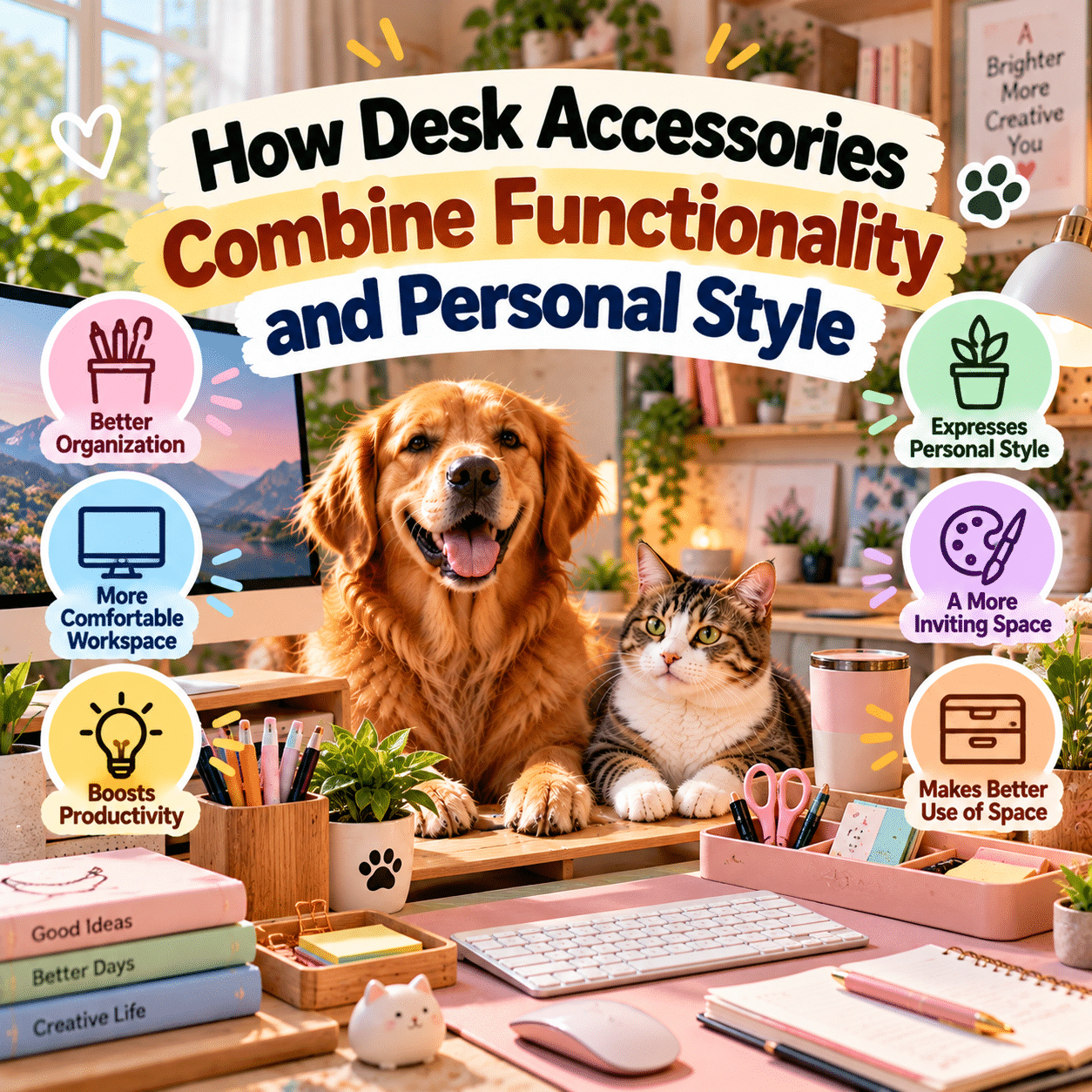
A desk is more than a surface for holding a computer, notebook, or collection of everyday supplies. For many people, it is a place where work gets done, ideas take shape, plans are organized, and personal interests become part of the surrounding environment.
Whether located in a home office, bedroom, shared workspace, or dedicated study area, a desk often reflects the routines and preferences of the person who uses it.
The accessories placed on that desk can make a meaningful difference.
A well-designed organizer keeps frequently used items within reach. A monitor stand can create additional storage space while helping position a screen appropriately. A desk lamp provides task lighting, while cable-management accessories help reduce visual clutter. Decorative objects, carefully selected colors, and coordinated materials can make the workspace feel more personal.
Modern desk accessories increasingly combine these practical and aesthetic purposes.
Instead of treating organization and decoration as separate goals, many products aim to support both. A wooden pen holder can store writing instruments while adding natural texture. A minimalist desk tray can collect small essentials while contributing to a clean visual arrangement. A colorful desk mat can protect the work surface and establish a recognizable design theme.
However, an attractive workspace is not necessarily a functional one.
Accessories that occupy too much space, obstruct movement, create visual distractions, or make frequently used items harder to access may reduce convenience despite looking appealing.
The most effective desk setup balances usefulness, comfort, available space, and individual preferences.
This guide explores how desk accessories combine functionality and personal style, how different products influence daily organization, and how to create a workspace that feels practical, comfortable, and genuinely personal.
1. Why Desk Accessories Matter in Modern Workspaces
Desk accessories may appear to be small details, but they influence how people interact with their work environments.
A workspace contains numerous objects that must be accessed, moved, stored, and maintained throughout the day.
Without a clear arrangement, even simple activities can become inconvenient.
Supporting Everyday Organization
Pens, notebooks, charging cables, documents, headphones, and other supplies can accumulate quickly.
Organizers provide designated locations for these items.
When frequently used objects have consistent places, they may be easier to find and return after use.
Making Better Use of Available Space
Desk space is often limited.
Monitor stands, vertical organizers, and compact storage accessories can help make use of areas that might otherwise remain unused.
However, adding storage should not make the desk feel crowded.
Supporting Comfortable Work Habits
Certain accessories can help users arrange equipment more appropriately.
For example, a monitor stand may assist with screen positioning, while a document holder can reduce the need to repeatedly look down at papers.
The benefits depend on the complete workstation arrangement and individual needs.
Expressing Personal Preferences
Desk accessories also contribute to the appearance of a workspace.
Colors, textures, materials, and decorative elements can reflect personal taste.
A desk may feel warm and natural, colorful and playful, or simple and understated.
Adapting to Different Activities
Modern desks often serve multiple purposes.
The same surface may be used for computer work, studying, writing, drawing, planning, or creative hobbies.
Flexible accessories can help the workspace accommodate these different activities.
2. Understanding the Balance Between Function and Style
Functionality and appearance are closely connected in desk design, but they are not interchangeable.
A beautiful accessory may provide little practical value.
A highly functional product may not fit the visual character of the workspace.
The best choices consider both.
Functional Value
Functional accessories solve specific problems.
Examples include:
- A pen holder that keeps writing instruments accessible.
- A document tray that separates papers.
- A cable clip that prevents charging cords from falling behind the desk.
- A monitor riser that provides suitable screen elevation.
- A desk mat that protects the surface from everyday wear.
Their usefulness can be evaluated through daily experience.
Aesthetic Value
Aesthetic accessories contribute to the visual atmosphere.
Their value may come from:
- Color.
- Shape.
- Material.
- Texture.
- Proportion.
- Decorative details.
- Coordination with surrounding furniture.
Aesthetic preferences are subjective.
A design that feels inviting to one person may feel distracting to another.
Combining Both Purposes
Some accessories naturally provide functional and aesthetic benefits.
A ceramic pencil cup may organize supplies while introducing a decorative accent.
A wooden monitor stand may support equipment while complementing furniture.
A fabric desk organizer may add texture while separating small objects.
The Importance of Restraint
Combining function and style does not mean every object must be decorative.
A few well-chosen accessories may create a more coherent workspace than numerous competing items.
The goal is to make the desk easier to use while allowing personal character to emerge naturally.
3. Desk Organizers Are the Foundation of a Functional Setup
Desk organizers are among the most versatile accessories because they address a common challenge: managing small objects.
Pen and Pencil Holders
Writing instruments are frequently used in offices, classrooms, and creative workspaces.
A pen holder keeps them grouped together.
Different designs include:
- Ceramic cups.
- Metal mesh containers.
- Wooden holders.
- Acrylic organizers.
- Fabric compartments.
- Modular storage systems.
The ideal design depends on the number and type of supplies.
Multi-Compartment Organizers
These products provide separate spaces for different items.
For example, one compartment may hold pens, another sticky notes, and another small stationery accessories.
This can make supplies easier to locate.
Drawer Organizers
Drawer dividers help prevent objects from becoming mixed together.
They may be particularly useful for items that do not need to remain visible.
Vertical Organizers
Vertical storage can help reduce the amount of horizontal desk space occupied by documents and supplies.
However, tall organizers should be stable and positioned where they will not obstruct screens or movement.
Modular Organizers
Modular systems allow users to rearrange individual components.
This can be helpful when work habits change.
Choosing an Organizer
Before purchasing, consider which items need storage.
An organizer with many compartments may be unnecessary if the desk contains only a few supplies.
Good organization begins with actual needs rather than available storage capacity.
4. Desk Mats Combine Surface Protection With Visual Identity
Desk mats are a clear example of accessories that serve practical and aesthetic purposes.
They provide a defined surface for selected activities while contributing to the overall appearance of the desk.
Protecting the Work Surface
A suitable mat may help protect a desk from minor scratches, friction, and everyday wear.
The level of protection depends on the material and construction.
Defining the Workspace
A large desk mat can visually connect a keyboard, mouse, and other accessories.
This may create a more unified arrangement.
Adding Color and Texture
Desk mats are available in many finishes, including fabric, cork, synthetic leather, and other materials.
Different textures create different visual effects.
Supporting Mouse Movement
Some mats are designed to provide a suitable surface for computer mice.
Performance varies depending on the mouse sensor and mat material.
Cleaning Considerations
Fabric mats may require different cleaning methods from smooth synthetic surfaces.
Spills should be handled according to the manufacturer’s instructions.
Selecting the Right Size
A desk mat should fit the available surface without interfering with drawers, edges, or other equipment.
An oversized mat may look impressive but be inconvenient in a compact workspace.
5. Monitor Stands and Risers Can Improve Desk Layouts
Monitor stands and risers elevate displays above the desk surface.
They may also create storage space underneath.
Screen Positioning
A monitor riser can help position a screen at a more suitable height.
However, appropriate positioning depends on screen size, viewing distance, posture, and individual comfort.
A stand alone does not guarantee an ergonomic workstation.
Additional Storage
The space beneath a riser may accommodate a keyboard, notebook, or other accessories.
This can be useful on smaller desks.
Visual Structure
A monitor stand can create a clear focal point.
Wooden designs may introduce warmth, while metal or acrylic stands can support different visual styles.
Stability and Weight Capacity
Monitor stands must support the intended equipment safely.
Users should check load limits, dimensions, and stability.
Fixed Versus Adjustable Designs
Fixed risers provide a consistent height.
Adjustable monitor arms or stands offer greater flexibility, but they may require compatible mounting systems.
Avoiding Excessive Elevation
A screen positioned too high may create discomfort.
Workstation adjustments should be based on individual needs rather than appearance alone.
6. Cable Management Makes Desks Cleaner and Easier to Maintain
Modern workspaces often contain multiple electronic devices.
Computers, monitors, lamps, speakers, chargers, and other equipment may create a network of cables.
Cable-management accessories can help organize these connections.
Cable Clips
Small clips can hold frequently used charging cables near the desk edge.
Cable Sleeves
Sleeves group compatible cables together.
They can reduce visual clutter.
Under-Desk Trays
Cable trays may hold power strips and selected cords beneath the work surface.
Adhesive Cable Holders
Adhesive accessories can guide cables along suitable surfaces.
Their effectiveness depends on the adhesive, surface, and load.
Cable Boxes
Cable boxes are designed to conceal certain electrical connections.
However, electrical equipment requires appropriate ventilation and safe placement.
Safety Considerations
Cable management should not involve tightly bending cords, damaging insulation, overloading outlets, or enclosing equipment in ways that cause overheating.
Power strips and adapters should be used according to their ratings and manufacturer instructions.
Aesthetic Benefits
Organized cables can make a desk appear less cluttered.
They may also make cleaning easier by reducing loose cords across the work surface.
7. Desk Lighting Combines Practical Visibility With Atmosphere
Lighting influences how a workspace looks and functions.
A desk lamp can provide focused illumination for reading, writing, drawing, and other activities.
Task Lighting
Task lamps direct light toward a particular work area.
Adjustable arms or heads may help users position the light appropriately.
Reducing Uncomfortable Glare
Lighting should be arranged to avoid excessive reflections on screens and glossy surfaces.
The best position depends on room lighting and desk layout.
Adjustable Brightness
Some lamps allow users to modify brightness.
This can be useful when switching between activities.
Color Temperature
Different light sources produce different appearances.
Warmer lighting may create a softer atmosphere.
Cooler-looking lighting may suit certain tasks or preferences.
However, the best choice depends on the activity, environment, and individual comfort.
Decorative Design
Desk lamps can also act as visual accents.
A metal lamp may complement an industrial-style desk.
A simple lamp with a neutral finish may suit a minimalist setup.
Lighting Safety
Lamps should be placed securely and used with compatible bulbs or power supplies.
Heat-producing light sources require appropriate clearance from flammable materials.
8. Comparing Popular Desk Accessories
| Accessory | Primary Function | Style Contribution | Important Consideration |
|---|---|---|---|
| Pen holder | Stores writing instruments | Adds material and color accents | Capacity and stability |
| Desk mat | Protects and defines work area | Establishes a visual theme | Size and cleaning |
| Monitor stand | Supports screen positioning | Creates structure and visual balance | Height and weight capacity |
| Cable clips | Organizes cords | Reduces visible clutter | Adhesive quality and cable fit |
| Desk lamp | Provides task lighting | Adds atmosphere and design character | Glare and positioning |
| Document tray | Organizes paperwork | Creates an orderly appearance | Accessibility and capacity |
| Headphone stand | Stores headphones | Adds a dedicated equipment display | Stability and space |
| Desk shelf | Provides elevated storage | Creates layered organization | Load capacity |
| Small plant | Adds a natural element | Introduces greenery and texture | Light, water, and pet safety |
| Decorative tray | Collects small objects | Adds a coordinated accent | Size and practical usefulness |
| Clock | Displays time | Adds a visual focal point | Visibility and distraction |
| Bookend | Supports books and notebooks | Adds structure and material contrast | Weight and stability |
A desk does not need every accessory in this table.
The most effective combination depends on the tasks performed there.
9. How Different Materials Influence Desk Style
Material selection affects both appearance and everyday usability.
Wood
Wood introduces natural grain and texture.
It is often associated with warm, understated workspace designs.
Wooden accessories may require protection from excessive moisture and heat.
Metal
Metal accessories can provide strength and a clean visual structure.
Powder-coated and other finished surfaces are common.
Sharp edges, corrosion resistance, and stability should be considered.
Acrylic
Transparent acrylic can create a light, open appearance.
It may be useful when users want storage that does not visually dominate the desk.
However, acrylic surfaces can scratch.
Ceramic
Ceramic accessories may provide weight and decorative variety.
They can work well for pen holders and small trays.
Fragility is an important consideration.
Fabric
Fabric organizers and mats introduce softness and texture.
They may require more frequent cleaning.
Cork
Cork can provide a natural appearance and relatively lightweight construction.
Its durability depends on product design and intended use.
Recycled Materials
Some accessories incorporate recycled plastics, paper, or other materials.
Environmental benefits depend on sourcing, manufacturing, durability, and end-of-life handling.
Mixing Materials
Combining materials can create visual interest.
For example, wood and metal may provide contrast without making the desk appear overly busy.
10. Creating a Minimalist Desk Setup
Minimalist desk design emphasizes a limited number of purposeful objects.
It does not necessarily mean using an empty desk.
Focus on Essentials
Begin with equipment and supplies used regularly.
Choose Multipurpose Accessories
A monitor stand with storage may replace multiple separate organizers.
Use a Consistent Palette
Neutral colors or a small number of coordinated tones can create visual continuity.
Keep Surfaces Manageable
Leave enough open space for the activities performed at the desk.
Store Infrequently Used Items
Drawers and shelves can hold supplies that do not need immediate access.
Avoid Decorative Overcrowding
A few meaningful objects may provide enough personality.
Maintain Flexibility
Minimalism should support convenience.
Removing useful tools simply to achieve a particular appearance may make the workspace less functional.
11. Creating a Warm and Natural Workspace
Natural materials and soft colors can create a welcoming desk environment.
Wooden Accessories
Wooden organizers, monitor stands, and trays introduce texture.
Earth-Tone Colors
Beige, brown, muted green, and other earth-inspired colors can create a coordinated appearance.
Soft Lighting
Suitable lighting can make the workspace feel comfortable.
Indoor Plants
Small plants can add greenery.
However, plants should be selected according to available light, maintenance requirements, and household safety.
Some common houseplants are toxic to cats or dogs.
Fabric and Cork
Fabric mats and cork accessories can add softer textures.
Keeping the Setup Practical
Natural materials should still be evaluated for durability, cleaning, and suitability for everyday use.
12. Colorful Desk Accessories Can Express Creativity
Not every workspace needs to be neutral.
Colorful accessories can reflect personality and make a desk visually distinctive.
Choosing a Main Color
A primary color can establish a recognizable theme.
Adding Accent Colors
One or two complementary accents may provide variety.
Coordinating Small Accessories
Pen holders, notebook covers, trays, and desk mats can share related colors.
Using Color for Organization
Color-coded folders or containers may help distinguish categories.
Avoiding Visual Overload
Too many competing colors and patterns may make it harder for some users to focus.
Personal Preference Matters
There is no universally correct desk color scheme.
The most suitable palette is one that the user enjoys and can comfortably work with.
13. Desk Accessories for Home Offices
Home offices often need to support computer-based work, communication, and document management.
Monitor Accessories
Appropriate screen positioning and storage may help organize the work area.
Cable Management
Charging equipment and computer peripherals can create clutter.
Document Organizers
Trays and folders can help separate active paperwork from archived materials.
Task Lighting
A suitable lamp supports activities beyond screen work.
Headphone Storage
A stand or hook can keep headphones accessible.
Personal Decorative Elements
Photographs, artwork, or a small plant can make the workspace feel more personal.
Professional Functionality
The arrangement should support daily work rather than simply resemble a photographed office setup.
14. Desk Accessories for Students
Student desks often accommodate textbooks, notebooks, stationery, and digital devices.
Book Stands
A suitable stand can hold reading materials at a convenient angle.
Pen Organizers
Separate compartments can help manage different writing instruments.
Document Holders
Folders and trays can organize assignments and notes.
Desk Lamps
Task lighting may be useful for reading and writing.
Timers and Clocks
Simple timekeeping accessories can support study routines.
Compact Storage
Vertical organizers may be particularly helpful in dormitories or small bedrooms.
Avoiding Excessive Decoration
Decorative items should not interfere with writing space or access to learning materials.
15. Desk Accessories for Creative Hobbies
Creative workspaces may require different accessories from conventional offices.
Tool Holders
Artists and crafters may need containers for brushes, markers, scissors, or other tools.
Protective Mats
Suitable mats can protect surfaces during certain activities.
Adjustable Lighting
Detailed work may benefit from carefully positioned task lighting.
Material Organizers
Small drawers or divided containers can separate supplies.
Reference Holders
A stand may hold sketches, patterns, or instructions.
Flexible Work Surfaces
Creative activities may require more open space than ordinary computer work.
Safety Considerations
Sharp tools, adhesives, paints, and other materials should be stored and used appropriately.
A decorative organizer should never compromise safe handling.
16. Desk Accessories for Gaming and Entertainment Setups
Gaming desks often accommodate multiple electronic devices.
Large Desk Mats
Extended mats may provide space for keyboards and mice.
Headphone Stands
Dedicated storage can help keep headphones protected and accessible.
Controller Holders
Stands can organize compatible accessories.
Cable Management
Power and data cables may require careful routing.
Monitor Arms
Compatible adjustable arms can help manage screen placement.
Decorative Lighting
Some users enjoy colored accent lighting.
However, lighting should not create excessive glare or interfere with visibility.
Keeping the Setup Comfortable
A visually impressive gaming setup should still provide suitable equipment positioning and enough space for comfortable movement.
17. Small Desks Benefit From Thoughtful Accessory Selection
Compact desks require careful use of available space.
Prioritize Vertical Storage
Small shelves or organizers may help free horizontal surfaces.
Choose Compact Accessories
A narrow pen holder may be more suitable than a large organizer.
Use Under-Desk Space
Appropriate hooks or trays can store selected items without occupying the desktop.
Consider Foldable Accessories
Some stands can be folded when not in use.
Avoid Oversized Desk Mats
A mat should leave enough room for other tasks.
Keep Frequently Used Items Accessible
Storage should not make routine activities more difficult.
Measure Before Buying
Product dimensions should be compared with the actual desk layout.
18. How Desk Accessories Influence Workflow
A well-arranged desk can support smoother daily routines.
Reducing Search Time
Consistent storage locations can make items easier to find.
Supporting Task Transitions
A desk used for both computer work and writing may benefit from accessories that can be moved quickly.
Creating Activity Zones
Different parts of the desk can serve different functions.
For example:
- A central computer area.
- A writing area.
- A small storage area.
- A charging area.
Keeping Important Items Visible
Frequently used supplies can remain within reach.
Reducing Unnecessary Movement
Thoughtful placement may reduce repeated reaching or searching.
Avoiding Over-Optimization
Not every object needs a specialized holder.
Sometimes a simple drawer or tray is sufficient.
19. Desk Ergonomics and Accessory Placement
Desk accessories can support workstation comfort, but they are only one part of the overall setup.
Monitor Position
Screen height and distance should suit the user and task.
Keyboard and Mouse Placement
Input devices should be positioned to support comfortable use.
Document Placement
Document holders may help when frequently referring to printed materials.
Lighting
Task lighting should provide adequate visibility without uncomfortable glare.
Reach Zones
Frequently used objects should generally be positioned where they can be accessed comfortably.
Posture Variation
Even a carefully arranged desk does not eliminate the need to change position and take breaks.
Individual Needs
Ergonomic recommendations should be adapted to body dimensions, abilities, equipment, and work habits.
Persistent discomfort may warrant professional assessment.
20. Decorative Desk Accessories That Serve a Purpose
Decoration and utility can overlap in subtle ways.
Decorative Trays
A tray can collect keys, clips, or other small objects.
Bookends
Bookends can organize notebooks while adding visual structure.
Small Clocks
A clock provides time information while contributing to the design.
Memo Boards
A board can display reminders, notes, or inspiration.
Calendar Stands
A desk calendar can support planning.
Small Storage Boxes
Decorative boxes can conceal supplies.
Plant Holders
A plant pot can introduce natural color while containing a suitable plant.
Personal Artwork
A small framed illustration can make a desk feel distinctive.
Not every decorative object needs a functional purpose, but each should have a place that does not interfere with work.
21. How to Build a Coordinated Desk Aesthetic
A coordinated desk setup does not require buying a matching collection.
It can develop gradually.
Step 1: Identify the Desired Atmosphere
Consider whether the workspace should feel:
- Calm.
- Warm.
- Modern.
- Colorful.
- Natural.
- Minimal.
- Creative.
- Professional.
Step 2: Choose a Main Material
Wood, metal, fabric, or acrylic may provide a starting point.
Step 3: Establish a Color Palette
Select a few colors that work together.
Step 4: Prioritize Functional Accessories
Choose organizers, lighting, and equipment supports based on actual needs.
Step 5: Add Personal Details
Introduce a small number of meaningful decorative elements.
Step 6: Review Visual Balance
Consider whether any area feels crowded.
Step 7: Adjust Over Time
A desk setup can evolve as work habits and preferences change.
22. Personalizing a Desk Without Creating Clutter
Personal style does not require filling every available space.
Choose Meaningful Objects
A favorite photograph, small artwork, or handmade accessory may be enough.
Use Coordinated Containers
Similar materials or colors can make different supplies appear more organized.
Rotate Decorations
Seasonal or personal items can be changed without keeping everything on display.
Keep a Clear Work Area
Maintain enough space for primary activities.
Separate Display From Storage
Decorative shelves may hold objects that do not need to remain on the desktop.
Avoid Unnecessary Purchases
A personal workspace should reflect actual interests rather than temporary decorating trends.
23. Sustainable Choices in Desk Accessories
Desk accessories can be evaluated for durability, material use, and long-term practicality.
Durable Construction
Well-made accessories may last through years of use.
Reusable Storage
Permanent organizers can reduce reliance on disposable storage solutions.
Repairable Designs
Replaceable parts may extend product life.
Secondhand Accessories
Suitable used organizers, lamps, and other items may offer practical value.
Electrical equipment should be inspected for safety.
Natural and Recycled Materials
Material labels can provide useful information, but environmental impacts vary.
Multipurpose Products
Accessories that serve several genuine needs may reduce unnecessary purchases.
Buying Less
One of the simplest approaches is to avoid purchasing accessories that do not improve the workspace.
24. Common Mistakes When Choosing Desk Accessories
Buying for Appearance Alone
An attractive product may not solve a practical problem.
Purchasing Oversized Organizers
Large organizers can consume valuable work surface.
Ignoring Measurements
Accessories may not fit the intended location.
Mixing Too Many Visual Themes
An excessive number of competing styles can make a desk feel disorganized.
Overlooking Cleaning Requirements
Some materials require more maintenance than others.
Using Unstable Stands
Equipment supports must be appropriate for the intended load.
Creating Unsafe Cable Arrangements
Electrical cords should be routed safely.
Filling Every Empty Space
Open space is useful for movement and changing activities.
Copying Another Person’s Setup Exactly
A desk designed for someone else’s workflow may not suit individual needs.
25. A Practical Desk Accessory Selection Checklist
| Evaluation Area | Question to Ask | Why It Matters |
|---|---|---|
| Function | What problem does this accessory solve? | Ensures practical value |
| Size | Does it fit the available space? | Prevents overcrowding |
| Accessibility | Can I reach or use it comfortably? | Supports daily convenience |
| Material | Is it suitable for regular use? | Influences durability |
| Cleaning | Is maintenance manageable? | Supports long-term usability |
| Stability | Can it safely support intended items? | Reduces damage and injury risks |
| Style | Does it complement the workspace? | Supports visual harmony |
| Flexibility | Can it adapt to changing needs? | Improves long-term usefulness |
| Cost | Is the value appropriate for the budget? | Prevents unnecessary spending |
| Sustainability | Will it remain useful over time? | Encourages responsible purchasing |
| Safety | Are there electrical or mechanical concerns? | Protects users and equipment |
| Personal preference | Do I genuinely enjoy using it? | Supports satisfaction |
This checklist can help separate useful improvements from accessories that are attractive but unnecessary.
26. Building a Desk Setup on a Budget
A functional and personal workspace does not require expensive accessories.
Start With Existing Supplies
Repurpose suitable containers, trays, or boxes.
Improve Organization First
Removing unnecessary items may create more usable space than buying additional storage.
Prioritize Frequently Used Accessories
A reliable desk lamp or practical organizer may provide more value than decorative purchases.
Choose Simple Designs
Basic accessories can be both attractive and effective.
Consider Secondhand Options
Used items may offer good value when their condition is suitable.
Upgrade Gradually
Observe which problems remain before buying more products.
Avoid Matching Everything
A coordinated workspace can use different brands and materials.
The most important consideration is whether the accessories work well together.
27. A Step-by-Step Desk Refresh
Refreshing a desk can begin with rearrangement rather than shopping.
Step 1: Clear the Surface
Temporarily remove accessories and supplies.
Step 2: Clean the Desk
Use appropriate cleaning methods for the surface material.
Step 3: Identify Essential Equipment
Return the computer, monitor, keyboard, or other primary tools.
Step 4: Establish Activity Zones
Decide where writing, storage, charging, and other tasks will occur.
Step 5: Organize Cables
Route cords safely and keep necessary connections accessible.
Step 6: Add Practical Storage
Use organizers for items that need designated locations.
Step 7: Adjust Lighting
Position the lamp to support common tasks.
Step 8: Introduce Personal Style
Add a desk mat, coordinated containers, or a few decorative objects.
Step 9: Test the Setup
Use the desk during normal activities.
Notice whether anything is difficult to reach or creates unnecessary clutter.
Step 10: Refine the Arrangement
Make small adjustments based on experience.
A desk setup should be evaluated through use, not appearance alone.
28. The Future of Functional and Stylish Desk Accessories
Desk accessories will likely continue evolving as work habits, home environments, and product design change.
More Flexible Organization
Modular storage systems may become increasingly adaptable.
Compact Designs
Accessories that use space efficiently may remain valuable in smaller homes.
Integrated Charging
Some products combine storage or equipment support with compatible charging features.
Electrical safety and device compatibility remain important.
Adjustable Equipment Supports
More flexible stands and arms may support different workstation arrangements.
Durable Materials
Long-lasting construction and repairable components may receive greater attention.
Personalized Design
Different colors, finishes, and modular configurations may allow users to create more individualized setups.
Reduced Visual Complexity
Products that organize technology without unnecessary clutter may remain appealing.
Continued Importance of Simplicity
The most meaningful innovations will be those that improve everyday usability.
A well-designed accessory does not need to be technologically advanced to be valuable.
29. Frequently Asked Questions
1. What are the most useful desk accessories?
Useful accessories often include a desk organizer, suitable task lighting, cable-management products, and equipment supports when needed.
The best choices depend on the activities performed at the desk.
2. How can I make my desk look stylish without cluttering it?
Choose a consistent color palette, use practical organizers, and add a small number of meaningful decorative items.
Leave enough open space for everyday tasks.
3. Are desk mats worth using?
Desk mats can protect suitable surfaces, define work areas, and contribute to a coordinated appearance.
Their value depends on material, size, cleaning requirements, and personal preference.
4. Do monitor stands improve ergonomics?
Monitor stands can help adjust screen height, but appropriate workstation positioning depends on several factors.
A stand should be selected based on individual needs rather than appearance alone.
5. What desk accessories work best for small spaces?
Compact organizers, vertical storage, cable clips, and appropriately sized equipment stands may help.
Avoid accessories that occupy more space than they save.
6. How do I choose a desk color scheme?
Begin with the existing furniture and choose a small number of complementary colors.
Neutral palettes, natural tones, and colorful themes can all work well depending on personal taste.
7. Do I need expensive desk accessories for a good setup?
No.
Affordable, durable accessories can provide excellent functionality.
Good organization, suitable equipment placement, and personal comfort matter more than premium branding.
Conclusion: A Great Desk Reflects Both Practical Needs and Personal Identity
Desk accessories play an important role in shaping how a workspace functions and feels.
Organizers keep everyday supplies accessible. Desk mats protect surfaces and establish visual themes. Monitor stands help arrange equipment, while cable-management accessories reduce clutter. Lighting, materials, colors, and decorative details add comfort and individuality.
Together, these elements can transform an ordinary desk into a workspace that better supports daily activities.
However, successful desk design is not about collecting as many accessories as possible.
It is about choosing products that serve a clear purpose, fit the available space, and complement personal preferences.
A simple wooden organizer may be more useful than an elaborate storage system. A carefully positioned lamp may improve the workspace more than several decorative objects. A coordinated desk mat and a few meaningful accessories may create all the visual character a person needs.
The ideal desk setup is also flexible.
As work routines, creative interests, and household circumstances change, accessories can be rearranged or replaced to support new needs.
Functionality provides the foundation, while personal style makes the space feel individual.
When these priorities work together, desk accessories become more than small objects placed around a computer.
They become thoughtful parts of an environment designed for everyday living, working, learning, and creating.
The best desk accessories do not simply make a workspace look better. They make it easier to use, more comfortable to spend time in, and more reflective of the person who works there.