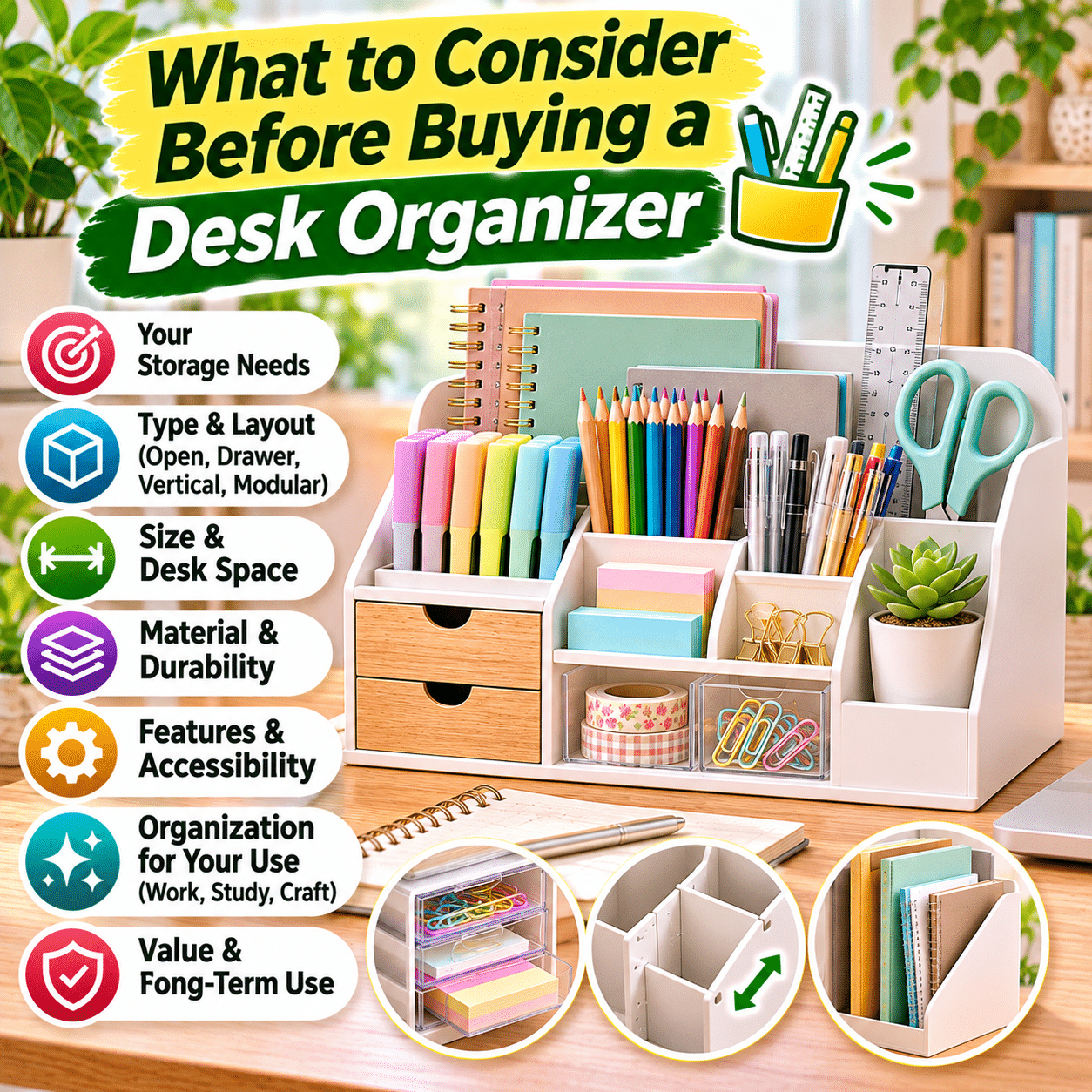
A well-organized desk can make everyday work, studying, and creative activities feel more comfortable and manageable. Whether you work from home, study at a small table, maintain a creative workspace, or simply need a convenient place for everyday essentials, a desk organizer can help keep frequently used items accessible while reducing unnecessary clutter.
However, choosing the right desk organizer involves more than finding a container that looks attractive. Desk organizers come in many shapes, sizes, materials, and configurations, and not every design works equally well for every workspace.
Some organizers are designed for pens, pencils, and small stationery items. Others provide drawers, document compartments, adjustable dividers, or vertical storage for notebooks and folders. Modular systems can be rearranged as your needs change, while compact organizers help preserve valuable desk space.
The best desk organizer should support the way you actually use your workspace. An organizer that is too large may create more clutter than it solves, while one with too many small compartments may make everyday items inconvenient to access.
This guide explains what to consider before buying a desk organizer, how to compare different designs and materials, and how to choose a practical storage solution that supports organization, comfort, and long-term everyday use.
1. Identify What You Need to Organize
Before comparing desk organizers, begin by identifying the items that regularly occupy your workspace.
Different belongings require different storage solutions.
Common Desk Essentials
These may include:
- Pens and pencils.
- Highlighters and markers.
- Erasers and sharpeners.
- Sticky notes.
- Paper clips and binder clips.
- Scissors.
- Rulers.
- Notebooks.
- Small notepads.
- Charging cables.
- USB drives.
- Headphones.
- Documents and folders.
- Crafting accessories.
- Personal items.
Separate Frequently Used and Occasional Items
Not every item needs to remain on the desktop.
Frequently used supplies should generally be easy to reach, while less frequently used belongings may be better stored in drawers, shelves, or cabinets.
Consider Your Daily Activities
Someone who primarily uses a laptop may need only a small organizer for writing tools and accessories.
A student may benefit from compartments for stationery, notebooks, and study materials.
A creative hobbyist may require additional space for brushes, markers, scissors, and specialized tools.
Buying tip: Choose an organizer based on the items you actually use rather than filling a large organizer with unnecessary supplies.
2. Understand the Main Types of Desk Organizers
Desk organizers are available in several common designs.
Desktop Caddies
Desktop caddies typically contain open compartments for stationery and small accessories.
They are convenient for frequently used items.
Drawer Organizers
Drawer organizers divide existing drawers into smaller storage sections.
They help separate items without occupying additional desktop space.
Multi-Compartment Organizers
These combine different storage areas for pens, notes, clips, and other supplies.
Stackable Organizers
Stackable organizers use vertical space by placing compatible trays or compartments above one another.
Desktop Drawer Units
Small drawer units provide enclosed storage for stationery and miscellaneous belongings.
Vertical File Organizers
These hold notebooks, folders, documents, and papers in an upright position.
Modular Organizers
Modular systems consist of separate components that can be rearranged or expanded.
Rotating Organizers
Rotating organizers provide access to multiple compartments by turning the unit.
Monitor Stand Organizers
Some monitor stands incorporate shelves, drawers, or compartments beneath the raised platform.
The most suitable type depends on the items you need to store and the space available.
3. Compare Different Desk Organizer Types
| Organizer type | Best suited for | Main advantage | Potential limitation |
|---|---|---|---|
| Desktop caddy | Pens and everyday stationery | Quick access | Items remain visible |
| Drawer organizer | Small accessories | Keeps desktop clear | Requires suitable drawers |
| Multi-compartment organizer | Mixed stationery | Dedicated storage sections | Fixed layouts may be restrictive |
| Stackable organizer | Papers and accessories | Uses vertical space | Upper sections may be less convenient |
| Desktop drawer unit | Small miscellaneous items | Concealed storage | Drawers require opening space |
| Vertical file organizer | Documents and notebooks | Keeps papers upright | May be unsuitable for tiny items |
| Modular organizer | Changing storage needs | Flexible arrangement | Components may require separate purchases |
| Rotating organizer | Pens, brushes, and tools | Access from different sides | Requires turning clearance |
| Monitor stand organizer | Computer desk accessories | Combines storage and elevation | Must support monitor safely |
4. Measure Your Available Desk Space
One of the most important steps before buying a desk organizer is measuring your workspace.
A product may appear compact in photographs but occupy more space than expected.
Measure Desk Width and Depth
Identify the area available after accounting for essential equipment.
This may include:
- Monitor or laptop.
- Keyboard.
- Mouse.
- Desk lamp.
- Writing area.
- Frequently used tools.
Consider Working Space
An organizer should not interfere with comfortable typing, writing, drawing, or other activities.
Check Height Clearance
If the organizer will sit beneath a shelf or monitor riser, measure the available vertical clearance.
Allow Access Space
Drawers, sliding trays, and rotating compartments may require additional room to operate.
Consider the Organizer’s Footprint
The footprint is the amount of desktop surface occupied by the organizer.
A narrow vertical organizer may preserve more working space than a wide horizontal tray.
Buying tip: Measure both the organizer’s external dimensions and the space needed to use its compartments comfortably.
5. Choose the Right Organizer Size
Desk organizers range from small pencil holders to large multi-level storage systems.
Small Organizers
Small organizers may be suitable for:
- Compact desks.
- Minimal stationery collections.
- Shared workspaces.
- Laptop-based work.
- Occasional writing tasks.
Medium Organizers
Medium-sized organizers may accommodate:
- Pens and markers.
- Sticky notes.
- Scissors.
- Small notebooks.
- Cables.
- Everyday accessories.
Large Organizers
Large organizers may be useful for:
- Extensive stationery collections.
- Craft supplies.
- Multiple notebooks.
- Document storage.
- Shared family workspaces.
Avoid Oversizing
A large organizer can encourage unnecessary accumulation.
Choose enough capacity for your belongings while preserving a practical amount of open desk space.
Allow Reasonable Flexibility
Some extra storage capacity can be useful, but avoid buying substantially more space than you need.
6. Evaluate Compartment Layout
Compartment design determines how conveniently you can store and retrieve items.
Tall Compartments
Tall compartments are useful for:
- Pens.
- Pencils.
- Markers.
- Scissors.
- Paintbrushes.
Shallow Compartments
Shallow sections work well for:
- Paper clips.
- Erasers.
- USB drives.
- Sticky notes.
- Small accessories.
Wide Compartments
Wide compartments may accommodate:
- Notebooks.
- Envelopes.
- Index cards.
- Small documents.
Divided Sections
Dividers can help separate similar items and prevent supplies from becoming mixed together.
Fixed Compartments
Fixed compartments provide a consistent layout but offer limited flexibility.
Adjustable Dividers
Adjustable dividers allow you to change compartment sizes.
This can be useful when your storage needs evolve.
What Matters Most
The organizer should make frequently used items easier to find, not create additional steps to access them.
7. Consider Open Versus Enclosed Storage
Desk organizers may use open compartments, enclosed drawers, or a combination of both.
Open Storage
Open compartments allow items to remain visible and accessible.
Advantages:
- Quick access.
- Easy identification.
- Convenient for frequently used supplies.
- Simple to return items after use.
Considerations:
- Contents remain visible.
- Dust may accumulate.
- Small items can make the desk appear busy.
Enclosed Storage
Drawers and covered compartments conceal items.
Advantages:
- Cleaner visual appearance.
- Some protection from dust.
- Suitable for miscellaneous accessories.
- Helps reduce visible clutter.
Considerations:
- Items may be less immediately accessible.
- Drawers require clearance.
- Small objects can become difficult to locate without dividers.
Combination Designs
Organizers with both open compartments and drawers can provide a practical balance.
Frequently used pens may remain visible, while cables and small accessories stay inside drawers.
8. Choose the Right Material
Desk organizers are commonly made from plastic, metal, wood, bamboo, acrylic, fabric, or combinations of materials.
Each offers different benefits.
Plastic Organizers
Plastic organizers are widely available in different shapes and colors.
Advantages:
- Often lightweight.
- Usually easy to clean.
- Available in many configurations.
- Frequently affordable.
Considerations:
- Durability varies by plastic type.
- Thin construction may crack.
- Some surfaces scratch easily.
Metal Organizers
Metal organizers often use steel, aluminum, or metal mesh.
Advantages:
- Can provide strong construction.
- Suitable for modern workspaces.
- Often durable when properly finished.
- Available in open and enclosed designs.
Considerations:
- May be heavier.
- Sharp or poorly finished edges can be uncomfortable.
- Some finishes may scratch or corrode.
Wooden Organizers
Wooden organizers offer a natural appearance.
Advantages:
- Warm visual character.
- Suitable for many home decor styles.
- Can provide sturdy construction.
- Available in simple and decorative designs.
Considerations:
- May require protection from moisture.
- Surface finishes vary.
- Some designs are heavier or bulkier.
Bamboo Organizers
Bamboo organizers are popular for natural-looking desk setups.
They may provide a lightweight appearance and practical storage.
However, durability depends on construction, finishing, and manufacturing quality.
Acrylic Organizers
Acrylic organizers offer a clear or translucent appearance.
Advantages:
- Contents remain visible.
- Suitable for minimalist arrangements.
- Easy to coordinate with different colors.
- Often convenient for small accessories.
Considerations:
- Scratches may be noticeable.
- Some designs can crack under impact.
- Fingerprints may remain visible.
Fabric Organizers
Fabric or felt organizers can provide soft storage compartments.
They may be useful for lightweight items, but stability and cleaning requirements vary.
9. Compare Desk Organizer Materials
| Material | Appearance | Main strengths | Things to consider |
|---|---|---|---|
| Plastic | Versatile, many colors | Lightweight, easy cleaning | Quality and rigidity vary |
| Metal | Modern, industrial | Strong construction | Weight, edges, finish |
| Wood | Warm, natural | Decorative and sturdy | Moisture sensitivity |
| Bamboo | Natural, minimalist | Attractive and practical | Joint and finish quality |
| Acrylic | Clear, contemporary | Easy content visibility | Scratches and impact resistance |
| Fabric or felt | Soft, casual | Lightweight, gentle surfaces | Limited rigidity |
Material choice should reflect both practical use and personal preferences.
10. Check Stability and Balance
A desk organizer should remain stable when items are added, removed, or rearranged.
Base Width
A wider base can improve stability, particularly for tall organizers.
Weight Distribution
Heavy objects placed high above the base may make an organizer easier to tip.
Non-Slip Feet
Rubber pads or other non-slip materials can help reduce sliding.
Drawer Movement
Organizers with drawers should remain stable when compartments are opened.
Rotating Designs
Rotating organizers should turn smoothly without excessive wobbling.
Stackable Designs
Stackable components should connect securely when designed to do so.
Avoid Overloading
Follow any manufacturer weight limits.
An organizer intended for lightweight stationery may not be suitable for heavy books or equipment.
11. Consider Vertical Storage
Vertical organizers can help make better use of limited desk space.
Vertical File Holders
These keep documents, notebooks, and folders upright.
Multi-Tier Shelves
Small desktop shelves provide multiple storage levels.
Stackable Trays
Stackable trays can separate papers and documents without spreading them across the desk.
Tall Pen Holders
Tall holders store writing tools in a relatively small footprint.
Advantages of Vertical Storage
- Preserves desktop surface.
- Helps separate categories.
- Keeps items visible.
- Can improve organization in compact spaces.
Potential Limitations
Tall organizers may:
- Block monitor visibility.
- Interfere with shelves.
- Feel visually crowded.
- Become unstable when overloaded.
Choose vertical storage that fits your desk and remains easy to use.
12. Evaluate Drawer Design
Small drawers are useful for accessories that do not need to remain visible.
Drawer Depth
Shallow drawers are convenient for:
- Clips.
- Sticky notes.
- USB drives.
- Small stationery.
Deeper drawers may accommodate:
- Cables.
- Notebooks.
- Larger accessories.
Drawer Movement
Drawers should open and close smoothly.
Handles
Handles or finger openings should be easy to grip.
Drawer Stops
Some designs include stops to reduce accidental drawer removal.
Removable Drawers
Removable drawers can make cleaning and reorganizing easier.
Internal Dividers
Dividers help prevent small items from mixing together.
Check Accessibility
Make sure the organizer can be positioned where drawers open fully without hitting other objects.
13. Consider Modular and Expandable Organizers
Modular organizers consist of separate units that can be combined.
Advantages
- Flexible arrangement.
- Adaptable storage.
- Easy reconfiguration.
- Potential for gradual expansion.
- Useful for changing workspaces.
Common Modular Components
These may include:
- Pen holders.
- Small trays.
- Drawer units.
- File holders.
- Stackable compartments.
- Adjustable dividers.
Check Compatibility
Not all products from the same brand or collection are interchangeable.
Verify dimensions and connection methods.
Consider Long-Term Availability
If you expect to expand the system, check whether compatible components are readily available.
Avoid Unnecessary Complexity
Modular systems can be useful, but a simple fixed organizer may be more convenient for stable storage needs.
14. Choose an Organizer for Pens and Pencils
Writing tools are among the most common desk items.
Vertical Pen Holders
Vertical holders provide easy access and a small footprint.
Horizontal Pen Storage
Horizontal compartments may be useful for certain markers, specialty pens, or art tools.
Some products have specific storage recommendations, so follow the manufacturer’s guidance.
Separate Frequently Used Pens
Consider keeping everyday writing tools in one accessible compartment.
Organize by Type
You may separate:
- Pencils.
- Ballpoint pens.
- Gel pens.
- Highlighters.
- Markers.
- Brush pens.
Avoid Overfilling
A crowded pen holder makes individual tools harder to retrieve.
Choose a holder that accommodates your actual collection comfortably.
15. Consider Storage for Documents and Paper
Paper storage requires different dimensions from small stationery storage.
Letter Trays
Letter trays hold flat documents.
Vertical File Holders
Vertical holders keep folders and papers upright.
Magazine Files
Magazine-style files may accommodate notebooks, magazines, and certain folders.
Check Paper Size
Common paper sizes include A4 and US Letter.
Ensure the organizer accommodates the paper sizes you use.
Separate Active and Archived Papers
Keep current documents accessible.
Store older or rarely used documents elsewhere when practical.
Prevent Overcrowding
Overfilled trays can make papers difficult to retrieve and may damage documents.
16. Evaluate Cable and Technology Accessory Storage
Modern desks often contain small electronic accessories.
These may include:
- Charging cables.
- USB adapters.
- Flash drives.
- Earbuds.
- Memory cards.
- Dongles.
- Small chargers.
Cable Compartments
Dedicated sections can help prevent cables from becoming tangled.
Cable Clips
Some organizers include clips or channels for frequently used charging cables.
Small Drawers
Drawers can conceal adapters and accessories.
Avoid Excessive Cable Bending
Store cables without sharp bends or unnecessary strain.
Consider Heat and Ventilation
Do not place powered equipment inside enclosed compartments unless the setup provides appropriate ventilation and follows device safety instructions.
Keep Essential Accessories Accessible
Frequently used charging cables should remain convenient without spreading across the work surface.
17. Choose a Desk Organizer for a Home Office
A home office organizer should support daily work without interfering with computer equipment.
Useful Features
Consider:
- Pen storage.
- Note compartments.
- Small accessory drawers.
- Document holders.
- Cable organization.
- Compact dimensions.
Prioritize Workflow
Place frequently used items near your working hand.
Preserve Keyboard and Mouse Space
Avoid positioning organizers where they restrict comfortable arm movement.
Consider Visual Simplicity
A desk with fewer visible items may feel easier to manage.
Avoid Excessive Accessories
A compact organizer that stores essential supplies may be more useful than a large multi-purpose unit.
18. Choose a Desk Organizer for Students
Students often need to organize stationery, notebooks, and study materials.
Useful Compartments
Consider space for:
- Pens.
- Pencils.
- Highlighters.
- Erasers.
- Sticky notes.
- Rulers.
- Index cards.
- Small notebooks.
Easy Access
Frequently used study tools should be simple to retrieve.
Durable Materials
An organizer used regularly should tolerate repeated handling.
Compact Design
Students working at small desks may benefit from vertical storage or a compact multi-compartment unit.
Flexible Storage
As subjects and study materials change, adjustable compartments can be useful.
19. Choose a Desk Organizer for Creative Projects
Creative workspaces may require storage for a wider variety of tools.
Drawing and Illustration
Useful storage may include:
- Pencil holders.
- Marker compartments.
- Eraser trays.
- Ruler slots.
- Paper storage.
Crafting
Craft organizers may hold:
- Scissors.
- Glue sticks.
- Cutting tools.
- Washi tape.
- Small decorative materials.
- Adhesive accessories.
Painting
Artists may need storage for:
- Brushes.
- Palette knives.
- Small paint tubes.
- Mixing accessories.
Sewing and Needlework
Useful compartments may accommodate:
- Measuring tapes.
- Fabric markers.
- Clips.
- Thread accessories.
- Small tools.
Prioritize Tool Safety
Sharp blades, needles, and other hazardous items should be stored securely rather than left exposed in open compartments.
20. Consider Desk Organizers for Small Spaces
Limited workspace makes organizer dimensions especially important.
Compact Multi-Compartment Units
These combine several storage functions in one footprint.
Vertical Organizers
Vertical designs make use of height rather than spreading across the desk.
Drawer Inserts
If your desk already has drawers, inserts may provide organization without occupying desktop space.
Monitor Riser Storage
Some monitor risers provide space beneath the monitor.
However, they must be compatible with the monitor’s weight, dimensions, and ergonomic positioning.
Stackable Storage
Stackable trays can organize papers and small items.
Avoid Blocking Essential Equipment
An organizer should not obstruct ventilation, cables, monitor visibility, or comfortable movement.
21. Consider Aesthetic Compatibility
A desk organizer can contribute to the overall appearance of a workspace.
Minimalist Style
Simple shapes and neutral colors may suit minimalist desks.
Natural Style
Wood and bamboo can complement natural textures and warm interiors.
Modern Style
Metal and acrylic organizers may work well with contemporary desk setups.
Colorful Creative Style
Bright colors and playful shapes can suit creative workspaces.
Coordinated Accessories
Matching an organizer with existing desk accessories can create a cohesive appearance.
Function Comes First
An attractive organizer is not necessarily practical.
Choose a design that works well before considering decorative details.
22. Evaluate Cleaning and Maintenance
Desk organizers collect dust, paper fibers, and small debris over time.
Plastic
Many plastic organizers can be wiped with a suitable damp cloth.
Metal
Metal organizers may require occasional dusting and appropriate cleaning to protect the finish.
Wood and Bamboo
Avoid prolonged moisture exposure unless the manufacturer specifies otherwise.
Acrylic
Use cleaning methods compatible with acrylic to avoid scratching or clouding.
Fabric
Fabric organizers may require vacuuming or gentle spot cleaning.
Removable Compartments
Removable trays and drawers can make cleaning easier.
Choose Easy-to-Maintain Designs
Organizers with numerous narrow spaces or decorative openings may require more cleaning effort.
23. Consider Portability
Some desk organizers are designed to remain in one place.
Others can be moved between rooms or workstations.
Portable Caddies
Portable caddies may include:
- Carrying handles.
- Lightweight construction.
- Secure compartments.
- Stable bases.
Useful Applications
Portable organizers can be helpful for:
- Shared family desks.
- Crafting at different tables.
- Temporary study spaces.
- Multipurpose rooms.
Check Weight
An organizer that becomes heavy when filled may be inconvenient to move.
Secure Storage
If you regularly carry the organizer, consider whether items can fall out during movement.
24. Evaluate Build Quality and Durability
A desk organizer should withstand normal daily handling.
Check Joints and Connections
Look for secure construction.
Inspect Edges
Edges should be smooth and properly finished.
Examine Drawers
Drawers should operate without excessive friction or wobbling.
Check Dividers
Dividers should remain stable when items are removed.
Consider Surface Finish
A durable finish can help protect the organizer from scratches and everyday wear.
Look for Practical Construction
A simple, sturdy organizer may provide better long-term value than a complicated design with fragile components.
25. Consider Sustainability and Long-Term Use
A thoughtful purchase can reduce unnecessary replacement and waste.
Prioritize Durability
Choose an organizer that can withstand regular use.
Consider Reusable Materials
Some organizers use wood, bamboo, metal, recycled plastic, or other materials.
However, material labels alone do not establish environmental superiority.
Check Product Longevity
A durable organizer that remains useful for years may be preferable to a disposable design.
Choose Flexible Storage
Adaptable compartments can reduce the need to replace the organizer when your needs change.
Avoid Unnecessary Purchases
Before buying, consider whether existing containers, trays, or drawers could be repurposed.
26. Understand Desk Organizer Pricing
Desk organizers are available at many price levels.
Budget Organizers
Budget options often provide basic storage for pens and small accessories.
They may be suitable for simple needs.
Mid-Range Organizers
Mid-range products may offer:
- More durable construction.
- Multiple compartments.
- Drawers.
- Adjustable dividers.
- Improved finishes.
Premium Organizers
Premium products may emphasize:
- Higher-quality materials.
- Refined construction.
- Modular systems.
- Decorative design.
- Specialized storage features.
Price Versus Value
A higher price does not guarantee better organization.
The best value comes from an organizer that fits your belongings, desk dimensions, and daily routine.
27. Compare Important Desk Organizer Features
| Feature | Why it matters | What to check |
|---|---|---|
| Overall dimensions | Determines desk compatibility | Width, depth, height |
| Compartment layout | Influences organization | Suitable sizes and shapes |
| Storage capacity | Determines usefulness | Space for actual belongings |
| Material | Affects durability and appearance | Construction and maintenance |
| Stability | Prevents tipping and sliding | Base design and non-slip feet |
| Drawers | Provides enclosed storage | Smooth movement and clearance |
| Vertical storage | Preserves desktop space | Height and accessibility |
| Modular design | Supports changing needs | Component compatibility |
| Portability | Helps with shared workspaces | Weight and handles |
| Cleaning | Affects maintenance | Accessible surfaces |
| Appearance | Supports workspace style | Color and material |
| Durability | Influences long-term value | Joints, edges, finish |
28. Common Mistakes to Avoid When Buying a Desk Organizer
Buying Without Measuring
An organizer may occupy too much desk space.
Better approach: Measure the intended location before purchasing.
Choosing Too Many Compartments
Numerous compartments can make organization unnecessarily complicated.
Better approach: Select sections that match your belongings.
Ignoring Compartment Dimensions
A compartment may be too narrow for markers or too shallow for tools.
Better approach: Check internal dimensions when available.
Choosing Appearance Over Function
An attractive organizer may be difficult to use.
Better approach: Evaluate accessibility and storage capacity first.
Overlooking Stability
Tall or narrow organizers may tip when overloaded.
Better approach: Choose a stable base and suitable construction.
Buying an Oversized Organizer
Large storage systems may encourage clutter.
Better approach: Choose capacity based on actual needs.
Ignoring Drawer Clearance
Drawers may hit nearby objects.
Better approach: Allow enough room for full opening.
Using One Compartment for Everything
Mixing unrelated items can make them difficult to find.
Better approach: Group belongings by function.
Overlooking Cleaning Requirements
Complex designs may accumulate dust.
Better approach: Choose accessible surfaces and removable components when useful.
Expecting an Organizer to Solve Every Clutter Problem
A desk organizer cannot compensate for keeping unnecessary items.
Better approach: Reduce clutter before selecting storage.
29. Step-by-Step Guide to Choosing a Desk Organizer
Step 1: Review Your Current Desk
Identify what creates clutter and which items need storage.
Step 2: Sort Your Belongings
Group items by type and frequency of use.
Step 3: Remove Unnecessary Items
Discard or relocate supplies that do not need to remain near your desk.
Step 4: Measure Available Space
Record the width, depth, and height of the intended storage area.
Step 5: Choose an Organizer Type
Decide between a caddy, drawer unit, vertical holder, modular system, or combination design.
Step 6: Evaluate Compartment Sizes
Confirm that your belongings will fit.
Step 7: Choose a Suitable Material
Consider durability, maintenance, and appearance.
Step 8: Check Stability
Look for a secure base and reliable construction.
Step 9: Consider Daily Accessibility
Frequently used items should be easy to retrieve and return.
Step 10: Review Cleaning Requirements
Choose a design that is practical to maintain.
Step 11: Compare Long-Term Value
Evaluate construction quality, flexibility, and price.
Step 12: Arrange the Organizer Thoughtfully
Position it where it supports your workflow without interfering with essential desk activities.
30. Practical Desk Organizer Buying Checklist
Use this checklist before making a purchase.
Storage Needs
- I know which items need organizing.
- I have separated frequently used and occasional supplies.
- The organizer has suitable compartments.
- Internal dimensions accommodate my belongings.
- Storage capacity matches my actual needs.
Workspace Compatibility
- I have measured the available desk space.
- The organizer fits without crowding the workspace.
- There is enough room to open drawers.
- The organizer does not interfere with my keyboard or mouse.
- Frequently used items remain accessible.
Construction and Materials
- The material suits my preferences.
- The base is stable.
- Edges are properly finished.
- Drawers and moving parts operate smoothly.
- The construction feels durable.
Convenience
- The layout is easy to understand.
- Items can be retrieved quickly.
- Compartments are easy to clean.
- The organizer can be moved if necessary.
- Adjustable or modular features are useful for my needs.
Long-Term Value
- The organizer fits my budget.
- The design is likely to remain useful.
- The material is practical to maintain.
- I am not paying for unnecessary features.
- The organizer supports a cleaner and more functional desk.
31. Frequently Asked Questions
What is a desk organizer?
A desk organizer is a storage accessory designed to keep stationery, documents, tools, and other small belongings arranged and accessible within a workspace.
What type of desk organizer is best?
The best type depends on your storage needs and desk dimensions.
A compact multi-compartment organizer may suit everyday stationery, while drawer inserts or vertical file holders may be better for other belongings.
Are desk organizers useful for small desks?
Yes.
Compact, vertical, and drawer-based organizers can help manage supplies while preserving valuable desktop space.
Should I choose a desk organizer with drawers?
Drawers are useful for small items that do not need to remain visible.
Open compartments may be more convenient for frequently used tools.
Is a wooden desk organizer better than a plastic one?
Neither is universally better.
Wood may provide a natural appearance, while plastic often offers lightweight construction and easy cleaning.
Durability depends on the specific product.
Are bamboo desk organizers durable?
Well-constructed bamboo organizers can provide durable everyday storage.
However, quality depends on materials, joints, finishing, and maintenance.
Are metal mesh organizers practical?
Metal mesh organizers can be useful for stationery and document storage.
Check stability, finish quality, and whether small items may fall through openings.
How many compartments should a desk organizer have?
Choose enough compartments to separate your main categories of belongings.
More compartments are not automatically better.
Should a desk organizer be large or small?
The ideal size depends on the number of items you need to store and the space available.
A smaller organizer is often sufficient for a minimalist desk.
What should I store in a desk organizer?
Common items include pens, pencils, sticky notes, clips, scissors, rulers, small notebooks, and technology accessories.
Can a desk organizer hold documents?
Yes.
Vertical file holders, letter trays, and certain multi-compartment organizers are designed for paper and document storage.
Are stackable desk organizers safe?
They can be practical when components are designed to stack securely and are used within manufacturer limits.
Avoid unstable stacking or excessive loads.
Are rotating desk organizers useful?
Rotating organizers can provide convenient access to multiple compartments, especially for stationery and creative tools.
They require enough space to rotate freely.
What is a modular desk organizer?
A modular organizer consists of separate storage components that can be rearranged or expanded.
It can be useful when storage needs change.
Can a desk organizer improve productivity?
An organizer may reduce time spent searching for supplies and help maintain a functional workspace.
However, productivity depends on many factors, and an organizer alone does not guarantee better performance.
How do I organize a desk without making it look crowded?
Keep only frequently used items on the desktop, use compact storage, and move occasional supplies into drawers or shelves.
How should I clean a desk organizer?
Cleaning methods depend on the material.
Follow manufacturer recommendations and avoid products that may damage the finish.
Are expensive desk organizers worth buying?
They may offer better materials, construction, or flexibility.
However, a simple affordable organizer can be equally practical when it meets your needs.
Can I use a desk organizer for art supplies?
Yes.
Choose compartments suited to pencils, brushes, markers, scissors, and other creative tools.
Store sharp or hazardous supplies securely.
What is the biggest mistake when buying a desk organizer?
One common mistake is choosing an organizer without considering the items it must hold and the space it will occupy.
How can I make a desk organizer last longer?
Avoid overloading it, clean it appropriately, protect it from unsuitable moisture or heat, and handle drawers and moving components carefully.
Final Thoughts
Choosing a desk organizer is about creating a workspace that supports your daily activities without adding unnecessary complexity.
The most important considerations include storage capacity, compartment layout, overall dimensions, material quality, stability, accessibility, and ease of maintenance.
A compact organizer may be ideal for someone who uses only a few writing tools, while a larger multi-compartment system may suit students, creative hobbyists, or people who manage a wider range of supplies.
The right organizer should make it easy to find what you need, return items to their proper places, and preserve enough open space for comfortable work.
Before buying, take time to review your belongings, remove unnecessary clutter, and measure your workspace. These simple steps can help you avoid choosing a product that is too large, too small, or poorly suited to your routine.
Remember that effective desk organization does not require elaborate storage systems. A thoughtfully selected organizer, combined with simple habits and a practical layout, can make your desk easier to maintain and more enjoyable to use.
By focusing on function, durability, flexibility, and everyday convenience, you can choose a desk organizer that supports a comfortable, orderly, and welcoming workspace for years to come.