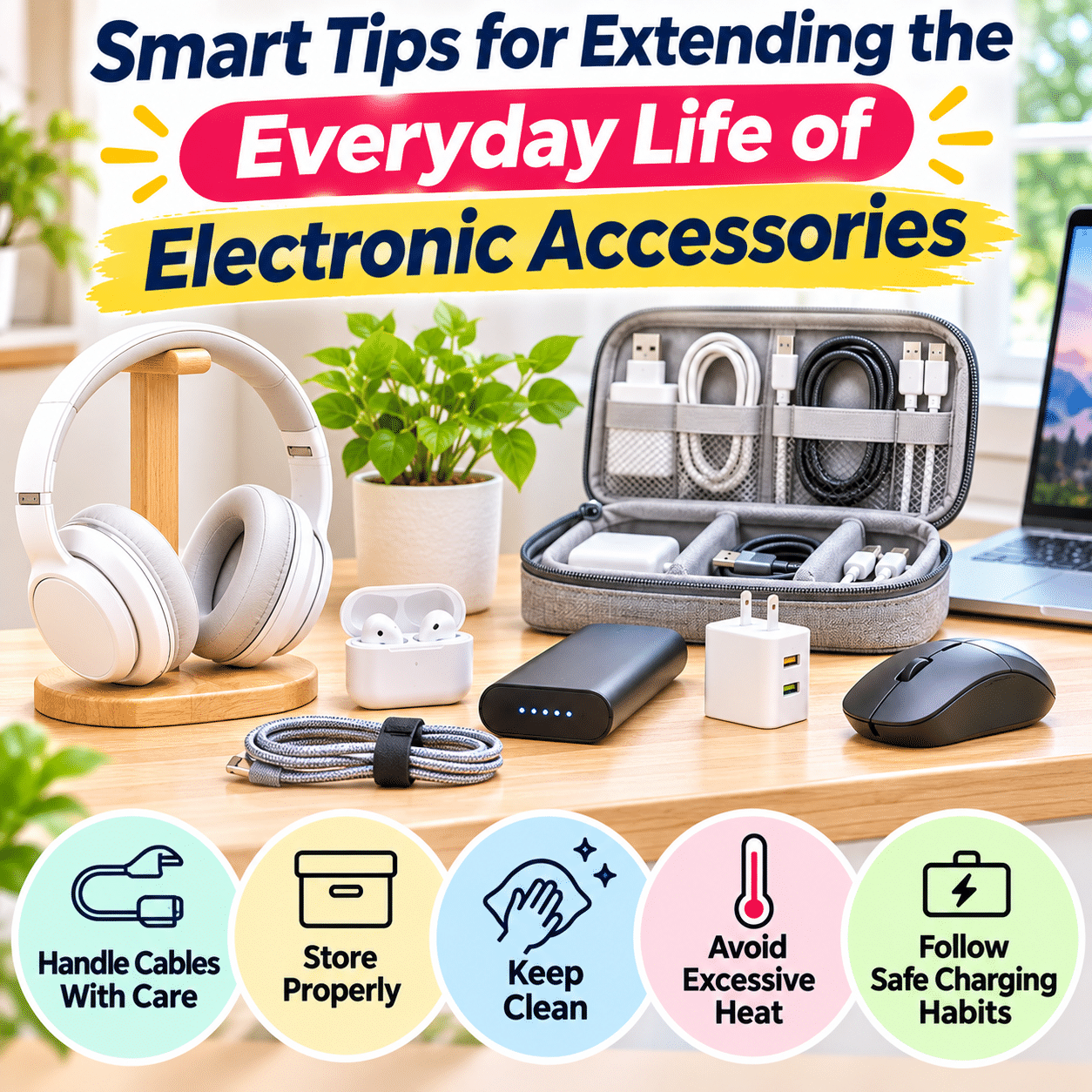
Electronic accessories have become essential companions to the devices we use every day. Charging cables, power adapters, wireless headphones, computer mice, keyboards, USB hubs, external storage drives, and portable power banks help make modern technology more convenient, productive, and enjoyable.
Although these accessories are often smaller and less expensive than the devices they support, replacing them frequently can become surprisingly costly. A damaged charging cable may interrupt an important task, worn headphones can make everyday listening frustrating, and a failing power adapter may leave a device unusable until a suitable replacement is available.
Many electronic accessories experience unnecessary wear because of everyday habits rather than unavoidable technical failure. Cables are pulled by their cords instead of their connectors, chargers are left beneath piles of objects, portable accessories are tossed loosely into bags, and devices are exposed to moisture, dust, or excessive heat.
Fortunately, small changes in handling, storage, cleaning, and charging habits can help electronic accessories remain useful for longer. Proper care can also reduce avoidable purchases, simplify household organization, and support a more thoughtful approach to technology consumption.
Extending the useful life of electronic accessories does not mean keeping damaged or unsafe equipment in service. Electrical safety, battery condition, manufacturer guidance, and compatibility should always take priority over saving money or reducing waste.
The most effective approach is to understand how different accessories wear out and develop simple routines that protect them during regular use.
This guide explores practical ways to care for common electronic accessories, prevent unnecessary damage, recognize early warning signs, and make smarter decisions about maintenance, repair, replacement, and responsible disposal.
1. Understand Why Electronic Accessories Wear Out
Before improving maintenance habits, it helps to understand the common causes of accessory deterioration.
Electronic accessories are exposed to different forms of stress depending on their design and use.
Mechanical Wear
Mechanical wear occurs when physical movement, pressure, or repeated handling affects an accessory.
Examples include:
- Bending charging cables near connectors
- Pulling plugs out by their cords
- Dropping headphones
- Crushing accessories inside bags
- Repeatedly twisting cable connections
- Applying excessive pressure to buttons or switches
Some wear is unavoidable, but careful handling can reduce unnecessary stress.
Heat Exposure
Heat can affect electronic components, batteries, insulation, adhesives, and plastic housings.
Accessories may become warm during normal operation, but excessive heat can accelerate deterioration or indicate a malfunction.
Common heat-related problems include:
- Chargers placed in poorly ventilated spaces
- Power banks left in hot vehicles
- Electronics exposed to direct sunlight
- Devices operated near heating equipment
- Charging accessories covered by blankets or clothing
Moisture and Humidity
Moisture can damage electrical contacts, internal circuits, and certain materials.
Even accessories that appear dry externally may contain moisture after exposure to spills or high humidity.
Water resistance also varies significantly between products.
Dust and Debris
Dust, lint, and debris may accumulate around:
- Charging connectors
- USB ports
- Keyboard switches
- Headphone openings
- Cooling vents
- Computer accessories
Accumulation can interfere with connections, movement, or ventilation.
Battery Aging
Rechargeable batteries gradually lose capacity through use and calendar aging.
Their lifespan depends on factors such as:
- Battery chemistry
- Temperature
- Charging patterns
- Storage conditions
- Device design
- Number and depth of charging cycles
Battery aging cannot be eliminated, but appropriate use and storage may help reduce avoidable deterioration.
Poor Storage Habits
Accessories stored loosely may experience scratches, pressure, tangled cables, or connector damage.
A simple storage system can prevent many of these problems.
2. Handle Charging Cables Carefully
Charging cables are among the most frequently replaced electronic accessories.
They are repeatedly connected, disconnected, bent, transported, and stored.
Disconnect Cables by the Connector
When unplugging a cable, hold the connector housing rather than pulling the wire.
Pulling the cable itself places stress on the connection between the internal conductors and the connector.
Over time, this may contribute to intermittent charging or physical damage.
Avoid Sharp Bends
Cables should bend naturally rather than being forced into tight angles.
Pay particular attention to the areas near connectors.
These locations often experience repeated stress.
Prevent Excessive Tension
A cable that is too short may remain stretched between a device and its power source.
This places unnecessary pressure on the connector.
Choose a cable length that allows comfortable movement without excessive slack.
Keep Cables Away From Moving Furniture
Avoid routing cables where they may become trapped by:
- Desk drawers
- Reclining chairs
- Adjustable desks
- Cabinet doors
- Rolling office chairs
- Bed frames
Repeated compression can damage cable insulation or internal conductors.
Use Cable Clips When Helpful
Cable clips can keep frequently used cables in predictable positions.
Choose clips that fit the cable without pinching or deforming it.
Replace Damaged Electrical Cables
Stop using cables that show:
- Exposed conductors
- Frayed insulation
- Melted areas
- Significant connector damage
- Unusual overheating
- Intermittent operation associated with visible damage
Do not rely on tape or improvised repairs to make a damaged electrical cable safe.
3. Store Charging Cables Without Creating Damage
Proper storage can help prevent tangling and unnecessary bending.
Coil Cables Loosely
Create relaxed loops rather than wrapping cables tightly around your hand or another object.
Avoid forcing cables into shapes smaller than their recommended bend radius.
Use Reusable Cable Straps
Hook-and-loop straps can keep cable loops organized.
They are adjustable and can be removed without cutting.
Do not tighten them enough to compress the cable.
Avoid Wrapping Cables Tightly Around Chargers
Wrapping a cable tightly around a power adapter may place stress near the connector or strain relief.
If the manufacturer provides a built-in cable storage feature, follow its instructions.
Separate Frequently Used and Spare Cables
Daily-use cables should remain accessible.
Spare cables can be stored in labeled compartments.
This reduces unnecessary handling and prevents accessories from becoming tangled together.
Keep Connectors Protected
Avoid storing connectors where they may be crushed by heavy objects.
Protective cases or divided compartments can be useful for travel and long-term storage.
4. Protect Power Adapters and Wall Chargers
Power adapters convert electrical power into forms suitable for connected devices.
They should be handled carefully because they operate directly with electrical energy.
Use Chargers Within Their Rated Specifications
Check the charger’s supported input and output ratings.
Use equipment compatible with the connected device.
A connector that physically fits does not automatically guarantee electrical compatibility.
Maintain Ventilation
Power adapters may generate heat during operation.
Avoid covering them with:
- Clothing
- Paper
- Bedding
- Decorative fabric
- Other objects that restrict airflow
Follow the manufacturer’s placement requirements.
Avoid Excessive Heat
Do not leave chargers beside radiators, ovens, or other heat sources.
Keep them away from prolonged exposure to intense sunlight.
Keep Chargers Dry
Avoid using chargers near sinks, wet countertops, or other moisture sources.
If a charger becomes wet, disconnect it safely when possible and follow manufacturer guidance.
Do not resume use simply because the exterior appears dry.
Inspect Plugs and Housings
Look for cracks, discoloration, bent contacts, loose parts, or signs of overheating.
Stop using questionable equipment.
Avoid Improvised Repairs
Mains-powered chargers contain electrical components that may remain hazardous even after unplugging.
Do not open or repair them without appropriate qualifications.
Replacement is often the safer option.
5. Extend the Useful Life of Portable Power Banks
Portable power banks provide convenient backup charging for smartphones, tablets, and other compatible devices.
Because they contain rechargeable batteries, their care requirements differ from those of ordinary cables.
Protect Power Banks From Heat
High temperatures can accelerate battery aging and increase safety risks.
Avoid leaving power banks:
- Inside parked vehicles exposed to heat
- In direct sunlight
- Near heating appliances
- Beneath bedding during operation
- In poorly ventilated locations
Use Compatible Charging Equipment
Follow the power bank manufacturer’s input and output specifications.
Use suitable cables and chargers.
Avoid Physical Damage
Dropping, crushing, or puncturing a power bank can damage its internal battery.
Store it where heavy objects cannot compress it.
Follow Storage Recommendations
For extended storage, follow the manufacturer’s recommended charge level and maintenance interval.
Many lithium-ion products benefit from being stored at a moderate charge rather than fully depleted, but exact guidance varies by device and battery management system.
Check for Battery Warning Signs
Stop using a power bank that shows:
- Swelling
- Leakage
- Unusual heat
- Smoke
- Strong chemical odors
- Significant physical damage
- Unexpected behavior after an impact
Do not attempt to puncture, flatten, or dismantle a swollen battery.
Seek appropriate local battery handling or recycling guidance.
Avoid Unnecessary Charging Stress
Use the device’s supported charging features and avoid exposing it to excessive heat while charging.
Do not assume that every power bank benefits from the same charging routine.
6. Care for Wireless Earbuds and Headphones
Headphones and earbuds experience regular contact with skin, hair, moisture, and everyday environmental debris.
They also contain delicate electronic components.
Clean Earbuds Regularly
Earwax, dust, and skin oils can accumulate around ear tips and speaker openings.
Use the cleaning method recommended by the manufacturer.
For removable silicone ear tips, some manufacturers permit separate cleaning.
Ensure removable parts are completely dry before reattaching them.
Avoid Inserting Sharp Objects Into Speaker Openings
Pins, needles, and other sharp tools can damage protective meshes or internal components.
Use approved cleaning tools and gentle methods.
Protect Charging Contacts
Wireless earbuds often rely on small charging contacts inside their cases.
Keep these areas free from visible debris.
Avoid excessive liquid or abrasive cleaning methods.
Store Earbuds in Their Case
A suitable case helps protect earbuds from:
- Scratches
- Dust
- Accidental impacts
- Loss
- Pressure inside bags
Protect Headphones From Excessive Moisture
Not every headphone model is water-resistant.
Even products with water-resistance ratings may have limitations related to sweat, rain, cleaning, or aging seals.
Follow the manufacturer’s guidance.
Avoid Excessive Cable Stress on Wired Headphones
For wired headphones, prevent sharp bends near the plug and earcup connections.
Store cables loosely.
Inspect Ear Cushions and Headbands
Replaceable ear cushions may wear out before the electronic components.
Where supported, replacing worn cushions can extend the useful life of the headphones.
7. Maintain Computer Mice and Keyboards
Computer accessories often remain in use for many hours each day.
Dust, food particles, moisture, and mechanical stress can affect their performance.
Keep Work Surfaces Clean
A clean desk reduces the amount of debris entering keyboards and collecting around mice.
Avoid eating directly over sensitive equipment when practical.
Clean Keyboard Surfaces Gently
Before cleaning, disconnect the keyboard or switch it off according to the manufacturer’s instructions.
Use suitable cleaning tools and methods.
Avoid spraying liquid directly into the keyboard.
Remove Loose Debris Carefully
A soft brush or manufacturer-approved cleaning method can help remove dust between keys.
Do not remove keycaps unless the keyboard design supports it and you understand the procedure.
Protect Mechanical Switches
Mechanical keyboards may support maintenance or replacement of certain components.
However, procedures vary by model.
Avoid applying lubricants, solvents, or cleaning liquids without manufacturer guidance.
Keep Mouse Sensors Clean
Dust or debris near an optical sensor can affect tracking.
Clean the sensor area gently using approved methods.
Maintain Mouse Feet and Surfaces
A suitable mouse pad can reduce friction and protect the underside of a mouse.
Replace worn mouse feet only when supported by the product design.
Avoid Excessive Force
Pressing keys or buttons harder than necessary does not improve their function.
Gentle, consistent use can reduce avoidable mechanical stress.
8. Protect USB Hubs, Docking Stations, and Adapters
USB hubs and docking stations connect multiple accessories to computers and other devices.
They may experience repeated plugging, unplugging, and cable movement.
Avoid Connector Strain
Do not allow heavy cables to hang from ports in ways that place excessive pressure on connectors.
Position hubs and docking stations on stable surfaces.
Use Appropriate Power Sources
Some hubs require external power to support connected devices.
Follow the manufacturer’s power requirements.
Avoid Overloading Ports
USB hubs have limits related to power delivery, data bandwidth, and connected-device support.
Connecting more devices than the hub can properly support may cause instability.
Maintain Ventilation
Some docking stations generate noticeable heat during operation.
Keep ventilation openings clear.
Protect Ports From Debris
Unused ports may collect dust.
Use appropriate cleaning methods and avoid inserting metal objects into connectors.
Disconnect Accessories Carefully
Hold the connector rather than pulling the cable.
Avoid twisting connectors during removal.
9. Extend the Life of External Storage Devices
External hard drives, solid-state drives, and USB flash drives are valuable for storing and transferring digital information.
Their care involves both physical protection and data management.
Handle Storage Devices Gently
External hard drives containing moving components can be particularly sensitive to impacts during operation.
Avoid dropping or moving them abruptly while they are active.
Solid-state storage has no moving mechanical parts, but it can still be damaged by impact, moisture, heat, or connector stress.
Use Safe Ejection Procedures
Follow operating system guidance before disconnecting removable storage.
This helps reduce the risk of interrupting active data transfers.
Protect Connectors
Avoid forcing USB connectors into ports.
Check orientation and compatibility before connecting.
Maintain Appropriate Temperatures
Keep storage devices within their specified operating and storage temperature ranges.
Avoid Excessive Physical Pressure
Do not place heavy objects on portable drives.
Use protective cases during transport when appropriate.
Keep Important Data Backed Up
No storage device lasts forever.
Even well-maintained drives can fail unexpectedly.
Maintain separate backups of important files.
A backup strategy is essential because physical care cannot guarantee data preservation.
Monitor Storage Health When Supported
Some storage devices provide diagnostic information.
Use manufacturer-approved tools where available.
Do not assume that a healthy status guarantees future reliability.
10. Care for Smartphone and Tablet Accessories
Phone and tablet accessories often experience heavy daily use.
Common examples include:
- Protective cases
- Charging cables
- Screen protectors
- Styluses
- Magnetic accessories
- Portable stands
- Keyboard covers
Clean Protective Cases
Dust and debris can accumulate between a device and its case.
Remove and clean the case according to manufacturer instructions.
Ensure both surfaces are dry before reassembly.
Replace Damaged Cases
A cracked or poorly fitting case may no longer provide the intended protection.
Inspect corners, buttons, and attachment points.
Maintain Stylus Accessories
Keep stylus tips clean and replace worn tips when the manufacturer supports replacement.
Avoid excessive pressure on screens.
Protect Magnetic Accessories
Use accessories designed for the device.
Keep magnetic attachment surfaces clean and free from abrasive debris.
Avoid Excessive Pressure on Screens
Stands and mounts should support devices securely without forcing them into unsuitable positions.
Check Charging Connections
Keep charging connectors free from visible debris.
If a port appears damaged or charging becomes unreliable, seek appropriate service rather than forcing the connector.
11. Prevent Damage During Travel and Daily Commuting
Portable accessories experience additional stress when carried in backpacks, handbags, and luggage.
Use Protective Compartments
Separate electronic accessories from heavy or sharp objects.
A small organizer can protect:
- Charging cables
- Wall adapters
- Earbuds
- USB drives
- Power banks
- Travel connectors
Avoid Overstuffed Bags
Excessive pressure may damage accessories or bend connectors.
Keep Liquids Separate
Water bottles, cosmetics, and other liquids can leak inside bags.
Use appropriate separation to reduce the risk of spills reaching electronics.
Protect Accessories From Heat
Avoid leaving electronics in hot vehicles or exposed luggage.
Secure Loose Cables
Coil cables gently and use reusable straps.
This reduces tangling and connector stress.
Follow Battery Transportation Requirements
Power banks and spare lithium batteries may be subject to airline restrictions.
Check current airline and aviation authority requirements before traveling.
12. Store Electronic Accessories Properly at Home
Good storage reduces accidental damage and makes accessories easier to find.
Choose a Dry Storage Location
Avoid areas exposed to leaks, condensation, or excessive humidity.
Keep Accessories Away From Direct Heat
Do not store electronic accessories near heaters or other high-temperature sources.
Use Divided Containers
Small compartments help prevent cables, adapters, and connectors from becoming tangled or scratched.
Label Specialized Accessories
Some power adapters and cables look similar but serve different devices.
Labels help prevent accidental misuse.
Avoid Heavy Stacking
Do not place heavy objects on delicate electronics.
Separate Active and Spare Accessories
Frequently used accessories should remain accessible.
Spare equipment can be stored in a dedicated drawer or container.
Review Stored Accessories Periodically
Remove obsolete, damaged, or unnecessary items.
An organized collection is easier to maintain and less likely to cause accidental damage.
13. Clean Electronic Accessories Safely
Cleaning is an important maintenance activity, but inappropriate cleaning methods can cause damage.
Begin With Manufacturer Instructions
Different accessories use different materials, coatings, seals, and electrical designs.
Always check the recommended cleaning procedure.
Disconnect Power When Appropriate
Before cleaning wired accessories, disconnect them from electrical power and connected devices as instructed.
Switch off battery-powered accessories when possible.
Use Suitable Cleaning Materials
Depending on the product, appropriate materials may include:
- Soft microfiber cloths
- Nonabrasive brushes
- Manufacturer-approved cleaning wipes
- Approved cleaning solutions
Avoid assuming that one cleaning product is safe for every electronic surface.
Avoid Excessive Moisture
Do not pour or spray liquids directly into electronic openings unless the manufacturer specifically permits the procedure.
Avoid Abrasive Materials
Rough brushes and abrasive cleaners can scratch surfaces or damage coatings.
Allow Components to Dry
If an approved cleaning procedure involves moisture, allow the accessory to dry completely before reconnecting or using it.
Do Not Open Sealed Electrical Equipment
Internal cleaning of sealed chargers, power banks, and similar devices may expose hazardous components.
Use qualified service providers when necessary.
14. Understand How Temperature Affects Electronic Accessories
Temperature is an important factor in accessory longevity.
Heat Can Accelerate Deterioration
Excessive heat may affect:
- Rechargeable batteries
- Plastic housings
- Adhesives
- Cable insulation
- Electronic components
Cold Conditions Can Affect Performance
Some batteries temporarily deliver reduced performance in cold environments.
Charging outside the manufacturer’s specified temperature range may also be unsafe.
Avoid Rapid Environmental Changes
Moving equipment between very cold and warm environments can sometimes cause condensation.
Allow devices to acclimate according to manufacturer guidance before use.
Maintain Ventilation
Do not block vents on chargers, hubs, docking stations, or other accessories that require airflow.
Watch for Abnormal Heat
Warmth during operation may be normal for some accessories.
However, excessive heat, discoloration, unusual smells, or other abnormal behavior should be treated as warning signs.
Stop using questionable equipment and seek appropriate assistance.
15. Develop Better Charging Habits for Battery-Powered Accessories
Rechargeable batteries gradually age, but sensible charging practices may help reduce unnecessary stress.
Follow Device-Specific Charging Guidance
Battery chemistry, charging controls, and manufacturer recommendations vary.
Avoid applying one universal rule to every device.
Avoid Excessive Heat During Charging
Charging can generate heat.
Keep devices in suitable environments and avoid covering them with insulating materials.
Use Compatible Chargers
Verify charging requirements and supported protocols.
Do not use adapters with incompatible voltage or polarity.
Understand Battery Charge Management
Many modern devices include systems that regulate charging and protect batteries.
Some offer optimized charging features that reduce time spent at very high charge levels.
Use these features when supported and appropriate.
Avoid Deep Discharge During Long-Term Storage
Some rechargeable batteries can deteriorate if stored fully depleted for extended periods.
Follow the manufacturer’s storage charge recommendations.
Do Not Assume Overnight Charging Is Always Harmful
Modern devices often include charge management systems.
However, battery aging still depends on temperature, charge level, and other factors.
Follow device-specific guidance rather than relying on generalized charging myths.
Replace Aging Batteries When Appropriate
Some accessories support professional or user-replaceable batteries.
Use approved replacement parts and procedures.
Do not attempt to open sealed lithium battery products without appropriate qualifications.
16. Reduce Wear on Connectors and Ports
Connectors are common failure points because they experience repeated physical contact.
Align Connectors Before Insertion
Do not force a plug into a port.
Check orientation and compatibility.
Avoid Sideways Pressure
A cable hanging under tension can place stress on a port.
Position devices and cables to reduce leverage on connectors.
Keep Ports Clean
Dust and debris may interfere with connections.
Use manufacturer-approved cleaning methods.
Avoid Unnecessary Reconnection
Frequently disconnecting and reconnecting equipment creates mechanical wear.
For devices that remain stationary, a stable connection may be more practical.
Consider Suitable Docking Accessories
A compatible docking station may reduce repeated connection changes on certain devices.
However, it introduces additional components and should be chosen based on actual needs.
Replace Worn Cables Promptly
A damaged connector may also damage the port it connects to.
Stop using accessories that fit poorly, overheat, or show physical damage.
17. Recognize When Maintenance Is No Longer Enough
Extending accessory life should never mean ignoring safety problems.
Signs That Replacement May Be Necessary
Consider replacement or qualified inspection when an accessory shows:
- Exposed wiring
- Cracked electrical housings
- Swollen batteries
- Melted plastic
- Persistent overheating
- Loose electrical contacts
- Repeated connection failures
- Liquid damage
- Unusual odors
- Visible corrosion
Distinguish Cosmetic Wear From Functional Damage
Minor surface scratches may not affect operation.
However, damage to insulation, electrical contacts, battery enclosures, or structural components can be more serious.
Avoid Temporary Electrical Fixes
Tape, glue, and improvised modifications are not reliable substitutes for properly repairing damaged electrical equipment.
Use Qualified Repair Services
Some accessories can be repaired safely by trained professionals.
Others are designed for replacement rather than repair.
Follow manufacturer guidance and applicable safety requirements.
18. Repair, Replace, or Recycle: Making Practical Decisions
When an accessory begins to fail, consider whether maintenance, repair, or replacement is appropriate.
| Accessory condition | Practical response | Important consideration |
|---|---|---|
| Dusty but functioning | Clean appropriately | Follow manufacturer instructions |
| Minor cosmetic scratches | Continue using if safe | Check for hidden functional damage |
| Worn replaceable ear cushions | Replace cushions | Verify compatible parts |
| Damaged charging cable | Replace cable | Avoid improvised repairs |
| Cracked power adapter | Stop using and replace or seek qualified assessment | Electrical safety |
| Swollen power bank | Stop using and arrange safe handling | Battery hazard |
| Failing external drive | Back up data and evaluate replacement | Data protection |
| Worn keyboard keycaps | Replace if supported | Model compatibility |
| Obsolete unused charger | Recycle responsibly | Local recycling availability |
Consider Repairability
Some products are designed with replaceable components.
Examples may include:
- Headphone ear cushions
- Keyboard keycaps
- Certain mouse components
- Removable batteries in supported devices
- Detachable cables
Repairability can extend useful life when replacement parts and safe procedures are available.
Evaluate Replacement Quality
When replacement is necessary, consider:
- Compatibility
- Safety information
- Build quality
- Manufacturer support
- Availability of replacement parts
- Warranty terms
- Expected usage requirements
The least expensive option is not always the most economical over time.
Recycle Electronics Responsibly
Electronic accessories may contain metals, plastics, batteries, and other materials requiring specialized handling.
Use appropriate electronics recycling programs where available.
Do not place damaged lithium batteries in ordinary household waste.
19. Common Mistakes That Shorten Accessory Lifespan
Mistake 1: Pulling Cables by Their Wires
Why it matters: Repeated tension can damage internal connections.
Better approach: Disconnect cables by holding the connector housing.
Mistake 2: Wrapping Cables Too Tightly
Why it matters: Sharp bends can stress conductors and insulation.
Better approach: Use loose coils and adjustable straps.
Mistake 3: Leaving Electronics in Hot Cars
Why it matters: Excessive heat can accelerate battery aging and damage components.
Better approach: Store accessories within their recommended temperature ranges.
Mistake 4: Using Incompatible Chargers
Why it matters: Incorrect electrical specifications may damage equipment or create hazards.
Better approach: Verify compatibility before use.
Mistake 5: Cleaning With Excessive Liquid
Why it matters: Moisture can enter electronic components.
Better approach: Follow product-specific cleaning instructions.
Mistake 6: Storing Accessories Loose in Bags
Why it matters: Cables, connectors, and housings may become crushed or scratched.
Better approach: Use protective compartments.
Mistake 7: Ignoring Early Warning Signs
Why it matters: Damaged accessories may become unreliable or unsafe.
Better approach: Inspect questionable equipment and stop using it when necessary.
Mistake 8: Overloading USB Hubs
Why it matters: Exceeding supported power or data capacity can cause instability.
Better approach: Follow hub specifications.
Mistake 9: Keeping Batteries Fully Depleted in Storage
Why it matters: Some rechargeable batteries may deteriorate during extended storage at very low charge levels.
Better approach: Follow manufacturer storage recommendations.
Mistake 10: Replacing Accessories Without Checking Simple Causes
Why it matters: Dust, settings, or compatibility issues may sometimes explain poor performance.
Better approach: Perform safe basic troubleshooting before purchasing replacements.
20. Troubleshooting Common Electronic Accessory Problems
Problem: A Charging Cable Works Only at Certain Angles
Possible causes: Connector damage, cable wear, or a damaged device port.
Practical solution: Stop using a visibly damaged cable. Test with a known-compatible replacement and seek qualified inspection if the device port appears faulty.
Problem: Wireless Earbuds Do Not Charge Reliably
Possible causes: Dirty contacts, improper seating, depleted case battery, or hardware problems.
Practical solution: Follow manufacturer cleaning and troubleshooting instructions. Avoid scraping contacts with metal tools.
Problem: A Power Bank Loses Capacity
Possible causes: Normal battery aging, temperature exposure, or internal faults.
Practical solution: Review manufacturer guidance. Replace or professionally assess the unit if performance becomes unacceptable or safety concerns appear.
Problem: A Computer Mouse Tracks Inconsistently
Possible causes: Debris near the sensor, unsuitable surface, battery condition, or connection problems.
Practical solution: Clean the sensor appropriately, check the surface, and review battery or wireless connection status.
Problem: A Keyboard Key Becomes Unresponsive
Possible causes: Debris, mechanical wear, liquid damage, or connection problems.
Practical solution: Use approved cleaning methods and check the connection. Seek repair guidance if the issue persists.
Problem: A USB Hub Disconnects Devices
Possible causes: Insufficient power, incompatible accessories, damaged cables, or hardware limitations.
Practical solution: Check power requirements, supported connections, and manufacturer troubleshooting instructions.
Problem: An External Drive Disconnects Unexpectedly
Possible causes: Cable problems, insufficient power, port issues, or drive failure.
Practical solution: Protect important data immediately, check supported connections, and evaluate the drive’s health.
Problem: A Charger Becomes Unusually Hot
Possible causes: Restricted ventilation, excessive load, internal failure, or another electrical problem.
Practical solution: Stop using it, disconnect safely, and follow manufacturer guidance. Replace questionable equipment rather than continuing operation.
Problem: Electronic Accessories Develop Corrosion
Possible causes: Moisture exposure, spills, or unsuitable storage conditions.
Practical solution: Stop using affected electrical equipment and seek appropriate assessment. Do not reconnect equipment until it is confirmed safe.
Problem: Accessories Wear Out Quickly During Travel
Possible causes: Compression, tangled cables, impacts, or environmental exposure.
Practical solution: Use protective organizers, avoid overpacking, and keep electronics separate from liquids and heavy objects.
21. Build a Simple Electronic Accessory Maintenance Routine
A maintenance routine does not need to be complicated.
The goal is to prevent avoidable damage through small, consistent habits.
Daily Habits
- Disconnect cables by their connectors.
- Avoid placing heavy objects on accessories.
- Keep charging equipment ventilated.
- Return portable accessories to designated locations.
- Protect devices from moisture and excessive heat.
Weekly Habits
- Wipe frequently handled surfaces using approved methods.
- Check for visible cable damage.
- Remove debris from accessible areas.
- Organize loose charging accessories.
- Inspect frequently used connectors.
Monthly Habits
- Review accessory storage.
- Check for obsolete or unnecessary cables.
- Inspect power adapters and power banks.
- Review firmware or software updates for supported accessories.
- Confirm that important external data remains backed up.
Occasional Maintenance
- Replace worn removable components.
- Review battery storage conditions.
- Reorganize travel accessories.
- Evaluate aging equipment.
- Recycle damaged or obsolete electronics responsibly.
The ideal schedule depends on how frequently accessories are used and the conditions they experience.
22. Choose More Durable Accessories When Replacing Equipment
Thoughtful purchasing decisions can reduce future maintenance problems.
Prioritize Compatibility
An accessory should meet the electrical, mechanical, and functional requirements of the device it supports.
Look for Clear Specifications
Reputable products typically provide information about:
- Supported devices
- Power ratings
- Connector types
- Operating conditions
- Safety certifications where applicable
- Warranty coverage
- Manufacturer support
Consider Cable Construction
Features such as appropriate strain relief, suitable insulation, and durable connectors may improve resistance to everyday handling.
However, appearance alone does not guarantee durability.
Evaluate Replaceable Components
Accessories with replaceable ear cushions, detachable cables, or serviceable parts may offer practical advantages.
Consider Actual Usage
A travel cable may need greater flexibility and resistance to repeated handling than a cable that remains permanently connected behind a desk.
Choose products for their intended environment.
Avoid Unnecessary Purchases
The most sustainable accessory is often one that already works safely and meets your needs.
Replacing functional equipment simply to obtain a newer design may offer little practical benefit.
23. Frequently Asked Questions
1. How can I make electronic accessories last longer?
Handle them gently, avoid excessive heat and moisture, store them properly, clean them according to manufacturer instructions, and replace damaged components when necessary.
2. What causes charging cables to wear out quickly?
Repeated sharp bending, pulling by the wire, connector strain, crushing, and poor storage can contribute to premature wear.
3. Is it better to coil or fold charging cables?
Loose coiling is generally preferable to creating sharp folds. Follow any cable-specific bend radius recommendations.
4. Can cable organizers damage cables?
They can if they pinch, crush, or bend cables excessively. Choose appropriately sized accessories and avoid overtightening.
5. Should chargers remain plugged in all the time?
Follow manufacturer instructions. Unplugging unused chargers can reduce unnecessary standby power consumption and eliminate an unneeded energized connection.
6. How do I know when a charging cable should be replaced?
Replace cables showing frayed insulation, exposed conductors, damaged connectors, unusual overheating, or other signs of unsafe deterioration.
7. Does heat shorten power bank lifespan?
Excessive heat can accelerate battery aging and may create safety risks.
8. Should a power bank be fully charged before long-term storage?
Follow the manufacturer’s storage guidance. Many lithium-ion products recommend moderate charge levels for extended storage rather than remaining fully depleted.
9. Can wireless earbuds last longer with regular cleaning?
Appropriate cleaning can help maintain charging contacts, speaker openings, and removable components, potentially reducing avoidable problems.
10. Is it safe to wash wireless earbuds?
Only if the manufacturer specifically permits the cleaning method. Water resistance does not automatically mean an electronic accessory can be washed.
11. How often should I clean my keyboard?
Cleaning frequency depends on usage and environment. Regular light cleaning and prompt attention to spills or debris are practical habits.
12. Can dust damage electronic accessories?
Dust and debris may interfere with connectors, moving parts, sensors, or ventilation, depending on the accessory.
13. How can I protect accessories inside a backpack?
Use a padded or divided organizer, avoid excessive pressure, and keep electronics away from liquids and sharp objects.
14. Are braided charging cables always more durable?
Not necessarily. Durability depends on overall construction, strain relief, connector quality, materials, and usage conditions.
15. Can using the wrong charger damage an accessory?
Yes. Incompatible voltage, polarity, power delivery, or connector specifications may cause damage or safety problems.
16. How should I clean USB ports?
Follow manufacturer-approved procedures. Avoid inserting sharp metal objects or applying excessive liquid.
17. Do external SSDs need special care?
They benefit from protection against physical damage, excessive heat, moisture, and connector stress. Important data should also be backed up.
18. Why does my USB hub become warm?
Some hubs generate heat during operation. Excessive heat or abnormal behavior should be investigated according to manufacturer guidance.
19. Can headphone ear cushions be replaced?
Many models support replacement cushions, but compatibility and procedures vary.
20. Is it worth repairing inexpensive electronic accessories?
It depends on safety, repairability, replacement cost, available parts, and environmental considerations. Electrical hazards should never be ignored to save money.
21. How can I prevent charging ports from becoming loose?
Avoid forcing connectors, pulling cables sideways, and allowing heavy cables to place tension on ports.
22. Does frequent charging always damage rechargeable batteries?
Rechargeable batteries naturally age through use and time. Battery lifespan depends on chemistry, temperature, charging behavior, and device management systems.
23. Can electronic accessories be stored in plastic containers?
Many unplugged accessories can be stored in suitable dry containers. Battery-containing products should follow manufacturer storage requirements, including temperature and ventilation considerations.
24. Should I keep spare chargers?
A reasonable number of safe, compatible spare chargers can be useful. Avoid keeping unnecessary or unidentified accessories.
25. What should I do with a swollen power bank?
Stop using or charging it immediately. Avoid puncturing or compressing it, and follow appropriate local battery safety and disposal guidance.
26. How do I prevent cables from tangling?
Use loose coils, reusable straps, and separate storage compartments.
27. Can moisture damage accessories even without direct water exposure?
Yes. Condensation and high humidity may affect certain electronic components and contacts.
28. Are expensive accessories always longer-lasting?
No. Price alone does not guarantee durability. Construction quality, compatibility, repairability, and proper use are more meaningful factors.
29. How often should I inspect electronic accessories?
Inspect frequently used accessories during normal cleaning and whenever unusual behavior, physical damage, or overheating occurs.
30. What is the most important habit for extending accessory life?
Consistent, careful handling is one of the most useful habits. Protecting accessories from unnecessary physical stress, heat, moisture, and improper use can reduce avoidable damage.
24. Practical Electronic Accessory Care Checklist
Use this checklist to maintain accessories throughout your home.
Charging Cables
- Disconnect cables by their connectors.
- Avoid sharp bends and excessive tension.
- Keep cables away from moving furniture.
- Coil spare cables loosely.
- Use adjustable storage straps.
- Inspect insulation and connectors.
- Replace damaged cables.
Chargers and Power Adapters
- Verify device compatibility.
- Use equipment within its rated specifications.
- Maintain ventilation.
- Keep chargers away from water.
- Avoid excessive heat.
- Inspect housings and plugs.
- Stop using damaged equipment.
Power Banks
- Protect batteries from heat.
- Avoid crushing or dropping power banks.
- Use compatible charging equipment.
- Follow storage charge recommendations.
- Inspect for swelling or damage.
- Handle defective batteries safely.
- Recycle unusable units responsibly.
Headphones and Earbuds
- Clean ear tips and accessible surfaces appropriately.
- Protect charging contacts.
- Store earbuds in their cases.
- Avoid excessive moisture.
- Protect wired headphone cables.
- Replace worn removable cushions when supported.
Computer Accessories
- Keep keyboards and mice clean.
- Avoid excessive force on buttons and keys.
- Protect sensors and connectors.
- Keep liquids away from equipment.
- Follow approved cleaning procedures.
- Replace supported worn components.
Storage Devices and USB Accessories
- Avoid physical impacts.
- Protect connectors.
- Use safe ejection procedures.
- Maintain appropriate operating temperatures.
- Follow USB hub power requirements.
- Back up important data.
- Check device health when supported.
Storage and Travel
- Use protective compartments.
- Keep cables loosely coiled.
- Separate accessories from liquids.
- Avoid excessive pressure.
- Store equipment in dry conditions.
- Label specialized adapters.
- Review unused accessories periodically.
Long-Term Maintenance
- Inspect accessories for damage.
- Clean equipment using approved methods.
- Review battery condition.
- Replace unsafe components.
- Consider repairability before purchasing replacements.
- Recycle obsolete electronics responsibly.
- Maintain simple everyday care habits.
Final Thoughts
Electronic accessories may be small, but they play an important role in keeping modern households connected, productive, and organized. From charging cables and power adapters to headphones, keyboards, portable storage devices, and power banks, these everyday tools deserve thoughtful care.
Extending their useful life rarely requires complicated maintenance. Simple habits such as disconnecting cables correctly, avoiding excessive heat, protecting connectors, cleaning surfaces appropriately, and storing accessories in designated locations can help prevent unnecessary wear.
Different accessories also require different approaches. Rechargeable batteries benefit from suitable temperature and storage conditions, computer peripherals need regular attention to dust and debris, and external storage devices require careful handling along with dependable data backups.
Safety must remain the priority. Damaged electrical equipment, swollen batteries, overheating chargers, and compromised insulation should never be kept in service simply to avoid replacement.
Thoughtful maintenance also supports a more practical approach to household spending and resource use. When accessories remain functional for longer, there may be fewer unnecessary purchases, less storage clutter, and fewer discarded electronic products.
Rather than treating electronic accessories as disposable items, consider them part of the everyday equipment that supports your home and routines.
With consistent care, sensible storage, and informed replacement decisions, you can help your electronic accessories remain reliable and useful for as long as practical—making everyday technology easier to manage while encouraging more responsible consumption.