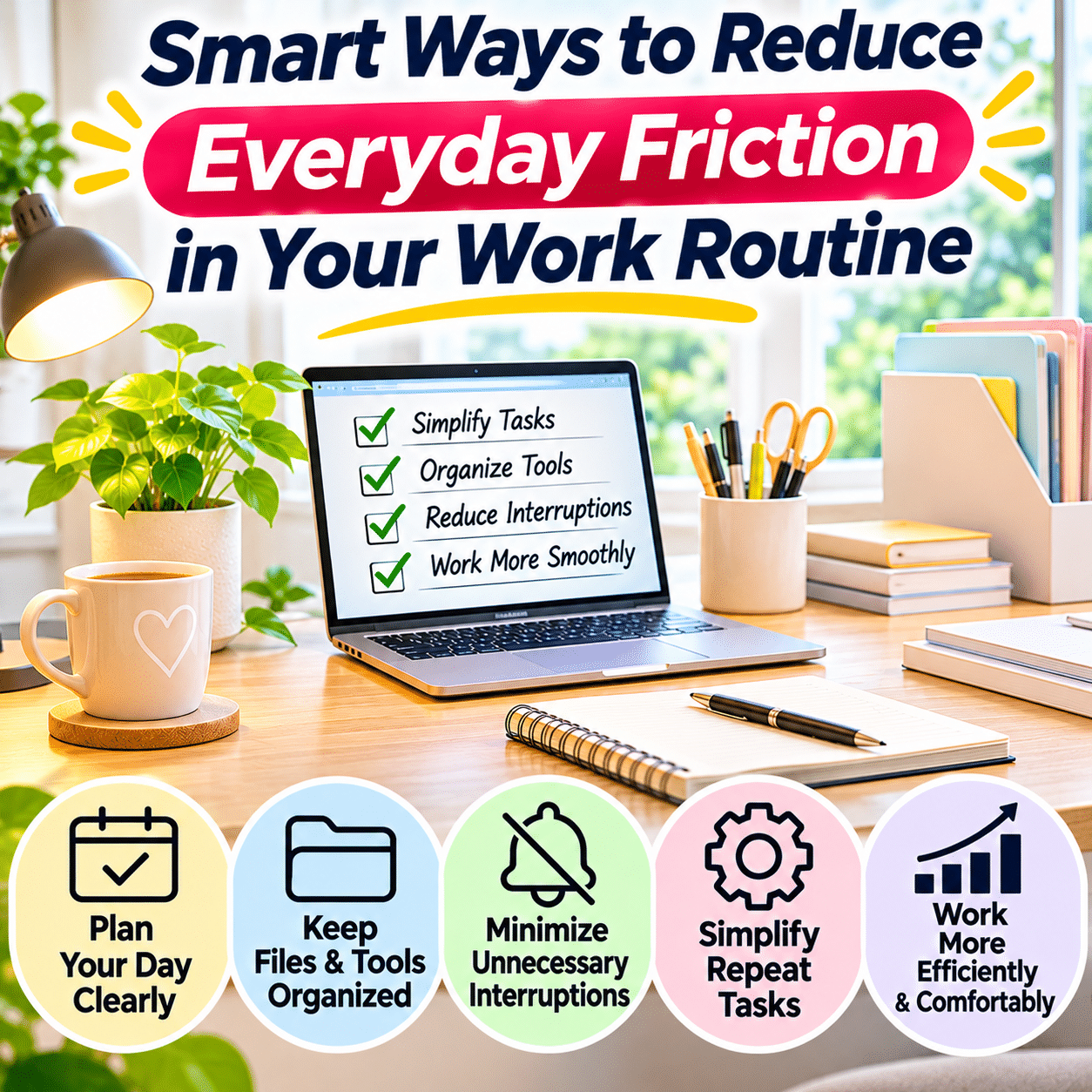
A productive workday is not simply the result of working harder, moving faster, or completing more tasks. Often, the biggest improvements come from removing small obstacles that make ordinary activities unnecessarily difficult.
These obstacles are sometimes called everyday friction. They include the repeated interruptions, unclear decisions, inconvenient processes, misplaced information, unnecessary steps, and poorly organized routines that quietly consume time and attention.
A workday might begin with searching for a missing document, switching between several applications, responding to unexpected messages, or deciding which task deserves attention first. None of these activities may seem particularly significant on its own. However, when they occur repeatedly, they can make the entire work routine feel more complicated than necessary.
Everyday friction can appear in almost any working environment. Remote workers may struggle with digital distractions and unclear boundaries between personal and professional activities. Office employees may encounter unnecessary meetings, fragmented communication, or inefficient approval processes. Students, freelancers, small business owners, and creative professionals may face similar difficulties when managing multiple responsibilities.
The solution is not to eliminate every interruption or create a perfectly controlled schedule. Real work involves changing priorities, unexpected responsibilities, collaboration, and occasional uncertainty.
Instead, the goal is to identify recurring sources of unnecessary effort and make practical adjustments that allow important activities to happen more smoothly.
Simple changes—such as preparing a workspace before starting, organizing frequently used files, clarifying task priorities, reducing unnecessary notifications, and creating predictable transitions—can make work routines easier to manage.
This guide explores smart, sustainable ways to reduce everyday friction in your work routine, improve workflow organization, simplify decisions, manage distractions, and create a more comfortable and effective working environment.
1. Understand What Everyday Friction Means at Work
Everyday friction refers to obstacles that make a task require more effort, time, or attention than necessary.
Some friction is unavoidable. Complex projects require careful thinking, important decisions deserve consideration, and collaborative work often involves coordination.
The problem is unnecessary friction: the repeated difficulties that add little value to the work itself.
Common Examples of Workplace Friction
Everyday friction may include:
- Searching for files that should be easy to locate
- Repeatedly entering the same information
- Switching between applications unnecessarily
- Starting work without clear priorities
- Responding to constant notifications
- Waiting for information that was not communicated clearly
- Attending meetings without defined purposes
- Reorganizing the same workspace repeatedly
- Forgetting small administrative tasks
- Managing unclear deadlines
- Repeating avoidable corrections
- Searching for frequently used tools
- Restarting interrupted tasks
- Deciding what to do next throughout the day
These problems often become part of the normal routine, making them easy to overlook.
Friction Is Not Always Visible
A cluttered desk is an obvious source of inconvenience.
Other sources are less noticeable.
For example, a confusing file naming system may require extra searching several times a day. An unclear project brief may lead to repeated questions and revisions. A poorly timed notification may interrupt concentration during a demanding task.
Recognizing these less visible obstacles is an important step toward improving daily work.
Distinguish Necessary Effort From Unnecessary Effort
Not every difficult activity should be simplified.
Learning a new skill, reviewing important information, or checking the accuracy of complex work may require substantial effort for good reasons.
The objective is to remove unnecessary obstacles without sacrificing quality, safety, accuracy, or thoughtful decision-making.
2. Identify the Biggest Sources of Friction in Your Routine
Before changing your schedule or purchasing productivity tools, observe how your current workday operates.
Track Repeated Interruptions
For several ordinary workdays, notice when your activities become unnecessarily difficult.
You might record:
- What task you were doing
- What interrupted or delayed it
- How you responded
- Whether the problem happens regularly
- What might prevent it from recurring
A brief note is sufficient.
Look for Repeated Questions
Ask yourself:
- What do I search for most often?
- Which tasks do I repeatedly postpone?
- Where do I lose track of information?
- Which activities require too many steps?
- What interrupts my concentration?
- Which decisions do I make over and over?
- What causes unnecessary rework?
- Which parts of my day feel disorganized?
Group Problems Into Categories
| Friction category | Common example | Potential improvement |
|---|---|---|
| Physical | Searching for desk supplies | Assign permanent storage locations |
| Digital | Files scattered across folders | Create consistent file organization |
| Scheduling | Unclear daily priorities | Plan a short task sequence |
| Communication | Repeated clarification messages | Improve initial instructions |
| Attention | Frequent notifications | Adjust notification settings |
| Process | Repeating the same manual steps | Use templates or appropriate automation |
| Transition | Difficulty restarting tasks | Leave clear next-step notes |
| Decision-making | Constantly choosing what to do | Establish simple decision rules |
Focus on Recurring Problems
A rare inconvenience may not justify changing your entire system.
Prioritize obstacles that appear frequently or create meaningful consequences.
Avoid Tracking Every Minute
The purpose of observation is to identify patterns, not to monitor yourself continuously.
A few useful observations are often enough to reveal practical opportunities for improvement.
3. Begin the Workday With a Clear Starting Point
An unclear beginning can create unnecessary decision-making before meaningful work even starts.
A simple starting routine helps establish direction.
Identify Your Most Important Tasks
Choose the work that deserves attention based on deadlines, importance, dependencies, and available resources.
Avoid treating every task as equally urgent.
Review Existing Commitments
Check relevant meetings, appointments, and deadlines.
This helps prevent scheduling conflicts.
Prepare Necessary Materials
Open the documents, applications, or reference materials needed for your first task.
Clarify the First Action
A task such as “work on the report” may feel vague.
A clearer starting action might be:
“Review the existing outline and draft the first section.”
Specific actions reduce the effort required to begin.
Keep the Routine Short
A starting routine should support actual work rather than become a lengthy planning exercise.
For many people, a few minutes of preparation is sufficient.
4. Reduce Decision Fatigue With Simple Work Rules
Work routines often contain repeated decisions that do not require fresh analysis every time.
Creating sensible default rules can simplify these choices.
Establish Standard Locations
Decide where common materials belong.
Examples include:
- Incoming documents
- Active project files
- Completed work
- Reference information
- Meeting notes
- Frequently used supplies
Create Default Responses to Routine Situations
Examples:
When a new task arrives: Record it in the main task system.
When a document is completed: Move it to the appropriate completed or archive location.
When a meeting ends: Record decisions and next actions.
When a file is downloaded: Rename or relocate it when necessary.
When an interruption occurs: Note your current stopping point before switching tasks, if practical.
Use Rules Without Becoming Rigid
A default process should simplify ordinary situations.
Unusual or high-stakes decisions may require additional thought.
Review Rules That No Longer Work
As responsibilities change, some routines may become outdated.
Adjust them when they stop serving a useful purpose.
5. Organize Your Workspace Around Actual Work Activities
A workspace should make common activities easier rather than simply look attractive.
Identify Essential Equipment
Frequently used items may include:
- Computer
- Keyboard and mouse
- Notebook
- Pen
- Headphones
- Charging equipment
- Reference documents
- Task-specific tools
Keep Daily Essentials Accessible
Place commonly used items within comfortable reach.
Store Occasional Supplies Separately
Backup accessories and rarely used materials do not need to occupy the main working surface.
Create a Clear Working Area
Leave enough space for the activities you perform regularly.
Reduce Cable Interference
Use suitable cable routing and organization methods to prevent cords from obstructing movement or equipment.
Consider Ergonomics
Adjust seating, screen position, lighting, and input devices to support comfortable working conditions.
Avoid Over-Organizing
A workspace filled with containers, labels, and decorative accessories can become less functional.
Choose arrangements that simplify daily actions.
6. Make Frequently Used Tools Easier to Access
Repeatedly searching for the same tool creates avoidable interruptions.
Identify High-Frequency Tools
These may include:
- Calculator
- Notebook
- Scissors
- USB adapter
- Headphones
- Charger
- Reference checklist
- Frequently used software
- Shared project folder
Assign Predictable Locations
Each tool should have a consistent home.
Create Convenient Digital Shortcuts
Use bookmarks, application shortcuts, or approved quick-access features for frequently used resources.
Avoid Duplicate Storage Locations
Storing the same information in several uncontrolled locations can create confusion about which version is current.
Keep Access Secure
Convenience should not come at the expense of privacy or information security.
Sensitive files and accounts still require appropriate protection.
7. Simplify Your Digital File Organization
Digital clutter can create as much friction as physical clutter.
A confusing folder structure may slow down even simple activities.
Create Broad Main Categories
A practical system might include:
- Active Projects
- Reference Materials
- Administrative Documents
- Templates
- Completed Projects
- Archives
Use Descriptive File Names
Instead of:
Document_Final_New_2
Consider:
Client_Project_Proposal_2026-11-03
Use dates only when they genuinely help distinguish files.
Establish Version Naming Rules
Where version tracking is necessary, use consistent identifiers.
For collaborative work, approved version-control or document-history features may be more reliable than manually creating many copies.
Separate Active and Archived Materials
Keep current work easy to access.
Move completed materials into suitable archive locations.
Avoid Excessive Folder Depth
A complicated hierarchy can make navigation slower.
Use enough structure to distinguish content without creating unnecessary layers.
Maintain Appropriate Backups
Important files should be protected through suitable backup practices.
Review Digital Clutter Periodically
Remove unnecessary duplicates and organize misplaced files while respecting retention requirements.
8. Reduce Unnecessary Application Switching
Switching between applications is sometimes necessary, but excessive switching can interrupt concentration.
Identify Your Core Work Applications
Determine which tools are essential for your regular tasks.
Group Related Activities
For example, handle related administrative tasks together when practical.
Keep Relevant Documents Accessible
Arrange windows or use suitable workspace features to reduce repeated searching.
Use Bookmarks and Shortcuts
Frequently accessed resources should be easy to locate.
Close Unnecessary Applications
Reducing open windows can make navigation simpler.
However, do not close applications that must remain active for ongoing processes.
Avoid Adding Tools Without a Clear Purpose
A new productivity application may create additional work if it duplicates an existing system.
Evaluate whether a tool genuinely removes friction.
9. Create a Single Reliable Task Management System
Tasks become difficult to manage when they are scattered across emails, notebooks, chat messages, and memory.
A central task system helps reduce uncertainty.
Choose a Suitable Format
Options include:
- Paper notebook
- Digital task manager
- Calendar
- Spreadsheet
- Project management application
The best choice is one you can maintain consistently.
Record Tasks Clearly
A useful task description identifies the required action.
Instead of:
“Website”
Write:
“Review the website navigation and correct the broken menu link.”
Include Relevant Deadlines
Record genuine deadlines without assigning arbitrary urgency to everything.
Separate Tasks From Reference Notes
A task requires action.
Reference information may need storage but does not necessarily belong on an active task list.
Review Tasks Regularly
Remove completed items and update changing priorities.
Avoid Maintaining Several Conflicting Lists
Multiple task systems can create uncertainty about which one contains the latest information.
10. Break Vague Tasks Into Clear Next Actions
Large or unclear tasks often create hesitation.
The problem may not be a lack of motivation but uncertainty about where to begin.
Identify the Desired Outcome
Ask what completion should look like.
Determine the First Concrete Action
For example:
Vague task: Organize project documents.
Clear first action: Gather the current project files into one working folder.
Break Complex Work Into Manageable Stages
A project may involve:
- Gathering information
- Reviewing requirements
- Creating an outline
- Producing a draft
- Checking accuracy
- Making revisions
- Completing delivery
Avoid Excessive Breakdown
Not every small action needs its own checklist.
Use detailed steps when they improve clarity.
Define Completion Criteria
Knowing when a task is finished reduces unnecessary revisiting and reworking.
11. Use Templates for Repetitive Work
Repeatedly creating similar documents or messages from scratch can consume unnecessary effort.
Templates provide a consistent starting point.
Identify Repetitive Activities
Examples include:
- Meeting agendas
- Project updates
- Reports
- Checklists
- Client communications
- Content outlines
- Administrative forms
- Routine data entry
Create Reusable Structures
A meeting note template might contain:
- Date
- Participants
- Purpose
- Key discussion points
- Decisions
- Action items
- Responsible person
- Follow-up date
Keep Templates Flexible
A template should support the task rather than force irrelevant sections into every document.
Review Templates Periodically
Update them when requirements change.
Avoid Copying Outdated Information
Templates may contain obsolete assumptions, dates, or instructions.
Verify important details before reuse.
12. Automate Appropriate Repetitive Tasks
Automation can reduce friction when a process is frequent, predictable, and sufficiently standardized.
Look for Suitable Opportunities
Examples include:
- Routine calendar reminders
- Recurring task creation
- File backups
- Standardized data processing
- Approved report generation
- Simple notification rules
Start With Low-Risk Tasks
Choose processes where errors are easy to detect and correct.
Keep Human Review Where Necessary
Financial, legal, security-sensitive, or otherwise consequential actions may require explicit review and authorization.
Avoid Automating a Confusing Process
Clarify the workflow before automating it.
Otherwise, automation may repeat the same problems more quickly.
Monitor Results
Check that automated tasks continue operating correctly.
Consider Maintenance Costs
Automation is worthwhile when the benefits exceed the effort required to build, monitor, and maintain it.
13. Reduce Notification Overload
Notifications can interrupt work even when they require little attention.
Identify Essential Notifications
Some alerts are important for safety, urgent responsibilities, or time-sensitive collaboration.
Others can wait.
Review Application Settings
Adjust unnecessary alerts where appropriate.
Use Focus Modes
Device focus settings can reduce nonessential interruptions during demanding tasks.
Establish Communication Expectations
Let collaborators know which channels are appropriate for urgent matters.
Schedule Routine Message Reviews
When responsibilities allow, check nonurgent communication at predictable intervals.
Avoid Ignoring Critical Alerts
Notification management should preserve access to important safety, security, and operational information.
14. Make Email Less Disruptive
Email can become a source of friction when every incoming message interrupts ongoing work.
Separate Urgent and Routine Messages
Not every email requires an immediate response.
Use Folders or Labels Thoughtfully
Organize messages according to practical categories.
Create Simple Processing Rules
For each message, decide whether to:
- Respond
- Record a task
- File for reference
- Delegate appropriately
- Delete or archive when no longer needed
Use Searchable Subject Lines
Clear subjects improve retrieval and communication.
Avoid Unnecessary Email Chains
Consolidate related questions when practical.
Keep Important Information Accessible
Decisions and deadlines should not remain buried in lengthy email conversations.
Respect Organizational Requirements
Follow applicable communication, retention, and security policies.
15. Improve Communication Clarity
Unclear communication can create repeated questions, corrections, and delays.
State the Purpose Early
Explain why a message is being sent.
Specify the Required Action
Make clear what the recipient needs to do.
Include Relevant Context
Provide necessary background without overwhelming the reader.
Clarify Deadlines
Use specific dates or time frames when appropriate.
Identify Responsibility
Avoid ambiguity about who owns the next step.
Confirm Important Decisions
Summarize key agreements when misunderstandings could create significant problems.
Choose the Right Communication Channel
A brief question may be suitable for chat, while a complex decision may require a structured document or discussion.
16. Reduce Unnecessary Meetings
Meetings can support collaboration, but poorly structured meetings may interrupt productive work.
Define the Purpose
Before scheduling, ask what the meeting should accomplish.
Consider Alternatives
Some updates can be communicated through a clear written message.
Invite Relevant Participants
Include people whose input or decisions are necessary.
Prepare an Agenda
A short agenda helps participants understand the discussion.
Record Decisions and Next Steps
Document responsibilities and deadlines where appropriate.
End When the Objective Is Achieved
A meeting does not need to occupy its entire scheduled duration.
Protect Necessary Collaboration
The goal is not to eliminate meetings but to ensure they provide meaningful value.
17. Make Transitions Between Tasks Easier
Switching tasks can create friction when you lose track of where you stopped.
Leave a Clear Stopping Note
Before pausing complex work, record:
- What has been completed
- What remains unfinished
- The next action
- Any unresolved questions
- Relevant file locations
Save Work Properly
Ensure important changes are preserved.
Close Unnecessary Materials
Reduce confusion between completed and active tasks.
Prepare for the Next Activity
Gather the resources needed for the upcoming task.
Allow Reasonable Transition Time
Back-to-back demanding activities may require a short adjustment period.
Avoid Constant Switching
Where practical, complete a meaningful portion of one task before moving to another.
18. Use Time Blocking Without Making the Schedule Rigid
Time blocking involves reserving periods for particular activities.
It can reduce repeated decisions about what to work on next.
Group Similar Work
Examples include:
- Focused project work
- Administrative tasks
- Communication
- Meetings
- Planning
- Learning
Match Tasks to Available Attention
Schedule demanding work during periods when you are generally able to concentrate.
Leave Room for Interruptions
An entirely full schedule may be difficult to maintain.
Avoid Overly Precise Planning
Not every activity can be predicted accurately.
Adjust Based on Real Conditions
Unexpected responsibilities may require changes.
Evaluate Whether It Helps
Time blocking is useful when it creates clarity, not when it becomes another source of pressure.
19. Build Better Boundaries Around Focused Work
Focused work often requires reducing unnecessary interruptions.
Identify Concentration-Intensive Tasks
Examples include:
- Writing
- Coding
- Data analysis
- Studying
- Design
- Complex planning
- Detailed editing
Prepare Materials in Advance
Gather necessary references before beginning.
Reduce Nonessential Notifications
Use appropriate device settings.
Communicate Availability
Let relevant people know when you are concentrating and how to reach you for urgent matters.
Keep a Distraction Note
If an unrelated thought or task arises, record it briefly for later review.
Take Appropriate Breaks
Sustained work should include opportunities for rest and movement.
Avoid Unrealistic Expectations
Not every job allows long uninterrupted periods.
Adapt the approach to your responsibilities.
20. Simplify Recurring Administrative Tasks
Small administrative responsibilities can create friction when they are handled inconsistently.
Identify Recurring Obligations
Examples include:
- Expense tracking
- Timesheets
- Invoice preparation
- File organization
- Status reporting
- Equipment maintenance
- Scheduling
- Routine approvals
Create Predictable Processing Times
Handle recurring tasks at suitable intervals.
Use Checklists
Checklists can reduce missed steps in repetitive processes.
Consolidate Information
Keep relevant records in an organized, authorized location.
Use Standard Formats
Consistent formats make information easier to review.
Remove Unnecessary Steps
Review whether repeated approvals, duplicate data entry, or redundant documentation are genuinely required.
Preserve Important Controls
Simplification should not eliminate necessary accuracy, privacy, security, or compliance checks.
21. Reduce Friction in Collaborative Projects
Collaboration introduces dependencies between people.
Problems often arise when responsibilities and information are unclear.
Define Project Ownership
Clarify who is responsible for each major activity.
Establish Shared Information Locations
Use an agreed system for project files and documentation.
Clarify Deliverables
Describe expected outcomes and acceptance criteria.
Track Dependencies
Identify tasks that cannot proceed until another activity is completed.
Record Decisions
Important decisions should be accessible to authorized participants.
Avoid Duplicate Work
Make task ownership visible when appropriate.
Review Blockers Early
Address recurring obstacles before they affect later stages.
22. Make Information Easier to Retrieve
Information retrieval is a frequent source of hidden work friction.
Create a Central Reference System
Store frequently needed instructions, links, and documents in a predictable location.
Use Descriptive Titles
Clear titles make searching easier.
Maintain Current Versions
Avoid confusion between outdated and active documents.
Organize Bookmarks
Group frequently used websites according to purpose.
Document Repeatable Procedures
A short guide may prevent repeated searching or questions.
Keep Sensitive Information Protected
Do not place passwords or confidential details in unsecured reference documents.
Remove Outdated References
Periodically review materials that may no longer be accurate.
23. Reduce Friction Caused by Perfectionism
Attention to quality is valuable, but unnecessary refinement can delay completion.
Define What Good Work Requires
Clarify the actual standards for the task.
Distinguish Essential Corrections From Optional Improvements
Accuracy, safety, and contractual requirements should not be sacrificed.
Minor stylistic preferences may be less important.
Use Completion Criteria
A clear definition of done helps prevent endless revisions.
Set Reasonable Review Stages
Complex work may benefit from structured review rather than constant editing.
Avoid Reworking Without New Information
Repeated changes should serve a meaningful purpose.
Recognize When Additional Effort Has Limited Value
The goal is appropriate quality, not unnecessary polishing.
24. Improve Workflows by Removing Unnecessary Steps
Some processes become complicated because old steps remain even after circumstances change.
Map the Current Process
Write down the main stages of a recurring task.
Identify Repeated Actions
Look for duplicate approvals, redundant data entry, or unnecessary transfers.
Ask Why Each Step Exists
Some steps serve important legal, safety, or quality purposes.
Others may no longer be necessary.
Simplify Carefully
Remove or combine steps only when doing so preserves essential outcomes.
Test the Revised Process
Try the improved workflow on a manageable task.
Observe the Results
Check whether the change actually reduces effort or errors.
Document the New Process
A clear procedure helps maintain consistency.
25. Manage Unexpected Tasks Without Losing Your Entire Day
Unexpected responsibilities are part of normal work.
The objective is to handle them without unnecessarily disrupting every other activity.
Assess Urgency
Determine whether the new task requires immediate attention.
Consider Consequences
Some issues are time-sensitive because they affect safety, customers, deadlines, or other people.
Record Nonurgent Tasks
Place them in your task system rather than relying on memory.
Reprioritize When Necessary
Adjust the schedule based on genuine importance.
Preserve Your Stopping Point
Before switching away from complex work, record the next step.
Communicate Changes
If priorities affect commitments to others, provide appropriate updates.
Avoid Treating Every Request as an Emergency
A clear prioritization process can prevent unnecessary disruption.
26. Create an Effective End-of-Day Routine
A simple closing routine reduces friction when work resumes.
Review Completed Work
Identify what has been finished.
Capture Unfinished Tasks
Record remaining actions clearly.
Prepare the Next Starting Point
Choose an appropriate first task for the next session.
Save and Organize Files
Ensure work is stored in the correct location.
Clear the Workspace
Return supplies and remove unnecessary clutter.
Check Important Commitments
Review upcoming deadlines or scheduled activities.
Establish a Stopping Point
When possible, separate the end of work from personal time.
A useful closing routine should be brief and repeatable.
27. Support a Smoother Routine With Appropriate Breaks
Reducing friction does not mean eliminating rest.
Breaks can support comfort, attention, and sustainable work habits.
Recognize Signs of Fatigue
Difficulty concentrating, physical discomfort, and repeated errors may indicate that a pause is appropriate.
Change Position
Avoid remaining in one posture for unnecessarily long periods.
Rest Your Eyes
When using screens, take suitable opportunities to look away and reduce prolonged visual strain.
Move Between Work Sessions
Gentle movement may help counter extended sedentary periods.
Avoid Filling Every Break With More Tasks
A break should provide some relief from the activity being paused.
Adapt to Individual Needs
Break frequency and duration depend on the task, environment, and person.
28. Make Work Routines More Flexible
An overly rigid system can create its own friction.
Allow Different Types of Workdays
Some days require focused individual work.
Others involve meetings, collaboration, or administrative responsibilities.
Adjust Routines to Workload
A process that works during a quiet week may need modification during a demanding project.
Maintain Simple Core Habits
Useful foundations include:
- Clear priorities
- Reliable task capture
- Organized information
- Accessible tools
- Appropriate breaks
- A consistent closing routine
Avoid Rebuilding Your System Constantly
Frequent changes can make habits difficult to establish.
Improve Gradually
Make adjustments based on recurring problems rather than temporary frustration.
29. Compare High-Friction and Low-Friction Work Habits
| Work situation | High-friction approach | Lower-friction approach |
|---|---|---|
| Starting the day | Decide everything from scratch | Review clear priorities |
| Finding files | Search several locations | Use consistent folders and names |
| Managing tasks | Rely on memory | Capture tasks in one system |
| Handling notifications | Respond to every alert | Prioritize essential communication |
| Repeating documents | Recreate formats each time | Use reviewed templates |
| Switching tasks | Stop without notes | Record the next action |
| Sharing information | Repeat explanations | Maintain accessible documentation |
| Managing supplies | Search through clutter | Assign predictable storage |
| Handling meetings | Meet without a purpose | Define objectives and outcomes |
| Ending the day | Leave work unfinished without context | Save progress and prepare next steps |
The goal is not to follow every lower-friction approach perfectly.
Choose changes that solve real problems in your own routine.
30. Common Mistakes When Trying to Simplify Work
Mistake 1: Changing Everything at Once
Why it causes problems: Too many new habits become difficult to maintain.
Better approach: Improve one recurring problem at a time.
Mistake 2: Adding Too Many Productivity Tools
Why it causes problems: Multiple applications can create duplicated information and additional maintenance.
Better approach: Use the simplest suitable combination of tools.
Mistake 3: Automating Before Understanding the Process
Why it causes problems: Automation may repeat existing mistakes.
Better approach: Clarify and test the workflow first.
Mistake 4: Eliminating Necessary Checks
Why it causes problems: Quality, safety, and accuracy may suffer.
Better approach: Preserve essential review and control steps.
Mistake 5: Creating an Overly Detailed Schedule
Why it causes problems: Unexpected events make the plan difficult to follow.
Better approach: Leave flexibility.
Mistake 6: Treating Every Task as Urgent
Why it causes problems: Priorities become unclear.
Better approach: Distinguish urgency from importance.
Mistake 7: Organizing Without Considering Access
Why it causes problems: Frequently used materials remain inconvenient to retrieve.
Better approach: Arrange tools according to actual use.
Mistake 8: Ignoring Communication Problems
Why it causes problems: Repeated misunderstandings continue creating rework.
Better approach: Clarify expectations and responsibilities.
Mistake 9: Measuring Productivity Only by Activity
Why it causes problems: Busy schedules do not necessarily produce meaningful outcomes.
Better approach: Evaluate progress, quality, and completed priorities.
Mistake 10: Never Reviewing the System
Why it causes problems: Processes become outdated as work changes.
Better approach: Reassess recurring friction periodically.
31. Troubleshooting Common Work Routine Problems
Problem: I Waste Time Deciding What to Do First
Possible cause: Priorities are unclear.
Practical solution: Identify the most important next actions before beginning work.
Problem: I Constantly Search for Files
Possible cause: Inconsistent naming and storage.
Practical solution: Create a simple folder structure and predictable file names.
Problem: Notifications Interrupt Every Task
Possible cause: Too many nonessential alerts.
Practical solution: Review notification settings while preserving important communication.
Problem: I Forget Small Tasks
Possible cause: Tasks are not captured reliably.
Practical solution: Use one consistent task management system.
Problem: I Keep Switching Between Applications
Possible cause: Fragmented workflows.
Practical solution: Group related activities and simplify tool usage.
Problem: My Desk Becomes Messy During Work
Possible cause: Supplies lack convenient storage locations.
Practical solution: Keep essentials accessible and establish a brief reset routine.
Problem: I Spend Too Much Time on Routine Documents
Possible cause: Repeated formatting and data entry.
Practical solution: Create reusable templates.
Problem: I Struggle to Resume Interrupted Tasks
Possible cause: No clear record of the stopping point.
Practical solution: Leave a short next-step note before switching activities.
Problem: Meetings Consume Too Much Time
Possible cause: Unclear purposes or unnecessary attendance.
Practical solution: Define objectives and consider written alternatives.
Problem: My Productivity System Feels Complicated
Possible cause: Too many rules, tools, or categories.
Practical solution: Remove unnecessary complexity and focus on essential habits.
32. Frequently Asked Questions
1. What does friction mean in a work routine?
Friction refers to obstacles that make work require more effort, time, or attention than necessary.
2. What are common examples of everyday work friction?
Examples include misplaced files, unclear priorities, repeated interruptions, unnecessary meetings, and inefficient processes.
3. How can I make my workday run more smoothly?
Identify recurring obstacles, organize essential tools, clarify priorities, and establish simple routines.
4. Should I plan every minute of my workday?
No. A useful schedule provides direction while allowing flexibility for changing circumstances.
5. How can I reduce decision fatigue at work?
Create sensible defaults for recurring decisions, such as task capture, file storage, and routine administrative processes.
6. What is the easiest way to organize daily tasks?
Use one reliable task system and describe tasks as clear actions.
7. How can I stop losing time searching for documents?
Use consistent file names, predictable storage locations, and an organized reference system.
8. Are productivity applications necessary?
Not always. A notebook, calendar, or simple spreadsheet may be sufficient for many workflows.
9. How can I reduce unnecessary notifications?
Review alert settings, use suitable focus features, and establish communication expectations.
10. Is multitasking an effective way to reduce friction?
Handling several tasks simultaneously may increase complexity for attention-demanding work. Grouping related activities or focusing on one demanding task at a time can be more practical.
11. How can I make repetitive tasks easier?
Use templates, checklists, standard procedures, or appropriate automation.
12. What tasks should I automate?
Consider frequent, predictable, low-risk processes with clear rules and reliable error detection.
13. How do I reduce friction when working from home?
Create a functional workspace, organize digital materials, manage interruptions, and establish practical work boundaries.
14. How can I make meetings more efficient?
Define their purpose, prepare relevant information, involve appropriate participants, and record decisions.
15. What should I do when unexpected work arrives?
Assess urgency, record nonurgent tasks, and adjust priorities when necessary.
16. How can I resume work after an interruption?
Leave a clear note identifying your progress and the next action.
17. Can organizing my desk improve my workflow?
It can reduce unnecessary searching and make frequently used tools easier to access.
18. How do I know whether a process is too complicated?
Look for repeated steps, unclear responsibilities, unnecessary approvals, and frequent corrections.
19. Should every work task have a checklist?
No. Checklists are most useful for recurring, complex, or error-sensitive activities.
20. How can I reduce email-related distractions?
Use suitable message review routines, organize incoming information, and prioritize genuinely urgent communication.
21. How can I avoid duplicating work?
Clarify responsibilities, maintain accessible project information, and use consistent collaboration systems.
22. What is a good way to start a difficult task?
Define the desired outcome and identify one concrete first action.
23. How can I avoid overcomplicating my productivity system?
Use fewer tools, simpler categories, and only the routines that solve recurring problems.
24. Does reducing friction mean working faster?
Not necessarily. It means reducing unnecessary effort while maintaining appropriate quality and comfort.
25. How can I make my work routine more consistent?
Establish a few repeatable habits for starting work, capturing tasks, organizing information, and ending the day.
26. What should I do if my current system stops working?
Identify which parts create difficulty and adjust them rather than rebuilding everything immediately.
27. Can breaks improve a work routine?
Appropriate breaks can support comfort, attention, and sustainable working habits.
28. How often should I review my workflow?
Review it when recurring problems appear, and consider occasional broader evaluations as responsibilities change.
29. What is the difference between being busy and being productive?
Being busy describes activity. Productivity concerns meaningful progress toward relevant outcomes while maintaining appropriate quality.
30. What is the most important principle for reducing everyday work friction?
Identify unnecessary repeated effort and replace it with a simpler, reliable process that supports the work you actually need to complete.
33. Practical Checklist for Reducing Work Routine Friction
Use this checklist to identify obstacles and create a more manageable daily workflow.
Understanding Your Routine
- Observe recurring interruptions.
- Identify tasks that require unnecessary searching.
- Notice repeated decisions.
- Record common delays.
- Identify unclear processes.
- Distinguish necessary work from unnecessary effort.
- Prioritize recurring problems.
Starting the Workday
- Review important commitments.
- Identify meaningful priorities.
- Clarify the first action.
- Prepare necessary documents.
- Open essential applications.
- Check equipment readiness.
- Begin without excessive planning.
Physical Workspace
- Keep frequently used tools accessible.
- Assign permanent storage locations.
- Remove unnecessary clutter.
- Organize cables appropriately.
- Maintain comfortable equipment positions.
- Provide suitable lighting.
- Keep the main work surface functional.
Digital Organization
- Use consistent folder categories.
- Name files descriptively.
- Separate active and archived materials.
- Organize useful bookmarks.
- Remove unnecessary duplicates.
- Maintain suitable backups.
- Protect sensitive information.
Task Management
- Use one reliable task system.
- Record new responsibilities.
- Break vague tasks into clear actions.
- Identify real deadlines.
- Review changing priorities.
- Track important dependencies.
- Remove completed tasks.
Communication and Collaboration
- Clarify requested actions.
- Provide relevant context.
- Specify responsibilities.
- Record important decisions.
- Reduce unnecessary meetings.
- Establish communication expectations.
- Keep shared information accessible.
Repetitive Processes
- Identify recurring manual tasks.
- Create useful templates.
- Use checklists where appropriate.
- Remove redundant steps.
- Evaluate safe automation opportunities.
- Test process changes.
- Preserve essential quality controls.
Attention and Focus
- Review notification settings.
- Protect appropriate focus periods.
- Group related activities when useful.
- Reduce unnecessary application switching.
- Record unrelated thoughts for later.
- Allow reasonable transition time.
- Take appropriate breaks.
Ending the Workday
- Save completed work.
- Record unfinished tasks.
- Note the next action.
- Organize active files.
- Return tools to storage.
- Review upcoming commitments.
- Establish a practical stopping point.
Long-Term Improvement
- Review recurring sources of friction.
- Remove outdated procedures.
- Simplify unnecessary complexity.
- Adjust routines as responsibilities change.
- Evaluate whether new tools provide real value.
- Maintain appropriate flexibility.
- Focus on meaningful outcomes rather than activity alone.
Final Thoughts
Reducing everyday friction in your work routine is not about creating a perfectly optimized schedule or eliminating every challenge from your day. It is about recognizing the small, repeated obstacles that make ordinary activities harder than they need to be.
A missing document, an unclear task, an unnecessary notification, or a complicated process may seem minor in isolation. However, when these problems occur regularly, they can interrupt concentration, create avoidable rework, and make the workday feel unnecessarily demanding.
The most effective improvements often begin with simple observations. Notice where tasks become difficult to start, where information is hard to find, and where repeated decisions or interruptions consume attention.
From there, practical changes can make work more manageable. Clear priorities reduce uncertainty at the beginning of the day. Organized files and accessible tools make information easier to retrieve. Templates and checklists simplify recurring activities, while thoughtful communication reduces misunderstandings.
Appropriate automation can also help, provided processes are understood, tested, and monitored. At the same time, necessary quality checks, privacy protections, and human judgment should remain part of important work.
A sustainable routine also needs flexibility. Unexpected responsibilities, changing workloads, and collaborative activities are normal parts of working life. A useful system should help you respond to these situations rather than make them more stressful.
Most importantly, reducing friction does not require adopting every productivity technique or purchasing additional software. Often, the best solution is to remove an unnecessary step, establish one reliable habit, or make an existing process easier to follow.
By improving the small details of how work begins, progresses, and ends, you can create a routine that feels clearer, more organized, and more comfortable.
Over time, these thoughtful adjustments allow more of your attention to remain focused on meaningful work instead of the avoidable obstacles surrounding it.