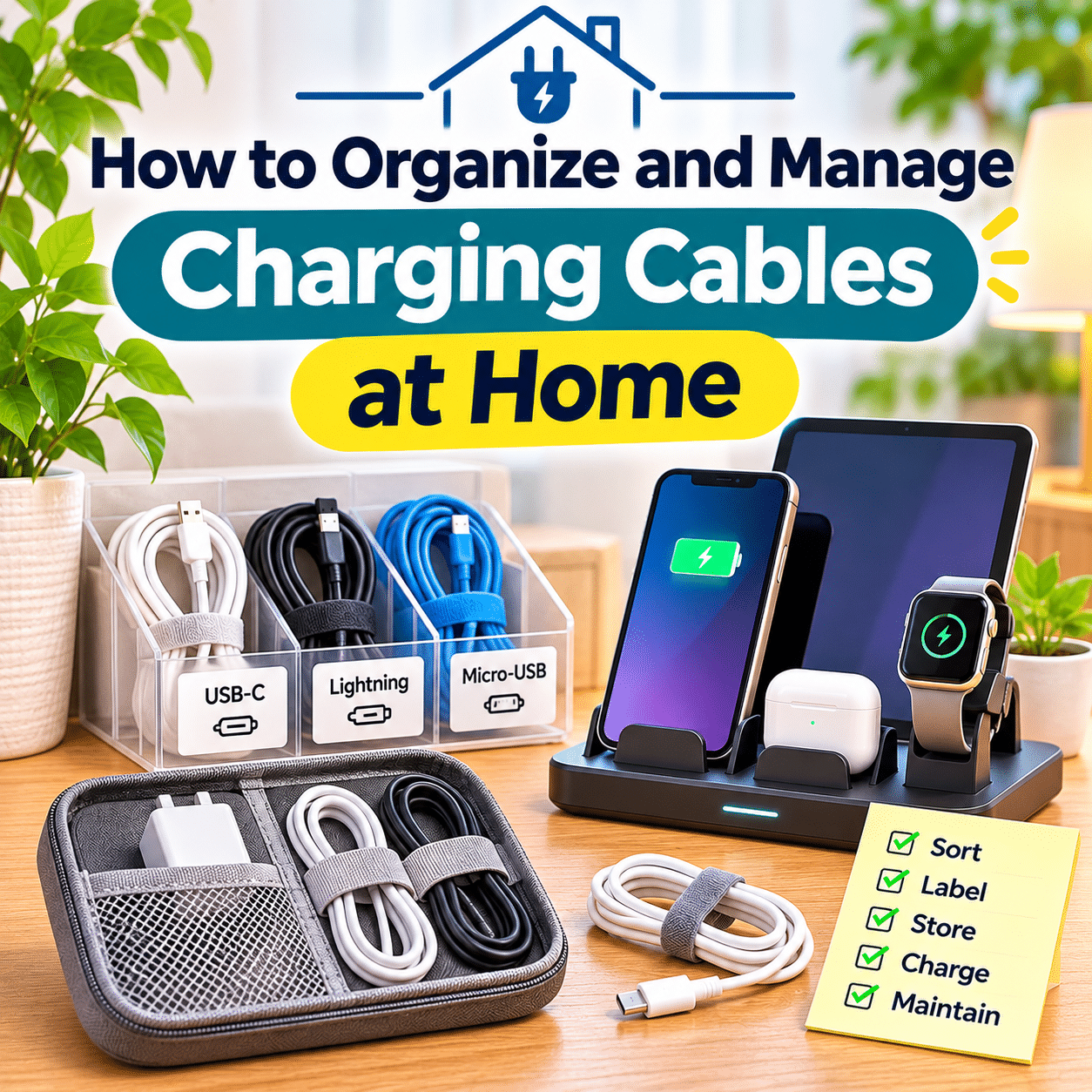
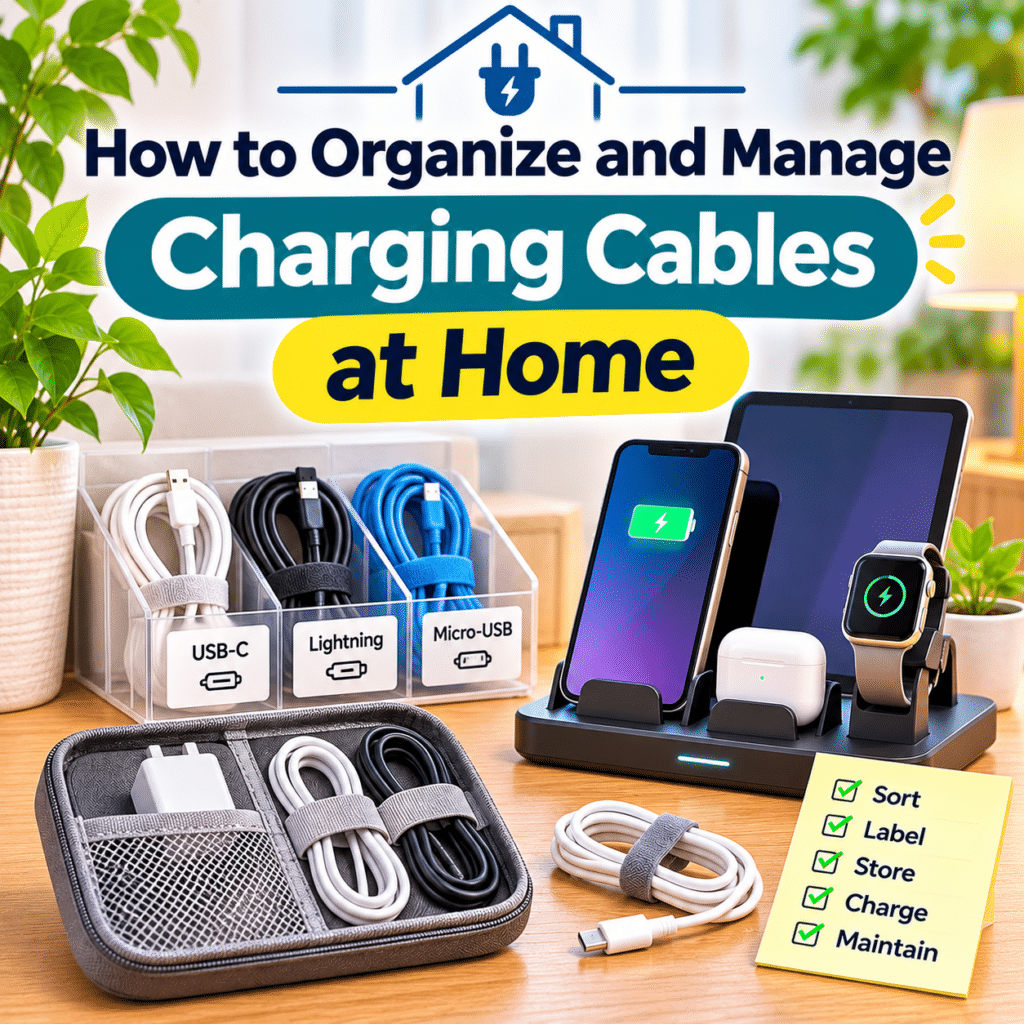
Charging cables have become an essential part of modern everyday life. Smartphones, tablets, laptops, wireless earbuds, smartwatches, portable speakers, cameras, and countless other electronic devices depend on charging accessories to stay powered and ready for use.
As households accumulate more electronics, charging cables often become tangled, misplaced, or scattered across desks, bedside tables, kitchen counters, and living room furniture. A drawer filled with unidentified cords or a crowded power strip can make even a simple charging task unnecessarily frustrating.
Poor cable organization is not just a visual problem. Tangled cords can make it difficult to identify the correct charger, increase wear on connectors, collect dust, and create obstacles around frequently used spaces.
Fortunately, organizing charging cables does not require expensive accessories or complicated installations. A few practical habits, suitable storage solutions, and thoughtful charging locations can make a noticeable difference.
The most effective approach is to create a system that matches your devices, household routines, and available space. Instead of hiding every cable, focus on keeping frequently used chargers accessible, protecting equipment from damage, and storing spare accessories neatly.
This guide explains how to organize and manage charging cables at home, including sorting different cable types, creating charging stations, choosing storage accessories, managing power strips, preventing tangles, and maintaining an efficient system over time.
Whether you want to improve a cluttered desk, simplify bedside charging, or organize cables throughout your home, the goal is to create a safer, cleaner, and more convenient environment for everyday electronics.
1. Why Charging Cable Organization Matters
Charging cables may seem like small household accessories, but they can affect the convenience and appearance of frequently used spaces.
When cables are disorganized, simple tasks take longer.
You may spend several minutes searching for the correct connector, untangling a cord, or identifying which charger belongs to a particular device.
A practical cable organization system can help:
- Reduce visible clutter.
- Make charging accessories easier to find.
- Protect cables from unnecessary bending.
- Keep workspaces more comfortable.
- Simplify household cleaning.
- Reduce accidental disconnections.
- Make shared charging areas easier to use.
- Identify damaged or outdated accessories.
- Support safer cable routing.
The goal is not to create a perfectly hidden collection of wires.
It is to make charging equipment easy to access, identify, maintain, and use appropriately.
2. Understand the Different Types of Charging Cables
Before organizing your cables, identify the different connector types in your household.
Common examples include:
- USB-C.
- USB-A.
- USB Micro-B, commonly called Micro-USB.
- Lightning.
- Proprietary laptop charging connectors.
- Magnetic charging connectors.
- Dedicated smartwatch charging cables.
- Barrel-style DC power connectors.
Different cables may look similar while supporting different power levels, charging protocols, or data capabilities.
For example, two USB-C cables may have different supported charging capacities.
Do not assume every cable with the same connector can safely or effectively replace another.
Always check device and cable specifications when compatibility matters.
3. Gather All Charging Cables in One Place
The first practical step is to collect charging cables from around your home.
Check common locations such as:
- Desk drawers.
- Bedside tables.
- Living room shelves.
- Kitchen counters.
- Travel bags.
- Storage boxes.
- Behind furniture.
- Home office cabinets.
- Electronics packaging.
Place the cables on a clean, spacious surface.
This allows you to see how many accessories you own and identify duplicates.
You may discover several cables serving the same purpose or accessories belonging to devices you no longer use.
Gathering everything together makes the sorting process more efficient.
4. Sort Cables by Connector Type
Once all cables are collected, separate them according to their connectors.
A simple classification might include:
| Cable Category | Common Uses | Suggested Storage |
|---|---|---|
| USB-C | Phones, tablets, laptops, accessories | Labeled compartment |
| USB-A to USB-C | Older chargers and USB-powered devices | Separate cable pouch |
| Micro-USB | Selected older electronics | Small labeled container |
| Lightning | Compatible Apple devices | Dedicated compartment |
| Magnetic chargers | Smartwatches and specialized devices | Device-specific pouch |
| Proprietary chargers | Laptops and other equipment | Clearly labeled storage |
Sorting by connector type helps you find the right accessory quickly.
However, connector type should not be the only consideration.
For cables with different charging capabilities, additional labeling may be useful.
5. Separate Everyday Cables From Spare Cables
Not every cable needs to remain visible or immediately accessible.
Divide your collection into two groups.
Everyday cables
These are used frequently for devices such as:
- Smartphones.
- Laptops.
- Tablets.
- Smartwatches.
- Wireless earbuds.
Keep these cables near their normal charging locations.
Spare cables
These may include:
- Backup charging cables.
- Travel accessories.
- Cables for occasionally used devices.
- Replacement cables.
- Older but still useful connectors.
Store spare cables in a designated drawer, organizer, or labeled container.
This simple separation can significantly reduce clutter.
6. Identify Cables You No Longer Need
Many households accumulate charging accessories that are no longer useful.
Examples include:
- Cables for discarded electronics.
- Duplicate accessories beyond reasonable backup needs.
- Outdated proprietary connectors.
- Cables with unknown compatibility.
- Damaged or unreliable cords.
Before discarding a cable, check whether it belongs to equipment still in use.
Some specialized accessories are difficult to replace.
For unwanted but functional cables, consider appropriate reuse or donation options.
Damaged electrical accessories should not be donated for continued use.
Follow local electronic waste collection guidance when disposing of unsuitable cables and chargers.
7. Inspect Charging Cables for Damage
Cable organization provides an opportunity to check the condition of your accessories.
Look for:
- Frayed outer insulation.
- Exposed conductors.
- Bent or damaged connectors.
- Loose connector housings.
- Unusual discoloration.
- Signs of overheating.
- Intermittent charging.
- Damaged strain relief near cable ends.
Do not continue using a cable that shows signs of electrical damage.
A damaged charging cable may create overheating, short-circuit, or other electrical hazards.
Replace unsafe accessories with suitable products from reputable manufacturers.
Avoid attempting improvised repairs on damaged charging cables.
8. Choose a Dedicated Storage Location
Once cables have been sorted, select a consistent storage location.
Suitable options include:
- A desk drawer.
- A small cabinet.
- A labeled storage box.
- A cable organizer case.
- A shelf near a home office.
- A designated electronics drawer.
Choose a location that is dry, accessible, and protected from excessive heat.
Avoid storing cables where they may be crushed by heavy objects or exposed to moisture.
A dedicated location reduces the likelihood of cables becoming scattered throughout the house again.
9. Use Cable Ties to Prevent Tangling
Cable ties are among the simplest accessories for managing loose cords.
Common options include:
- Reusable hook-and-loop straps.
- Silicone cable ties.
- Adjustable cable wraps.
- Reusable fastening bands.
For everyday organization, reusable ties are often convenient because they can be adjusted without cutting.
When bundling cables:
- Coil the cable loosely.
- Avoid sharp bends near connectors.
- Secure the middle of the coil.
- Leave enough flexibility to prevent strain.
- Store the cable without heavy pressure.
Do not tighten ties so much that they deform the cable.
Avoid tightly bundling cables or power cords that may generate significant heat during operation.
10. Learn How to Coil Charging Cables Properly
Proper coiling helps reduce tangles and unnecessary wear.
A simple method is to form loose loops rather than wrapping the cable tightly around a charger.
For many flexible cables:
- Disconnect the cable from its power source.
- Hold one end gently.
- Form relaxed loops.
- Avoid twisting the cable against its natural direction.
- Secure the loops with a reusable strap.
- Place the cable in its storage compartment.
Do not create sharp bends at the connector or strain-relief area.
For thick or specialized cables, follow the manufacturer’s storage recommendations.
A slightly larger coil is often preferable to a tightly compressed one.
11. Avoid Wrapping Cables Tightly Around Chargers
Wrapping a charging cable tightly around its power adapter may seem convenient.
However, repeated tight bending can place stress on the cable near its connector.
This is particularly important for laptop charging accessories that use thicker cables or specialized connectors.
Instead:
- Disconnect the cable when appropriate.
- Coil it loosely.
- Use a separate reusable strap.
- Avoid pulling against the connector.
- Store the adapter and cable together without excessive pressure.
Some chargers include built-in cable management features.
Use those features according to the manufacturer’s instructions.
12. Use Drawer Dividers for Cable Storage
Drawer dividers can turn a cluttered electronics drawer into an organized storage space.
Separate compartments can hold:
- USB-C cables.
- Older charging cables.
- Wall adapters.
- Smartwatch chargers.
- Portable battery accessories.
- Travel charging equipment.
Choose dividers that fit the drawer and allow cables to rest without compression.
Avoid stacking heavy adapters on top of delicate connectors.
If the drawer is deep, small containers may help prevent accessories from mixing.
13. Label Charging Cables Clearly
Labels are especially useful when several cables look similar.
For example, you might label cables as:
- Laptop Charging.
- Phone USB-C.
- Tablet Charging.
- Smartwatch Charger.
- Travel Spare.
- Camera Cable.
For USB-C cables, labels can also identify verified capabilities, such as a supported power rating.
Do not guess charging specifications based on cable thickness or appearance.
Use manufacturer information or reliable product markings.
Choose labels that remain readable without interfering with connectors or cable flexibility.
14. Organize Wall Chargers and Power Adapters
Charging cables are only one part of the charging system.
Wall chargers and power adapters also require organization.
Group adapters according to their intended use.
For example:
| Adapter Type | Common Purpose | Organization Tip |
|---|---|---|
| USB-C wall charger | Phones, tablets, compatible laptops | Label verified output capabilities |
| USB-A charger | Older USB accessories | Store with compatible cables |
| Multi-port charger | Shared charging area | Keep near designated charging station |
| Proprietary laptop adapter | Specific laptop model | Label device compatibility |
| Specialized power supply | Dedicated electronics | Store with the correct device |
Do not interchange proprietary power supplies without verifying voltage, polarity, connector type, and other electrical requirements.
A physically fitting connector does not guarantee electrical compatibility.
15. Create a Central Charging Station
A central charging station provides one convenient location for frequently used electronics.
Possible locations include:
- An entryway console.
- A living room sideboard.
- A home office shelf.
- A dedicated counter area.
- A small charging cabinet designed for electronics.
A practical charging station might accommodate:
- Smartphones.
- Wireless earbuds.
- Tablets.
- Smartwatches.
- Portable battery packs.
Choose a location with suitable electrical outlets and adequate ventilation.
Avoid placing charging equipment near sinks, excessive moisture, or combustible clutter.
A central station can reduce the number of chargers scattered around the home.
16. Plan Your Charging Station Before Buying Accessories
Before purchasing organizers or charging docks, consider your actual needs.
Ask yourself:
- How many devices are charged daily?
- Which connectors do they use?
- Do several people share the charging area?
- Are devices charged overnight?
- Is wireless charging useful?
- How much surface space is available?
- Are outlets positioned conveniently?
- Can chargers remain adequately ventilated?
Measure the available space.
Consider whether devices need to remain accessible while charging.
A compact setup with appropriate chargers may be more useful than a large charging organizer that occupies unnecessary space.
17. Use Multi-Port Chargers Thoughtfully
Multi-port chargers can reduce the number of separate adapters needed in a charging area.
They may provide several USB-C or USB-A ports.
However, charging capabilities vary.
Some chargers distribute power dynamically when multiple devices are connected.
For example, a port that provides a higher output when used alone may provide less power when other ports are active.
Before purchasing or using a multi-port charger:
- Check the total rated output.
- Review individual port limits.
- Confirm supported charging protocols.
- Verify device compatibility.
- Choose reputable, appropriately certified equipment.
- Follow ventilation instructions.
A charger with more ports is not necessarily better if it cannot provide sufficient power for the intended devices.
18. Understand Charging Power Requirements
Charging equipment has electrical specifications that influence compatibility and performance.
Common measurements include:
- Voltage, measured in volts.
- Current, measured in amperes.
- Power, measured in watts.
Electrical power is calculated as:
Power (W) = Voltage (V) × Current (A)
However, modern USB charging can involve communication between the charger and device to negotiate suitable power levels.
A charger’s maximum advertised wattage does not mean every connected device will receive that amount.
The device, charger, cable, and charging protocol must all support the intended operating mode.
For laptops and other higher-power devices, use accessories that meet the manufacturer’s requirements.
19. Understand USB-C Cable Differences
USB-C describes a connector type, not a single charging or data specification.
USB-C cables can differ in:
- Supported charging power.
- Data transfer speed.
- Video capabilities.
- Cable length.
- Internal construction.
- Electronic identification features.
For example, a cable suitable for basic phone charging may not support the highest charging power required by a compatible laptop.
Similarly, a charging-focused cable may provide limited data transfer performance.
When organizing USB-C cables, consider separating general charging cables from those with specialized verified capabilities.
This makes it easier to select the right cable when needed.
20. Manage Cables on a Home Office Desk
A home office often contains several connected devices.
Typical equipment includes:
- Laptop.
- External monitor.
- Smartphone.
- Keyboard.
- Mouse.
- Webcam.
- Desk lamp.
- USB hub.
- Docking station.
Without organization, cables can spread across the desk and behind furniture.
Begin by identifying which cables must remain connected.
Route those cables along the back or underside of the desk where appropriate.
Keep frequently disconnected charging cables accessible.
Use cable clips or holders to prevent loose connectors from falling behind the desk.
21. Use Cable Clips to Keep Chargers Accessible
Cable clips can hold charging cables near the edge of a desk or bedside table.
They are particularly useful for cables that are connected and disconnected frequently.
For example, a desk clip can keep a phone charging cable within reach when the phone is removed.
Choose clips that fit the cable diameter without pinching it.
Position them so that:
- Connectors remain accessible.
- Cables are not sharply bent.
- The cord does not cross walking areas.
- The cable can move slightly during normal use.
Adhesive clips should be installed on clean, suitable surfaces according to the manufacturer’s instructions.
22. Use Cable Sleeves for Multiple Cords
Cable sleeves can group several cords into a neater arrangement.
They are often useful behind desks or entertainment furniture.
However, not every cable should be bundled together.
Avoid enclosing power cords or charging cables in ways that trap excessive heat.
Check whether the sleeve is suitable for the cables and operating conditions.
Keep connectors accessible when frequent changes are expected.
Cable sleeves work best for relatively stable arrangements rather than cords that are constantly moved.
23. Consider Under-Desk Cable Management
Under-desk cable trays and organizers can reduce visible clutter.
They may hold suitable power strips, cable slack, and selected adapters.
Before installation:
- Check the tray’s weight capacity.
- Confirm mounting compatibility.
- Keep equipment adequately ventilated.
- Avoid pinching cables.
- Prevent cords from contacting moving desk mechanisms.
- Maintain access to power switches and plugs.
For height-adjustable desks, allow sufficient cable movement throughout the desk’s full range.
A cable that appears secure at one height may become stretched when the desk moves.
Test the entire movement range before finalizing the arrangement.
24. Organize Bedside Charging Cables
Bedside charging is common because many people keep phones, smartwatches, or earbuds nearby overnight.
A practical bedside setup might include:
- One suitable charger.
- One or two frequently used cables.
- A small cable holder.
- A stable surface for devices.
- Adequate ventilation.
Avoid charging electronics under pillows, blankets, or bedding.
These materials can trap heat.
Keep cables away from areas where they may become tangled around furniture or create a tripping hazard.
If you use a bedside charging dock, confirm that it is compatible with your devices and charging requirements.
25. Keep Living Room Charging Areas Organized
Living rooms often contain chargers for phones, tablets, game controllers, and portable electronics.
Instead of leaving several loose cables across furniture, consider a dedicated charging location.
Possible solutions include:
- A small organizer on a side table.
- A charging tray on a console.
- A labeled cable box for spare accessories.
- A suitable multi-port charger.
- Cable clips near frequently used seating areas.
Avoid routing cables across walkways.
Keep charging equipment away from liquids and areas where it may be pulled or crushed.
A tidy charging area should remain easy to use without creating new obstacles.
26. Organize Charging Cables for Multiple Household Members
Shared charging areas can become confusing when several people use similar devices.
One practical approach is to assign separate spaces.
For example:
- One compartment per person.
- Color-coded cable ties.
- Labeled charging positions.
- Dedicated device holders.
- Separate storage for personal accessories.
Color coding can be especially helpful when cables look identical.
However, color should not replace compatibility labels when cables have different electrical capabilities.
A shared system works best when everyone understands where accessories belong.
27. Create a Family Charging Routine
A consistent charging routine can reduce clutter and misplaced accessories.
For example, household members might return portable devices to a designated charging area at the end of the day.
The routine should be simple:
- Place the device on its designated surface.
- Connect the correct charger.
- Keep excess cable length organized.
- Avoid covering the device or adapter.
- Disconnect and store portable accessories when no longer needed.
Not every device needs to remain plugged in continuously.
Follow manufacturer guidance for battery care and charging practices.
Avoid creating a charging routine that interferes with essential communications or household needs.
28. Organize Travel Charging Accessories Separately
Travel chargers are easier to manage when stored in a dedicated pouch.
A practical travel charging kit might include:
- A suitable wall charger.
- Frequently needed USB cables.
- A smartwatch charging accessory.
- A compatible power bank.
- Appropriate travel plug adapters.
- A small cable organizer.
Choose accessories based on the devices you actually travel with.
Before international travel, verify voltage compatibility and plug requirements.
A plug adapter changes the physical plug connection; it does not necessarily convert voltage.
Keep travel accessories separate from everyday charging equipment when possible.
This reduces the need to repeatedly dismantle your home charging setup.
29. Use Cable Organizer Pouches for Portable Storage
Cable organizer pouches can hold several accessories in one place.
Useful features may include:
- Elastic cable loops.
- Separate compartments.
- Mesh pockets.
- Padded sections.
- Zipper closures.
- Space for compact adapters.
Choose a pouch based on the number and size of accessories.
Avoid overfilling it.
Tightly packed adapters and cables can place pressure on connectors.
A small, well-organized pouch is often more practical than a large bag filled with unnecessary accessories.
30. Manage Power Strips Safely
Power strips can provide convenient access to multiple outlets, but they require careful use.
Before connecting equipment:
- Check the strip’s rated voltage and current.
- Confirm the total connected load is within its capacity.
- Use products with appropriate safety certification.
- Keep the strip dry.
- Avoid damaged plugs or cords.
- Maintain adequate ventilation.
- Follow the manufacturer’s installation instructions.
Do not connect one power strip into another in a chain.
Avoid placing power strips beneath rugs, bedding, or other materials that may trap heat.
Do not overload a power strip with high-power appliances.
Cable organization should never compromise electrical safety.
31. Avoid Unsafe Extension Cord Arrangements
Extension cords can be useful for temporary applications, but they should not replace suitable permanent electrical installations.
Avoid:
- Running cords beneath carpets.
- Pinching cords behind heavy furniture.
- Routing cables through doorways where they may be damaged.
- Using damaged extension cords.
- Overloading outlets.
- Connecting multiple extension cords in a chain.
- Leaving cords where people may trip.
If your charging station requires extensive extension wiring, consider relocating it closer to an appropriate outlet.
For permanent electrical changes, consult a qualified electrician.
32. Keep Charging Equipment Cool and Ventilated
Chargers and electronic devices may produce heat during normal operation.
Adequate ventilation helps prevent unnecessary heat buildup.
Avoid placing active charging equipment:
- Under pillows.
- Beneath blankets.
- Inside tightly enclosed containers.
- Near heaters.
- In direct sunlight for extended periods.
- Against materials that obstruct ventilation.
Some cable management boxes are designed to conceal power strips and adapters.
Before using one, check whether it is rated and suitable for the specific equipment and expected heat output.
Do not assume every decorative storage box is safe for powered electrical accessories.
33. Understand Wireless Charging as a Cable Management Option
Wireless charging can reduce the number of cables that must be connected directly to devices.
A compatible charging pad or stand may be convenient for smartphones, earbuds, and other supported electronics.
However, wireless chargers still require a power connection.
They also have compatibility and positioning requirements.
Consider:
- Supported charging standards.
- Device alignment.
- Charging power.
- Case compatibility.
- Heat management.
- Charger certification.
- Manufacturer recommendations.
Wireless charging is not automatically faster or more energy-efficient than wired charging.
Its main advantage for many households is convenience.
34. Choose the Right Cable Length
Cable length can affect both convenience and organization.
A cable that is too short may become stretched.
A cable that is unnecessarily long may create excess clutter.
Consider the distance between the charger and the device’s normal location.
| Charging Location | Cable Length Consideration |
|---|---|
| Desk | Enough length for comfortable device movement |
| Bedside table | Suitable reach without crossing sleeping areas |
| Central charging station | Shorter cables may reduce clutter |
| Living room | Enough reach without creating trip hazards |
| Travel pouch | Compact cables may simplify packing |
| Laptop workspace | Sufficient length without connector strain |
Longer cables may also have different electrical performance depending on their design and specifications.
For higher-power charging, choose cables appropriately rated for the intended use.
35. Avoid Excessive Cable Bending and Strain
Charging cables are designed to flex, but repeated sharp bending can cause damage over time.
Common problem areas include:
- Near USB connectors.
- At laptop charging plugs.
- Where cables pass around furniture edges.
- Under chair wheels.
- Behind desks.
- At tightly secured cable clips.
To reduce strain:
- Leave gentle curves near connectors.
- Avoid pulling cables by their cords.
- Disconnect by holding the connector housing.
- Prevent cables from hanging under excessive tension.
- Keep cords away from moving furniture.
- Replace damaged accessories promptly.
Good cable routing helps protect both cables and device charging ports.
36. Keep Charging Cables Away From Children and Pets
Loose charging cables may attract the attention of children or pets.
Possible concerns include chewing, pulling, entanglement, and access to damaged electrical equipment.
Practical precautions include:
- Keep unused cables stored.
- Route cords away from accessible play areas.
- Avoid dangling cables near furniture edges.
- Inspect cables for chewing damage.
- Keep small detachable accessories out of reach.
- Use appropriate protective routing where necessary.
Do not rely on ordinary decorative cable sleeves as protection against determined chewing.
If a cable has been bitten or damaged, stop using it.
37. Organize Cables Without Drilling Holes
Renters and homeowners who prefer nonpermanent solutions can still create tidy charging areas.
Options include:
- Removable adhesive cable clips.
- Reusable cable ties.
- Freestanding charging docks.
- Drawer organizers.
- Portable cable boxes.
- Desk-edge holders.
- Cable organizer pouches.
Choose accessories suitable for the surface.
Some adhesives can damage paint or finishes when removed.
Follow installation and removal instructions.
Avoid attaching heavy power equipment to surfaces that cannot safely support it.
38. Create a Simple Cable Inventory
For households with many devices, a basic inventory can prevent unnecessary purchases.
You do not need a complicated spreadsheet.
A simple list might include:
| Device | Cable Type | Charger | Storage Location |
|---|---|---|---|
| Smartphone | USB-C | Compatible USB-C adapter | Bedside station |
| Tablet | USB-C | Compatible wall charger | Living room |
| Laptop | USB-C or proprietary | Manufacturer-approved adapter | Home office |
| Smartwatch | Dedicated charging cable | Compatible power source | Bedside drawer |
| Camera | Model-dependent | Compatible adapter | Electronics cabinet |
Record verified specifications when they are important.
An inventory is especially useful for proprietary chargers or cables with specialized capabilities.
It also helps identify what you already own before purchasing replacements.
39. Build a Cable Maintenance Routine
Charging cable organization is easier to maintain when it becomes part of normal household habits.
Weekly checks
- Return loose cables to their designated locations.
- Remove unnecessary cords from desks.
- Check frequently used connectors.
- Keep charging surfaces clear.
Monthly checks
- Inspect cables for wear.
- Review power strip arrangements.
- Clean accessible storage areas.
- Reorganize spare cables.
- Confirm labels remain readable.
- Check that charging equipment has adequate ventilation.
Periodic reviews
- Identify cables for devices no longer owned.
- Reassess charging station capacity.
- Replace damaged accessories.
- Review charger compatibility.
- Recycle unwanted electronics responsibly.
- Adjust storage as household needs change.
A few minutes of regular maintenance can prevent cables from accumulating into another tangled collection.
40. Avoid Common Charging Cable Organization Mistakes
Even a well-intentioned organization project can create problems if convenience is prioritized over safety.
Keeping every old cable
Storing unlimited duplicates creates unnecessary clutter.
Better approach: Keep useful backups and responsibly remove obsolete accessories.
Using cables without checking compatibility
Similar connectors may support different capabilities.
Better approach: Verify specifications and label specialized cables.
Bundling cords too tightly
Tight bends can stress cables and connectors.
Better approach: Use loose coils and adjustable straps.
Hiding active chargers in enclosed containers
Poor ventilation can contribute to heat buildup.
Better approach: Follow equipment ventilation requirements.
Overloading power strips
Too many connected appliances can exceed electrical ratings.
Better approach: Check total load and use suitable outlets.
Routing cables across walkways
Loose cords can create tripping hazards.
Better approach: Use safer routing or relocate charging equipment.
Creating an overly complicated system
An elaborate organizer may be difficult to maintain.
Better approach: Choose simple storage that fits everyday habits.
Step-by-Step Guide: Organize All Charging Cables at Home
The following process combines the most practical organization methods into one manageable project.
Step 1: Collect your charging accessories
Gather cables, chargers, adapters, and related accessories from around the home.
Step 2: Disconnect and inspect equipment
Make sure accessories are not connected to power while sorting them.
Check for visible damage.
Step 3: Separate cables by connector type
Group USB-C, Lightning, Micro-USB, proprietary, and specialized charging cables.
Step 4: Identify compatibility
Determine which devices each cable supports.
Verify important charging specifications.
Step 5: Remove damaged accessories
Set aside unsafe cables and chargers for appropriate disposal.
Step 6: Identify unnecessary duplicates
Keep practical backups and remove excess accessories that serve no useful purpose.
Step 7: Separate daily and occasional-use cables
Place frequently used cables in one group and spare accessories in another.
Step 8: Choose storage locations
Assign a drawer, box, pouch, or organizer for spare equipment.
Step 9: Coil cables loosely
Avoid sharp bends and unnecessary twisting.
Step 10: Secure cables with reusable ties
Use adjustable straps without compressing the cables.
Step 11: Label important accessories
Identify specialized cables, adapters, and device-specific chargers.
Step 12: Organize wall adapters
Keep compatible chargers together and separate proprietary equipment.
Step 13: Plan charging locations
Identify where household members normally charge their devices.
Step 14: Create a central charging station if useful
Choose a stable, accessible, well-ventilated location.
Step 15: Manage desk and bedside cables
Use clips, holders, or suitable cable routing accessories.
Step 16: Review power strip safety
Check electrical ratings, placement, and ventilation.
Step 17: Test everyday convenience
Confirm that frequently used cables are easy to reach.
Step 18: Adjust the arrangement
Move organizers or change cable lengths where necessary.
Step 19: Establish a maintenance habit
Return accessories to their assigned locations after use.
Step 20: Review the system periodically
Update your organization as devices and charging needs change.
Practical Charging Cable Organization Checklist
Use this checklist to create and maintain an organized charging system.
Cable Sorting
- Gather charging cables from every room.
- Separate cables by connector type.
- Identify device-specific accessories.
- Check cable condition.
- Remove damaged equipment.
- Separate daily-use cables from backups.
Storage Organization
- Choose a dedicated cable storage location.
- Use suitable drawer dividers or containers.
- Coil cables loosely.
- Secure cables with reusable ties.
- Label specialized cables.
- Store adapters with compatible accessories.
- Keep spare cables easy to identify.
Charging Stations
- Identify frequently used charging locations.
- Check outlet availability.
- Select compatible chargers.
- Provide adequate ventilation.
- Keep charging surfaces clear.
- Avoid unnecessary cable length.
- Keep connectors accessible.
Desk and Furniture Management
- Route cables away from moving furniture.
- Use cable clips where appropriate.
- Avoid sharp bends.
- Prevent cables from crossing walkways.
- Secure excess cable length safely.
- Maintain access to plugs and switches.
Electrical Safety
- Check charger and power strip ratings.
- Avoid overloaded outlets.
- Do not connect power strips in chains.
- Keep equipment away from liquids.
- Avoid charging devices beneath bedding.
- Do not use damaged cables.
- Follow manufacturer instructions.
Long-Term Maintenance
- Return unused cables to storage.
- Inspect frequently used accessories.
- Review cable labels.
- Remove obsolete equipment.
- Recycle electronic waste appropriately.
- Adjust the system when new devices are added.
Frequently Asked Questions About Organizing Charging Cables at Home
1. What is the easiest way to organize charging cables?
Start by separating everyday cables from spare accessories.
Use reusable cable ties for loose coils, assign a dedicated storage location, and keep frequently used chargers near their normal charging areas.
A simple system is usually easier to maintain than an elaborate one.
2. How can I prevent charging cables from tangling?
Coil cables loosely and secure them with reusable straps.
Store individual cables in separate compartments or organizer pouches.
Avoid placing several loose cables together in one drawer.
3. Is it safe to wrap charging cables tightly around adapters?
Tight wrapping can place stress on cables, particularly near connectors.
Loose coiling is generally preferable unless the charger includes a manufacturer-approved cable management design.
4. How should I store USB-C cables?
Keep them loosely coiled in a dry, protected location.
For cables with different verified charging or data capabilities, use labels to distinguish them.
Do not assume every USB-C cable supports the same functions.
5. Can I use one charger for multiple devices?
Often, yes, when the charger supports the devices’ electrical and charging requirements.
Check connector compatibility, charging protocols, power ratings, and manufacturer guidance.
Multi-port chargers may distribute available power across connected devices.
6. Are multi-port USB chargers better than separate chargers?
They can reduce clutter and simplify shared charging areas.
However, their usefulness depends on available power, port compatibility, safety, and the devices being charged.
Choose based on actual household needs.
7. How can I organize cables behind a desk?
Use suitable cable clips, reusable ties, and under-desk organizers.
Route cords away from moving parts and sharp edges.
Maintain ventilation and access to electrical connections.
8. What is the best way to organize bedside charging cables?
Keep only the chargers you regularly use.
A small cable holder, suitable charging stand, or compact organizer can help keep cords accessible.
Avoid charging devices under bedding or in poorly ventilated spaces.
9. Can I hide chargers inside a decorative box?
Only if the enclosure is suitable for the equipment and provides the ventilation required by the manufacturer.
Ordinary decorative boxes may trap heat.
Do not conceal active electrical equipment in a tightly enclosed container without confirming safe use.
10. How many spare charging cables should I keep?
There is no universal number.
Keep enough backups for important devices and realistic household needs.
Avoid accumulating large quantities of duplicate accessories without a clear purpose.
11. How can I identify cables that look identical?
Use labels or color-coded ties.
For specialized USB-C cables, record verified power and data capabilities.
Do not rely solely on appearance to determine performance.
12. Are wireless chargers a good way to reduce cable clutter?
They can simplify charging by reducing the need to connect a cable directly to each device.
However, wireless charging pads still require power cables and compatible devices.
Consider convenience, alignment, charging performance, and heat management.
13. How can I organize charging cables in a small apartment?
Use compact storage solutions such as drawer dividers, adhesive cable clips, and portable organizer pouches.
Focus on a few convenient charging locations rather than spreading chargers across every room.
14. What should I do with old charging cables?
Keep useful accessories in good condition.
Consider appropriate donation or reuse for functional cables.
Recycle damaged or unwanted electronic accessories through suitable local collection programs.
15. How often should I reorganize charging cables?
A brief weekly tidy-up and occasional inspection are usually sufficient for many households.
Review your overall storage system whenever you replace devices, add chargers, or notice recurring clutter.
Final Thoughts
Organizing and managing charging cables at home is a simple improvement that can make everyday technology easier to use.
A practical system begins with understanding which cables you own, identifying the devices they support, and separating frequently used accessories from unnecessary extras.
Loose coiling, clear labeling, dedicated storage, and thoughtfully arranged charging stations can reduce tangles and make accessories easier to find.
Cable management also provides an opportunity to improve electrical safety. Inspect damaged cords, avoid overloaded power strips, maintain ventilation, and keep charging equipment away from moisture and unnecessary heat.
The most effective organization system does not need expensive accessories or perfectly concealed wiring. It should fit your available space, support your household routines, and remain easy to maintain.
As your collection of electronic devices changes, adjust your storage and charging arrangements rather than allowing unused accessories to accumulate.
With a few consistent habits, even a busy household can maintain charging areas that feel clean, functional, and comfortable.
A well-organized charging setup is not just about hiding cables—it is about making everyday technology safer, simpler, and easier to manage.