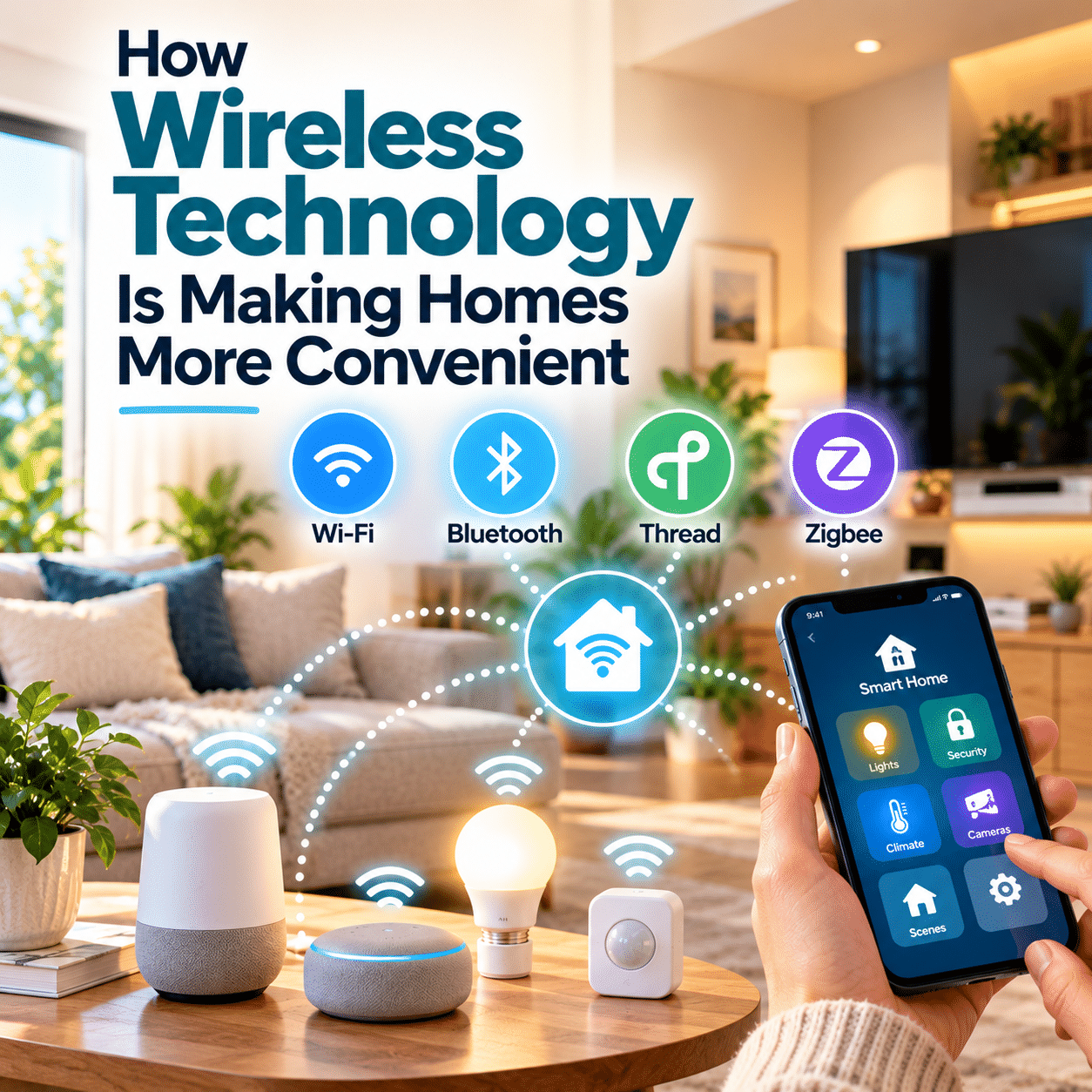
Imagine adjusting the lights from your sofa, listening to music without connecting a cable, or receiving a notification when someone arrives at your front door. These everyday conveniences are made possible by wireless technology.
Wireless connections have become an important part of modern homes, supporting everything from internet access and entertainment to lighting, security, and household automation.
What makes this technology especially valuable is its ability to connect devices without requiring a separate physical cable for every interaction. It allows people to control equipment more flexibly, place compatible devices in convenient locations, and coordinate functions throughout their living spaces.
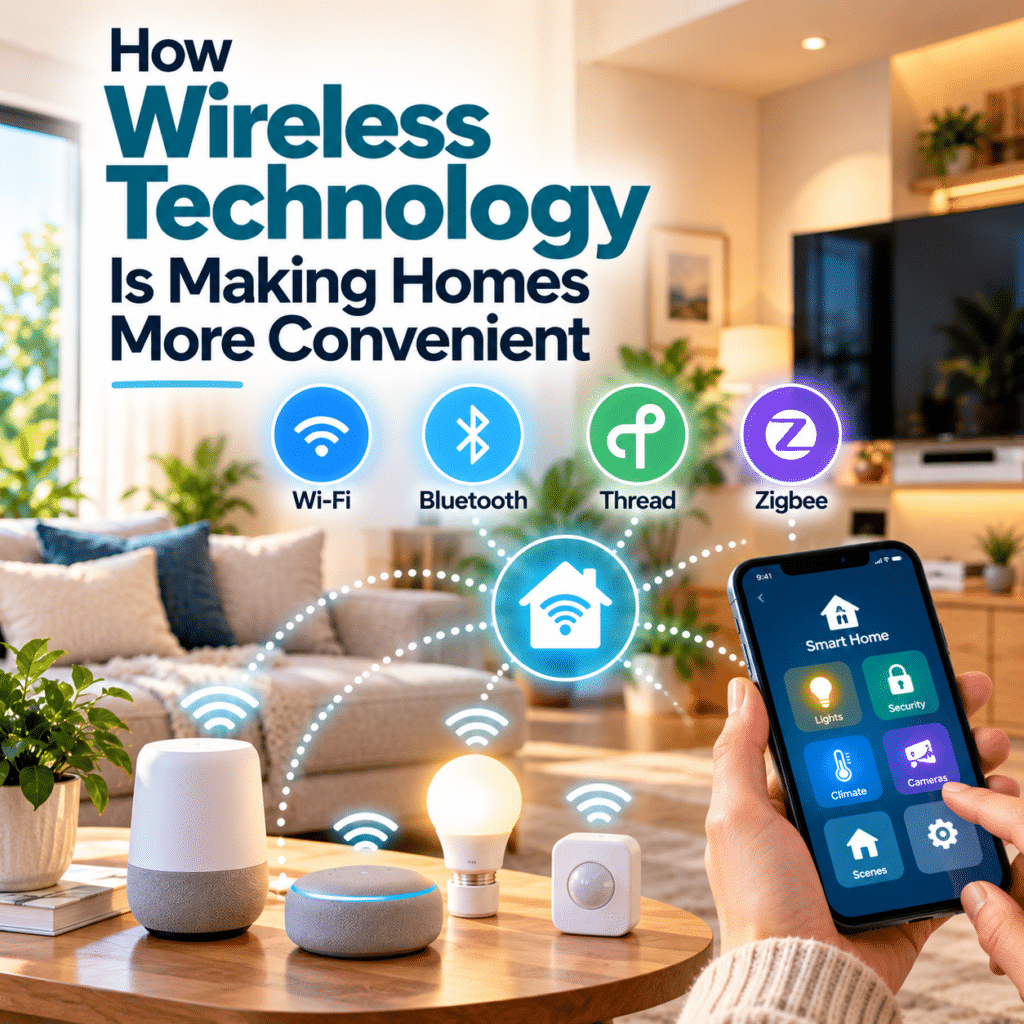
But not all wireless technologies work in the same way. Wi-Fi, Bluetooth, Thread, and Zigbee serve different purposes, and understanding their strengths can help households create more reliable and useful connected environments.
As wireless systems continue to evolve, their greatest contribution may be surprisingly simple: making everyday technology easier to use, easier to position, and less disruptive to daily life.
1. What Is Wireless Technology in the Home?
Wireless technology allows electronic devices to exchange information through signals rather than requiring a direct cable connection for every communication.
In homes, these signals commonly use radio frequencies to transmit data between compatible devices.
A wireless router, for example, enables smartphones, laptops, and other equipment to communicate over a local network. Bluetooth can connect nearby accessories, while specialized networking technologies support sensors and automation devices.
Wireless communication is used for many household activities, including:
- Connecting computers and smartphones to the internet.
- Streaming music and video.
- Controlling compatible lighting and appliances.
- Receiving notifications from connected sensors.
- Operating wireless keyboards, speakers, and headphones.
- Coordinating smart home routines.
- Monitoring selected household equipment remotely.
An important distinction is that wireless does not necessarily mean cordless.
A smart speaker may communicate over Wi-Fi while still requiring a power cable. A wireless security camera may transmit video without a network cable but still need an electrical connection.
Wireless technology primarily removes or reduces communication wiring. Power requirements depend on the device.
2. Wi-Fi Has Become a Foundation of Everyday Home Connectivity
Wi-Fi is one of the most familiar wireless technologies in modern households.
It allows compatible devices to connect to a local network without individual Ethernet cables.
When that network has an internet connection, devices can also access online services.
Making Internet Access More Flexible
Wi-Fi allows people to use laptops, tablets, and smartphones in different rooms without remaining physically connected to a network socket.
This flexibility supports everyday activities such as remote work, online learning, video calls, entertainment, and communication.
A person can move from a desk to the living room while continuing to use a connected device, provided the wireless signal remains adequate.
Connecting Household Equipment
Wi-Fi also supports many connected household products.
Examples include smart televisions, printers, speakers, cameras, and certain appliances.
Depending on the equipment, users may be able to control these devices through applications or receive information about their operating status.
Why Wi-Fi Performance Matters
Wireless convenience depends partly on network quality.
Signal strength, interference, router placement, building materials, and the number of connected devices can affect performance.
A device located behind thick walls or far from the router may experience an unstable connection.
For households with coverage problems, appropriate router placement, additional access points, or a compatible mesh Wi-Fi system may help.
However, adding more networking equipment is not always necessary. Identifying the cause of weak coverage is a better starting point.
3. Bluetooth Makes Nearby Devices Easier to Connect
Bluetooth is another widely used wireless technology, particularly for communication between nearby devices.
Unlike Wi-Fi, which commonly supports local networking and internet access, Bluetooth is frequently used for direct connections between compatible products.
Everyday Bluetooth Applications
Bluetooth supports familiar household conveniences such as:
- Wireless headphones and earbuds.
- Portable speakers.
- Computer keyboards and mice.
- Game controllers.
- Certain remote controls.
- Compatible health and fitness accessories.
- Some smart home sensors and setup functions.
For example, Bluetooth headphones allow someone to listen to music or participate in a video call without a cable connecting the headphones to a phone or computer.
A wireless keyboard can also make a workspace easier to arrange.
Bluetooth Low Energy
Bluetooth Low Energy, commonly called Bluetooth LE, is designed to support applications with relatively low power requirements.
It is useful for certain sensors, accessories, and devices that exchange small amounts of information.
Bluetooth LE can help support battery-powered equipment, although actual battery life depends on hardware, usage patterns, and configuration.
Understanding Its Limitations
Bluetooth performance varies according to device capabilities, distance, interference, and the surrounding environment.
Not every Bluetooth device can communicate directly with every other Bluetooth product.
Some accessories also require specific applications or compatible operating systems.
Bluetooth is most useful when its capabilities match the intended connection rather than when it is treated as a universal replacement for other networking technologies.
4. Thread and Zigbee Support Low-Power Connected Devices
Many household sensors and controls do not need the same communication capacity as a laptop or television.
A door sensor, for example, may only need to report whether it is open or closed.
Technologies such as Thread and Zigbee are designed for connected devices that often exchange relatively small amounts of information.
How Thread Works
Thread is a low-power, IP-based wireless mesh networking protocol designed for connected devices.
A Thread network can allow suitable devices to communicate through multiple paths, helping the network remain functional when an individual route becomes unavailable.
Thread is particularly relevant to devices such as sensors, smart locks, and certain lighting controls.
Compatible Thread border routers connect Thread networks to other IP networks.
Thread’s low-power design can also make it suitable for battery-operated devices.
How Zigbee Works
Zigbee is another low-power wireless technology widely used in home automation.
It supports mesh networking, allowing suitable powered devices to relay messages across the network.
Common applications include connected lighting, switches, sensors, and other automation equipment.
Zigbee networks typically require a compatible coordinator or hub to manage communication with the broader smart home system.
Why Low-Power Networking Matters
Small connected devices may need to operate continuously or remain ready to report an event.
Using communication methods designed for modest data requirements can help reduce unnecessary power consumption.
For households, this may mean more flexible placement of compatible battery-powered sensors and fewer direct communication cables.
However, battery life and network reliability still depend on the individual product and installation.
5. Mesh Networking Helps Wireless Connections Reach More Areas
A traditional wireless connection may depend on a device communicating directly with a central access point.
Mesh networking introduces a different approach.
In a mesh network, compatible devices or network nodes can cooperate to provide communication paths across a wider area.
Mesh Wi-Fi for Home Coverage
A mesh Wi-Fi system uses multiple access points that work together to provide network coverage.
This can be useful in larger homes or buildings where one router struggles to reach every room.
For example, a household may place an additional mesh node in an area with poor coverage.
The system can help devices connect through a more suitable access point.
However, performance depends on node placement, backhaul quality, interference, and the equipment involved.
Mesh Networks for Smart Devices
Thread and Zigbee also use mesh networking, but their networks are not interchangeable with mesh Wi-Fi.
They are designed for different device types and communication requirements.
In Thread and Zigbee systems, eligible routing devices can help extend network reach, while battery-powered end devices often conserve energy by not forwarding traffic.
This distinction matters when planning a reliable installation.
Why Mesh Networks Are Convenient
Mesh technology can reduce the need for every device to maintain a strong direct connection to one central point.
When designed and configured appropriately, it can improve coverage and provide alternative communication paths.
Still, mesh networking cannot overcome every obstacle.
Poor device placement, insufficient routing nodes, incompatible equipment, or radio interference can continue to cause problems.
6. Wireless Technology Makes Device Placement More Flexible
One of the most practical benefits of wireless communication is freedom of placement.
When a device does not require a dedicated communication cable, households have more options for where it can be installed or used.
Flexible Workspaces
Wireless keyboards, mice, and headphones can reduce cable clutter around desks.
Wi-Fi also makes it easier to work from different rooms without moving network cables.
These benefits can be especially useful in homes where a single room serves several purposes.
More Convenient Sensors
Battery-powered wireless sensors can sometimes be positioned where communication wiring would be inconvenient.
Examples include doors, windows, cabinets, and certain indoor monitoring locations.
Installation requirements still depend on the product, mounting surface, and intended use.
Portable Entertainment
Wireless speakers and headphones allow users to enjoy audio in different locations.
Some products also support communication between multiple compatible speakers.
However, wireless audio quality and synchronization depend on the equipment and connection conditions.
Easier Changes to Room Layouts
Wireless communication can make it simpler to rearrange furniture or move compatible devices.
This is particularly useful for renters or households that frequently change how their living spaces are organized.
The convenience comes from reducing communication wiring, not from eliminating all installation or electrical requirements.
7. Wireless Connectivity Enables More Convenient Home Controls
Wireless communication is an important foundation for remote control and household automation.
It allows compatible devices to receive instructions or report information without requiring a dedicated control cable.
Controlling Devices From Different Locations
A smartphone may communicate with a connected light or smart plug through a home network.
This allows residents to operate supported equipment without standing beside it.
For example, someone may switch off a forgotten light from another room.
Remote control from outside the home may also be possible when the system supports it and the required internet services are available.
Using Wireless Buttons
Wireless buttons and switches can provide convenient control points without requiring new control wiring in certain installations.
A button beside a bed might activate a lighting scene, while another near the entrance could turn off selected connected devices.
These controls can be useful when smartphone applications would be unnecessarily complicated.
Responding to Sensors
Wireless sensors can provide information that triggers automated actions.
A motion sensor might activate a compatible light.
A contact sensor could notify residents when a door opens.
A temperature sensor might provide information to a compatible climate-control system.
These functions depend on the devices, controller, and automation platform.
Wireless connectivity enables communication, but the actual behavior comes from the system’s software and configuration.
8. Wireless Connections Support More Coordinated Household Systems
A connected home becomes more useful when devices can communicate through compatible systems.
Instead of operating every device separately, households may be able to coordinate selected functions.
Creating Connected Routines
Consider a simple evening routine.
A compatible wireless button could trigger several actions:
- Dim selected lights.
- Turn off a connected entertainment device.
- Adjust compatible climate-control settings.
- Activate a preferred lighting scene.
The devices do not necessarily communicate directly with one another. A controller or automation platform may coordinate their actions.
The Role of Matter
Matter is a smart home interoperability standard developed by the Connectivity Standards Alliance.
It helps supported devices and ecosystems communicate through a common application framework.
Matter can operate over supported IP networks, including Wi-Fi, Ethernet, and Thread, while Bluetooth LE may assist with device commissioning.
Matter itself is not a replacement for Wi-Fi, Bluetooth, or Thread.
This distinction is important: wireless technologies provide communication pathways, while standards such as Matter help compatible devices understand and work with one another.
Why Interoperability Improves Convenience
When products can participate in a compatible system, households may need fewer separate controls and workarounds.
However, support for specific device categories and advanced features can vary between platforms.
Checking compatibility before purchasing remains essential.
9. Wireless Technology Can Help Reduce Installation Disruption
Installing communication cables throughout an existing home can require planning, access to walls, and sometimes construction work.
Wireless alternatives may reduce the need for these changes.
Benefits for Existing Homes
In an established property, wireless controls and sensors can sometimes be added without extensive modifications.
This may make selected improvements more practical for households that do not want to renovate.
Benefits for Renters
Renters may prefer portable devices that can be removed when moving.
Wireless communication can support this flexibility, especially when combined with plug-in or battery-powered equipment.
However, rental agreements and installation restrictions still apply.
Wireless Does Not Eliminate Electrical Safety Requirements
A wireless smart switch may still require connection to mains wiring.
Some smart locks require physical installation, and many connected appliances need standard electrical connections.
Any work involving household electrical wiring should follow applicable regulations and manufacturer instructions, with qualified professional assistance when required.
Wireless communication simplifies certain installation requirements, but it should never be used as a reason to bypass electrical safety practices.
10. Comparing Common Home Wireless Technologies
Different wireless technologies are designed for different tasks.
Understanding their general characteristics can help households avoid unnecessary compatibility problems.
| Technology | Common household uses | Main advantage | Important consideration |
|---|---|---|---|
| Wi-Fi | Internet access, streaming, cameras, connected appliances | Supports network connectivity and relatively demanding data applications | Coverage, congestion, and power requirements |
| Bluetooth | Headphones, speakers, accessories, some sensors | Convenient nearby device connections | Range and compatibility vary |
| Bluetooth LE | Low-power accessories, sensors, device setup | Designed for energy-efficient communication | Features depend on device profiles and implementation |
| Thread | Smart home sensors, locks, lighting controls | Low-power IP-based mesh networking | Compatible border router and controller requirements |
| Zigbee | Lighting, switches, sensors, automation | Low-power mesh networking | Usually requires a compatible coordinator or hub |
No single technology is best for every household application.
A camera transmitting continuous video has different networking requirements from a battery-powered contact sensor.
Choosing the appropriate connection method helps create a system that is more responsive, efficient, and manageable.
11. Wireless Convenience Depends on Network Reliability
Wireless technology offers flexibility, but radio communication is affected by physical and environmental conditions.
Understanding these limitations can help households avoid common frustrations.
Distance and Obstacles
Walls, floors, furniture, and building materials can weaken wireless signals.
The effect depends on the frequency, equipment, and environment.
Interference
Nearby networks and electronic devices may compete for wireless spectrum.
This can affect performance, particularly in environments with many connected products.
Network Congestion
A home network supporting numerous active devices may experience performance limitations if the available equipment or internet connection cannot meet demand.
However, simply counting devices does not reveal their actual network impact.
A sensor sending occasional status updates typically has very different requirements from a camera streaming video.
Power and Equipment Failures
Wireless devices still depend on electricity or batteries.
A power outage may disable routers, controllers, and other equipment unless appropriate backup power is available.
Cloud Service Dependencies
Some connected functions rely on external services.
Even when local wireless communication remains available, internet-dependent features may stop working during a service interruption.
For important household functions, residents should understand which controls remain available offline.
12. Practical Ways to Improve Wireless Convenience at Home
Households do not need advanced networking expertise to make sensible improvements.
A few practical habits can support more dependable wireless connections.
Position the Router Thoughtfully
Where possible, place the router in a suitable location away from major obstructions and sources of interference.
A central location may help, although the best position depends on the home’s layout.
Check Coverage Before Adding Devices
Test connectivity in the locations where devices will operate.
If coverage is weak, investigate router placement, interference, or appropriate networking upgrades.
Avoid Unnecessary Network Complexity
Adding hubs, repeaters, and controllers without a clear purpose can make troubleshooting more difficult.
Choose equipment based on actual requirements.
Keep Devices Updated
Install relevant firmware and security updates for routers, controllers, and connected devices.
Updates may address vulnerabilities, compatibility issues, or performance problems.
Use Strong Network Security
Protect wireless networks with suitable encryption and strong credentials.
Avoid leaving unnecessary remote-management features enabled.
Maintain Physical Controls
Where appropriate, preserve conventional switches and other straightforward control methods.
A connected home should remain manageable when a wireless connection or application fails.
Review Battery-Powered Devices
Check battery status and follow maintenance recommendations for sensors, locks, and other wireless equipment.
Reliable operation depends on ongoing maintenance as well as initial installation.
13. Privacy and Security Are Part of Wireless Home Convenience
Wireless communication can make devices easier to connect, but it also requires responsible security practices.
Connected household equipment may exchange information about device activity, occupancy, or personal preferences.
Some products also send information to external services.
Protecting the Home Network
Households should use modern wireless security settings supported by their equipment.
Strong Wi-Fi credentials, updated router firmware, and careful account management reduce avoidable risks.
Securing Connected Devices
Connected devices should receive appropriate software updates and use secure authentication methods.
Default credentials should be replaced when necessary.
Unneeded remote access and permissions should be disabled where possible.
Understanding Data Collection
Different devices collect different kinds of information.
A wireless keyboard and an internet-connected security camera have very different privacy implications.
Users should review the relevant privacy settings and manufacturer policies rather than assuming that every wireless product handles information in the same way.
Convenience should not come at the expense of reasonable control over household data.
14. How Wireless Technology May Continue to Improve Home Living
Wireless innovation is not simply about achieving faster connections.
Different household devices need different combinations of speed, coverage, reliability, power efficiency, and compatibility.
Several long-term developments are particularly relevant.
More Efficient Communication for Small Devices
Low-power networking technologies can help support sensors and controls that exchange relatively small amounts of data.
This may make connected functions more practical in locations where frequent charging or communication wiring would be inconvenient.
Better Network Coordination
Improved networking equipment and communication standards may help households manage more varied connected devices.
However, performance improvements depend on compatible hardware and real-world conditions.
More Local Device Communication
Some connected systems can coordinate supported functions within the home network.
This may reduce dependence on external cloud services for certain activities.
Stronger Interoperability
Common standards can help reduce barriers between participating device ecosystems.
As support develops, households may find it easier to combine products that serve different purposes.
More Thoughtful Wireless Design
The most useful innovation may involve choosing the right communication method for each device rather than connecting everything through the same technology.
A dependable wireless home should combine appropriate networking, clear controls, secure configuration, and sensible fallback options.
Conclusion: Wireless Technology Makes Everyday Connections Simpler
Wireless technology is making homes more convenient by allowing devices to communicate without requiring separate physical data connections for every task.
Wi-Fi supports flexible internet access and connected equipment. Bluetooth simplifies nearby device connections, while Thread and Zigbee provide networking options designed for many low-power household devices.
Together, these technologies can support easier device placement, flexible controls, useful automation, and more coordinated home systems.
Yet wireless convenience is not automatic. Coverage, compatibility, power requirements, cybersecurity, and long-term reliability all influence the experience.
The best approach is to select wireless solutions that match real household needs and remain straightforward to operate.
Ultimately, the value of wireless technology is not measured by how many devices a home can connect. It is measured by how naturally those connections make everyday activities easier, more flexible, and more dependable.