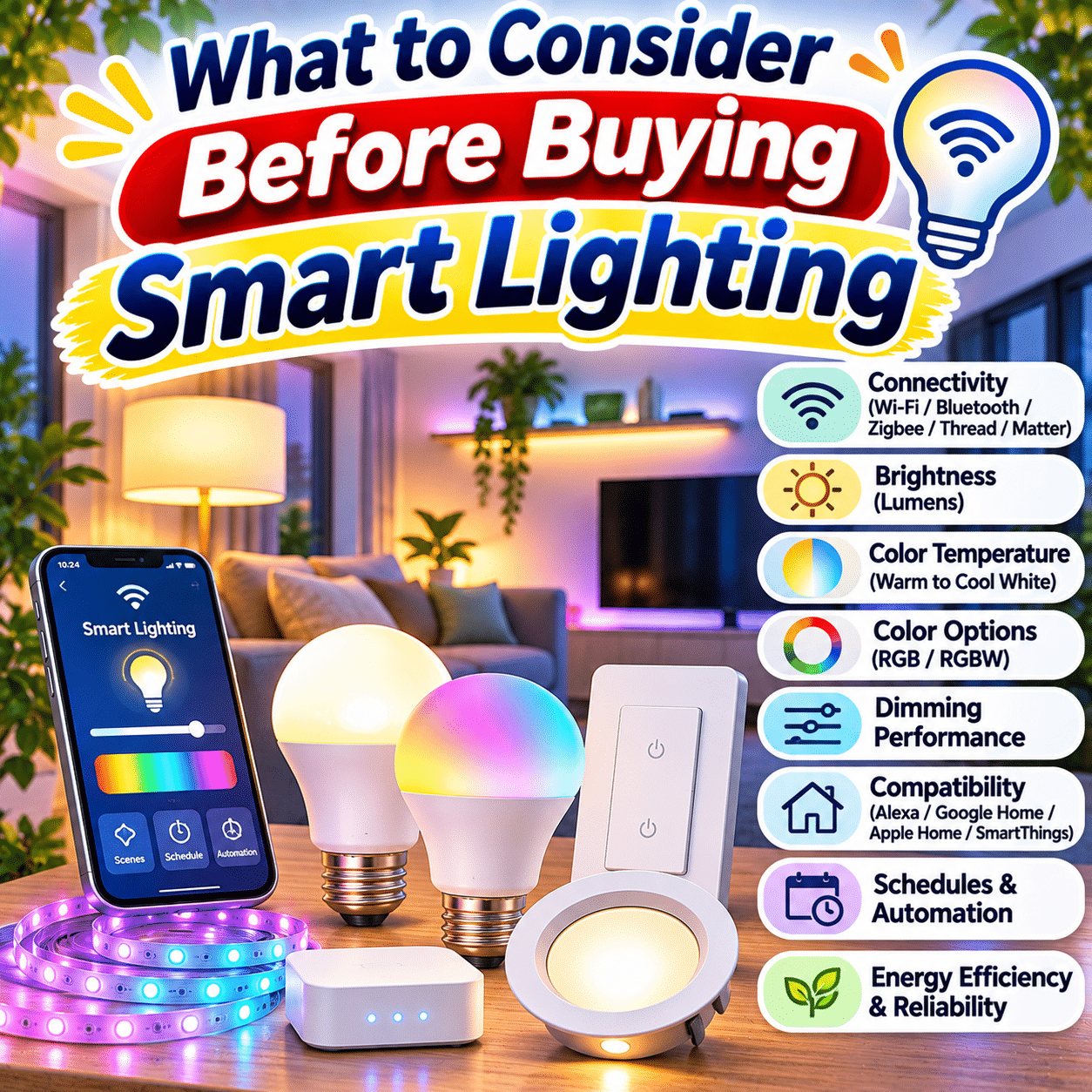
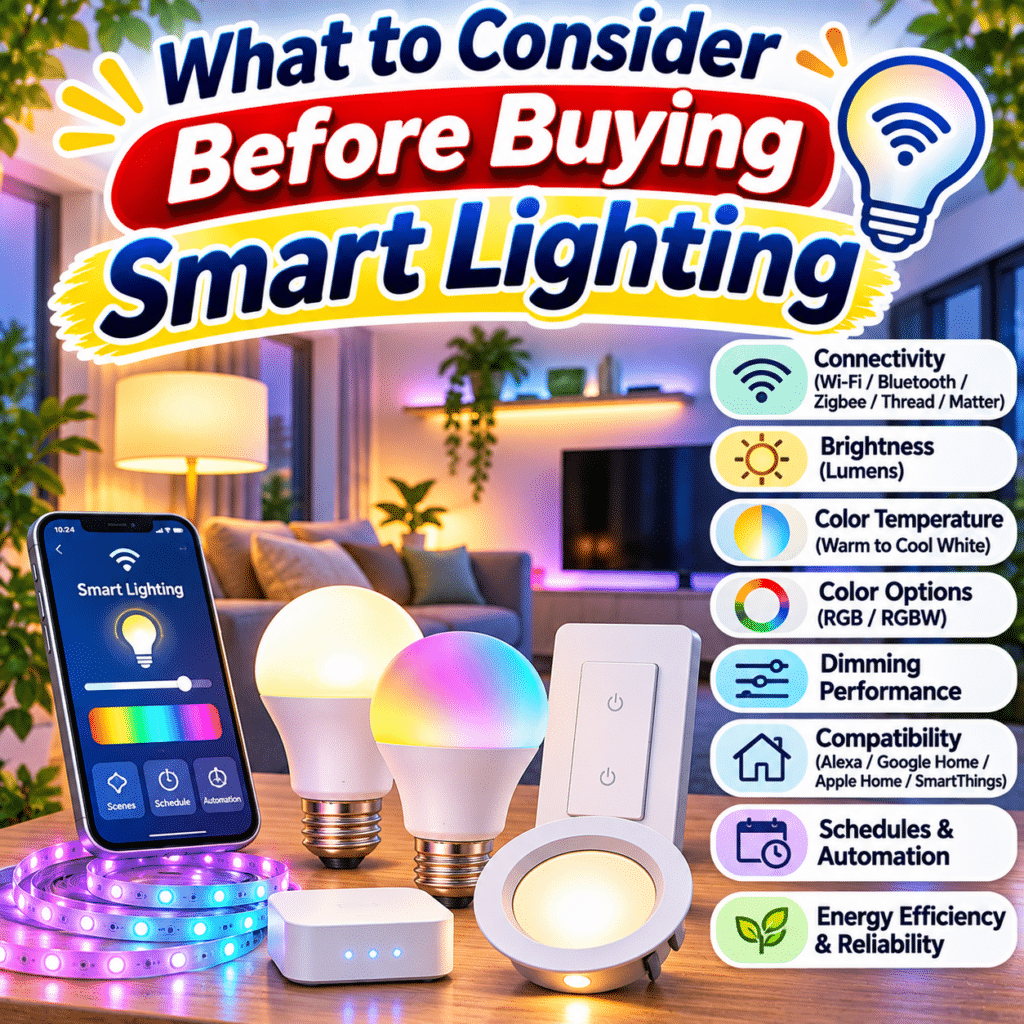
Lighting plays an important role in how a home looks, feels, and functions. It helps people prepare meals, work comfortably, relax in the evening, move safely through rooms, and create an atmosphere that suits different activities.
Traditional lighting systems usually provide straightforward on-and-off control, sometimes with dimming or multiple brightness settings. Smart lighting expands those possibilities by allowing compatible lights to respond to schedules, smartphone applications, voice commands, sensors, and automated routines.
A smart bulb can gradually brighten in the morning, a desk lamp can provide adjustable task lighting, and hallway lights can respond to motion. Some systems also allow users to coordinate lighting across several rooms or control lights while away from home.
However, buying smart lighting is not simply a matter of choosing colorful bulbs or products that advertise voice control.
Different smart lighting products use different wireless technologies, control systems, fixtures, and power arrangements. Some connect directly to Wi-Fi, while others require a compatible hub or border router. Certain features work only within specific smart home ecosystems, and some functions may depend on cloud services or manufacturer applications.
Brightness, color temperature, dimming performance, electrical compatibility, privacy, long-term software support, and total ownership costs also deserve careful attention.
A smart lighting system should make everyday living more convenient without introducing unnecessary complexity.
This comprehensive buying guide explains the main types of smart lighting, compares important technologies, explores practical room-by-room applications, and provides a clear framework for choosing lighting that fits your home, routines, and long-term needs.
1. Understand What Smart Lighting Is
Smart lighting refers to lighting products that support electronic control beyond conventional manual switching.
Depending on the product, smart lighting may allow users to adjust:
- Power status.
- Brightness.
- Color temperature.
- Light color.
- Lighting schedules.
- Grouped lighting scenes.
- Motion-based behavior.
- Remote access.
- Automated routines.
How Smart Lighting Works
A typical smart lighting system includes a light source, electronic control components, and a method of communication.
That communication may involve Wi-Fi, Bluetooth, Zigbee, Thread, or another supported technology.
Users may control the lighting through an application, a compatible wall switch, a voice assistant, or an automation system.
Smart Lighting Is Not Always Complicated
A single smart bulb can be useful for a bedside lamp.
A larger system may coordinate dozens of lights throughout a home.
The appropriate level of complexity depends on what you want to accomplish.
2. Decide Why You Want Smart Lighting
Before comparing products, identify the improvements you expect smart lighting to provide.
Common Reasons for Choosing Smart Lighting
- Easier control of frequently used lights.
- Adjustable brightness.
- Comfortable evening illumination.
- Automated morning routines.
- Motion-activated hallway lighting.
- Convenient bedside controls.
- Coordinated lighting scenes.
- Remote control when away.
- Integration with other smart home devices.
Identify Your Main Priority
If you mainly want dimmable bedroom lighting, a basic adjustable-white smart bulb may be sufficient.
If you want several rooms to respond together, a coordinated lighting ecosystem may be more practical.
If you want lights to respond to occupancy, sensor compatibility becomes important.
Avoid Buying Features You Will Not Use
Advanced color effects, entertainment synchronization, and complicated automation options may increase cost without improving your daily routine.
Choose features according to practical needs.
3. Understand the Main Types of Smart Lighting
Smart lighting products come in several forms.
Smart Bulbs
Replace compatible conventional bulbs and provide electronic control.
Smart Light Strips
Flexible lighting products commonly used for accent illumination.
Smart Lamps
Integrated lighting fixtures with built-in smart controls.
Smart Ceiling Lights
Ceiling-mounted fixtures with adjustable lighting features.
Smart Downlights
Recessed or surface-mounted lights designed for selected ceiling installations.
Smart Wall Switches
Control connected lighting circuits.
Smart Dimmers
Adjust the brightness of compatible lighting loads.
Smart Plugs
Allow certain conventional lamps to be switched on and off remotely.
Smart Lighting Controllers
Coordinate compatible lights, sensors, and automation functions.
Each option serves a different purpose.
4. Compare Smart Bulbs and Smart Switches
One of the most important decisions is whether to make the bulb smart or control the lighting circuit through a smart switch.
| Feature | Smart bulbs | Smart switches |
|---|---|---|
| Main function | Control individual light sources | Control a connected lighting circuit |
| Installation | Often simple bulb replacement | May require electrical wiring |
| Color control | Available on selected models | Usually depends on connected lighting |
| Physical switch behavior | Often needs constant power | Usually designed for wall-based control |
| Best for | Lamps, accent lighting, adjustable colors | Fixed ceiling lights, multi-bulb fixtures |
| Main limitation | Conventional switch can interrupt power | Electrical compatibility and installation |
When Smart Bulbs Make Sense
Smart bulbs are useful when you want individual brightness, color temperature, or color control.
When Smart Switches Make Sense
Smart switches can be useful for controlling several conventional lights together.
Important Consideration
Combining smart bulbs with incompatible conventional dimmers or switches can create operational problems.
Plan the control arrangement before purchasing.
5. Consider Smart Plugs for Existing Lamps
A smart plug can make certain conventional lamps easier to control.
How It Works
The smart plug sits between the electrical outlet and the lamp.
It switches power to the connected device.
Advantages
- Simple installation.
- No bulb replacement.
- Useful for existing lamps.
- Scheduling options.
- Potential automation integration.
Limitations
A basic smart plug cannot independently adjust the brightness or color of a conventional bulb.
The lamp must also resume its intended operating state when power returns.
Important Safety Consideration
Check the smart plug’s electrical rating and the connected lamp’s power requirements.
Do not exceed the manufacturer’s permitted load.
6. Understand Wi-Fi Smart Lighting
Wi-Fi smart lighting connects through a compatible wireless network.
Potential Advantages
- Often no separate lighting hub.
- Familiar home networking technology.
- Convenient smartphone setup.
- Wide product availability.
Potential Limitations
- Dependence on Wi-Fi coverage.
- Router compatibility requirements.
- Network congestion.
- Possible cloud-service dependence.
- Individual device management.
When Wi-Fi Lighting Is Practical
Wi-Fi smart bulbs can be convenient for small installations involving only a few lights.
What to Check
Verify:
- Supported Wi-Fi bands.
- Router compatibility.
- Local versus cloud control.
- Setup requirements.
- Application support.
- Device limits.
Important Reminder
Many smart lighting devices support 2.4 GHz Wi-Fi rather than 5 GHz.
Check the specific product rather than assuming compatibility.
7. Understand Bluetooth Smart Lighting
Bluetooth lighting communicates directly with compatible devices or controllers.
Advantages
- Simple local control.
- Often no internet requirement for basic operation.
- Convenient for small spaces.
- Potentially straightforward setup.
Limitations
- Limited communication range.
- Feature restrictions on some products.
- Possible need for a bridge for remote access.
- Varying automation capabilities.
Suitable Applications
Bluetooth smart lighting may be practical for a bedroom, desk, or small apartment.
Practical Advice
Confirm whether the product supports the automation and remote-control functions you expect.
8. Understand Zigbee Smart Lighting
Zigbee is a wireless communication technology used by many smart home devices.
How It Works
Compatible Zigbee lighting products commonly communicate through a coordinator or hub.
Some mains-powered devices can also help relay communication within a Zigbee mesh network.
Potential Advantages
- Suitable for multiple devices.
- Mesh networking capabilities.
- Low-power communication.
- Established smart lighting ecosystem support.
Limitations
- Often requires a compatible hub.
- Device interoperability can vary.
- Setup may be more involved than a standalone bulb.
Important Compatibility Consideration
Two products supporting Zigbee do not automatically guarantee that every advanced feature will work together.
Check hub support and device compatibility.
9. Understand Thread Smart Lighting
Thread is an IP-based, low-power wireless mesh networking technology.
It is used by certain smart home devices, including compatible lighting products.
Potential Advantages
- Mesh networking.
- Local IP-based communication.
- Low-power operation.
- Integration with supported smart home architectures.
What Thread Requires
A Thread network typically uses compatible Thread devices and a Thread border router for connectivity to other IP networks.
Important Distinction
Thread is a networking technology.
It is not the same thing as Matter, which addresses device interoperability at the application layer.
Practical Advice
Verify whether your existing smart home equipment can support the specific Thread lighting products you are considering.
10. Understand Matter Smart Lighting
Matter is a smart home interoperability standard intended to improve compatibility across supported platforms and devices.
Potential Advantages
- Broader ecosystem interoperability.
- Standardized device functions.
- Local communication capabilities.
- Reduced dependence on some proprietary integrations.
Important Limitations
Matter compatibility does not guarantee that every manufacturer-specific lighting feature will be available in every application.
Some advanced effects, entertainment features, or specialized controls may still require the manufacturer’s app.
Matter Over Wi-Fi and Thread
Matter devices may communicate over supported IP networks, including Wi-Fi and Thread.
Buying Advice
Check the exact Matter device type, supported features, and controller requirements.
A Matter logo alone does not explain every installation requirement.
11. Understand When a Smart Lighting Hub Is Needed
A hub or bridge connects and coordinates compatible smart devices.
Potential Functions
- Device communication.
- Automation management.
- Remote access.
- Group control.
- Integration with other platforms.
Advantages
A hub can provide centralized control and may support larger installations.
Limitations
- Additional purchase cost.
- Another device to configure.
- Compatibility requirements.
- Possible dependence on hub availability.
Important Reminder
Not all smart lighting requires a dedicated hub.
Some products connect directly to Wi-Fi or use other supported control arrangements.
Practical Recommendation
Choose a hub-based system when its benefits justify the additional equipment.
12. Check Compatibility With Your Smart Home Ecosystem
Before buying, determine how you want to control your lights.
Common smart home ecosystems include:
- Apple Home.
- Google Home.
- Amazon Alexa.
- Samsung SmartThings.
- Other compatible automation platforms.
Questions to Ask
- Does the light work with my preferred platform?
- Is a hub required?
- Are all lighting functions available?
- Can I create schedules and automations?
- Can household members share control?
- Does the system support local operation?
Avoid Assuming Full Compatibility
A product may support basic on-and-off commands through one platform but require its own application for advanced lighting effects.
Practical Advice
Verify the exact model and feature support before purchasing.
13. Understand Brightness and Lumens
Brightness is one of the most important lighting specifications.
Light output is commonly expressed in lumens.
What Are Lumens?
Lumens measure the total amount of visible light emitted by a source.
Why Lumens Matter
A smart bulb may have advanced features but still be too dim for its intended location.
Common Applications
- Bedside lamps.
- Desk lighting.
- Kitchen illumination.
- Living room lighting.
- Hallway lighting.
- Decorative accents.
Each application may require a different amount of light.
Important Consideration
Lumens describe total light output, not how much illumination reaches a particular surface.
Fixture design, room size, beam angle, and placement also matter.
14. Understand Lumens Versus Watts
Traditional bulb shopping often relied on wattage.
However, watts measure electrical power consumption, not brightness.
Why This Matters
Modern LED bulbs can produce substantial light while consuming relatively little electricity.
Example
Two smart bulbs may consume different amounts of power while producing similar lumen output.
Compare the Right Specifications
For brightness, check lumens.
For energy consumption, check watts.
Practical Recommendation
Do not select smart bulbs solely by advertised wattage or traditional bulb-equivalent descriptions.
15. Understand Color Temperature
Color temperature describes the appearance of white light.
It is commonly expressed in kelvins, abbreviated as K.
Warm White
Often around 2,700 K.
Produces a warm, yellowish appearance.
Neutral White
Often around 3,500–4,000 K.
Provides a more neutral appearance.
Cool White
Often around 5,000–6,500 K.
Produces a cooler, more bluish appearance.
Important Clarification
Color temperature describes the light’s appearance, not the physical temperature of the bulb.
Practical Advice
Choose a range that supports the intended activity and atmosphere.
16. Compare Common White-Light Color Temperatures
| Color temperature | General appearance | Common applications |
|---|---|---|
| 2,200–2,700 K | Very warm to warm | Relaxing spaces, evening ambiance |
| 3,000 K | Warm white | Living rooms, bedrooms, general lighting |
| 3,500–4,000 K | Neutral white | Kitchens, bathrooms, work areas |
| 5,000–6,500 K | Cool to daylight-like | Selected task lighting applications |
These are general descriptions rather than universal rules.
Personal preferences, surrounding materials, and fixture design affect how lighting appears.
17. Understand Tunable White Smart Lighting
Tunable white lighting allows users to adjust the color temperature of white light.
Potential Benefits
- Warm lighting in the evening.
- Neutral lighting during routine tasks.
- Cooler lighting when preferred.
- Flexible room atmosphere.
- Multiple uses from one fixture.
Important Consideration
Not all tunable white bulbs maintain the same maximum brightness across their entire color temperature range.
Practical Recommendation
Check the supported kelvin range and brightness performance.
Tunable white is often more useful for everyday household lighting than decorative colors alone.
18. Understand RGB Smart Lighting
RGB refers to red, green, and blue light components.
Many smart bulbs use these components to produce a range of colors.
Common Uses
- Accent lighting.
- Entertainment spaces.
- Decorative scenes.
- Seasonal ambiance.
- Creative room styling.
Limitations
RGB color mixing does not automatically produce high-quality white illumination.
Practical Advice
If the light will serve as a primary room light, evaluate its white-light performance as carefully as its color effects.
19. Understand RGBW and RGB+CCT Lighting
Some smart lights include additional white-light components.
RGBW
Generally combines red, green, blue, and a dedicated white component.
RGB+CCT
Commonly refers to RGB lighting with adjustable warm and cool white channels.
Why This Matters
Dedicated white-light components may improve practical white illumination compared with basic RGB-only designs.
Important Limitation
Manufacturers use these labels differently.
The actual LED configuration and performance should be verified.
Practical Recommendation
Choose based on the quality and range of white lighting you need, not only the number of advertised color channels.
20. Evaluate Color Rendering Quality
Color rendering describes how a light source affects the appearance of illuminated objects.
Color Rendering Index
CRI is a commonly used metric for evaluating certain aspects of color rendering.
It is usually expressed on a scale up to 100.
Why Color Rendering Matters
Lighting influences how people perceive:
- Food.
- Clothing.
- Artwork.
- Furniture.
- Skin tones.
- Interior finishes.
Important Limitation
CRI alone does not describe every aspect of color quality.
Practical Recommendation
For kitchens, workspaces, and areas where accurate color appearance matters, consider products with credible color-rendering specifications and realistic sample images.
21. Understand Dimming Performance
Dimming allows users to adjust light output.
Benefits
- Comfortable evening lighting.
- Flexible task illumination.
- Reduced glare.
- Adjustable ambiance.
- Potential energy savings at lower output.
What to Evaluate
- Minimum brightness.
- Smoothness.
- Flicker.
- Color consistency.
- Response speed.
- Compatibility with physical controls.
Important Limitation
A bulb advertised as dimmable may not work correctly with every traditional wall dimmer.
Practical Advice
Use the control methods approved by the manufacturer.
22. Understand Flicker and Lighting Comfort
Some LED lighting systems produce variations in light output over time.
These variations may be visible or difficult to notice directly.
Potential Concerns
Depending on frequency, modulation, exposure, and individual sensitivity, flicker can affect visual comfort.
What to Look For
- Credible flicker measurements.
- Suitable driver design.
- Stable dimming behavior.
- Reliable product documentation.
Important Reminder
Marketing descriptions such as flicker-free may not explain the measurement conditions.
Practical Recommendation
If lighting comfort is a priority, seek meaningful technical information rather than relying solely on promotional labels.
23. Consider Smart Lighting for Bedrooms
Bedrooms often benefit from adjustable lighting.
Useful Features
- Warm white light.
- Low minimum brightness.
- Bedside control.
- Scheduled dimming.
- Simple nighttime operation.
- Optional motion-based lighting.
Morning Lighting
Some systems support gradual brightness increases.
Evening Lighting
Warm, dim lighting may create a more comfortable atmosphere before bedtime.
Important Limitation
Smart lighting is not a medical treatment for sleep problems.
Its usefulness depends on individual routines and environmental conditions.
Practical Recommendation
Prioritize comfortable dimming and easy controls over elaborate color effects.
24. Consider Smart Lighting for Living Rooms
Living rooms often serve several purposes.
Common Activities
- Reading.
- Watching television.
- Conversation.
- Relaxation.
- Entertaining guests.
- General household activity.
Useful Features
- Tunable white.
- Dimming.
- Multiple lighting groups.
- Scene presets.
- Accent lighting.
Layered Lighting
A living room may combine:
- Ceiling lighting.
- Floor lamps.
- Table lamps.
- Wall lighting.
- Decorative accents.
Practical Recommendation
Use smart lighting to coordinate these layers rather than relying on a single light source for every activity.
25. Consider Smart Lighting for Kitchens
Kitchen lighting needs to support practical tasks.
Important Priorities
- Sufficient brightness.
- Good visibility.
- Appropriate color rendering.
- Reliable controls.
- Easy cleaning.
- Suitable fixture placement.
Useful Smart Features
- Adjustable brightness.
- Grouped lighting.
- Task lighting scenes.
- Under-cabinet illumination.
- Convenient voice or switch control.
Important Safety Consideration
Smart features should not make essential kitchen lighting difficult to operate.
Practical Recommendation
Prioritize dependable task lighting before decorative effects.
26. Consider Smart Lighting for Home Offices
Workspaces benefit from flexible and comfortable illumination.
Useful Features
- Adjustable brightness.
- Tunable white.
- Task lighting.
- Convenient controls.
- Minimal glare.
- Stable light output.
Placement Matters
A bright bulb can still produce uncomfortable reflections on a monitor.
Practical Advice
Position lighting to illuminate the work area without shining directly into the eyes or creating excessive screen reflections.
Smart Automation
Schedules can be convenient, but lighting should remain easy to adjust manually.
27. Consider Smart Lighting for Bathrooms
Bathrooms introduce moisture and electrical safety considerations.
Useful Features
- Clear general lighting.
- Mirror lighting.
- Adjustable brightness.
- Suitable color rendering.
- Motion-based nighttime lighting.
Important Safety Requirement
Fixtures and electrical equipment must be appropriate for the installation location and applicable electrical codes.
Moisture Protection
Some areas require specific ingress protection ratings or approved installation methods.
Practical Recommendation
Do not install ordinary indoor smart lighting products in wet or splash-prone locations unless they are approved for that use.
28. Consider Smart Lighting for Hallways and Staircases
Hallways and stairs are common locations for automation.
Useful Features
- Motion detection.
- Low-brightness nighttime scenes.
- Timed shutoff.
- Reliable wall controls.
- Suitable coverage.
Potential Benefits
- Convenient nighttime navigation.
- Reduced need to locate switches.
- Automatic lighting during brief visits.
Important Consideration
Motion detection can fail or respond unexpectedly.
Practical Recommendation
Essential circulation lighting should remain practical and safe even when automation is unavailable.
29. Consider Smart Lighting for Children’s Rooms
Smart lighting can offer convenient control in children’s spaces.
Useful Features
- Gentle dimming.
- Simple bedtime routines.
- Night-light settings.
- Safe fixture placement.
- Durable construction.
Safety Considerations
- Keep electrical cords appropriately secured.
- Avoid accessible damaged fixtures.
- Follow age-related product guidance.
- Use suitable brightness.
- Avoid unnecessary exposure to intense decorative effects.
Practical Recommendation
Choose reliable, easy-to-use lighting rather than complicated features that are difficult for household members to manage.
30. Consider Smart Lighting for Outdoor Areas
Outdoor smart lighting may support entrances, pathways, patios, and gardens.
Common Applications
- Porch lighting.
- Garden accents.
- Pathway illumination.
- Patio ambiance.
- Entryway lighting.
Important Requirements
- Outdoor-rated fixtures.
- Appropriate electrical protection.
- Suitable operating temperature.
- Weather-resistant connections.
- Reliable network coverage.
Important Limitation
A smart bulb rated for indoor use is not automatically suitable for an outdoor fixture.
Practical Recommendation
Check both the light source and the enclosure requirements.
31. Understand Motion Sensors
Motion sensors can trigger compatible lighting automatically.
Common Sensor Technologies
- Passive infrared.
- Microwave or radar-based sensing.
- Other supported detection methods.
Potential Applications
- Hallways.
- Entryways.
- Closets.
- Utility rooms.
- Bathrooms.
- Staircases.
Important Considerations
- Detection range.
- Viewing angle.
- Sensitivity.
- False triggers.
- Delay settings.
- Automation compatibility.
Practical Advice
Test sensor placement before relying on automated lighting.
32. Understand Occupancy and Presence Detection
Motion detection and presence detection are related but not identical.
Motion Detection
Typically responds to movement.
Presence Detection
Some systems attempt to detect occupancy even when movement is limited.
Potential Benefits
- More convenient room automation.
- Reduced accidental shutoff.
- Better lighting behavior in stationary activities.
Limitations
- Sensor accuracy varies.
- Placement matters.
- False detections can occur.
- Privacy considerations may apply.
Practical Recommendation
For rooms where people remain seated for long periods, evaluate whether the sensor can reliably maintain the intended lighting state.
33. Understand Daylight-Based Automation
Some smart lighting systems can respond to ambient light levels.
Common Uses
- Turning on lights when a room becomes dark.
- Adjusting brightness according to daylight.
- Reducing unnecessary lighting.
- Supporting consistent illumination.
Important Considerations
- Sensor placement.
- Natural light variation.
- Window orientation.
- Reflections.
- User preferences.
Practical Advice
Daylight-based automation should be adjustable so that users can override unsuitable settings.
34. Evaluate Lighting Schedules
Schedules allow lights to operate at selected times.
Common Examples
- Morning illumination.
- Evening dimming.
- Porch lighting after sunset.
- Bedside lights switching off.
- Decorative lighting during selected hours.
Advantages
- Convenience.
- Consistency.
- Reduced manual switching.
- Potential energy management.
Limitations
Schedules may be disrupted by:
- Incorrect time settings.
- Connectivity problems.
- Power outages.
- Cloud-service interruptions.
Practical Recommendation
Check whether schedules run locally or depend on an external service.
35. Understand Sunrise and Sunset Automations
Some smart lighting systems can use local sunrise and sunset times.
Potential Uses
- Outdoor lights after sunset.
- Gradual morning illumination.
- Evening accent lighting.
- Seasonal schedule adjustments.
Why This Can Be Useful
Sunrise and sunset times change throughout the year.
Automations based on those events may require fewer manual schedule adjustments.
Important Consideration
Accurate location and time-zone settings are necessary.
Practical Advice
Choose systems that allow offsets, such as activating lighting shortly before or after sunset.
36. Understand Smart Lighting Scenes
A lighting scene is a saved combination of settings.
Example Scenes
Reading
Bright, comfortable task lighting.
Relaxing
Warm, dim illumination.
Cooking
Clear lighting focused on practical work areas.
Movie Time
Reduced ambient brightness.
Evening
Gentle lighting in selected rooms.
Away
A configured lighting pattern intended for use when the household is unoccupied.
Practical Benefit
Scenes reduce the need to adjust multiple lights individually.
Buying Advice
Check how easily scenes can be created, modified, and activated.
37. Consider Voice Control
Compatible smart lighting systems can respond to voice assistants.
Common Commands
- Turn on the living room lights.
- Dim the bedroom lights.
- Set the kitchen lights to warm white.
- Turn off all lights.
- Activate a saved scene.
Advantages
- Hands-free operation.
- Convenience during household tasks.
- Accessibility benefits for some users.
Limitations
- Recognition errors.
- Platform compatibility.
- Internet or local processing requirements.
- Privacy preferences.
Practical Recommendation
Voice control should complement, not replace, convenient physical controls.
38. Understand Physical Switch Compatibility
Physical switches remain important in everyday living.
The Smart Bulb Problem
A conventional wall switch can cut power to a smart bulb.
When the bulb has no power, its wireless features generally cannot operate.
Possible Solutions
- Compatible smart switches.
- Wireless scene controllers.
- Smart bulb mode on supported switches.
- Dedicated lighting remotes.
- Appropriate switch guards where suitable.
Important Consideration
The correct arrangement depends on wiring, device compatibility, and household needs.
Practical Recommendation
Plan how everyone in the home will control the lights before installation.
39. Understand Smart Dimmer Compatibility
Traditional dimmers and smart bulbs may not work well together.
Potential Problems
- Flickering.
- Buzzing.
- Unstable brightness.
- Unexpected shutdown.
- Reduced device lifespan.
Why Problems Occur
Different dimming technologies regulate power in different ways.
Smart bulbs often expect continuous electrical power and perform dimming internally.
Practical Advice
Do not assume a conventional wall dimmer is compatible with a smart bulb.
Use manufacturer-approved combinations.
40. Check Bulb Base and Socket Compatibility
Smart bulbs must physically fit the intended fixture.
Common Base Types
- E26.
- E27.
- B22.
- GU10.
- Other regional or specialized bases.
Important Differences
Socket types vary by country and fixture.
Before Buying
Check:
- Base type.
- Bulb dimensions.
- Fixture clearance.
- Voltage requirements.
- Wattage limits.
- Enclosed-fixture restrictions.
Practical Recommendation
Match the bulb to the exact fixture specifications rather than relying only on product photographs.
41. Check Voltage and Electrical Compatibility
Smart lighting products are designed for specific electrical conditions.
Important Specifications
- Rated input voltage.
- Frequency.
- Maximum power.
- Fixture compatibility.
- Wiring requirements.
Regional Differences
Electrical systems and product specifications vary across markets.
Important Safety Advice
Do not install lighting products outside their approved electrical ratings.
Smart Switch Installation
Some smart switches require a neutral wire, while others use alternative designs.
Check wiring requirements before purchasing.
If installation involves household wiring, use a qualified electrician where appropriate.
42. Understand Neutral Wire Requirements
Many smart switches require a neutral conductor to power their electronics.
Why This Matters
Some older switch boxes may not contain the necessary wiring.
No-Neutral Smart Switches
Certain products are designed for installations without a neutral wire.
However, compatibility may depend on:
- Lighting load.
- Wiring configuration.
- Bypass components.
- Electrical standards.
- Manufacturer instructions.
Important Reminder
Do not assume that a switch labeled no-neutral will work in every home.
Practical Recommendation
Have the wiring assessed before purchasing equipment that requires installation inside an electrical box.
43. Understand Multi-Way Switch Installations
Some rooms allow one light to be controlled from two or more wall switches.
Common Locations
- Staircases.
- Hallways.
- Large rooms.
- Multiple entrances.
Why Compatibility Matters
Not every smart switch supports every multi-way wiring arrangement.
Possible Requirements
- Compatible companion switches.
- Specific wiring configurations.
- Manufacturer-approved accessories.
- Professional installation.
Practical Advice
Check the exact circuit arrangement before selecting smart switches.
44. Consider Smart Light Strips
Smart light strips provide flexible decorative and accent lighting.
Common Applications
- Under cabinets.
- Behind televisions.
- Under shelves.
- Along furniture.
- Behind headboards.
- Around selected architectural features.
Important Specifications
- Strip length.
- Brightness.
- Color capability.
- Power supply.
- Cutting points.
- Extension compatibility.
- Mounting method.
Practical Recommendation
Measure the installation area before purchasing.
Avoid assuming every light strip can be shortened, extended, or connected in the same way.
45. Understand Addressable Light Strips
Some light strips allow individual LEDs or groups of LEDs to display different colors simultaneously.
Potential Uses
- Decorative patterns.
- Animated effects.
- Entertainment lighting.
- Creative accent scenes.
Important Distinction
Basic RGB light strips may display one color across the entire strip.
Addressable strips can support more complex patterns.
Limitations
- Higher cost.
- More complex control.
- Additional power requirements.
- Potential compatibility restrictions.
Practical Advice
Choose addressable lighting only when its visual effects are genuinely useful to you.
46. Evaluate Smart Ceiling Lights
Integrated smart ceiling fixtures can provide broad room illumination.
Potential Advantages
- Clean appearance.
- Adjustable brightness.
- Tunable white.
- Integrated control.
- Coordinated lighting design.
Limitations
- More complicated replacement.
- Fixture-specific installation.
- Potentially limited repairability.
- Dependence on manufacturer support.
Important Consideration
If the integrated LED or electronics fail, replacing the entire fixture may be necessary.
Practical Recommendation
Evaluate warranty, repairability, and replacement availability before choosing integrated smart fixtures.
47. Consider Smart Downlights
Smart downlights can provide discreet ceiling illumination.
Important Specifications
- Cutout dimensions.
- Installation depth.
- Beam angle.
- Brightness.
- Color temperature.
- Electrical requirements.
- Thermal management.
Installation Considerations
Ceiling construction and insulation can affect fixture suitability.
Practical Recommendation
Choose products specifically approved for the intended installation conditions.
Avoid treating all recessed lighting products as interchangeable.
48. Understand Beam Angle
Beam angle describes the spread of light from a fixture.
Narrow Beam
Can concentrate light on a smaller area.
Wide Beam
Can distribute light across a broader area.
Why It Matters
Two lights with similar lumen output may create very different illumination patterns.
Common Applications
Narrower beams may suit accent lighting.
Wider beams may suit general illumination.
Practical Advice
Consider fixture height, distance, and intended coverage when comparing beam angles.
49. Consider Lighting Layers
A comfortable room often uses multiple lighting layers.
Ambient Lighting
Provides general illumination.
Task Lighting
Supports specific activities.
Accent Lighting
Highlights selected objects or architectural features.
Decorative Lighting
Contributes to visual atmosphere.
Smart Lighting Benefits
Smart controls can coordinate these layers.
Practical Example
A kitchen may use ceiling lighting for general visibility and under-cabinet lighting for countertop tasks.
A living room may combine overhead lighting with floor lamps and accent strips.
Practical Recommendation
Plan lighting by function before choosing smart features.
50. Understand Energy Efficiency
Many smart lighting products use LED technology.
LED lighting can be more energy-efficient than older incandescent lighting.
What to Compare
- Lumens.
- Watts.
- Luminous efficacy.
- Standby consumption.
- Operating hours.
- Dimming behavior.
Important Consideration
Smart lighting electronics may consume a small amount of electricity while waiting for commands.
Practical Advice
Evaluate both active and standby power consumption when comparing products.
51. Understand Standby Power Consumption
Connected smart bulbs and controllers often remain partially powered when their light output is off.
Why Standby Power Exists
The device may need to maintain communication or respond to commands.
Does It Matter?
For a single bulb, standby consumption may be small.
Across many devices, the combined energy use can become more noticeable.
Practical Recommendation
Review manufacturer specifications and avoid unnecessary connected devices.
Smart lighting energy savings depend on how the system is used, not simply on whether the product is labeled smart.
52. Consider Automation for Energy Management
Automation can reduce unnecessary lighting in some situations.
Examples
- Turning lights off after a room becomes vacant.
- Scheduling exterior lighting.
- Reducing brightness when full output is unnecessary.
- Coordinating lights with daylight availability.
Important Limitation
Automation does not guarantee lower electricity use.
Decorative lighting, extended schedules, and standby consumption can offset some savings.
Practical Recommendation
Use smart lighting to support efficient habits rather than assuming every automation saves energy.
53. Understand Smart Lighting Lifespan
Smart lighting products contain LEDs and electronic components.
Factors Affecting Lifespan
- Operating temperature.
- Electrical conditions.
- Driver quality.
- Usage patterns.
- Fixture ventilation.
- Manufacturing quality.
Advertised LED Lifespan
Manufacturers may specify operating hours or lumen-maintenance estimates.
These figures do not necessarily guarantee that every electronic component will last equally long.
Practical Advice
Review warranty terms and product support information.
54. Consider Heat Management
LED lighting generates heat even though it is generally more efficient than incandescent lighting.
Why Heat Matters
Excessive temperature can affect:
- LED output.
- Electronic components.
- Color consistency.
- Long-term reliability.
Common Risk Factors
- Enclosed fixtures.
- Poor ventilation.
- High ambient temperature.
- Incompatible housings.
Practical Recommendation
Check whether the smart bulb is approved for enclosed fixtures.
Do not assume every LED bulb is suitable for every housing.
55. Evaluate Smart Lighting Reliability
A lighting system should remain convenient during ordinary household use.
Potential Reliability Issues
- Wi-Fi disconnections.
- Hub failures.
- Software problems.
- Delayed commands.
- Cloud-service interruptions.
- Inconsistent automation.
Important Questions
- Can the light operate without internet access?
- Does the physical switch still work?
- Can schedules run locally?
- What happens after a power outage?
- Does the system remember previous settings?
Practical Recommendation
Prioritize predictable everyday behavior over elaborate features.
56. Understand Power-On Behavior
Power-on behavior describes what a smart light does when electrical power returns.
Possible Settings
- Turn on at full brightness.
- Return to the previous state.
- Remain off.
- Activate a selected preset.
Why This Matters
A power interruption could cause lights to turn on unexpectedly.
Practical Advice
Choose products with configurable power-on behavior when this feature matters.
Test the settings before relying on them.
57. Consider Local Control Versus Cloud Control
Smart lighting systems may operate locally, through cloud services, or through a combination of both.
Local Control
Commands are processed within the home network or compatible local control system.
Cloud Control
Commands or automations may depend on remote servers.
Potential Benefits of Local Control
- Reduced dependence on internet availability.
- Potentially faster response.
- Greater control over certain data flows.
Cloud Advantages
May support convenient remote access and selected services.
Practical Recommendation
Determine which essential functions continue when internet access is unavailable.
58. Evaluate Smart Lighting Privacy
Connected lighting devices may collect or process information related to household usage.
Potential Data Categories
Depending on the product and service:
- Device identifiers.
- Account information.
- Usage schedules.
- Automation settings.
- Network information.
- Diagnostic data.
Privacy Questions
- Is an account required?
- What data does the application collect?
- Can the system operate locally?
- Can unnecessary permissions be disabled?
- Is data deletion supported?
Practical Recommendation
Review the manufacturer’s privacy documentation and application permissions.
59. Understand Smart Lighting Cybersecurity
Smart lights are connected electronic devices.
Potential Risks
- Weak account security.
- Outdated firmware.
- Vulnerable applications.
- Poorly protected networks.
- Unnecessary remote access.
Recommended Practices
- Use strong, unique passwords.
- Enable multifactor authentication when available.
- Install firmware updates.
- Use secure Wi-Fi settings.
- Remove unused devices.
- Review account permissions.
Practical Advice
Choose manufacturers that provide clear security update policies.
60. Consider Software Updates and Long-Term Support
Smart lighting depends on software.
Updates May Address
- Security issues.
- Device stability.
- Compatibility.
- Automation behavior.
- Feature improvements.
Questions to Ask
- How are updates delivered?
- Does the manufacturer provide support information?
- Is there a stated support period?
- Will basic lighting continue if services change?
- Can the product work without a manufacturer account?
Long-Term Value
A smart bulb may remain physically functional while losing some connected features if software support ends.
Practical Recommendation
Favor products with transparent support practices.
61. Consider Multi-User Household Control
Smart lighting should work for everyone in the home.
Useful Features
- Shared household access.
- Individual accounts.
- Physical switches.
- Simple scenes.
- Guest-friendly controls.
- Clear room naming.
Common Problem
A system controlled only through one person’s phone can become inconvenient.
Practical Recommendation
Ensure that household members can operate essential lights without depending on a single device or account.
62. Evaluate Application Design
The quality of the control application affects everyday usability.
Useful Features
- Simple device setup.
- Clear room organization.
- Reliable brightness adjustment.
- Easy scene creation.
- Automation scheduling.
- Firmware updates.
- Shared access.
Potential Problems
- Confusing menus.
- Delayed commands.
- Frequent account sign-ins.
- Unreliable connectivity.
- Poor device grouping.
Practical Advice
Look for credible feedback about the application’s reliability, not only the lighting hardware.
63. Understand Group Control
Group control allows several compatible lights to respond together.
Common Groups
- Living room.
- Kitchen.
- Bedroom.
- Hallway.
- Outdoor lighting.
Benefits
- Simpler operation.
- Consistent brightness changes.
- Coordinated scenes.
- Easier automation.
Important Limitation
Mixed-brand systems may not support every advanced group feature equally.
Practical Recommendation
If coordinated lighting is important, verify group control compatibility before buying several products.
64. Consider Cross-Brand Compatibility
Smart lighting products from different manufacturers may work together through supported ecosystems or standards.
Potential Benefits
- Greater product choice.
- Flexible expansion.
- Reduced dependence on one brand.
Potential Limitations
- Inconsistent feature support.
- Different update schedules.
- Separate applications.
- Uneven scene compatibility.
- Varying response times.
Practical Advice
Choose a clear primary control platform and verify each device’s supported functions.
65. Consider Smart Lighting for Renters
Renters often need reversible installation options.
Useful Products
- Smart bulbs.
- Smart plugs.
- Portable smart lamps.
- Removable light strips.
- Wireless scene controllers.
Potential Advantages
- Limited electrical modification.
- Easy relocation.
- Flexible setup.
- Lower installation complexity.
Important Consideration
Adhesive-mounted products may damage paint or surfaces when removed.
Practical Recommendation
Review rental rules and choose installation methods appropriate for the property.
66. Consider Smart Lighting for Larger Homes
Larger homes may require more careful system planning.
Important Factors
- Network coverage.
- Device count.
- Hub capacity.
- Mesh networking.
- Electrical circuits.
- Group organization.
- Automation reliability.
Why Planning Matters
A system that works well with two bulbs may become difficult to manage when expanded to many rooms.
Practical Recommendation
Choose an architecture that supports gradual expansion and consistent control.
67. Consider Smart Lighting for Accessibility
Smart lighting can improve convenience for some people with mobility or accessibility needs.
Potentially Useful Features
- Voice commands.
- Motion activation.
- Bedside controls.
- Scheduled lighting.
- Remote switches.
- Easy-to-reach controls.
Important Consideration
Automation should not create barriers when technology fails.
Practical Recommendation
Maintain dependable manual control options and choose settings suited to the user’s specific needs.
68. Understand Smart Lighting Installation Costs
The initial product price is only part of the total expense.
Potential Costs
- Smart bulbs.
- Smart switches.
- Hubs.
- Sensors.
- Light strips.
- Controllers.
- Electrical installation.
- Replacement accessories.
Larger Installations
Costs may increase when several rooms require coordinated controls.
Practical Advice
Estimate the complete system cost before buying individual components.
69. Consider Long-Term Ownership Costs
Smart lighting may create ongoing expenses.
Possible Costs
- Electricity.
- Replacement bulbs.
- Hub replacement.
- Electrical repairs.
- Subscription services, where applicable.
- Accessories.
- System upgrades.
Important Reminder
Many smart lighting products do not require subscriptions for basic use.
However, features and service arrangements vary.
Practical Recommendation
Choose a system that remains useful without unnecessary recurring costs.
70. Understand Warranty and Product Support
Warranty coverage is important for connected lighting products.
Questions to Ask
- How long is the warranty?
- What failures are covered?
- Are replacement products available?
- Is local support provided?
- Can defective products be replaced easily?
- Is software support documented?
Why Support Matters
A lighting system may involve multiple interconnected components.
Reliable support can simplify troubleshooting and replacement.
Practical Advice
Compare warranty and support quality alongside technical features.
71. Compare Smart Lighting Options by Everyday Need
| Everyday need | Features to prioritize | Features that may be optional |
|---|---|---|
| Bedside lighting | Warm white, dimming, simple control | Advanced entertainment effects |
| Living room | Tunable white, scenes, grouping | Maximum decorative colors |
| Kitchen | Brightness, color rendering, reliable switches | Animated light effects |
| Home office | Adjustable white, task lighting, low glare | Music synchronization |
| Hallway | Motion sensing, reliable automation | Extensive color customization |
| Bathroom | Suitable fixture rating, clear illumination | Complex cloud integrations |
| Outdoor entrance | Weather resistance, schedules, dependable power | Indoor decorative scenes |
| Small apartment | Simple setup, compact devices | Large hub-based infrastructure |
| Larger home | Scalable networking, grouping, compatible controls | Standalone-only devices |
| Rental home | Smart bulbs, plugs, portable fixtures | Permanent electrical modifications |
| Privacy-focused home | Local control, clear security policies | Cloud-only features |
| Budget-conscious home | Core brightness and dimming, dependable operation | Premium effects and accessories |
72. Common Mistakes to Avoid When Buying Smart Lighting
Choosing Only by Color Effects
Decorative colors do not guarantee good everyday illumination.
Ignoring Brightness
A smart bulb may be too dim for its intended room.
Confusing Watts With Lumens
Watts measure electrical power, while lumens describe light output.
Overlooking Color Temperature
A light that cannot produce your preferred white-light appearance may be inconvenient.
Ignoring Socket Compatibility
The bulb must fit the fixture and meet its electrical requirements.
Buying Incompatible Smart Switches
Electrical wiring and lighting load requirements must be checked.
Assuming Every Smart Bulb Works With Traditional Dimmers
Incompatible dimmers can cause poor performance.
Ignoring Hub Requirements
Some devices need additional equipment.
Assuming Matter Provides Every Feature
Advanced manufacturer-specific functions may not be available through all platforms.
Overlooking Physical Controls
Household lighting should remain convenient without relying exclusively on an application.
Ignoring Internet Dependence
Some features may stop working when cloud services or internet access fail.
Buying Too Many Devices Immediately
A small trial installation can reveal compatibility and usability issues before expansion.
Ignoring Long-Term Support
Connected features may depend on continued software maintenance.
Overlooking Electrical Safety
Smart features do not remove the need for appropriate installation and fixture ratings.
73. How to Choose Smart Lighting Step by Step
Step 1: Identify the Rooms
Decide where smart lighting would provide meaningful convenience.
Step 2: Define the Main Functions
Choose between dimming, tunable white, colors, schedules, sensors, and automation.
Step 3: Select the Lighting Type
Compare smart bulbs, switches, lamps, strips, and integrated fixtures.
Step 4: Check Electrical Compatibility
Verify voltage, socket type, fixture restrictions, and wiring requirements.
Step 5: Choose a Connectivity Approach
Consider Wi-Fi, Bluetooth, Zigbee, Thread, or Matter-compatible products.
Step 6: Verify Ecosystem Compatibility
Confirm support for your preferred smart home platform.
Step 7: Compare Light Quality
Evaluate lumens, color temperature, dimming, color rendering, and flicker characteristics.
Step 8: Plan Physical Controls
Ensure household members can operate lights conveniently.
Step 9: Evaluate Reliability
Check local control, power-on behavior, and network requirements.
Step 10: Review Privacy and Security
Look for firmware support, account protection, and reasonable data practices.
Step 11: Calculate Total Cost
Include hubs, switches, sensors, installation, and replacement costs.
Step 12: Start Small
Test a few devices before expanding throughout the home.
74. Practical Smart Lighting Buying Checklist
Lighting Quality
- Brightness is appropriate for the intended room.
- Color temperature meets my preferences.
- Tunable white is available if needed.
- Dimming is smooth and comfortable.
- Color rendering is suitable for the activity.
- Beam angle and fixture placement are appropriate.
Electrical Compatibility
- Bulb base matches the fixture.
- Voltage requirements are correct.
- Fixture dimensions are suitable.
- Enclosed-fixture restrictions are understood.
- Smart switch wiring requirements are verified.
- Outdoor or wet-location ratings are appropriate.
Connectivity
- Wireless technology is understood.
- Required hubs or controllers are available.
- Smart home ecosystem compatibility is verified.
- Matter or Thread requirements are understood where relevant.
- Network coverage is sufficient.
- Essential local functions are available if needed.
Everyday Convenience
- Physical controls remain practical.
- Group control meets my needs.
- Scenes are easy to configure.
- Schedules are supported.
- Sensor compatibility is verified.
- Power-on behavior is acceptable.
Privacy and Security
- Manufacturer privacy practices are acceptable.
- Account security options are available.
- Firmware updates are supported.
- Unnecessary permissions can be avoided.
- Long-term software support is considered.
Cost and Maintenance
- Initial purchase cost fits my budget.
- Hub and accessory costs are included.
- Installation requirements are understood.
- Standby power consumption is considered.
- Warranty coverage is acceptable.
- Replacement products are reasonably available.
75. Frequently Asked Questions About Smart Lighting
1. What is smart lighting?
Smart lighting refers to lighting products that support connected or automated controls such as dimming, scheduling, scenes, and remote operation.
2. Are smart lights worth buying?
They can be worthwhile when their convenience, flexibility, and automation features match your daily needs.
3. Do smart bulbs need Wi-Fi?
Not all do. Some use Bluetooth, Zigbee, Thread, or other supported communication technologies.
4. Do smart lights require a hub?
Some do, while others connect directly through Wi-Fi or compatible controllers.
5. What is the difference between smart bulbs and smart switches?
Smart bulbs control individual light sources, while smart switches control compatible lighting circuits.
6. Should I buy smart bulbs or smart switches?
Smart bulbs are useful for individual color and brightness control. Smart switches can be practical for fixed lighting circuits and conventional bulbs.
7. Can a smart plug control a normal lamp?
Yes, if the lamp and smart plug are compatible. Basic smart plugs generally provide on-and-off control.
8. Can smart lights work without internet access?
Some can perform local functions without internet access. Others depend on cloud services for certain features.
9. Can smart lights work without a smartphone?
Many systems support physical switches, remotes, voice assistants, or other controls after setup.
10. Do smart bulbs use electricity when turned off?
Many connected smart bulbs consume a small amount of standby power while remaining available for commands.
11. Do smart lights save electricity?
They may help reduce unnecessary lighting through efficient LEDs, dimming, and automation. Actual savings depend on usage.
12. What is the difference between lumens and watts?
Lumens describe light output, while watts measure electrical power consumption.
13. How many lumens do I need?
The appropriate amount depends on room size, fixture placement, lighting layers, and intended activities.
14. What does 2,700 K mean?
It describes a warm white light appearance.
15. Is warm white or cool white better?
Neither is universally better. The choice depends on activity, comfort, and personal preference.
16. What is tunable white lighting?
It allows adjustment of the color temperature of white light.
17. What is RGB lighting?
RGB lighting uses red, green, and blue light components to produce different colors.
18. What is RGBW lighting?
It generally combines RGB components with a dedicated white-light component.
19. What does CRI mean?
CRI stands for Color Rendering Index, a metric used to evaluate certain aspects of color rendering.
20. Can smart bulbs be dimmed?
Many can, but the supported control method and dimming performance vary.
21. Can I use smart bulbs with traditional dimmer switches?
Only when the manufacturer confirms compatibility. Many smart bulbs are not intended for conventional dimmers.
22. Why do smart bulbs flicker?
Possible causes include incompatible dimmers, electrical conditions, driver behavior, or product faults.
23. What is Zigbee smart lighting?
It is lighting that communicates through compatible Zigbee networks, often using a hub or coordinator.
24. What is Thread?
Thread is a low-power IP-based mesh networking technology used by compatible smart home devices.
25. What is Matter?
Matter is an interoperability standard designed to help supported smart home devices work across compatible ecosystems.
26. Is Matter the same as Thread?
No. Matter is an application-layer interoperability standard, while Thread is a networking technology.
27. Do Matter smart lights need a hub?
Requirements vary. Matter over Thread needs a suitable Thread network and border router, while controller requirements depend on the platform.
28. Can smart lights from different brands work together?
Sometimes. Compatibility depends on supported standards, platforms, and features.
29. Can smart lights work with Alexa?
Many do, but compatibility must be verified for the specific product.
30. Can smart lights work with Google Home?
Many compatible products support Google Home, although available functions vary.
31. Can smart lights work with Apple Home?
Selected products support Apple Home through compatible integration methods.
32. Can smart lights change color automatically?
Some can through schedules, scenes, and automation routines.
33. Can smart lighting respond to motion?
Yes, when connected to compatible motion sensors or supported detection systems.
34. What is presence detection?
It refers to systems that attempt to detect occupancy, sometimes even when people remain relatively still.
35. Can smart lights turn on at sunset?
Many systems support sunrise- and sunset-based automation.
36. Can smart lights gradually brighten in the morning?
Some systems support gradual brightness transitions or wake-up routines.
37. Are smart lights good for bedrooms?
They can be useful for warm lighting, dimming, and convenient bedside control.
38. Are smart lights good for kitchens?
Yes, provided they offer adequate brightness, suitable color rendering, and reliable operation.
39. Can I install smart lights in bathrooms?
Only use products and installation methods approved for the relevant electrical and moisture conditions.
40. Can smart lights be used outdoors?
Yes, when the products and fixtures are rated for the intended outdoor environment.
41. What are smart light strips?
They are flexible lighting products with connected control capabilities.
42. Can smart light strips be cut?
Some can be cut at designated points. Follow the manufacturer’s instructions.
43. Can smart light strips be extended?
Some support compatible extensions, but electrical and controller limits apply.
44. What is an addressable LED strip?
It is a strip that allows individual LEDs or groups of LEDs to display different colors or effects.
45. Do smart switches need a neutral wire?
Some do, while others are designed for compatible no-neutral installations.
46. Can I install a smart switch myself?
Installation requirements vary. Electrical work should follow applicable codes and may require a qualified electrician.
47. What happens to smart lights during a power outage?
They generally stop operating without power unless an appropriate backup arrangement is available.
48. What happens when power returns?
Behavior varies. Some products restore previous settings, while others use a configured default state.
49. Can smart lights be hacked?
Connected lighting devices can have cybersecurity vulnerabilities. Secure configuration and software updates help reduce risk.
50. Do smart lights collect personal data?
Some products or services collect account, device, diagnostic, or usage information. Practices vary by manufacturer.
51. How long do smart bulbs last?
Lifespan depends on LED design, electronic components, operating temperature, and usage.
52. Can smart bulbs overheat?
Like other electronic lighting products, smart bulbs generate heat. Use them only in approved fixtures and conditions.
53. Are smart lights suitable for renters?
Smart bulbs, plugs, portable lamps, and removable accessories can be convenient options for rental homes.
54. Can I control all smart lights together?
Many systems support groups and scenes, but cross-brand compatibility varies.
55. Do smart lights require subscriptions?
Many do not require subscriptions for basic functionality, although some services may offer optional paid features.
56. Can smart lighting improve home security?
Scheduled or automated lighting may contribute to a broader home security approach, but it does not guarantee prevention of incidents.
57. What is the biggest mistake when buying smart lighting?
Choosing products without checking electrical compatibility, control requirements, and ecosystem support is a common mistake.
58. Should I replace every bulb with a smart bulb?
Not necessarily. Begin with locations where smart features provide clear practical benefits.
59. What should I prioritize when buying my first smart light?
Prioritize suitable brightness, reliable control, compatibility, ease of use, and long-term support.
60. What is the best smart lighting setup for beginners?
A small, compatible setup with one or two useful lights, straightforward physical controls, and simple automation is often a practical starting point.
76. Final Thoughts: Choosing Smart Lighting That Makes Everyday Life Easier
Smart lighting can make a home more flexible, comfortable, and convenient when its features are selected thoughtfully.
The most important decision is not which product offers the greatest number of colors or the most advanced automation options. It is understanding how lighting supports the activities and routines in each room.
Brightness, color temperature, dimming quality, and fixture placement should come before decorative features. A well-chosen light that provides comfortable illumination will usually be more valuable than a technically impressive product that does not suit the space.
Compatibility is equally important. Smart bulbs, switches, plugs, and integrated fixtures have different installation requirements. Wireless technologies such as Wi-Fi, Zigbee, and Thread offer different approaches to communication, while Matter can help improve interoperability among supported devices.
Before purchasing, verify electrical specifications, socket types, wiring requirements, and smart home platform support. Physical controls should remain convenient, especially in shared households where not everyone wants to operate lighting through a smartphone.
Reliability, privacy, and long-term software support also influence value. A smart lighting system should continue to serve its essential purpose without unnecessary dependence on complicated applications or unreliable cloud services.
For beginners, starting with a small installation is often the most practical approach. Testing one room allows you to evaluate brightness, controls, connectivity, and automation before investing in a larger system.
Over time, smart lighting can expand naturally into additional rooms, coordinated scenes, motion-based controls, and energy-conscious routines.
The best smart lighting system is not necessarily the most colorful, expensive, or technologically complex. It is the one that provides comfortable illumination, works reliably with your home, remains easy for everyone to control, and adds genuine convenience to everyday living.