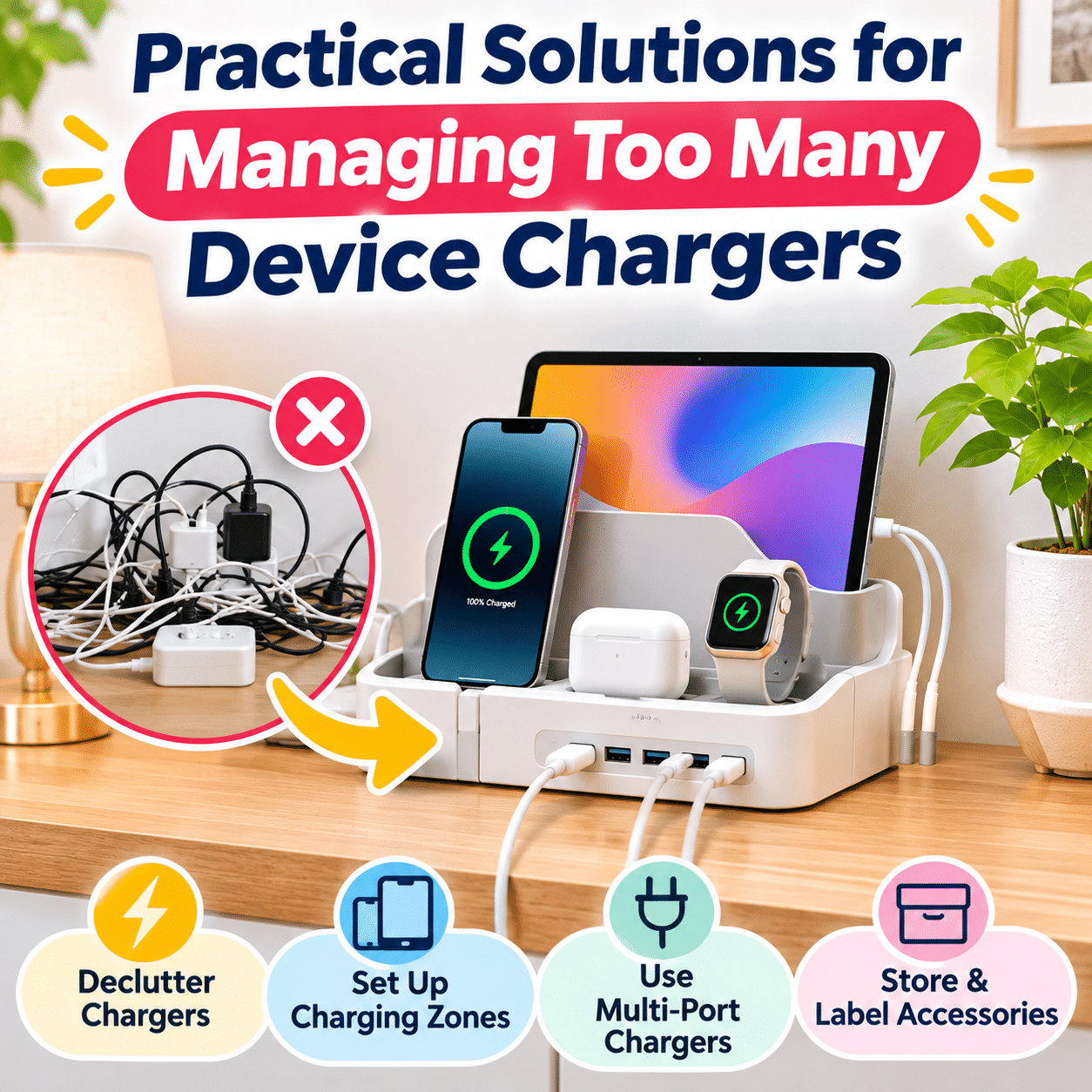
Modern households depend on an impressive variety of electronic devices. Smartphones, tablets, laptops, wireless headphones, smartwatches, cameras, portable speakers, and other everyday gadgets all need reliable power. While these devices make daily activities more convenient, the chargers that accompany them can quickly become a source of clutter.
A single household may accumulate dozens of charging cables, wall adapters, portable power banks, and specialized connectors. Some are used every day, while others remain tucked away in drawers or scattered across desks, countertops, and bedside tables. Over time, it becomes increasingly difficult to remember which charger belongs to which device.
The problem is not simply visual. Disorganized chargers can waste time, occupy valuable storage space, make travel preparation more frustrating, and increase the likelihood of using an incompatible adapter. Poor charging arrangements may also create unnecessary electrical hazards, especially when power strips are overloaded or charging equipment is placed in poorly ventilated areas.
Fortunately, managing device chargers does not require an expensive technology upgrade or a complicated organizational system. A thoughtful combination of decluttering, compatibility checks, dedicated charging areas, and simple storage habits can make a substantial difference.
The key is to organize chargers around how devices are actually used. A phone that needs charging every night requires a different arrangement from a camera battery charger used only occasionally. Similarly, a family charging station must accommodate several users, while a personal workspace may benefit from a compact multi-device setup.
This guide explores practical ways to reduce charger clutter, identify compatible charging equipment, organize charging stations, store spare accessories, and establish everyday routines that keep electronic devices powered without overwhelming your living spaces.
1. Understand Why Device Chargers Accumulate
Before reorganizing charging accessories, it helps to understand why they become difficult to manage.
Every New Device Adds Another Accessory
Many electronic products include a charging cable, power adapter, charging cradle, or proprietary connector.
Even when a new device supports an existing charging standard, its original accessories may remain in the household.
Over time, these additions create a growing collection.
Different Devices Have Different Charging Requirements
Not all electronic devices use the same charging technology.
Some require specific voltage levels, charging protocols, connectors, or power capacities.
Common examples include:
- Smartphones with USB-C or other charging connectors
- Laptops using USB-C Power Delivery or proprietary adapters
- Smartwatches requiring dedicated charging pucks
- Wireless earbuds using charging cases
- Cameras with removable battery chargers
- Electric grooming tools with specialized charging accessories
- Portable speakers with USB or dedicated power connections
These differences can make charger consolidation more complicated than it initially appears.
Chargers Are Stored Wherever They Are Used
People often leave chargers near the devices they support.
A household may have separate charging accessories in the bedroom, living room, office, kitchen, and travel bag.
Without a clear organization plan, duplicate chargers accumulate in multiple locations.
Old Chargers Are Rarely Reviewed
When devices are replaced, their chargers are often kept just in case.
Some may still be useful, but others become obsolete or incompatible.
A collection that is never reviewed will naturally continue growing.
Portable Chargers Move Between Locations
Frequently used cables and adapters are easy to misplace.
A charger borrowed from a desk may end up beside the sofa, inside a backpack, or in another room.
This creates the impression that more chargers are needed, even when suitable accessories already exist.
Understanding these patterns helps identify which chargers deserve permanent locations and which should be stored, shared, replaced, or responsibly recycled.
2. Start With a Complete Charger Inventory
An inventory is one of the most effective ways to regain control over a large collection of charging accessories.
Instead of purchasing new organizers immediately, identify what you already own.
Step 1: Gather Unused Charging Accessories
Collect spare chargers from accessible storage areas such as:
- Desk drawers
- Bedside tables
- Storage cabinets
- Travel bags
- Electronic accessory boxes
- Entertainment centers
- Home office shelves
You do not need to disconnect every actively used charger at once.
Begin with unused accessories, then document permanent charging setups separately.
Step 2: Sort Chargers by Type
Create groups based on function.
| Charger category | Common examples | Main consideration |
|---|---|---|
| USB wall adapters | Phone and tablet chargers | Output and protocol compatibility |
| USB charging cables | USB-C and other connector types | Connector, power, and data capability |
| Laptop power adapters | USB-C PD and proprietary chargers | Required power and voltage |
| Wireless charging accessories | Charging pads and stands | Device and charging-standard compatibility |
| Dedicated charging cradles | Smartwatches and specialized devices | Model compatibility |
| Battery chargers | Camera and rechargeable battery chargers | Supported battery chemistry and model |
| Portable power banks | Mobile backup charging | Capacity, output, and safety condition |
| Multi-port chargers | Shared charging stations | Total and per-port power limits |
This classification makes duplicates easier to identify.
Step 3: Match Chargers With Devices
For each charger, determine which device it supports.
Check manufacturer markings, model information, and official compatibility guidance.
Avoid relying only on connector shape.
Two chargers may have similar-looking plugs but different electrical specifications.
Step 4: Identify Unnecessary Duplicates
Ask yourself:
- Do I still own the device that uses this charger?
- Is this charger compatible with another device I regularly use?
- Do I already have enough suitable chargers?
- Is this accessory kept for a specific backup purpose?
- Is the cable or adapter in good condition?
- Would removing it make everyday charging less convenient?
Keep duplicates that serve a clear purpose.
Remove accessories that no longer have a practical role.
Step 5: Separate Damaged or Questionable Equipment
Inspect chargers and cables for:
- Frayed insulation
- Cracked housings
- Bent or damaged connectors
- Loose electrical contacts
- Discoloration
- Signs of overheating
- Swollen battery packs
- Unusual odors
Stop using damaged equipment.
Do not attempt to repair mains-powered chargers unless you are appropriately qualified.
Damaged power banks and other battery-containing devices require particular care and should be handled according to local battery safety and recycling guidance.
3. Create Dedicated Charging Zones Around Your Home
One of the simplest ways to manage multiple chargers is to establish a small number of intentional charging locations.
A charging zone is a designated area where certain devices are regularly powered.
Choose Locations Based on Daily Routines
Consider where devices are normally used and stored.
Common charging zones include:
Bedroom: Phone, smartwatch, and wireless earbuds.
Home office: Laptop, phone, tablet, and computer accessories.
Living room: Shared devices, controllers, and portable speakers.
Entryway: Devices that need to be ready before leaving home.
Shared household area: Family tablets, headphones, and other portable electronics.
Not every room needs a charging station.
The goal is to reduce unnecessary duplication while keeping essential charging convenient.
Keep Charging Areas Away From Hazards
Choose stable, dry, well-ventilated surfaces.
Avoid locations near:
- Sinks and other water sources
- Heat-producing appliances
- Direct exposure to excessive heat
- Flammable materials
- Bedding or upholstered surfaces that may trap heat
- Walking paths where cables could create tripping hazards
Follow device and charger manufacturers’ placement instructions.
Avoid Overcrowding
A charging zone should have enough room for devices to rest securely.
Stacking devices or covering adapters can restrict airflow and make cables difficult to manage.
A spacious arrangement is often safer and easier to maintain than a tightly packed one.
4. Use a Central Charging Station for Shared Devices
A central charging station can simplify charging in households with multiple people or frequently shared electronics.
Instead of leaving devices scattered across different surfaces, a designated station provides a predictable location.
What Makes a Charging Station Effective?
A useful station should offer:
- Convenient access to appropriate outlets
- Enough space for regularly charged devices
- Compatible charging connections
- Clear cable routing
- Adequate ventilation
- Easy identification of each charging position
The station does not need to be elaborate.
A clear section of a shelf with suitable charging equipment may be sufficient.
Organize Devices by Frequency of Use
Place frequently charged devices in the most accessible positions.
Occasionally charged accessories can remain in a nearby storage compartment until needed.
Assign Charging Positions
In a shared household, dedicated spaces can reduce confusion.
For example:
- One position for shared tablets
- One for headphones
- One for portable speakers
- One for other small electronics
Simple labels can help household members return devices to the correct locations.
Consider Charging Docks Carefully
Multi-device charging docks may reduce visible cables.
However, compatibility varies.
Before purchasing or using one, verify that it supports the specific devices and charging standards involved.
A charging dock designed for one smartwatch model may not support another, even if the devices look similar.
5. Consolidate Chargers When Compatibility Allows
Reducing the number of chargers is often more effective than finding additional places to store them.
However, consolidation should always be based on verified compatibility.
Understand the Difference Between Connectors and Charging Standards
A connector describes the physical interface used to connect a cable.
A charging standard or protocol determines how power is delivered.
For example, USB-C is a connector type, but USB-C devices and chargers can support different power levels and features.
A USB-C connector alone does not guarantee that every charger will provide the power a device requires.
Consider Compatible USB-C Power Delivery Chargers
USB Power Delivery, commonly called USB PD, allows compatible devices and chargers to negotiate supported power levels.
A suitable USB PD charger may power several different devices at different times.
Potential examples include compatible:
- Smartphones
- Tablets
- Laptops
- Portable gaming devices
- Headphones
- Other USB-powered electronics
Before consolidating, check the device’s charging requirements and the charger’s supported outputs.
Understand Power Ratings
Chargers are commonly described using watts.
Electrical power is calculated as:
Power (W) = Voltage (V) × Current (A)
For example, a charger operating at 9 volts and 2 amperes delivers 18 watts at that operating point.
However, the wattage printed on a charger does not guarantee that every connected device can use that amount of power.
Actual charging depends on compatibility, negotiated power delivery, cable capability, device conditions, and charging controls.
Higher Wattage Does Not Automatically Mean Faster Charging
A compatible device generally draws power according to its supported charging behavior.
Using a charger with a higher maximum wattage does not necessarily increase charging speed.
The charger must also support the voltage and protocol required by the device.
Never substitute a higher-voltage or otherwise incompatible fixed-output adapter merely because its connector fits.
Keep Specialized Chargers When Necessary
Some devices require dedicated accessories.
Examples may include:
- Certain smartwatches
- Camera batteries
- Specialized tools
- Older laptops
- Devices using proprietary charging systems
Do not discard a specialized charger until a suitable replacement has been verified.
6. Choose Multi-Port Chargers Wisely
A multi-port charger can reduce the number of wall adapters needed in a charging area.
Instead of using several individual adapters, compatible devices can share one charging unit.
Understand Total Power Capacity
Multi-port chargers have a maximum combined output.
Some also distribute available power differently depending on which ports are occupied.
For example, a charger advertised with a total output of 100 watts may not provide 100 watts to every connected port simultaneously.
Its actual distribution depends on the manufacturer’s design.
Check Individual Port Capabilities
Review:
- Supported charging protocols
- Maximum output per port
- Total combined output
- Power allocation when multiple ports are used
- Cable requirements
- Device compatibility
Consider the Devices You Charge Together
A charger serving two phones may have different requirements from one powering a laptop and several accessories.
Choose equipment based on realistic simultaneous use.
Look for Appropriate Safety Information
Select chargers from reputable manufacturers with clear specifications and applicable safety certifications.
Avoid products with missing electrical ratings, unclear manufacturer information, or questionable construction.
Maintain Ventilation
Even efficient chargers produce some heat.
Keep them on suitable surfaces and follow the manufacturer’s operating instructions.
Do not cover operating chargers with clothing, paper, or decorative materials.
7. Organize Charging Cables Separately From Adapters
Charging cables and power adapters serve different functions.
Treating them as separate categories makes organization easier.
Keep Frequently Used Cables Accessible
Daily-use cables should remain easy to reach.
Cable holders, clips, and designated desk positions can prevent them from falling behind furniture.
Choose Appropriate Cable Lengths
Shorter cables can reduce clutter in compact charging stations.
Longer cables may be more convenient when outlets are farther away.
Choose lengths that provide comfortable access without unnecessary loops or tension.
Verify Cable Capability
Not all cables with the same connector support identical charging performance.
Some USB-C cables are designed for higher power levels than others.
For high-power charging, use cables with suitable ratings and any required identification features.
Follow device and charger recommendations.
Avoid Sharp Bends
Repeatedly bending a cable near its connector can contribute to wear.
Allow a gentle curve where the cable enters the device.
Use Reusable Cable Straps
Reusable straps help organize spare cables and compatible cable groups.
Avoid tightening straps enough to deform insulation.
8. Build a Practical Charging Setup for Your Home Office
Home offices often require several devices to remain charged throughout the day.
A typical setup may include a laptop, smartphone, tablet, wireless headphones, and additional accessories.
Identify Your Main Charging Needs
Start by separating devices into two categories.
Continuous-use devices: Equipment that remains connected for long periods, such as certain laptops or desktop accessories.
Occasional charging devices: Phones, headphones, and portable electronics that need periodic charging.
This distinction helps determine which connections should remain permanently available.
Consider a Compatible Docking Station
A docking station may consolidate charging, display, networking, and peripheral connections for a compatible laptop.
However, not every docking station provides sufficient power for every laptop.
Check power delivery specifications and manufacturer compatibility.
Keep Charging Accessories Off the Main Work Surface
Where appropriate, position chargers on a nearby shelf or in a suitable cable management area.
Avoid placing operating power adapters in tightly enclosed spaces without adequate ventilation.
Label Similar Connections
When several cables look alike, small labels can prevent confusion.
For example:
- Laptop Power
- Tablet Charger
- Phone USB-C
- Headphones
- Camera Connection
Preserve Flexibility
A good workspace should allow devices to be disconnected without dismantling the entire cable arrangement.
Use adjustable accessories and leave reasonable cable slack.
9. Simplify Charging Around Bedside Tables
Bedrooms frequently accumulate charging accessories because people often charge personal devices overnight.
A compact, intentional arrangement can keep the bedside area more comfortable.
Limit the Number of Devices
Consider whether every device needs to charge beside the bed.
Moving occasionally used electronics elsewhere can reduce clutter.
Use a Stable Charging Surface
Place devices on a firm surface with adequate ventilation.
Avoid charging beneath pillows, blankets, or mattresses.
Keep Cables Away From the Bed
Route cords so they do not become trapped beneath bedding or stretched across walking areas.
Consider a Compatible Wireless Charging Stand
Wireless charging may reduce the need to connect a cable directly to a phone.
However, the charging stand itself still requires power.
Wireless charging also depends on device compatibility and correct positioning.
Keep Backup Chargers Elsewhere
A bedside table usually does not need multiple unused adapters.
Store backups in a designated accessory drawer or container.
10. Organize Chargers for Children and Shared Household Devices
In households with multiple users, chargers can become difficult to track.
Shared devices may move between rooms, while cables are borrowed and not returned.
Establish Clear Charging Locations
Assign a predictable charging area for shared electronics.
This makes devices easier to locate and reduces unnecessary charger purchases.
Use Simple Labels
Labels can identify:
- Device owners
- Compatible charging connections
- Shared accessories
- Dedicated charging positions
Choose Age-Appropriate Arrangements
Young children should not be expected to manage electrical charging equipment independently.
Keep unsuitable accessories out of reach and provide appropriate supervision.
Avoid Charging Devices in Unsafe Locations
Do not leave chargers operating beneath bedding, near water, or in places where cords may become damaged.
Make the System Easy to Maintain
An organization method that requires too many steps is unlikely to remain effective.
Simple storage locations and clear routines are usually more sustainable.
11. Store Spare Chargers in an Organized System
Not every charger needs to remain plugged in.
Occasionally used accessories should have a designated storage location.
Separate Chargers by Purpose
Useful categories include:
Everyday backups: Spare phone and tablet charging equipment.
Travel accessories: Chargers reserved for trips.
Specialized chargers: Equipment for cameras, grooming tools, and proprietary devices.
Legacy accessories: Chargers retained for older devices still in use.
Use Divided Storage Containers
Drawer dividers and small compartments help prevent cables from becoming tangled.
Transparent containers can make contents easier to identify.
Label Specialized Adapters
A charger with an unfamiliar connector may be difficult to identify months later.
Label it with the corresponding device or model.
Store Cables Gently
Coil cables loosely rather than wrapping them tightly around adapters.
Avoid sharp bends near connectors.
Protect Stored Equipment
Choose dry storage areas away from excessive heat, moisture, and physical pressure.
For power banks and other battery-containing accessories, follow the manufacturer’s storage and maintenance guidance.
12. Create a Separate Travel Charging Kit
Travel is one of the most common reasons chargers become scattered around the home.
A dedicated travel kit can reduce last-minute searching.
Identify Essential Travel Devices
Consider what you normally bring:
- Smartphone
- Laptop or tablet
- Headphones
- Smartwatch
- Camera
- Portable power bank
Choose Compatible Charging Equipment
Where supported, a suitable multi-port charger may reduce the number of adapters required.
Check the charging needs of every device.
Use a Compact Cable Organizer
A small organizer with separate compartments can hold:
- Charging cables
- Wall adapters
- Dedicated charging accessories
- Appropriate travel plug adapters
- Small electronic accessories
Understand Travel Plug Adapters
A plug adapter changes the physical plug configuration.
It does not necessarily convert electrical voltage.
Check charger input ratings and the destination’s electrical system before use.
Follow Battery Transportation Rules
Airlines and aviation authorities may impose restrictions on power banks and spare lithium batteries.
Rules can vary by airline, battery capacity, and destination.
Check current requirements before traveling.
Return Travel Accessories After Each Trip
Keep the travel kit together rather than redistributing its contents around the home.
This makes future packing easier.
13. Use Wireless Charging Strategically
Wireless charging can simplify certain charging arrangements, but it is not always the best solution.
Potential Advantages
Compatible wireless charging accessories may offer:
- Convenient device placement
- Reduced connector handling
- Cleaner-looking charging surfaces
- Shared charging locations for compatible devices
Important Limitations
Wireless charging may:
- Require precise device positioning
- Generate additional heat
- Charge more slowly under some conditions
- Be affected by incompatible cases or accessories
- Require dedicated charging equipment
Choose Based on Daily Habits
A wireless charging stand may work well for a phone frequently picked up and put down during the day.
A wired charger may be preferable when reliable high-power charging is important.
The most practical choice depends on the device and its intended use.
14. Prevent Charger Clutter in Small Living Spaces
Small apartments and compact homes require thoughtful use of available surfaces.
When storage is limited, charging accessories can quickly make a room feel crowded.
Prioritize Multi-Use Locations
A desk or shelf may serve as a charging station without requiring additional furniture.
Keep Charging Equipment Compact
Choose accessories based on actual needs rather than maximum advertised capacity.
An oversized charging station may occupy more space than it saves.
Use Vertical Organization
Wall-adjacent cable holders, appropriate shelves, and furniture with built-in cable passages can reduce surface clutter.
Ensure electrical equipment remains accessible and properly ventilated.
Avoid Creating Too Many Charging Zones
In a small home, one primary charging area and one secondary location may be sufficient.
The ideal number depends on the household.
Review Duplicates Regularly
Limited storage makes unnecessary accessories particularly noticeable.
Keep only chargers that serve a practical purpose.
15. Understand Electrical Safety When Managing Chargers
Electrical safety should guide every charger organization decision.
A tidy charging station is not useful if it creates overheating, overloading, or equipment damage.
Use Compatible Equipment
Check voltage, current, power requirements, charging protocols, and connector specifications.
Do not assume that a physically compatible connector guarantees electrical compatibility.
Avoid Overloading Outlets
Power strips and extension cords have maximum ratings.
Never exceed the applicable limits.
Do not connect power strips or extension cords in a chain.
Keep Chargers Ventilated
Charging equipment can produce heat.
Avoid covering adapters or placing them in enclosed spaces unless specifically designed for that arrangement.
Inspect Accessories Regularly
Stop using chargers that show damage, overheating, or unusual behavior.
A charger that becomes abnormally hot, emits an unusual smell, or makes unexpected noises should be disconnected safely and assessed.
Keep Charging Equipment Away From Water
Avoid placing chargers near sinks, wet countertops, or other moisture sources.
Avoid Improvised Repairs
Damaged mains-powered chargers should generally be replaced with suitable equipment rather than repaired through improvised methods.
Handle Power Banks Carefully
Power banks contain rechargeable batteries that require appropriate handling.
Do not use swollen, punctured, leaking, or otherwise damaged battery packs.
Follow local guidance for safe disposal and recycling.
16. Reduce Unnecessary Charger Purchases
Better organization can also help prevent duplicate purchases.
Check Existing Accessories Before Buying
Before purchasing another charger, review your inventory.
You may already own compatible equipment.
Understand What You Actually Need
Avoid buying chargers solely because they advertise high wattage or numerous ports.
Choose equipment based on device compatibility and realistic use.
Keep a Small Number of Purposeful Backups
A spare charger can be useful for travel or emergencies.
However, multiple unused duplicates may provide little additional benefit.
Replace Equipment Thoughtfully
When a charger fails, verify the device’s requirements before selecting a replacement.
Choose reputable equipment with clear specifications.
Avoid Unnecessary Technology Changes
Replacing every charging accessory simply to create a matching collection may generate waste and expense.
Use safe, compatible existing equipment whenever practical.
17. Manage Older and Proprietary Chargers
Older electronics may rely on charging systems that differ from modern devices.
These accessories deserve special attention because they may be difficult to replace.
Keep Chargers With Their Devices
Store proprietary chargers alongside the equipment they support whenever possible.
Label Important Specifications
A clear label identifying the corresponding device can prevent confusion.
Avoid modifying or covering essential electrical rating information.
Do Not Assume Similar Plugs Are Interchangeable
Some barrel-style connectors look nearly identical but have different voltage, polarity, or current requirements.
Using an incompatible adapter can damage equipment or create hazards.
Review Older Equipment Periodically
If a device is no longer used, determine whether its charger still serves a purpose.
Unneeded electronics and accessories may be suitable for responsible recycling.
18. Common Charger Organization Mistakes
Even simple charging arrangements can become inefficient when certain habits are overlooked.
Mistake 1: Keeping Every Charger Indefinitely
Why it happens: People worry that an old accessory may be needed later.
Better solution: Keep chargers associated with devices still in use and a reasonable number of purposeful backups.
Mistake 2: Buying Organizers Before Decluttering
Why it happens: Storage accessories appear to offer an immediate solution.
Better solution: Remove unnecessary chargers first, then choose organizers for the remaining collection.
Mistake 3: Assuming All USB-C Chargers Are Equivalent
Why it happens: Identical connectors create the impression of universal compatibility.
Better solution: Verify charging protocols, output specifications, cable capabilities, and device requirements.
Mistake 4: Using Too Many Charging Locations
Why it happens: Chargers are added wherever devices happen to be used.
Better solution: Establish a few intentional charging zones based on daily routines.
Mistake 5: Hiding Operating Chargers in Enclosed Spaces
Why it happens: Concealment makes surfaces look cleaner.
Better solution: Preserve ventilation and follow equipment placement requirements.
Mistake 6: Mixing Specialized Chargers Without Labels
Why it happens: Accessories are stored together without identifying their purpose.
Better solution: Label proprietary adapters and store them with their corresponding devices.
Mistake 7: Choosing Chargers Based Only on Wattage
Why it happens: Higher advertised power appears to promise better performance.
Better solution: Evaluate compatibility, charging protocols, power distribution, and quality.
Mistake 8: Ignoring Damaged Cables
Why it happens: A cable may continue working despite visible wear.
Better solution: Stop using damaged accessories and replace them appropriately.
Mistake 9: Overcomplicating the Storage System
Why it happens: Too many categories and compartments make organization difficult to maintain.
Better solution: Use simple groupings that match everyday habits.
Mistake 10: Forgetting to Update the System
Why it happens: New devices are added without reviewing existing chargers.
Better solution: Reassess charging needs whenever equipment changes.
19. Troubleshooting Common Charging Problems
Problem: Too Many Chargers Occupy the Same Outlet Area
Possible cause: Each device has a separate wall adapter.
Practical solution: Review whether a compatible multi-port charger could consolidate some connections without exceeding electrical ratings.
Problem: Chargers Are Frequently Misplaced
Possible cause: Accessories move between rooms without designated storage locations.
Practical solution: Establish fixed charging zones and a consistent place for portable chargers.
Problem: A Device Charges Slowly
Possible cause: The charger, cable, charging protocol, or device may limit charging speed.
Practical solution: Check manufacturer specifications and use verified compatible equipment. Also consider temperature and device charging settings.
Problem: A Multi-Port Charger Slows Down When More Devices Are Connected
Possible cause: Available power is redistributed among active ports.
Practical solution: Review the charger’s power allocation specifications and adjust which devices charge simultaneously.
Problem: A Charger Becomes Unusually Hot
Possible cause: Excessive load, poor ventilation, equipment failure, or another electrical problem.
Practical solution: Stop using the charger, disconnect it safely, and follow manufacturer troubleshooting guidance. Replace questionable equipment rather than continuing to operate it.
Problem: Charging Cables Become Tangled in Storage
Possible cause: Cables are placed together without separation.
Practical solution: Coil them gently and store them in individual compartments or with reusable straps.
Problem: A Charger Fits but Does Not Work
Possible cause: Connector compatibility does not guarantee matching electrical requirements or charging protocols.
Practical solution: Verify specifications rather than repeatedly testing unknown adapters.
Problem: A Wireless Charger Works Inconsistently
Possible cause: Device alignment, case compatibility, foreign objects, or charging-standard limitations.
Practical solution: Follow the charger and device manufacturers’ instructions, verify compatibility, and remove obstructions when safe.
Problem: Charger Clutter Returns After Organizing
Possible cause: New accessories are added without updating the system.
Practical solution: Review the charging setup whenever devices are purchased, replaced, or moved.
20. Build Everyday Habits That Keep Chargers Organized
Long-term organization depends on routines rather than elaborate storage products.
Return Chargers After Use
Portable adapters and cables should have designated locations.
Returning them after use prevents unnecessary searching.
Keep Shared Chargers in Shared Spaces
Accessories intended for multiple household members should remain in predictable locations.
Separate Travel and Home Equipment
A dedicated travel kit prevents frequently used home chargers from disappearing into luggage.
Review Chargers When Replacing Devices
When purchasing a new electronic device, check whether its charging accessories can replace or share existing equipment.
Inspect Charging Equipment During Cleaning
Occasional visual checks can reveal damaged cables, loose connectors, or unnecessary accessories.
Keep the System Flexible
Charging standards and household devices change over time.
An effective organization method should accommodate these changes without requiring a complete redesign.
21. Frequently Asked Questions
1. What is the easiest way to organize too many chargers?
Start by gathering unused charging accessories, sorting them by type, identifying compatible devices, and removing unnecessary duplicates. Then establish dedicated charging and storage locations.
2. How many chargers should I keep at home?
There is no universal number. Keep enough compatible chargers for regular use, specialized devices, and reasonable backup needs without accumulating unnecessary duplicates.
3. Can one charger power multiple devices?
Yes, when the charger supports the devices’ electrical requirements and charging protocols. A compatible multi-port charger may also charge several devices simultaneously within its rated capacity.
4. Are all USB-C chargers interchangeable?
No. USB-C describes a connector, while charging capabilities depend on supported protocols, power levels, cable specifications, and device requirements.
5. Can I use a higher-wattage charger for my phone?
A higher-wattage charger may be suitable if it supports the phone’s required charging protocol and electrical specifications. The phone’s charging controls determine how much compatible power it draws.
6. Do multi-port chargers charge every device at full speed?
Not necessarily. Many multi-port chargers distribute their total available power among connected devices.
7. What is the best place for a home charging station?
Choose a stable, dry, accessible, well-ventilated location near suitable electrical outlets and away from heat, moisture, and walking hazards.
8. How can I organize chargers in a small apartment?
Use a limited number of charging zones, consolidate compatible accessories, store backups in compact compartments, and remove unnecessary duplicates.
9. Should I keep old phone chargers?
Keep them if they remain safe, compatible, and useful. Unneeded or obsolete chargers can be recycled through appropriate electronics recycling programs.
10. How do I know whether a charger is compatible with a device?
Check the device manufacturer’s charging requirements and compare them with the charger’s output specifications, supported protocols, and connector type.
11. Is wireless charging better than wired charging?
Neither is universally better. Wireless charging may improve convenience, while wired charging may offer advantages in efficiency, speed, or compatibility depending on the equipment.
12. Can I leave chargers plugged in when they are not being used?
Follow the manufacturer’s instructions. Unplugging unused chargers can reduce unnecessary standby consumption and remove an unneeded energized accessory, especially during extended absences.
13. Are charging stations safe for multiple devices?
They can be when properly designed, compatible with the connected equipment, adequately ventilated, and used within electrical ratings.
14. How should I store charging cables?
Coil them gently, avoid sharp bends, and use labeled compartments or reusable straps to keep them separated.
15. Can I store chargers inside a drawer?
Unplugged chargers can generally be stored in a suitable dry drawer. Operating chargers should not be enclosed unless the equipment and installation are specifically designed for that use.
16. How can I prevent family members from mixing up chargers?
Use simple labels, assigned charging positions, and a shared storage location for common accessories.
17. Should I buy a charger with more ports than I currently need?
A few additional ports may offer flexibility, but purchasing excessive capacity is unnecessary. Prioritize compatibility, quality, and realistic charging needs.
18. What should I do with a damaged charger?
Stop using it. Replace it with compatible equipment or seek qualified assistance where appropriate.
19. How can I organize laptop and phone chargers together?
A compatible docking station or multi-port USB PD charger may simplify some setups. Verify the laptop’s power requirements and the charger’s simultaneous output capabilities.
20. Why does my charger become warm?
Some warmth can be normal during operation, but excessive heat may indicate a problem. Follow manufacturer guidance and stop using equipment that becomes unusually hot or shows signs of damage.
21. Can I use the same cable for charging and data transfer?
Some cables support both functions, but capabilities vary. Check the cable specifications for charging power and data transfer support.
22. How do I organize chargers for travel?
Keep a dedicated pouch containing verified compatible chargers, cables, and necessary travel accessories. Check airline battery restrictions and destination electrical requirements.
23. Are expensive chargers always safer?
Price alone does not establish safety. Clear specifications, reputable manufacturing, applicable certifications, and proper compatibility are more useful considerations.
24. How often should I review my charger collection?
Review it when replacing devices, preparing for travel, reorganizing storage, or noticing clutter. Periodic visual safety inspections are also beneficial.
25. What is the most affordable way to reduce charger clutter?
Remove unnecessary accessories, consolidate compatible chargers where practical, reuse existing storage containers, and establish consistent charging locations before purchasing new organizers.
22. Practical Charger Organization Checklist
Use this checklist to create a manageable charging system throughout your home.
Charger Inventory
- Gather unused charging accessories.
- Sort adapters and cables by type.
- Identify the devices each charger supports.
- Verify important compatibility information.
- Separate damaged equipment.
- Remove unnecessary duplicates.
- Keep specialized chargers with their devices.
Charging Zone Setup
- Choose convenient charging locations.
- Check outlet accessibility.
- Keep charging surfaces dry and stable.
- Allow adequate ventilation.
- Avoid overcrowding.
- Route cables away from walking areas.
- Keep charging equipment away from heat and moisture.
Charger Consolidation
- Identify devices that support shared charging standards.
- Verify voltage, power, and protocol requirements.
- Check cable capabilities.
- Review multi-port charger power distribution.
- Retain necessary proprietary chargers.
- Avoid purchasing unnecessary adapters.
Home Office
- Separate permanent and portable charging connections.
- Check docking station compatibility.
- Label frequently used cables.
- Keep chargers accessible.
- Preserve cable slack and ventilation.
Bedroom and Shared Spaces
- Limit bedside chargers to essential devices.
- Use stable charging surfaces.
- Keep chargers away from bedding.
- Assign locations for shared devices.
- Return chargers after use.
Spare Charger Storage
- Sort spare accessories by purpose.
- Use labeled compartments.
- Coil cables gently.
- Store adapters in dry locations.
- Keep travel accessories together.
- Recycle unwanted electronics responsibly.
Safety and Maintenance
- Inspect cables and adapters for damage.
- Check electrical ratings.
- Avoid overloaded outlets.
- Never daisy-chain power strips.
- Keep operating chargers ventilated.
- Stop using equipment that overheats.
- Follow manufacturer instructions.
- Review the system when devices change.
Final Thoughts
Managing too many device chargers is ultimately about creating a simpler relationship with the technology used throughout your home. As electronic devices become increasingly integrated into everyday life, charging accessories will remain necessary—but they do not have to create constant clutter.
The most practical improvements begin with understanding what you already own. Identifying compatible chargers, removing unnecessary duplicates, organizing spare accessories, and establishing predictable charging locations can significantly reduce confusion.
Thoughtful consolidation may also help. A suitable multi-port charger or shared charging station can replace several separate adapters when devices support the same charging standards. However, compatibility and electrical safety should always take priority over convenience or appearance.
Equally important is designing a system that reflects real household routines. Frequently used devices should be easy to charge, specialized accessories should remain identifiable, and travel equipment should be ready when needed.
There is no need to create a perfect charging arrangement overnight. Small improvements—such as labeling a few cables, clearing an overcrowded bedside table, or organizing a drawer of spare adapters—can gradually transform how charging equipment is managed.
A well-organized charging system should be simple to understand, safe to use, easy to maintain, and flexible enough to accommodate future devices.
By combining practical organization with thoughtful charging habits, you can keep your electronics ready for everyday use while enjoying a cleaner, calmer, and more functional home.