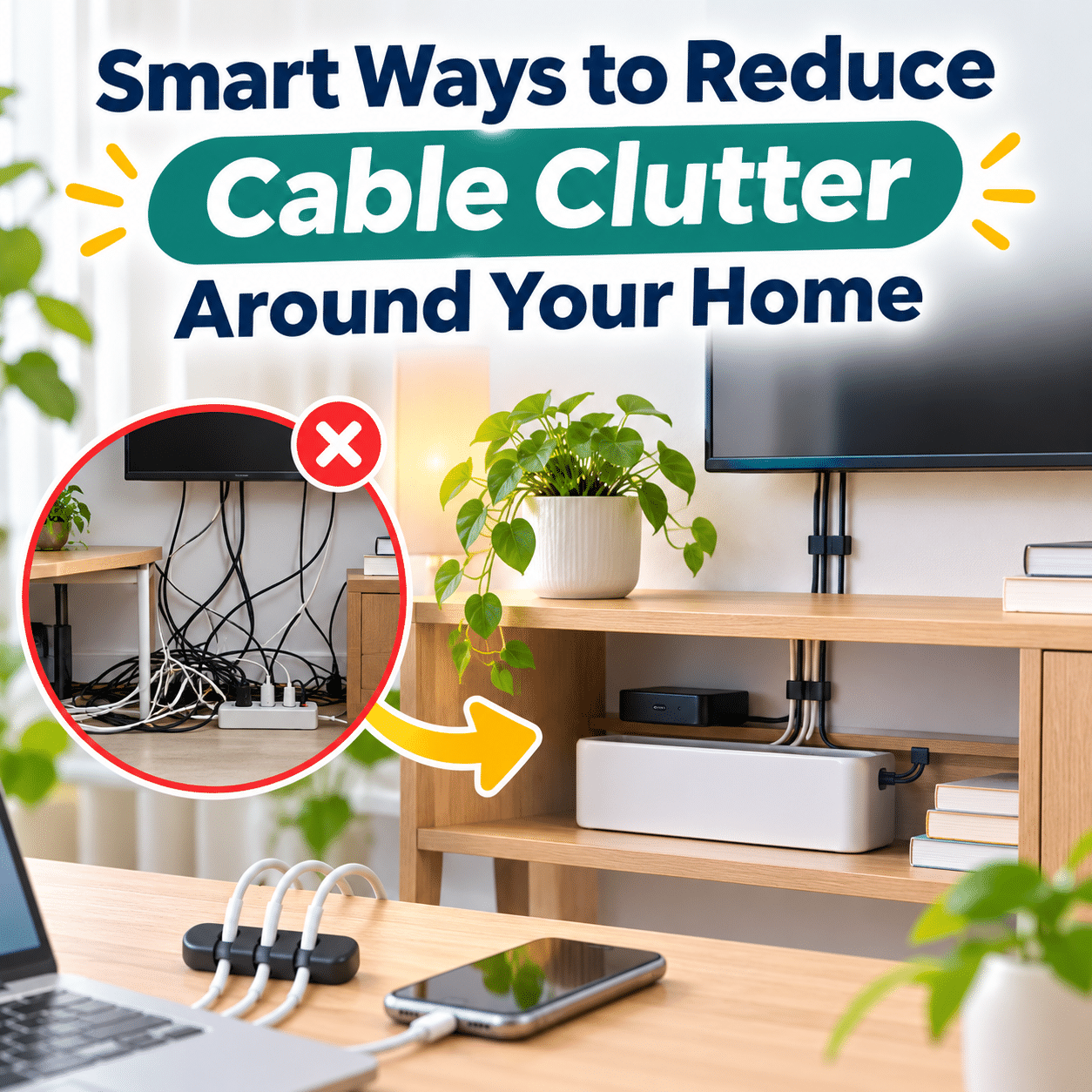
Modern homes rely on an ever-growing collection of electronic devices. From televisions and computers to phone chargers, kitchen appliances, and smart home accessories, cables are an unavoidable part of everyday living. While these connections help keep our devices powered and functioning, they can also create a surprising amount of visual clutter.
A few tangled cords behind a television may seem harmless at first. Over time, however, additional devices, charging accessories, and extension cords can turn a relatively organized space into a confusing collection of wires. Finding the right cable becomes frustrating, cleaning around furniture becomes more difficult, and everyday spaces can begin to feel unnecessarily crowded.
Cable clutter is not simply a matter of appearance. Poorly positioned cords may create tripping hazards, collect dust, interfere with furniture placement, or make it harder to identify damaged electrical accessories. Cables that are tightly bent, crushed, or placed near heat sources can also create avoidable safety concerns.
Fortunately, reducing cable clutter does not require expensive equipment, complicated installations, or a complete home makeover. Many improvements can be achieved with simple organizational habits, thoughtful furniture arrangements, and inexpensive cable management accessories.
The most effective approach is to understand how cables are used in each area of the home. A charging station needs a different solution from a television entertainment center, while a home office may require more flexibility than a bedside table.
This guide explores practical ways to organize cables throughout your home, choose suitable management tools, maintain safe electrical arrangements, and create cleaner spaces that remain easy to use as your technology changes.
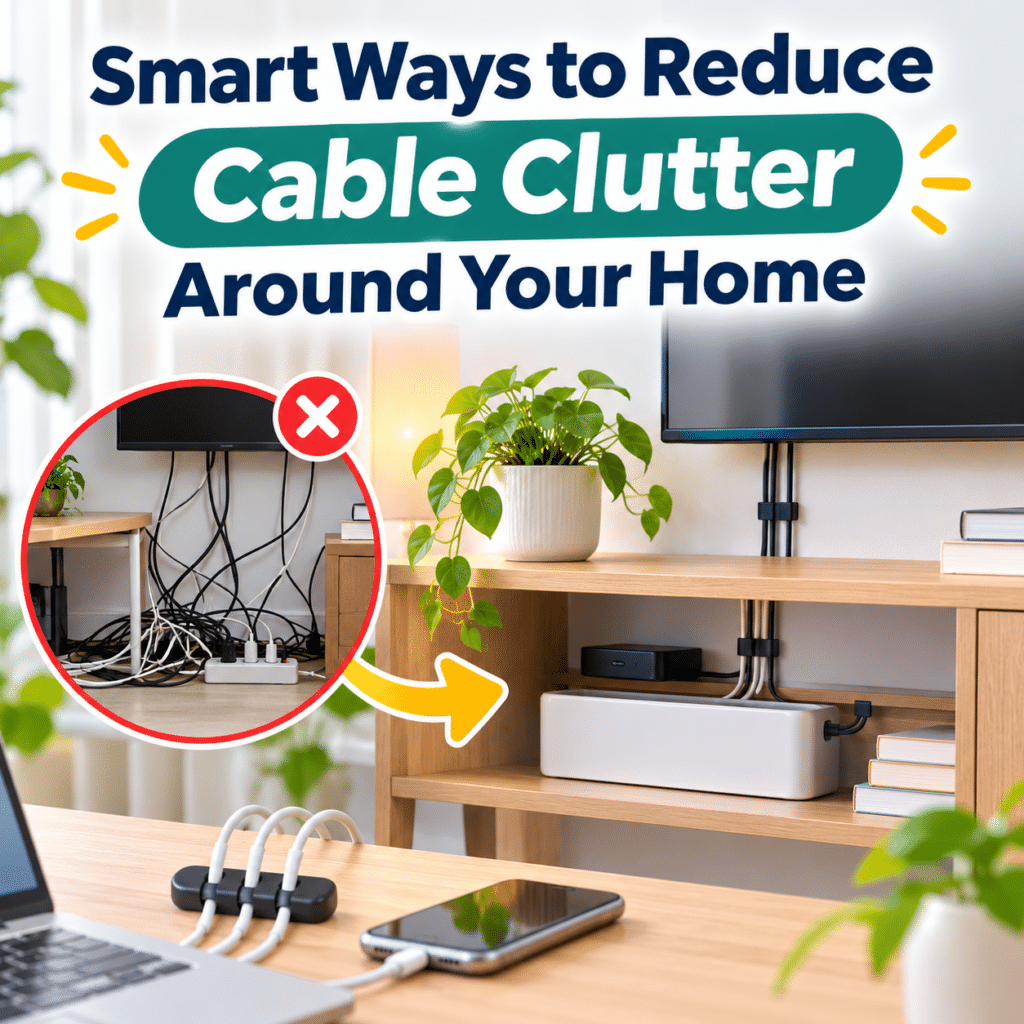
1. Understand Where Cable Clutter Comes From
Before organizing your cables, it helps to identify why they become tangled and difficult to manage.
Too Many Devices Sharing One Area
Modern households often concentrate several electronic devices in a single location.
A living room entertainment center might contain:
- A television
- A streaming device
- A gaming console
- A soundbar
- A wireless router
- A media player
- Multiple charging accessories
Each device may require a power cable, data connection, or both.
When these connections overlap without a clear arrangement, they can quickly become difficult to distinguish.
Cables That Are Longer Than Necessary
Many devices include cables designed to accommodate different room layouts.
Although longer cables offer flexibility, unused lengths often collect behind furniture or beneath desks.
Excess cable length can create loops that become tangled with neighboring cords.
Frequently Moving or Replacing Devices
Charging cables, laptop power adapters, and portable accessories are regularly moved between rooms.
Without designated storage locations, these cables may end up scattered across tables, countertops, and floors.
Keeping Cables That Are No Longer Used
Old charging cables and adapters frequently remain connected or stored near active devices.
Over time, these unused accessories add clutter without providing any practical benefit.
Lack of Dedicated Cable Routes
Cables naturally follow the shortest available path between devices and outlets.
Unfortunately, the shortest path is not always the neatest or safest.
Without clips, channels, or suitable furniture placement, cords may hang visibly, cross walking areas, or collect beneath furniture.
Understanding these causes makes it easier to select solutions that address the underlying problem rather than simply hiding the mess.
2. Start With a Simple Cable Audit
A cable audit is one of the most useful first steps toward a more organized home.
Rather than purchasing organizers immediately, examine the cables already present.
Step 1: Identify Every Connected Device
Work through one area at a time.
For example, begin with your desk or entertainment center.
Identify which cables belong to each device and what purpose they serve.
Common categories include:
| Cable type | Common purpose | Typical location |
|---|---|---|
| Power cords | Supply electricity to devices | Throughout the home |
| USB cables | Charging and data transfer | Desks and charging stations |
| HDMI cables | Audio and video connections | Entertainment centers |
| Ethernet cables | Wired network connections | Offices and router areas |
| Audio cables | Connect speakers and audio equipment | Desks and living rooms |
| Peripheral cables | Connect keyboards, printers, and accessories | Workspaces |
This simple inventory helps reveal which connections are essential.
Step 2: Separate Active and Unused Cables
Determine whether each cable is currently needed.
Ask yourself:
- Is this cable connected to a device I regularly use?
- Does it serve a specific purpose?
- Is there another cable performing the same function?
- Is the connected device still part of my setup?
- Is the cable damaged or outdated?
Remove unnecessary connections where practical.
Disconnect devices safely before handling their cables, and avoid disturbing electrical installations that require professional attention.
Step 3: Identify Problem Areas
Look for locations where cables:
- Hang visibly from furniture
- Cross walking paths
- Become tangled with other cords
- Collect dust beneath desks
- Interfere with drawers or cabinet doors
- Are difficult to identify
- Sit close to heat or moisture
These areas should receive priority during organization.
Step 4: Plan Before Rearranging
Consider where devices will remain and how their cables should travel.
A clear plan reduces unnecessary purchases and repeated adjustments.
3. Use Cable Clips to Keep Everyday Cords in Place
Cable clips are among the simplest accessories for managing frequently used cords.
They hold individual cables in designated positions and prevent them from falling behind furniture.
Where Cable Clips Work Best
Cable clips are particularly useful around:
- Desk edges
- Bedside tables
- Entertainment cabinets
- Charging stations
- Bookshelves
- Computer monitor stands
For example, a small clip attached to the edge of a desk can keep a phone charging cable within easy reach.
Instead of searching behind the desk whenever you need to charge your phone, the connector remains in a consistent location.
Choose Clips Based on Cable Size
Not every clip accommodates every cable.
Thin USB cables generally need smaller holders, while thicker power cords may require larger clips.
Choose clips that hold cables securely without pinching or deforming their insulation.
Consider the Mounting Surface
Adhesive clips are convenient for smooth surfaces.
However, adhesive performance varies depending on material, temperature, cleanliness, and humidity.
Before attaching clips:
- Clean the surface according to the adhesive manufacturer’s instructions.
- Allow it to dry completely.
- Position the clip where the cable can move naturally.
- Follow the recommended adhesive curing time.
- Check that the clip does not place excessive tension on the cable.
Avoid attaching adhesive clips to fragile finishes without testing compatibility.
For frequently moved cables, choose clips that allow easy removal and replacement.
4. Bundle Related Cables With Reusable Straps
When several cables travel in the same direction, reusable cable straps can help keep them together.
Hook-and-loop straps are particularly practical because they can be adjusted as devices change.
Why Reusable Straps Are Helpful
Unlike permanent fastening methods, reusable straps allow you to:
- Add or remove cables
- Adjust bundle size
- Separate connections for troubleshooting
- Reorganize equipment
- Reuse the same accessories
This flexibility makes them suitable for home offices and entertainment systems.
Avoid Overly Tight Bundles
A cable bundle should remain loose enough to avoid crushing insulation or placing strain on connectors.
Do not force incompatible cables into one tightly packed group.
Some electrical cords and high-power equipment require specific routing or ventilation conditions. Follow the equipment manufacturer’s guidance rather than assuming every cord can safely be bundled.
Group Cables by Function
Consider organizing cables into categories such as:
Power connections: Cords supplying electricity to compatible devices.
Data connections: USB, Ethernet, and other communication cables.
Audio and video connections: HDMI and audio cables associated with entertainment equipment.
Separating these groups can make maintenance easier.
For sensitive audio or data equipment, routing signal cables separately from power cords may also help avoid certain interference problems.
5. Hide Visible Cables With Cable Management Channels
Cable management channels, sometimes called cable raceways, provide a structured route for cables along walls, desks, or furniture.
They can be especially useful when cords must travel across visible surfaces.
Common Applications
Cable channels work well for:
- Wall-mounted televisions
- Computer desks
- Entertainment cabinets
- Home office equipment
- Network cables along walls
A paintable surface-mounted raceway can help a cable route blend into the surrounding wall.
Plan the Route Carefully
Before installing a channel, determine:
- Where the cable begins.
- Where it needs to connect.
- Whether the route interferes with furniture.
- Whether connectors can fit through the channel.
- Whether the channel is suitable for the specific cable type.
Avoid sharp turns that exceed a cable’s recommended bend radius.
Understand Electrical Safety Limitations
Not every decorative cable channel is approved for every type of electrical cord.
A channel suitable for low-voltage data cables may not be appropriate for flexible mains power cords.
Never conceal ordinary extension cords or appliance power cords inside walls, ceilings, or floors.
Use only routing products approved for the intended wiring and installation method, and follow local electrical requirements.
When permanent wiring changes are needed, consult a qualified electrician.
6. Create a Cleaner Home Office Setup
Home offices often contain some of the most concentrated cable clutter in a household.
Computers, monitors, printers, desk lamps, docking stations, and charging devices may all require separate connections.
A thoughtful desk arrangement can make these cables less visible while preserving easy access.
Position Devices Before Managing Their Cables
Begin by arranging your main equipment.
Consider the location of:
- Computer or laptop
- Monitor
- Keyboard and mouse
- Printer
- Desk lamp
- Docking station
- Power outlets
Once the layout feels comfortable, determine the best cable routes.
Organizing cables before finalizing device placement often leads to unnecessary adjustments.
Use an Under-Desk Cable Tray
An under-desk tray can provide a designated place for compatible cable-management accessories and excess low-voltage cable lengths.
Depending on the tray’s design and manufacturer’s instructions, it may also support an approved power strip.
A good tray should:
- Attach securely
- Support the intended weight
- Allow adequate ventilation
- Keep cables away from moving desk components
- Preserve access to electrical connections
Avoid overcrowding the tray.
Keep Frequently Used Connections Accessible
Not every cable should be hidden.
Phone chargers, external drive connections, and laptop cables may need regular access.
A practical arrangement separates permanent connections from frequently moved ones.
For example:
Permanent connections: Monitor power, Ethernet, and fixed peripheral cables.
Frequently used connections: Phone charging cable, laptop adapter, and removable accessories.
This arrangement reduces clutter without making everyday tasks inconvenient.
Consider Wireless Accessories
Wireless keyboards and mice can reduce visible desk cables.
However, wireless devices may introduce batteries, charging requirements, or additional adapters.
Choose wireless accessories when they genuinely simplify your setup rather than assuming they are always the better option.
7. Organize Television and Entertainment Center Cables
Entertainment centers frequently combine power cords, HDMI connections, network cables, and audio equipment.
Because many devices remain connected permanently, this area benefits from a stable cable arrangement.
Group Connections by Device
Identify which cables belong to the television, sound system, gaming console, and streaming equipment.
Use labels to make connections easier to recognize.
Route Cables Behind Furniture
Whenever possible, position cables behind the entertainment cabinet rather than allowing them to hang across the front.
Furniture with built-in cable openings can make this easier.
If a cabinet has no suitable openings, consider an approved external routing solution instead of modifying furniture without checking for structural or electrical risks.
Leave Space for Ventilation
Electronic devices generate heat during operation.
Do not pack cables tightly against ventilation openings or cover power adapters with fabric, paper, or other materials.
Keep the surrounding area consistent with the device manufacturer’s ventilation requirements.
Plan for Future Equipment Changes
Entertainment systems evolve.
You may replace a streaming device, add a gaming console, or upgrade your television.
Reusable straps and accessible cable routes make these changes easier.
Avoid creating an arrangement that requires dismantling the entire entertainment center whenever one cable needs replacing.
8. Simplify Charging Areas Around Your Home
Phone chargers, tablet cables, headphones, and wearable devices can create clutter in bedrooms, living rooms, and shared spaces.
A dedicated charging area can help reduce the number of loose cables.
Establish a Charging Station
Choose a convenient location for regularly charged devices.
Possible locations include:
- A desk corner
- A hallway console
- A living room side table
- A kitchen counter away from sinks and heat
- A bedroom shelf
The ideal location depends on your household’s routines.
Use a Suitable Multi-Port Charger
A compatible multi-port charger may replace several individual charging adapters.
Before using one, verify:
- Supported charging standards
- Total power output
- Individual port limitations
- Device compatibility
- Electrical safety certification appropriate to your market
Choose reputable charging equipment and follow the manufacturer’s instructions.
Avoid Overcrowded Charging Surfaces
Keep charging devices on stable, ventilated surfaces.
Do not charge electronics beneath pillows, blankets, or other materials that can trap heat.
Avoid placing charging equipment where spills are likely.
Give Every Cable a Home
When a cable is not being used, store it in a designated drawer, organizer, or compartment.
This prevents charging accessories from gradually spreading across the room.
9. Reduce Cable Clutter Around Bedside Tables
Bedside tables often accumulate charging cables, lamps, alarm clocks, and other small electronic accessories.
Because these spaces are usually compact, even a few cords can make them feel crowded.
Keep Only Essential Devices Nearby
Consider which electronics genuinely need to remain beside the bed.
Moving rarely used accessories elsewhere can immediately reduce clutter.
Use a Bedside Cable Holder
A small holder can keep a phone charging cable from falling behind the nightstand.
Choose a position that allows comfortable access without stretching the cable across the bed or walking area.
Position Power Connections Carefully
Avoid routing electrical cords beneath mattresses, rugs, or bedding.
Do not place adapters where they may be covered by blankets or compressed against furniture.
Keep cords away from adjustable bed mechanisms and other moving components.
Consider Furniture With Built-In Cable Management
Some bedside tables include cable openings or integrated charging features.
These can be convenient when properly designed and installed.
However, built-in charging features should still be evaluated for compatibility, ventilation, and electrical safety.
10. Manage Cables in the Kitchen Without Creating Hazards
Kitchen cable organization requires particular care because electrical appliances may operate near water, heat, and food preparation areas.
The goal is not simply to hide cords but to keep them positioned safely.
Keep Appliance Cords Away From Water
Avoid routing cables across sinks or areas where water regularly collects.
Position appliances according to their operating instructions and maintain appropriate separation from wet surfaces.
Avoid Cords Near Hot Surfaces
Keep electrical cords away from:
- Stovetops
- Hot cookware
- Toasters and other hot appliances
- Oven vents
- Heated appliance surfaces
Heat can damage cable insulation and create safety risks.
Use Built-In Cord Storage
Some small appliances include cord wraps or storage compartments.
Use these features only as instructed by the manufacturer.
Do not operate appliances with cords tightly wound around them unless the manufacturer specifically permits that arrangement.
Store Unused Appliances Properly
When appliances are unplugged and cool, their cords can often be stored neatly with the appliance.
Avoid sharply bending cords near the plug or where the cord enters the device.
Avoid Improvised Extension-Cord Arrangements
High-power kitchen appliances may require direct connection to a suitable wall outlet.
Do not assume an ordinary extension cord or multi-outlet adapter is appropriate.
Follow appliance instructions and consult a qualified electrician when outlet capacity or placement is inadequate.
11. Use Cable Labels to Make Connections Easy to Identify
Cable labels are especially helpful in areas containing multiple similar cords.
Without labels, disconnecting one device may require tracing a cable through an entire bundle.
Simple Labeling Methods
Common options include:
- Writable cable tags
- Wraparound labels
- Color-coded markers
- Preprinted identification labels
- Reusable identification clips
Choose labels that remain readable and do not damage the cable.
Label Both Ends When Helpful
For longer cables, identifying both ends can save time.
For example, an Ethernet cable running from a router to a desktop computer can be labeled at each connection point.
Use Clear, Consistent Names
Instead of vague labels such as “Cable 1,” choose names that describe the connected equipment.
Examples include:
- Main Monitor
- Desk Lamp
- Router
- Printer
- TV Soundbar
- Laptop Dock
Consistency matters more than creating an elaborate system.
Update Labels When Equipment Changes
Remove or replace outdated labels whenever devices are moved or disconnected.
Incorrect labels can become more confusing than having no labels at all.
12. Store Spare Cables Without Creating Another Mess
Organizing active cables is only half the process.
Unused accessories also need a practical storage system.
Sort Spare Cables by Category
Separate cables according to function.
Useful groups include:
Charging cables: USB-C and other device-specific charging connections.
Audio and video cables: HDMI and audio accessories.
Computer connections: Ethernet and peripheral cables.
Power accessories: Compatible removable power cords and adapters.
Special-purpose cables: Connections required by less frequently used equipment.
Use Small Storage Compartments
Drawer dividers, labeled containers, and compartment organizers can keep spare cables separated.
Transparent containers make it easier to identify contents without opening every box.
Coil Cables Gently
Avoid wrapping cables tightly around your hand or creating sharp bends.
Instead, form relaxed loops that respect the cable’s construction.
Secure the coil with a reusable strap when appropriate.
Keep Matching Accessories Together
Some devices use proprietary charging adapters or specialized connectors.
Store these accessories with the corresponding device or label them clearly.
This reduces the risk of using an incompatible power supply.
Recycle Unnecessary Electronics Responsibly
Damaged, obsolete, or unwanted cables may be accepted through electronics recycling programs.
Check local recycling options rather than automatically placing electronic accessories in general household waste.
13. Choose Cable Management Accessories Based on Your Needs
Different organizational tools solve different problems.
The best choice depends on whether cables need to remain accessible, move frequently, or stay in a fixed location.
| Accessory | Best use | Main advantage | Important consideration |
|---|---|---|---|
| Cable clips | Individual charging and desk cables | Keeps cords positioned | Must fit cable diameter |
| Reusable cable straps | Related cable groups | Easy to adjust | Avoid excessive tightening |
| Cable sleeves | Compatible groups of low-voltage cables | Creates a cleaner appearance | Check heat and cable suitability |
| Cable raceways | Visible routes along surfaces | Conceals and guides cables | Must be approved for cable type |
| Under-desk trays | Desk cable management | Reduces visible clutter | Secure mounting and ventilation |
| Cable labels | Complex equipment setups | Simplifies identification | Keep labels updated |
| Drawer organizers | Spare cable storage | Separates accessories | Avoid overcrowding |
| Cable holders | Frequently used chargers | Keeps connectors accessible | Position away from hazards |
A combination of two or three simple tools is often more effective than purchasing a large collection of accessories.
14. Make Better Use of Furniture Placement
Cable management becomes easier when furniture supports the intended layout.
Position Furniture Near Suitable Outlets
Whenever practical, place devices within reach of appropriate wall outlets.
This can reduce the need for long extension cords.
However, furniture should not press against plugs or force cables into sharp bends.
Use Furniture With Cable Openings
Desks and entertainment cabinets with built-in cable passages can help organize connections.
Check that openings are smooth and large enough for the intended cables.
Keep Moving Furniture Clear of Cords
Adjustable desks, reclining chairs, and furniture with moving components require special attention.
Cables must have enough slack for the full range of movement without becoming pinched or stretched.
Avoid Trapping Cables Behind Heavy Furniture
Power cords should not be crushed between furniture and walls.
Where clearance is limited, consider changing the furniture arrangement or using equipment designed for the available space.
Do not force plugs into positions that place stress on their connections.
15. Reduce the Number of Cables You Actually Need
One of the most effective cable management strategies is reducing unnecessary connections.
Consolidate Compatible Charging Equipment
Some modern devices share charging standards.
Where supported, a suitable charger may serve several devices.
Always verify voltage, power requirements, connector compatibility, and manufacturer recommendations.
Remove Redundant Accessories
Consider whether old hubs, adapters, or devices are still necessary.
Disconnecting unused equipment can simplify the entire setup.
Choose Appropriate Cable Lengths
For permanent connections, a correctly sized cable may be easier to manage than one with excessive unused length.
However, do not choose a cable so short that it creates tension or restricts movement.
Evaluate Wireless Alternatives
Wireless accessories may reduce visible cables for keyboards, mice, headphones, and some networking applications.
But wireless solutions are not always suitable.
Wired connections may provide advantages in reliability, latency, power delivery, or performance.
Choose based on actual needs.
Avoid Buying More Organizers Than Necessary
Sometimes removing two unused cables solves a problem more effectively than adding several management accessories.
Simplification should come before concealment.
16. Keep Cable Management Safe
A neat-looking arrangement is not necessarily a safe one.
Electrical safety should always take priority over appearance.
Inspect Cables Regularly
Look for:
- Frayed insulation
- Exposed conductors
- Cracked plugs
- Loose connectors
- Discoloration
- Signs of overheating
- Unusual smells
Stop using damaged electrical accessories and arrange appropriate replacement or professional inspection.
Avoid Overloading Outlets
Power strips and extension cords have electrical ratings.
The combined connected load must remain within the applicable limits.
Do not connect one power strip or extension cord into another to increase the number of available outlets.
When additional permanent outlets are needed, use a qualified electrician.
Keep Cords Away From Walking Paths
Loose cables crossing floors can create tripping hazards.
Whenever possible, reroute them along appropriate furniture or wall paths.
If a floor crossing cannot be avoided, use a purpose-designed, appropriately rated cable protector installed according to its instructions.
Do Not Hide Cords Under Rugs
Running ordinary power cords beneath rugs or carpets can expose them to pressure, damage, and heat buildup.
Choose a safer route instead.
Avoid Improper Cable Enclosures
Not all cable management boxes are suitable for power adapters, extension cords, or high-power equipment.
Enclosures must be compatible with their contents and provide ventilation where required.
Never cover electrical equipment simply to make it less visible.
Follow Device Instructions
Manufacturer requirements take priority over general organizing suggestions.
This is particularly important for appliances, power supplies, chargers, and equipment that generates significant heat.
17. Common Cable Management Mistakes and How to Fix Them
Even well-intentioned organization can create new problems.
Mistake 1: Hiding Every Cable
Concealing all connections may make troubleshooting difficult.
Better approach: Keep important plugs, connectors, and frequently used cables accessible.
Mistake 2: Bundling Cables Too Tightly
Tight bundles can place stress on cable insulation and connectors.
Better approach: Use adjustable straps and follow cable-specific routing requirements.
Mistake 3: Organizing Before Removing Unused Cables
Managing unnecessary cords wastes space and effort.
Better approach: Declutter first, then organize what remains.
Mistake 4: Ignoring Cable Length
Excessively long cables create loops, while short cables may become stretched.
Better approach: Choose lengths that provide sufficient reach without excessive slack.
Mistake 5: Using the Wrong Adhesive Accessories
Poorly matched adhesive clips may detach or damage surfaces.
Better approach: Check surface compatibility, load limits, and installation instructions.
Mistake 6: Making Permanent Connections Difficult to Reach
An overly concealed setup can complicate repairs and upgrades.
Better approach: Preserve access to connections and use removable management accessories where possible.
Mistake 7: Prioritizing Appearance Over Safety
A hidden cable may still be overheated, crushed, or improperly routed.
Better approach: Evaluate electrical safety before deciding how to conceal or secure a cord.
Mistake 8: Forgetting Future Devices
A setup designed around today’s equipment may become impractical after one upgrade.
Better approach: Leave reasonable flexibility for future changes.
18. Troubleshooting Common Cable Clutter Problems
Problem: Cables Keep Falling Behind the Desk
Possible cause: Frequently used cables have no fixed resting position.
Solution: Add appropriately sized cable clips near the desk edge.
Problem: Cables Become Tangled After Moving Equipment
Possible cause: Connections are bundled too tightly or lack adequate slack.
Solution: Separate movable connections from fixed ones and allow sufficient cable length.
Problem: Adhesive Clips Keep Detaching
Possible cause: Surface contamination, incompatible material, excessive load, or insufficient curing time.
Solution: Clean the surface, verify compatibility, and consider an alternative mounting method.
Problem: It Is Difficult to Identify the Correct Cable
Possible cause: Similar-looking connections have no labels.
Solution: Label cables at accessible points and maintain a simple device inventory.
Problem: The Area Behind the Television Is Still Messy
Possible cause: Excess cable lengths and unrelated connections remain mixed together.
Solution: Remove unused cords, group connections by device, and plan accessible cable routes.
Problem: A Cable Organizer Feels Warm
Possible cause: Electrical equipment may be generating heat or ventilation may be restricted.
Solution: Stop using the arrangement if overheating is suspected. Disconnect safely when possible, inspect the equipment, and follow manufacturer guidance. Seek qualified assistance when necessary.
Problem: Cable Clutter Returns After a Few Weeks
Possible cause: New cables are added without updating the system.
Solution: Establish a simple maintenance routine and assign storage locations for spare accessories.
19. Create a Room-by-Room Cable Organization Plan
Organizing the entire home at once can feel overwhelming.
A room-by-room approach makes the process more manageable.
Living Room
Focus on:
- Television connections
- Entertainment equipment
- Router cables
- Charging accessories
- Cords behind furniture
Prioritize accessible routing and clear separation between devices.
Home Office
Focus on:
- Computer and monitor connections
- Docking stations
- Desk chargers
- Peripheral cables
- Under-desk clutter
Prioritize flexibility, identification, and comfortable access.
Bedroom
Focus on:
- Phone chargers
- Bedside lamps
- Alarm clocks
- Small electronic devices
Prioritize safe charging locations and clear walking paths.
Kitchen
Focus on:
- Small appliance cords
- Countertop charging devices
- Unused appliance storage
Prioritize distance from water, heat, and food preparation activities.
Shared Spaces
Focus on:
- Multiple household chargers
- Portable electronics
- Shared workstations
- Frequently moved accessories
Prioritize clear labeling and designated storage.
20. Build Simple Habits That Prevent Cable Clutter
Cable management works best when it becomes part of ordinary household maintenance.
Return Portable Chargers to Their Storage Locations
After using a charger in another room, return it to its designated place.
This prevents duplicate accessories from accumulating across the home.
Remove Cables When Devices Are Replaced
When retiring an electronic device, check whether its cable or adapter is still needed.
Do not leave disconnected accessories mixed with active connections.
Review Cables During Regular Cleaning
While cleaning desks or entertainment cabinets, check for loose or unnecessary cords.
A brief inspection can prevent larger problems.
Keep a Small Collection of Useful Accessories
A few reusable straps, clips, and labels can make future adjustments easier.
There is no need to maintain a large collection of organizing products.
Update Your Setup Gradually
As your devices change, adjust cable routes and labels.
A flexible system is more sustainable than one that must be completely rebuilt whenever equipment changes.
21. Frequently Asked Questions
1. What is the easiest way to reduce cable clutter at home?
Start by identifying and removing unused cables. Then organize the remaining connections with suitable clips, reusable straps, and designated storage areas.
2. How can I hide cables without drilling holes?
Adhesive cable clips and compatible surface-mounted channels may help. Always check surface compatibility and whether the products are approved for the cables being routed.
3. Are cable management boxes safe?
They can be appropriate when designed for the intended equipment and used according to their instructions. Avoid overcrowding, restricting ventilation, or enclosing incompatible electrical devices.
4. What is the best way to organize cables behind a television?
Identify each connection, remove unused cables, label important cords, and route them behind furniture using suitable management accessories.
5. How can I keep charging cables from falling off my desk?
Use cable clips or holders near the desk edge. Choose holders that fit the cable without damaging it.
6. Should I use cable ties or reusable straps?
Reusable hook-and-loop straps are often more convenient for household setups because they can be adjusted without cutting or replacing them.
7. Can I bundle power cables together?
It depends on the cable type, electrical load, operating conditions, and manufacturer’s instructions. Avoid tightly bundling power cords or creating arrangements that restrict heat dissipation.
8. How do I organize spare charging cables?
Sort them by connector type or intended device, coil them gently, and place them in labeled compartments.
9. Is it safe to run cables under a rug?
Ordinary electrical power cords should not be routed beneath rugs or carpets because they may become damaged or overheated.
10. How can I reduce cable clutter in a small apartment?
Focus on removing unnecessary connections, using appropriately sized cables, organizing shared charging areas, and choosing compact storage solutions.
11. Are wireless devices always better for reducing clutter?
Not necessarily. Wireless devices can reduce visible cables but may require batteries, chargers, or adapters. Consider performance and convenience as well as appearance.
12. How do I organize cables under an adjustable desk?
Use cable management accessories suitable for moving desks and allow enough slack for the full range of movement. Ensure cables cannot become pinched, pulled, or trapped.
13. Can I paint cable management channels?
Some surface-mounted channels are designed to be painted. Follow the manufacturer’s instructions and avoid painting connectors, electrical cords, or equipment.
14. How do I know which cable belongs to which device?
Trace connections safely while equipment is disconnected when appropriate, then label each cable clearly. Do not unplug unfamiliar critical equipment without understanding its purpose.
15. Should I replace long cables with shorter ones?
A shorter cable may reduce clutter if it remains compatible and provides adequate slack. Avoid cables that place tension on connectors.
16. What should I do with damaged cables?
Stop using damaged electrical accessories. Replace them with suitable products or seek qualified repair guidance where appropriate.
17. How can I keep cables organized in a shared home office?
Assign designated connection areas, label equipment, and separate permanent cables from frequently moved accessories.
18. Can cable sleeves hold every type of cable?
No. Sleeves vary in material, capacity, and intended application. Check whether the product is suitable for the specific cables and operating conditions.
19. How often should I reorganize household cables?
There is no fixed schedule. Review your setup when adding devices, changing furniture, or noticing clutter. Regular visual inspections are also helpful.
20. What is the most affordable cable management solution?
Removing unused cables, gently coiling spare accessories, and using a few reusable straps or clips can provide meaningful improvements at relatively low cost.
21. How do I organize cables around a router?
Keep the router ventilated, label network connections, and route compatible data cables neatly without sharply bending them. Follow the router’s placement and electrical instructions.
22. Can I store power adapters in a drawer while they are operating?
Do not place operating adapters in enclosed drawers unless the equipment and installation are specifically designed for that use. Power adapters may generate heat and require ventilation.
23. How can I prevent pets from playing with cables?
Keep cords out of reach where possible, use appropriate protective routing, and supervise pets around electrical equipment. Replace damaged cords and avoid relying on improvised coverings.
24. What should I do if I need more outlets?
Avoid overloading existing outlets or connecting multiple power strips together. A qualified electrician can assess whether additional permanent outlets are appropriate.
25. How can I maintain a cable organization system long-term?
Keep labels accurate, store unused accessories consistently, inspect cables for damage, and adjust the setup whenever equipment changes.
22. Practical Cable Organization Checklist
Use this checklist to organize your home systematically.
Before You Begin
- Identify the main cable clutter areas.
- List devices and their connections.
- Separate essential and unused cables.
- Inspect cords and plugs for visible damage.
- Check outlet locations and equipment requirements.
- Plan safe cable routes.
Desk and Home Office
- Position equipment before routing cables.
- Separate fixed and frequently used connections.
- Install suitable cable holders where needed.
- Organize compatible low-voltage cables.
- Label important connections.
- Keep moving furniture clear of cords.
- Maintain access to plugs and adapters.
Living Room and Entertainment Center
- Identify television and media connections.
- Remove obsolete accessories.
- Organize cables by device.
- Route cables behind furniture where appropriate.
- Keep ventilation openings unobstructed.
- Preserve access for maintenance.
Bedroom and Charging Areas
- Keep essential chargers accessible.
- Position cables away from walking paths.
- Avoid cords beneath bedding or rugs.
- Keep charging equipment ventilated.
- Store unused charging accessories.
Kitchen
- Keep electrical cords away from water.
- Avoid routing cords near hot surfaces.
- Follow appliance power requirements.
- Store unplugged appliance cords appropriately.
- Avoid unsuitable extension-cord arrangements.
Spare Cable Storage
- Sort cables by type or purpose.
- Label specialized adapters.
- Coil cables without sharp bends.
- Use compartments or designated containers.
- Separate damaged accessories.
- Recycle unnecessary electronics responsibly.
Long-Term Maintenance
- Review cables when adding new devices.
- Remove obsolete connections.
- Check clips and straps for secure placement.
- Inspect electrical accessories periodically.
- Update labels after rearranging equipment.
- Keep cable routes accessible and safe.
Final Thoughts
Reducing cable clutter around your home is a practical way to create cleaner, more comfortable, and easier-to-maintain living spaces. While modern technology inevitably introduces wires and connections, those cables do not need to dominate desks, entertainment centers, bedside tables, or storage areas.
The most effective solutions begin with simplicity. Removing unused cords, choosing sensible cable routes, keeping frequently used connections accessible, and storing spare accessories properly can make a noticeable difference without requiring a major investment.
Small organizational tools such as cable clips, reusable straps, labels, and suitable management channels can support these improvements. However, no accessory should compromise electrical safety, ventilation, or the ability to maintain equipment.
It is also worth remembering that cable organization is not a one-time project. New devices, changing furniture arrangements, and evolving household routines will naturally affect how cables are used. A flexible system makes these adjustments easier.
Rather than trying to hide every wire, focus on creating an arrangement that is safe, understandable, accessible, and visually calm.
With a little planning and a few consistent habits, cable management can become a simple part of everyday home organization—helping your living spaces feel less cluttered while keeping the technology you rely on convenient and ready to use.